Keypause: Lock Your Mac Keyboard with One Click and Stop Accidental Key Presses While Cleaning
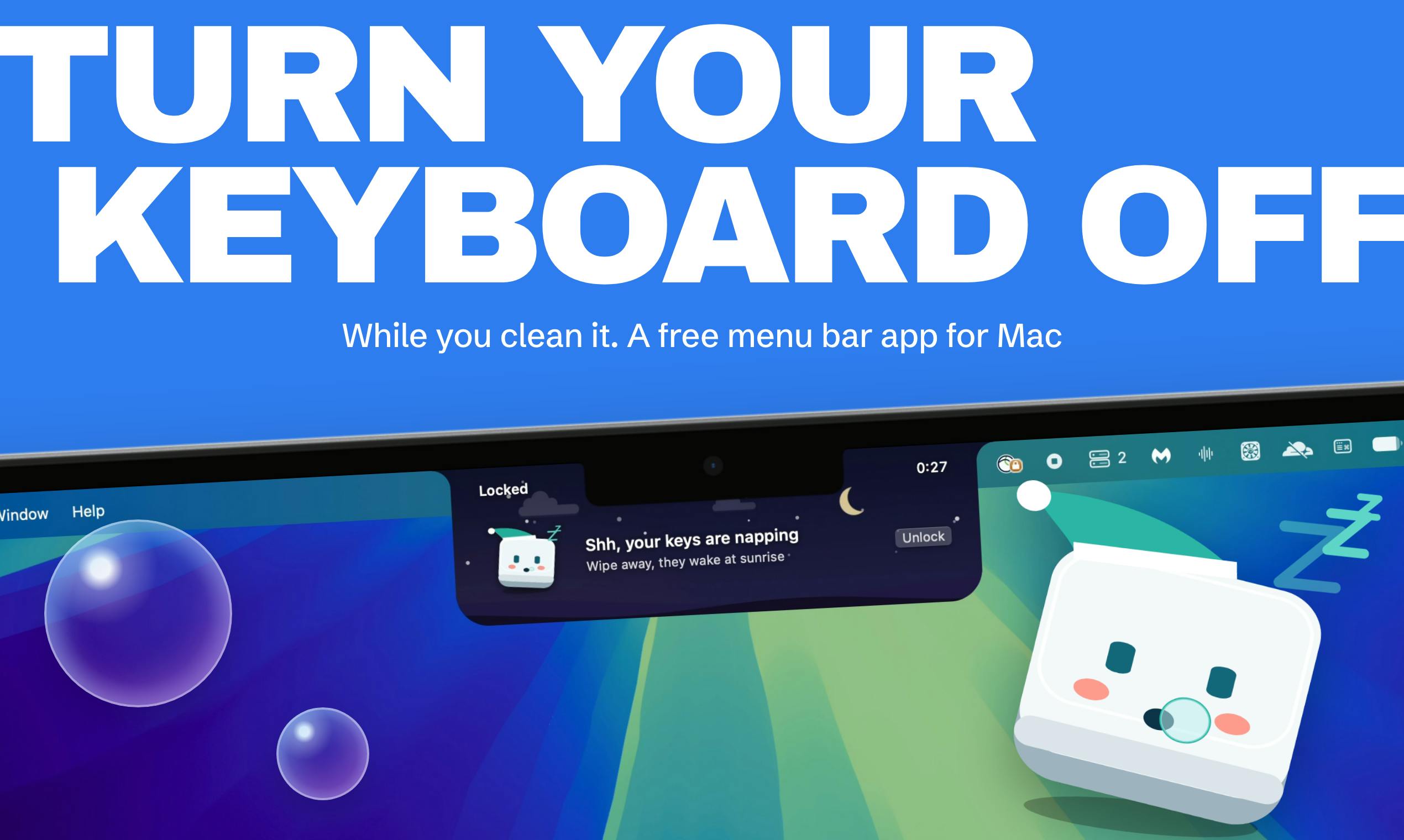
Keypause: a menu bar tool that locks your Mac keyboard with one click to prevent accidental presses while cleaning.
Keypause is a Mac menu bar app that locks keyboard input with one click to help users avoid accidental key presses while cleaning. The article covers its lightweight design, its niche 75-upvote Product Hunt positioning, and potential risks like whether input recovers after a crash. It notes the tool's single-purpose nature and lack of custom lock scopes, making it suitable for frequent keyboard cleaners or pet/kid households, though long-term stickiness is limited.
Mac users often run into an awkward problem when cleaning their keyboards: while wiping, they accidentally press keys, causing garbled input, triggering shortcuts, or even deleting files by mistake. A new product on Product Hunt called Keypause aims to solve this pain point—it's a menu bar app that lets you lock all Mac keys with a single button, so you can wipe down your keyboard with peace of mind, then click again to restore.
An Overlooked Cleaning Pain Point
Keyboard cleaning seems trivial, but MacBook butterfly or scissor-switch keyboards are extremely easy to trigger accidentally while wiping. The traditional approach is to shut down or unplug an external keyboard, but restarting takes time, and unplugging is a hassle. Keypause's idea is simple: temporarily disable keyboard input via software, essentially putting a "soft lock" on the keyboard.
The product received 75 upvotes and 1 comment on Product Hunt, ranking 15th for the day. The data suggests it hits a real need for some users, but discussion volume isn't particularly high, indicating this is still a relatively niche scenario.
Product Mechanism and User Experience
According to the official description, Keypause lives in the Mac menu bar. One click locks all keys, and another click restores them. The app also uses a visual metaphor of "a sleeping keycap waiting for sunrise" to make the locked state immediately clear.
The benefit of this design is that it's lightweight and unobtrusive. Users don't need to open a main window or go through complex settings, which suits short tasks like cleaning. However, public information doesn't mention whether custom lock scopes are supported (e.g., locking only the letter keys while keeping the trackpad active), which could affect some users' experience.
macOS's Accessibility API is key to how these tools work. The app needs user authorization before it can listen for or intercept system-level input events. Specifically, Keypause may use CGEventTap to intercept keyboard events in the event stream, or mark events as handled, thereby preventing keystrokes from reaching the foreground app. This mechanism doesn't require modifying the system底层 (low-level system), but it does require the app to have Accessibility permissions, and users must manually enable it in "System Settings > Privacy & Security > Accessibility."
It's worth noting that CGEventTap's interception scope can be fine-grained down to individual keys or devices, which explains why custom lock scopes might be supported in the future. However, such permissions also mean the app can read all keyboard input, so source trustworthiness is especially important.
Security and Potential Risks
The most direct question about locking the keyboard via software is: if the app crashes or the system freezes, can the keyboard recover? The official description doesn't answer this. From a technical standpoint, such tools typically rely on system Accessibility permissions or event interception mechanisms. If the process exits abnormally, the system usually restores input automatically, but risk can't be completely ruled out.
Another scenario worth considering is cleaning liquid seeping in. Locking the keyboard only prevents accidental presses, not liquid damage. Users still need to follow official cleaning guidelines and avoid spraying liquid directly onto the keyboard.
Input recovery after an abnormal process exit depends on the specific interception mechanism. If CGEventTap is used, when the process crashes, the system automatically removes the event tap and keyboard input returns to normal because events are no longer intercepted. But if the app uses lower-level approaches like kernel extensions (KEXT) or System Extensions, a crash could cause input events to hang, requiring a restart to recover.
Given Keypause's lightweight positioning, it most likely uses user-space event interception, so crash risk is relatively manageable. Still, users should be careful: avoid force-quitting the app or restarting the system while locked, to prevent temporary inability to type. Also, it's best to save your work before cleaning, just in case.
Product Positioning from Multiple Perspectives
Product Hunt tags classify Keypause as "Mac, Productivity, Menu Bar App." From community feedback, the single comment didn't spark obvious controversy, but 75 upvotes show it attracted a group of users interested in efficiency tools. Compared to popular apps with hundreds of upvotes, Keypause is more of a "micro-tool" solving a specific small problem.
The value of such tools lies in filling gaps in system functionality. macOS itself doesn't offer an option to temporarily disable the keyboard, and Keypause fills that gap at extremely low usage cost. Its limitations are also obvious: single-purpose functionality makes long-term stickiness hard to achieve, and users may only open it once when cleaning.
Is It Worth Trying?
If you frequently clean your Mac keyboard, or have kids or pets at home that easily trigger keys, Keypause offers a simple and direct solution. Its menu bar design fits Mac users' habits, with virtually zero learning curve.
But if you expect richer features—like scheduled locking, partial key disabling, or cleaning reminders—the current product may not be enough. Considering it just debuted on Product Hunt, future iterations are worth watching.
Overall, Keypause is a classic "small but beautiful" tool. For a problem that could be solved with a line of code, it chooses to solve it with a button. For Mac users who value a clean desktop, it may be a small plugin worth adding to the menu bar.
One-line Summary
Keypause is a small menu bar utility that locks your Mac keyboard with one click, solving the pain of accidental key presses while cleaning.
Paragraph Summary
Keypause is a Mac menu bar app that helps users avoid accidental key presses while cleaning by locking keyboard input with one click. The article covers its lightweight, unobtrusive design, its niche positioning with 75 upvotes on Product Hunt, and analyzes potential risks of software-based keyboard locking, such as whether input recovers automatically after a process crash. It also notes the tool's single-purpose functionality and lack of advanced options like custom lock scopes, making it suitable for users who clean their keyboards often or have pets or kids at home, though long-term stickiness is limited.
Related articles

Hermes Agent Beginner's Guide: Hands-On with a Self-Evolving AI Agent
A beginner's guide to Hermes Agent, the open-source self-evolving AI agent that gained 41.7K GitHub stars in two months—covering Harness Engineering, the learning loop, three-layer memory, WSL installation, and hands-on configuration.

AI Agent in Action: Building a Smart Office Assistant with WorkBuddy
A practical case study shows how Tencent WorkBuddy batch-converts and archives files, compares chat LLMs with AI Agents, and analyzes WorkBuddy's credit system, use cases, and positioning for office automation selection.

From Single-GPU Bottlenecks to Hundreds of Billions of Parameters: 6 Key Questions in Large Model Distributed Parallelism
Based on a Bilibili tutorial, this article organizes core knowledge of large model distributed parallelism: starting from decoder-only architecture's token-by-token generation and the essence of X times W computation, it analyzes six key questions including data parallelism, tensor parallelism, and pipeline parallelism under single-GPU bottlenecks. Suitable for learners in private deployment and model training scenarios to build systematic understanding.