Kinesis: Control Your Mac with Meta's Neural Wristband
Kinesis bridges Meta's neural wristband EMG signals to macOS for hands-free desktop control.
Kinesis is a third-party bridging project that connects the sEMG signals captured by Meta's Neural Band to macOS, enabling users to control cursor movement, clicking, and keyboard shortcuts through subtle finger gestures. Built on technology from Meta's acquisition of CTRL-labs, the band captures muscle signals before hand movements are fully completed. This direction holds exploratory value for accessibility, hands-free scenarios, and early neural interface adoption — though the project remains largely unverified, with key metrics like accuracy, latency, and stability untested, and its future tightly tied to Meta's hardware ecosystem and SDK policies.
When EMG Signals Become a New Input Method
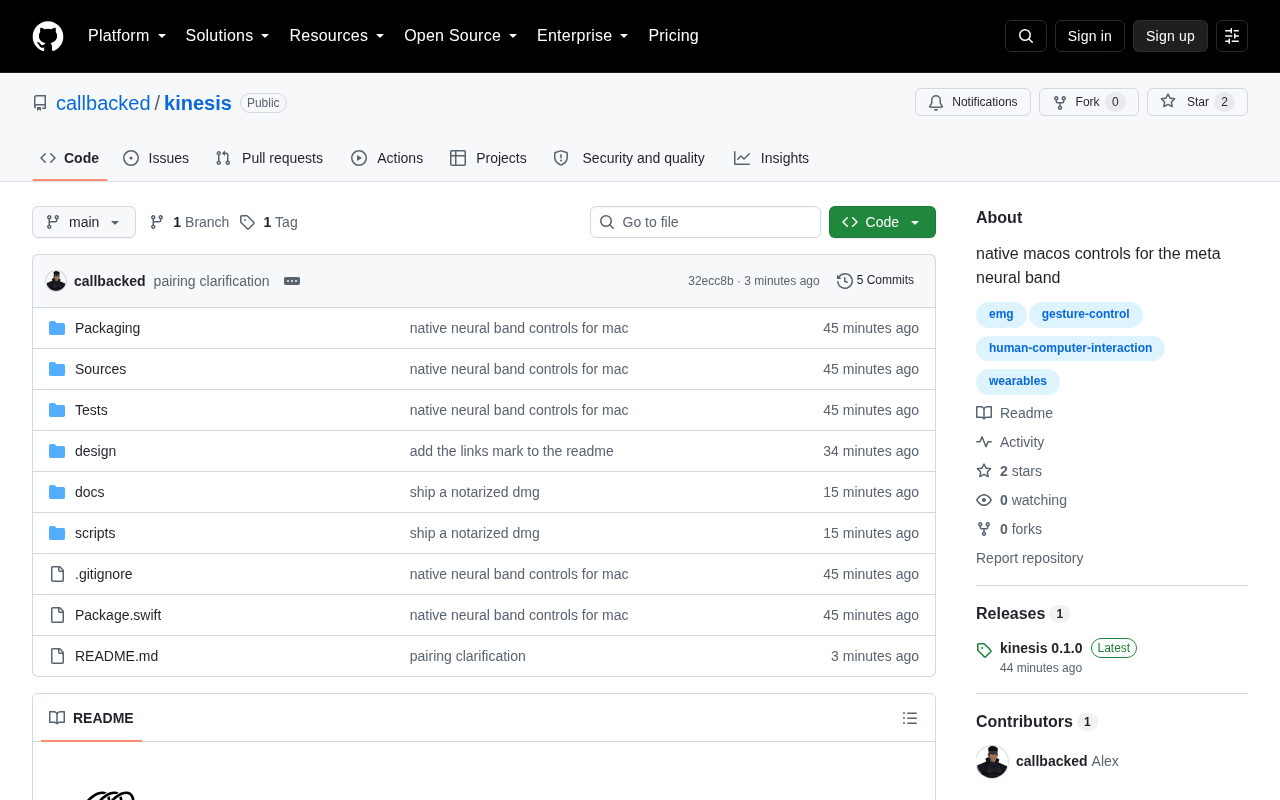
The history of human-computer interaction has always been a search for more natural input: from keyboards and mice to touchscreens, then voice and gesture recognition. A project called Kinesis is pushing that trajectory even further — it lets users control their Mac directly using the Meta Neural Band.
The project recently appeared on Hacker News as a "Show HN" submission. While discussion has been minimal so far (just 3 upvotes and no comments), the technical direction behind it is worth paying attention to: connecting a wearable neural signal device to a desktop OS, and exploring an interaction paradigm that doesn't rely on traditional peripherals.
What Is the Meta Neural Band?
The Meta Neural Band is a wrist-worn device from Meta, built around sEMG (surface electromyography) technology. It detects faint electrical signals generated by muscle activity at the wrist to infer the intended hand movements of the wearer — even before a gesture is fully completed, at the point where fingers are just barely tensing.
The key advantage of this approach: it doesn't need a camera's field of view, isn't affected by lighting conditions, and doesn't require large, fatiguing mid-air gestures. In theory, wearers can complete inputs with extremely subtle finger movements, approaching the intuitive feel of "mind control." Meta has long positioned this type of neural interface as a critical input solution for its AR/VR ecosystem.
sEMG works by using an array of electrodes placed on the skin surface to capture weak bioelectrical signals — typically 0.1 to 5 millivolts — produced when motor neurons fire during muscle contraction. Unlike traditional EMG, which requires needle electrodes inserted into muscle tissue, sEMG is entirely non-invasive and works simply by wearing the device. The wrist is an ideal location for capturing hand intent signals, because the tendons of the forearm muscles that control finger movement (such as the flexor digitorum superficialis and flexor digitorum profundus) pass through the wrist, where their electrical signals can be effectively picked up. Meta acquired sEMG pioneer CTRL-labs in 2019, a company long focused on decoding neural signals into fine-grained hand movement intent — and that work forms the core technology behind the Neural Band. Decoding raw EMG signals into specific gestures requires machine learning models calibrated for each individual user, which is the main reason the technology still faces challenges in generalization and cross-user consistency.
What Kinesis Does
Kinesis's value lies in "bridging the gap" — it connects Meta's neural wristband, originally intended for Meta's own ecosystem, to macOS. This means users can experiment with mapping gestures or EMG signals recognized by the band to Mac operations such as cursor movement, clicking, and triggering keyboard shortcuts.
In terms of product design, tools like this typically serve as a "translation layer": receiving raw signals or recognition results from the wristband, then converting them into input events that the operating system can understand. For developers and power users, this opens up an experimental space to explore what EMG-based input can actually do in everyday desktop workflows — and how well it works.
From a technical implementation standpoint, bridging tools like this typically subscribe to raw data streams or high-level gesture events via the hardware vendor's SDK or Bluetooth protocol, then call macOS's Accessibility API or a virtual HID (Human Interface Device) driver to inject recognized results into the system's input event queue. macOS's CGEvent framework allows developers to programmatically simulate mouse movements, clicks, and keyboard events — this is the system-level foundation that makes such tools possible. It's worth noting that whether Meta has opened the Neural Band's full SDK to third-party developers remains unclear, which directly determines the level of signal Kinesis can access — whether that's decoded gesture labels or lower-level raw electrical signals — and consequently affects how customizable and extensible it can be.
Why This Direction Deserves Attention
Connecting a neural wristband to a desktop system may seem like a niche tool, but it touches on several much larger questions.
Diversifying input methods. Current mainstream accessibility and productivity tools still rely primarily on keyboard/mouse and voice. EMG signals offer an entirely new channel, with potential value for people with motor disabilities or in scenarios where hands need to be free (such as when wearing gloves or when hands are otherwise occupied).
Openness of wearable devices. Wearables released by manufacturers are often locked into their own ecosystems. Third-party bridging projects like Kinesis effectively push these devices toward broader use cases and test the extensibility of hardware interfaces.
Early-stage exploration of neural interfaces. sEMG is widely seen as a practical transitional technology on the path toward deeper brain-computer interfaces. It requires no invasive surgery, works right out of the box, and is likely the first form of "neural input" that ordinary consumers will encounter. The richer the tooling ecosystem around it, the better we can understand the practical limits of this technology.
Current Limitations and a Wait-and-See Stance
To be objective: publicly available information is extremely limited right now. The project appeared only as a brief Show HN post, with no detailed technical documentation, demo videos, or user feedback to evaluate. Key questions — recognition accuracy, acceptable latency, supported operations, reliability — remain unanswered.
Furthermore, tools that depend on a single vendor's hardware tend to be tightly bound to that hardware's market trajectory and SDK policies. If the underlying device's availability or interfaces change, any bridging tool built on top of it will be directly affected.
For interested users, the right mindset at this stage is to treat Kinesis as something to "watch from a technical perspective" rather than a ready-to-use productivity tool. It represents an exploration: if wearable neural devices become widespread, will the way we operate our computers change as a result? The answer to that question may well be found in early experimental projects like this one.
Related articles

Salesforce Acquires Rune for $375M: AI Logistics Tech Bolsters Defense Business
Salesforce reportedly acquires defense tech startup Rune for $375M. Rune's AI logistics tech will strengthen Salesforce's Missionforce defense platform, continuing its M&A spree.

Why Fair Use Benefits Everyone in the AI Era
Starting from a Hacker News discussion, this article analyzes the legal logic and controversies of the fair use principle in AI training and content creation, and its dual impact on creators and the tech ecosystem.

Mistral Large 4 Open-Sources a Trillion Parameters, Microsoft Offers Voluntary Severance to 60,000 Employees
Mistral Large 4 open-sources a trillion-parameter multimodal model with a coding agent score of 48; SanDisk earnings show AI inference reshaping NAND demand; Google Gemini adds in-app file editing, OpenAI raises Codex quotas, and Microsoft offers voluntary severance to 60,000 employees.