LangChain AI Agent in Practice: Complete Tutorial on Streaming Output + Parallel Tool Calling

Build an AI Agent chat app with LangChain featuring parallel tool calling and streaming output
This article provides a detailed walkthrough of building a complete AI Agent chat application backend using LangChain and FastAPI. The system follows the ReAct paradigm and supports tool calling, asyncio.gather parallel execution, SSE streaming output, and structured responses. Key topics include the token streaming mechanism, async queue communication, parallel tool calling implementation, and critical technical details like Agent Scratchpad message ordering.
Project Overview: What Are We Building?
This article takes you through a deep dive into building a complete AI Agent chat application using LangChain. This isn't a simple Q&A bot — it's an intelligent conversational system with tool calling, parallel execution, streaming output, and structured response capabilities.
LangChain is one of the most popular LLM application development frameworks today. Its Agent module is built on the ReAct (Reasoning + Acting) paradigm — at each step, the model first reasons (Thought), then decides on an action (Action), and finally observes the result (Observation), iterating in a loop until reaching a final answer. This architecture transforms LLMs from mere text generators into autonomous decision-making systems capable of using external tools, making it the mainstream approach for building intelligent assistant applications.
Users can ask this Agent various complex questions — such as checking the weather, searching for news, or performing mathematical calculations. The Agent automatically selects appropriate tools, processes them in parallel, and returns structured results via streaming. The entire project consists of a FastAPI backend and a frontend interface; this article focuses on the backend API implementation logic.

Project Environment Setup
Dependency Management and Configuration
The project uses uv as the Python package manager, making the setup process very straightforward:
# Install uv (Mac)
brew install uv

# Install Python and create virtual environment
uv python install
uv venv
source .venv/bin/activate

# Install all dependencies
uv sync
For environment variables, you need to configure three API keys: OpenAI API Key, LangChain API Key, and SerpAPI API Key. Simply copy .env.example to .env and fill in the corresponding keys.
Starting the FastAPI Service
After navigating to the 09-capstone/api directory, run the following command to start the FastAPI service:
uv run uvicorn main:app --reload
Once the service is running, you can access the API documentation at localhost:8000/docs, which includes a core /invoke POST endpoint.
Core API Architecture: Streaming Response Mechanism
How the Token Generator Works
The core of the API lies in the token_generator function, which is responsible for post-processing each token produced by the Agent and returning it to the frontend as a stream. The entire streaming response is implemented through FastAPI's StreamingResponse object, with the media type set to text/event-stream.
text/event-stream is the MIME type for the Server-Sent Events (SSE) protocol. SSE is an HTTP standard for unidirectional server-to-client data pushing. Compared to WebSocket, it's more lightweight, requires no handshake protocol, and natively supports automatic reconnection. In AI chat scenarios, SSE is the mainstream solution for streaming token output — each token is pushed immediately upon generation, so users don't have to wait for the complete response, creating an experience closer to real conversation. Streaming output in mainstream AI products like ChatGPT and Claude is all built on this protocol.
Within the token stream, the system inserts special control markers to help the frontend distinguish between different types of content:
- Step start/end markers: Identify the boundaries of a tool calling step
- Step name markers: Identify the name of the current tool being used
- Argument stream: The specific parameters of the tool call, streamed token by token
- Final answer marker: When the frontend detects the
final_answerstep name, it switches to regular chat output mode
async def token_generator():
    async for token in streamer.aiter():
        if is_end_of_step(token):
            yield end_of_step_token
        elif tool_calls := get_tool_calls(token):
            if tool_name:
                yield f"{start_step}{tool_name}{end_step_name}"
            elif function_args:
                yield function_args  # Stream arguments directly
Async Execution and Queue Communication
The entire API adopts an asynchronous architecture. Agent execution is created as an async task via asyncio.create_task, and tokens are passed between Agent execution and streaming output through the queue mechanism of QueueCallbackHandler.
Callback Handler is a hook system provided by LangChain that allows developers to inject custom logic at key points such as model generation and tool calling. QueueCallbackHandler implements a producer-consumer pattern using asyncio.Queue: the Agent execution thread acts as the producer, placing tokens into the queue, while token_generator acts as the consumer, pulling tokens from the queue and pushing them to the client via SSE. This decoupled design completely separates Agent execution logic from output transmission logic, preventing them from blocking each other — even while the Agent is waiting for a tool's return result, already-generated tokens can continue flowing to the frontend.

Deep Dive into the Agent Execution Engine
Async Tool Definitions and Coroutines
All tools in the project are defined as async functions (async def), which is a critical design decision. For tools like SerpAPI that involve network requests, async is necessary — while waiting for the API response, the program can handle other tasks. For tools like final_answer or calculator, although async isn't strictly required, using async definitions uniformly simplifies the code:
# Uniformly use tool.coroutine instead of mixing tool.func and tool.coroutine
name_to_tool_func = {
    tool.name: tool.coroutine for tool in tools
}
When a tool is defined as async, LangChain's StructuredTool places the function in the coroutine attribute rather than the func attribute. This means all tool calls require await, but code consistency is greatly improved. It's worth noting that StructuredTool also relies on Pydantic to define the input parameter structure of tools — by describing each parameter's type and meaning through Pydantic BaseModel, the LLM can accurately know what format of parameters to pass when calling a tool, significantly reducing tool calling errors.
Implementing Parallel Tool Calling with asyncio.gather
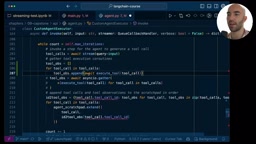
Parallel tool calling is a significant upgrade over basic Agents in this project. The core implementation relies on asyncio.gather:
# Sequential execution (slow)
for tool_call in tool_calls:
    result = await execute_tool(tool_call)

# Parallel execution (fast)
tool_obs = await asyncio.gather(
    *[execute_tool(tc) for tc in tool_calls]
)
It's important to understand that Python's asyncio is a single-threaded event loop coroutine concurrency model. asyncio.gather isn't true CPU parallelism but rather I/O concurrency — when one coroutine is waiting for a network response, the event loop switches to execute other coroutines. For network-intensive tasks like SerpAPI calls, this approach turns multiple sequential waits into overlapping waits, bringing total latency close to the time of the single slowest request rather than the sum of all request times. When the Agent needs to simultaneously query weather for multiple cities or search for multiple keywords, parallel execution can significantly reduce response time.
The Message Ordering Pitfall in Agent Scratchpad
In parallel tool calling scenarios, there's an easily overlooked critical detail: the ordering of messages in the Agent Scratchpad.
The Agent Scratchpad is the message list that the LLM maintains for reasoning context during multi-turn tool calls. OpenAI's Tool Calling protocol requires messages to strictly follow the assistant message → tool message pairing order, and each tool message must precisely match the corresponding tool call request in the assistant message via tool_call_id. If you simply append all AI Messages and Tool Messages separately, you'll end up with an incorrect order like:
❌ AI Message (call_id=A) → AI Message (call_id=B) → Tool Message (call_id=A) → Tool Message (call_id=B)
This ordering violates OpenAI API's message format specification, causing the Agent to hang or return errors on the next iteration. The correct approach is to ensure each AI Message is immediately followed by its corresponding Tool Message:
✅ AI Message (call_id=A) → Tool Message (call_id=A) → AI Message (call_id=B) → Tool Message (call_id=B)
The project solves this by mapping tool_call_ids to their corresponding tool observations, then arranging them in alternating order.
Building the SerpAPI Async Tool
Converting from Synchronous to Asynchronous
LangChain's built-in SerpAPI tool
Related articles
 Tutorials
ChatGPT Plus Subscription Guide: Are GPT-5.5, image-2, and Codex Worth the Upgrade?
A detailed look at ChatGPT Plus features — GPT-5.5, image-2, and Codex — with a Plus vs Pro comparison and a complete step-by-step subscription guide for users outside the US.
 Tutorials
Harness AI Engineering in Practice: Using Claude Code to Master Enterprise-Level E-Commerce Development
Deep dive into Harness AI Engineering: master enterprise e-commerce development with Claude Code using the Rules, Skills, Wiki, and Changes framework.
 Tutorials
Cursor + Codex Dual-IDE Collaboration: A Practical Methodology for Open-Source Project Customization
A complete methodology for open-source project customization based on real-world experience, detailing the Cursor+Codex dual-IDE workflow, seven-stage process, MVP validation, and AI source code reading techniques.