Laptops: The Last Bastion of Plaintext Secrets

Developer laptops remain the last place where secrets are stored in dangerous plaintext.
While cloud environments benefit from robust secrets management tools, developer laptops remain a critical blind spot where API keys, passwords, and tokens sit in plaintext across .env files, shell histories, and tool configurations. This article explores how supply chain attacks, device theft, and lack of process isolation amplify this risk, and presents practical solutions including OS-level keystores, dynamic secret injection, and short-lived credentials.
The Overlooked Security Blind Spot
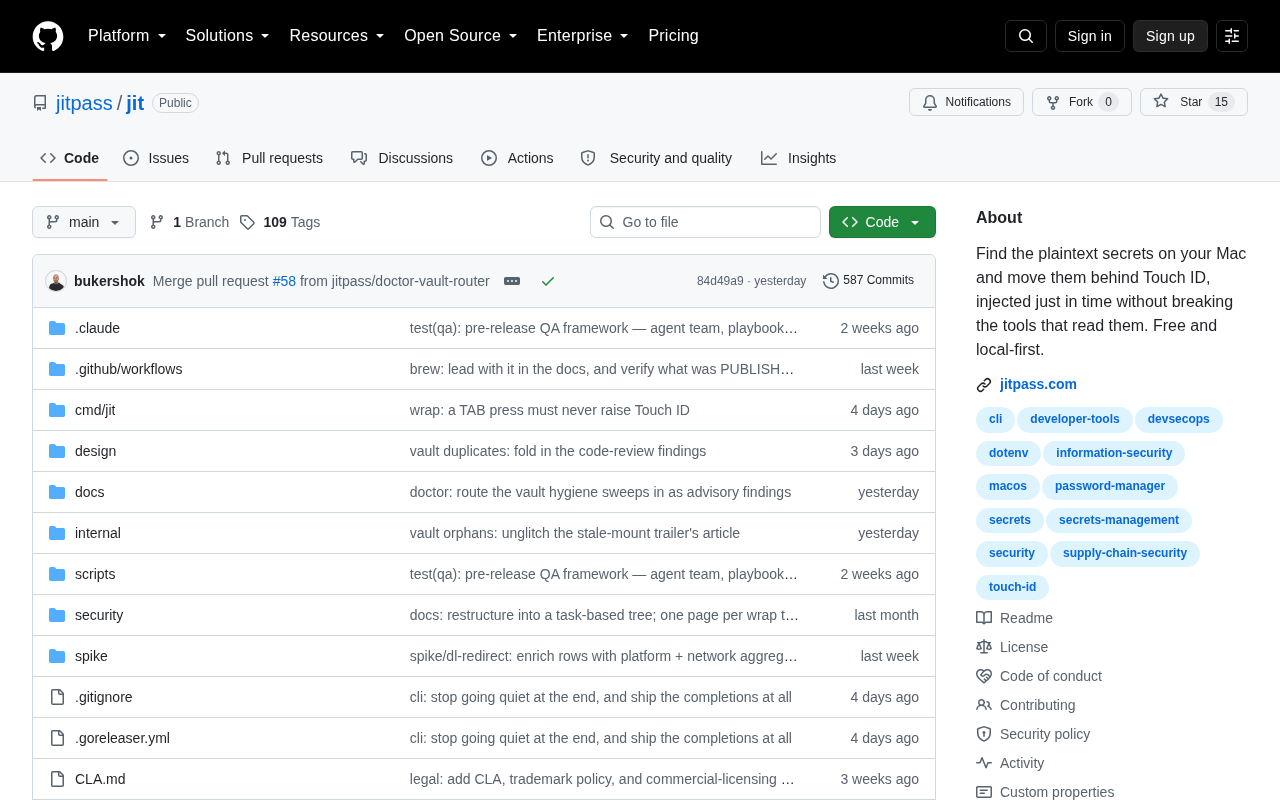
In an era of highly mature cloud computing and distributed systems, we've developed a fairly comprehensive set of practices for secrets management. The cloud has specialized tools like AWS Secrets Manager, HashiCorp Vault, and Google Secret Manager; CI/CD pipelines have encrypted environment variable injection mechanisms; containerized deployments have Kubernetes Secrets. However, a developer's Show HN project on Hacker News sharply pointed out a long-overlooked problem: a developer's own laptop is likely the last place in the entire system where secrets still exist in plaintext.
These cloud-based secrets management tools represent different design philosophies but share the same security principles. AWS Secrets Manager deeply integrates with the AWS ecosystem and supports automatic rotation of RDS database passwords; HashiCorp Vault is an open-source, cloud-agnostic solution that supports dynamic secret generation—creating short-lived credentials on demand rather than storing long-term secrets—and offers a rich set of authentication backends; Google Secret Manager stands out for its clean API and tight IAM integration. What these tools have in common is: secrets are stored encrypted, access requires authentication and authorization, and all operations leave an audit trail. They've become standard infrastructure for modern cloud-native applications. That's precisely why the primitive state of local development environments is so glaring.
This observation is highly relevant to reality. While we fortify production environments layer by layer, the security of local development environments often remains in the most primitive state.
Common Hiding Places for Plaintext Secrets
The Ubiquity of .env Files
In the root directory of nearly every modern development project, one or more .env files sit there with database passwords, third-party API keys, OAuth tokens, and other sensitive information written in plain sight. While .gitignore typically prevents them from being committed to version control, the files themselves remain completely unencrypted plaintext on disk.
Shell Configuration and History
Many developers habitually write API keys directly into ~/.bashrc, ~/.zshrc, or ~/.profile as environment variables. Even worse, keys temporarily exported on the command line are often fully recorded in ~/.bash_history or ~/.zsh_history, persisting indefinitely.
Tool Configuration Files
From ~/.aws/credentials to ~/.npmrc, from Docker configurations to credential caches for various cloud service CLIs, the development toolchain leaves behind numerous credentials stored in plaintext or weak encoding (like base64) on local machines. It's worth noting that base64 is not encryption—it's a completely reversible encoding scheme that provides no security whatsoever. Anyone can restore the original text in milliseconds with a base64 -d command. Any process that can read the user directory—including certain malicious npm packages or VS Code extensions—can easily steal this information.
Why This Is a Real Threat
The Amplifying Effect of Supply Chain Attacks
Supply chain attacks targeting developers have proliferated in recent years. Attackers no longer directly assault hardened production environments but instead turn to relatively vulnerable developer endpoints. A dependency package injected with malicious code can scan the entire disk and collect all .env files and credential configurations the instant npm install or pip install runs. Since these secrets are in plaintext, attackers can exploit them immediately with zero cracking cost.
Historical supply chain attack cases fully illustrate the severity of this threat. In the 2018 event-stream incident, an attacker took over an npm package with millions of weekly downloads and injected code to steal Bitcoin wallets; the 2021 ua-parser-js hijacking affected tens of millions of users; the 2022 colors/faker poisoning incident demonstrated that maintainers themselves can become risk sources. Attackers can leverage npm's postinstall script mechanism to automatically execute arbitrary code during package installation without any additional user action. Typosquatting (registering malicious packages with names similar to popular ones) is equally common in the Python ecosystem. These attacks succeed precisely because they execute within a trusted context, making them nearly impossible for developers to detect.
Device Loss and Resale
As portable devices, laptops have a far higher probability of being lost or stolen than servers. Even with full-disk encryption enabled (such as FileVault or BitLocker), plaintext secrets remain fully exposed once the system is in an unlocked, logged-in state. And old devices resold without thorough wiping are a major source of data leaks.
Here it's important to understand the design boundaries of full-disk encryption. FileVault (macOS) and BitLocker (Windows) use AES-XTS encryption to encrypt the entire disk, with keys typically protected by TPM (Trusted Platform Module, a hardware security chip) or derived from user passwords. This encryption is designed to prevent "cold boot attacks"—where someone with physical access cannot read disk data after the device is powered off or hibernating. However, when a user is normally logged in and using the system, the operating system transparently decrypts all files, and all user-space processes can read file contents normally. This means full-disk encryption is an effective defense against the "physical loss + device powered off" scenario, but is completely ineffective against runtime threats like malware and malicious plugins ("logical attacks"). This is precisely why even with full-disk encryption enabled, plaintext .env files remain a security concern—full-disk encryption protects the disk, not the running system.
Blurred Permission Boundaries
In local environments, nearly all processes run with user-level permissions and lack effective isolation from one another. This means a browser extension, an editor plugin, or a debug script can theoretically access key files that should be strictly protected. This "no isolation under the same user" status quo is the fundamental amplifier of plaintext storage risk.
In stark contrast, server-side security models typically employ multi-layered isolation: containers achieve process isolation through namespaces and cgroups, SELinux/AppArmor provides mandatory access control, and network policies restrict lateral movement. On a developer's laptop, any process running as the current user—whether a script under node_modules/.bin or a browser rendering process—shares the same permission domain as secret files. While macOS App Sandbox and Linux's Flatpak attempt to address this problem, most development tools don't adopt these isolation mechanisms.
Viable Improvement Directions
Leveraging OS-Level Keystores
Modern operating systems all include built-in encrypted credential storage mechanisms: macOS Keychain, Windows Credential Manager, and Linux Secret Service (such as GNOME Keyring). Entrusting secrets to these system-level components allows them to benefit from operating system access controls and encryption protection, rather than being scattered about as bare files.
The security of these system-level keystores far exceeds simple file encryption. macOS Keychain uses AES-256 encryption to store credentials, with access control implemented through ACLs (Access Control Lists)—each Keychain entry records which applications are authorized to access it. When an unauthorized application attempts to read it, the system pops up an authorization dialog explicitly informing the user. Linux's Secret Service API is defined by the freedesktop.org specification and provided through a D-Bus interface, implemented by both GNOME Keyring and KWallet. Windows Credential Manager uses DPAPI (Data Protection API) for encryption, with keys derived from the user's login credentials. The shared advantage of these mechanisms is: secrets don't exist in plaintext on the filesystem, access requires system-level authentication and authorization checks, and they're linked to the operating system's lock screen/logout state—when the screen is locked or the user logs out, the keystore automatically locks, and even if encrypted data on disk is read, it cannot be decrypted.
Dynamic Injection Instead of Static Storage
A more ideal practice is to prevent secrets from ever touching disk. Tools can dynamically pull credentials from remote secret management services at runtime and inject them into the process environment, discarding them after use. This way, no plaintext secrets are persistently stored on the local disk, fundamentally eliminating the attack surface of static leakage.
The technical implementations of this concept are diverse. For example, the aws-vault tool stores AWS credentials in the operating system keystore, dynamically injecting them via environment variables when executing commands, and clearing them from memory once the command finishes. direnv combined with encrypted backends can automatically load secrets when entering a directory and unload them when leaving. Going further, some teams adopt a "secret agent" pattern—running a local daemon as an intermediary, where applications request secrets through a localhost API, and the agent handles communication with the remote Vault and caches short-lived tokens, keeping the secret lifecycle entirely within memory.
Short-Lived Credentials and Least Privilege
Combined with short-lived temporary tokens (such as temporary AWS credentials obtained via OIDC), even if a leak occurs, the exploitable time window is extremely limited. Combined with the principle of least privilege, this further constrains the blast radius of any single credential leak.
OIDC (OpenID Connect) is an identity authentication protocol built on OAuth 2.0 that plays a key role in this scenario. Developers can use the OIDC Federation mechanism to exchange identity tokens from existing identity providers (such as enterprise SSO, GitHub Actions, GitLab CI) for temporary credentials issued by AWS STS (Security Token Service). These temporary credentials typically have a validity period of 1-12 hours, automatically expiring without manual rotation. GitHub Actions has natively supported OIDC since late 2021, allowing CI/CD pipelines to operate without storing any long-term AWS keys. Similarly, GCP's Workload Identity Federation and Azure's Managed Identity adopt the same philosophy. For local development, the aws sso login command leverages this same mechanism—developers complete a one-time authentication via browser to obtain temporary credentials, avoiding the need to store permanent access keys in ~/.aws/credentials.
Conclusion: Closing the Last Gap in the Security Chain
This project touches on a pain point long underestimated by the industry. We invest enormous effort in hardening the cloud, encrypting transmissions, and auditing permissions, yet often turn a blind eye to the machine we code on every day. Security is fundamentally about the weakest link—when production environments are already rock-solid, a developer's laptop may well be that weakest link.
For every developer, re-examining local secret management practices and conquering this "last bastion of plaintext secrets" may be one of the highest-ROI security improvements available today.
Related articles

Should U.S. College Fraternities Be Banned? A Researcher's Incisive Observations
Why not just ban U.S. college fraternities? A researcher finds the key resistance comes from decision-makers' own fraternity identities and schools' "willful ignorance."

Microsoft Discovery: Accelerating Scientific Discovery with AI Agents
Microsoft's Discovery platform runs specialized AI agents to help researchers screen and prioritize the most promising compounds and experimental paths, reducing experiments and accelerating scientific discovery.

Cambridge Heavy Industries Secretly Develops Desktop-Scale Nuclear Fusion Device
Cambridge Heavy Industries is secretly developing a desktop-scale laser-driven nuclear fusion device, targeting the equipment supply market for fusion power plants. This article analyzes its miniaturization technology path, commercialization logic, and unique positioning in the fusion startup wave.