Losing Memory After Claude Code Context Compaction? Practical Solutions Explained
Three practical strategies to prevent Claude Code from losing critical debugging context after compaction.
Claude Code automatically triggers context compaction in long sessions, lossy-summarizing early conversation history and silently discarding key debugging decisions and ruled-out paths. This article explains the underlying mechanics and offers three layers of solutions: maintaining a `CLAUDE.md` file for persistent cross-session memory, using the `/compact` command proactively and saving debugging state to Markdown before compaction strikes, and restructuring your workflow to split long sessions by task boundary while externalizing knowledge to the file system rather than relying on model memory.
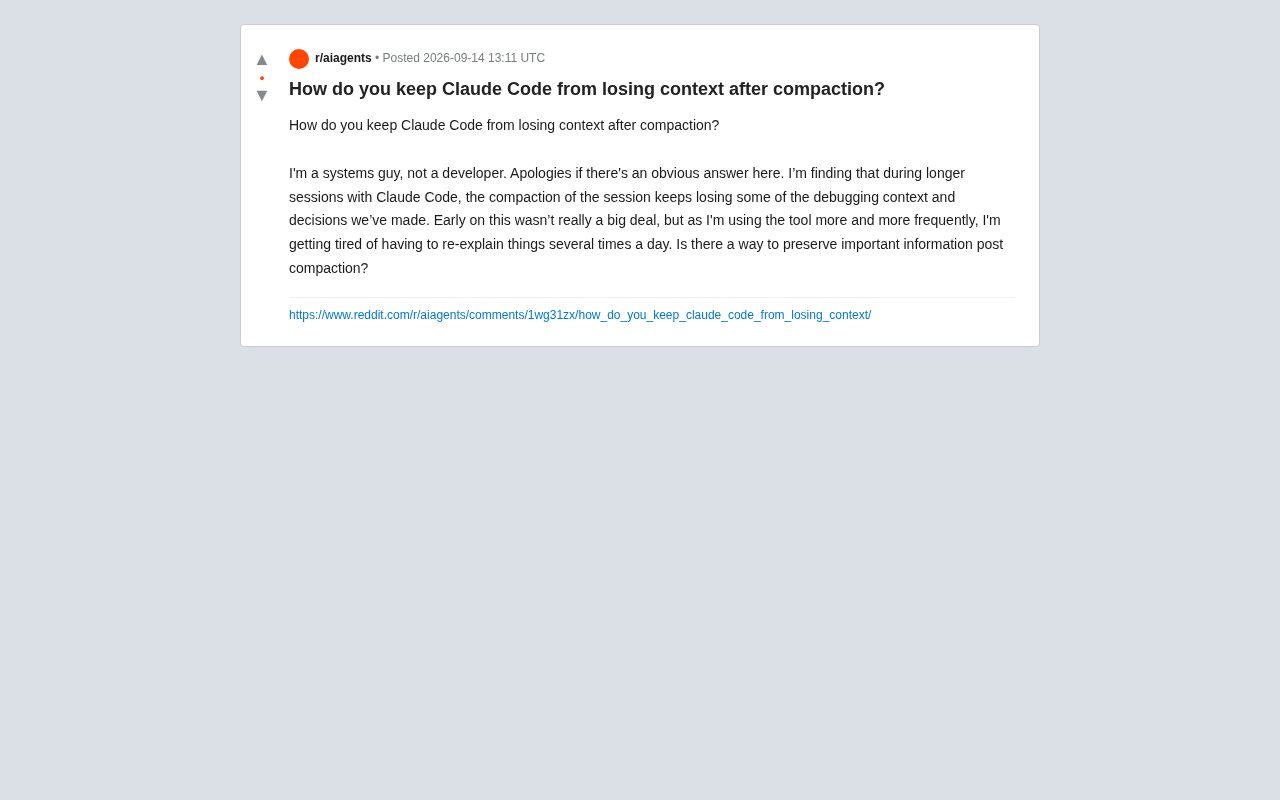
Anyone who's used Claude Code for extended debugging sessions has likely run into the same frustration: as a conversation grows longer, the tool automatically triggers context compaction, and this process often discards previously made debugging decisions and critical information. A Reddit user who described themselves as a "systems engineer, not a developer" raised exactly this concern in the community — having to re-explain the same context to Claude every single day, killing productivity.
Under the hood, this problem touches on a core challenge: how LLM-based tools manage a finite context window during long sessions. Let's break down both the mechanics and the practical solutions.
Why Context Gets Lost After Compaction
Like other LLM-based coding assistants, Claude Code is constrained by a fixed-size context window. When accumulated tokens in a conversation exceed a threshold, the tool automatically triggers compaction — summarizing earlier conversation history into a shorter digest to free up space for new interactions.
The problem is that this automatic summarization is lossy compression. The model uses its own judgment to retain what it considers important — but those small yet critical debugging decisions, like "we already ruled out this hypothesis" or "the root cause is the config file, not the code," are easily dropped or blurred in the summary. For users like the original poster who need continuous, extended troubleshooting, the loss can be significant.
What is a Context Window? A context window is the maximum amount of text an LLM can "see" at once, measured in tokens. Tokens don't map directly to characters or words — roughly 1–2 tokens per Chinese character, and about 1–1.5 tokens per English word. Most mainstream models today support context windows of 100,000 to 200,000 tokens. That sounds like a lot, but a deep debugging session filled with code, logs, and back-and-forth exchanges fills up fast. Compaction is essentially the model doing a "summary rewrite" of conversation history — like condensing the first few pages of a nearly full notebook into one page of highlights. The summarizer decides what matters, and those "dead ends we already tried" are exactly the kind of information most likely to be deemed unimportant and discarded.
Build Persistent Memory with CLAUDE.md
The most fundamental solution is to stop relying on in-session context to preserve important information. Claude Code supports placing a CLAUDE.md file in the project root directory. This file is automatically loaded at the start of every session, functioning as a form of persistent memory that can't be compressed away.
Consider putting the following in your CLAUDE.md:
- Project architecture overview and key module descriptions
- Known issues and their root cause conclusions
- Debugging paths already ruled out (to avoid retreading dead ends)
- Team coding conventions and preferences
For a systems engineer, this is essentially giving Claude a "runbook." Whenever you reach an important conclusion during troubleshooting, update the file — and the next session, Claude will still know it.
How CLAUDE.md Works
CLAUDE.mdis part of Claude Code's "project-level instruction file" mechanism. Similar concepts exist in other AI coding tools — Cursor has.cursorrules, GitHub Copilot hascopilot-instructions.md. The shared principle: the file's contents are injected into the system prompt or a high-priority position in the context at the start of every session, making it the "baseline" for model behavior. Since it's reloaded fresh each session, it's naturally immune to in-session compaction. Worth noting: this file itself consumes tokens, so keep it concise — focus on conclusions rather than process narratives. A bloatedCLAUDE.mdcan crowd out the context space you actually need for the current task.
Actively Manage When Compaction Happens
Claude Code gives you manual control over compaction rather than forcing you to wait passively for it to auto-trigger.
Use /compact Proactively
When you finish a discrete phase of work, you can manually run the /compact command with explicit instructions about what to retain. Compared to automatic compaction, manually triggered compaction lets you specify which debugging context and decisions to preserve, reducing information loss.
Save State at Key Checkpoints
An even more reliable approach is to not put all your eggs in one basket. Before compaction occurs, ask Claude to output the current debugging state, approaches already tried, and next steps as a Markdown document saved in the project. Even if the session context gets wiped, you can feed that document to a new session and pick up right where you left off.
Split Sessions and Externalize Knowledge
Long sessions are part of the problem themselves. Rather than letting a single session stretch indefinitely and trigger repeated compaction, break work into multiple shorter sessions along task boundaries, each with a clear, focused objective.
For information that needs to carry over across sessions, externalization is the key idea:
- Use issues, notes, or documents to record decision chains
- Start new sessions with a concise context summary as an "opening brief" fed to Claude
- Codify reproducible debugging steps as scripts or commands, rather than leaving them buried in conversation history
This workflow shift is fundamentally about treating AI assistants as stateless tools — your real knowledge lives in a file system you control, not in volatile session context.
Practical Advice for Non-Developer Users
The original poster, as a systems engineer, actually has an advantage here: this whole approach aligns closely with the ops mindset of "infrastructure as code" and "document everything." The core principle boils down to one line: don't expect the model to remember — make sure it can always read what it needs.
Write important information to files, split sessions by task, and proactively save state before compaction hits — combine these three practices, and you'll significantly reduce the memory loss that compaction causes, without having to re-explain the same background every day.
As AI coding tools become more widespread, knowing how to build reliable long-term memory within a finite context window is becoming an essential skill for power users.
Related articles

Google Launches Connected Apps Platform: Build Once, Integrate with Gemini and Search
Google launches Connected Apps: developers build once with a declarative schema and MCP to integrate app capabilities into Gemini and Google Search, with remote MCP and Android MCP paths, Developer Mode testing, and risk-tiered confirmation.

Lightbuild: A Declarative Android Build Built for AI Agents
Google releases Lightbuild, an experimental Android build tool that replaces executable scripts with declarative configuration for fast IDE sync and first-class AI agent support.

Compose Graphics New Features: Mesh Gradients and Polygon Shapes
An in-depth look at Jetpack Compose's latest graphics features: MeshGradients, DrawMesh shaders, wide gamut, polygon shapes and morphing, progressive and background blur, plus performance tuning for image decoding and shader caching.