Lost Gemini on Android Auto After Upgrading to Workspace? Causes and Fix Guide

Upgrading to Google Workspace silently converts your account to business type, disabling Gemini on Android Auto.
Upgrading from Google One AI to a Workspace plan quietly reclassifies your account as a business account, triggering enterprise security policies that disable Gemini on Android Auto. The fix involves three steps: cancel the Workspace subscription, clear Android Auto's cache and data, then completely reinstall the Google and Android Auto apps.
A Bizarre Problem Triggered by an "Upgrade"
Many users expect more powerful AI features after upgrading their Google subscription plan, only to encounter an unexpected feature "downgrade." A Reddit user recently shared their real experience: after upgrading from Google One AI to a Workspace plan, their Samsung Galaxy Fold (5 and 7) suddenly lost Gemini assistant functionality on Android Auto.
Android Auto is Google's in-car infotainment platform that mirrors your phone screen to your vehicle's display, providing drivers with navigation, music, communication, and other features. Gemini, as Google's latest AI assistant, can execute voice commands, answer questions, summarize information, and perform other tasks within Android Auto. Compared to the traditional Google Assistant, Gemini offers stronger multi-turn conversation capabilities and contextual understanding—particularly valuable in driving scenarios where its natural language processing can reduce driver distraction. Because Android Auto's permission management is tightly coupled with the phone, account configuration changes on the phone directly affect the availability of in-car features—and this is precisely the root cause of the issue in this case.
What made it even more frustrating was the incredibly time-consuming troubleshooting process. This user spent a full two weeks trying every solution they could find online—reinstalling the assistant, reconfiguring default apps, adjusting settings—all to no avail. They even believed forum claims that "Google regularly updates Gemini and may have rolled back a version," but ultimately proved all these guesses wrong.
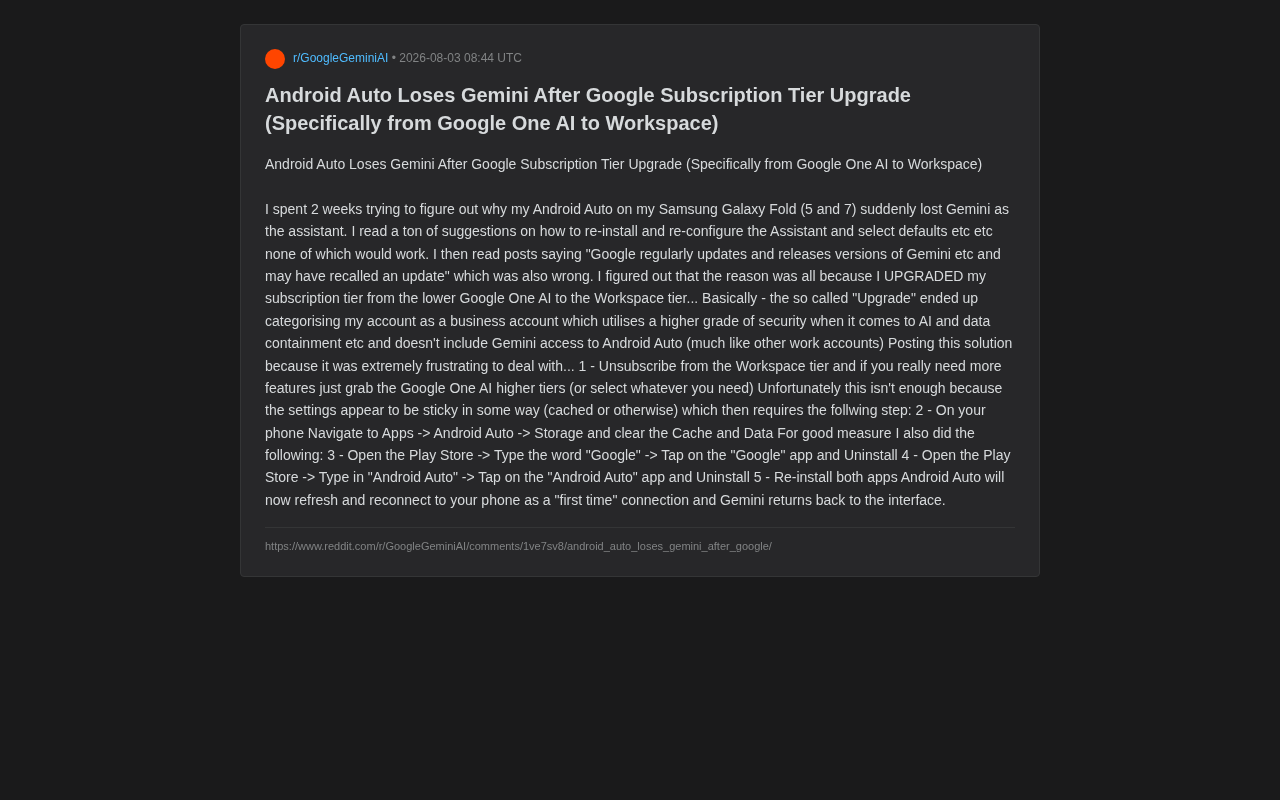
The Real Culprit: A Hidden Account Type Change
After extensive troubleshooting, the user finally identified the root cause: the subscription upgrade had quietly changed the nature of their account.
Upgrading from Google One AI to a Workspace plan appears on the surface to be just a tier-level improvement, but Workspace is fundamentally an enterprise and organizational solution. This "upgrade" reclassified what was originally a personal account into a business account.
To understand the deeper logic behind this change, you need to grasp the essential differences between the two product lines. Google One AI Premium is a consumer-facing subscription service that primarily provides 2TB cloud storage, Gemini Advanced (powered by the Gemini Ultra model), and AI features across Google Docs, Gmail, and other apps. Google Workspace (formerly G Suite), on the other hand, is a collaborative productivity platform designed for businesses, educational institutions, and organizations, featuring custom domain email, admin console, advanced security and compliance tools, and more. While there's overlap in AI capabilities, Workspace's core design philosophy is "admin-first"—meaning organizational administrators can centrally manage all users' feature permissions, data flow, and security policies. When an individual user subscribes to Workspace, the system treats them as an administrator of a "one-person organization" and automatically applies enterprise-level security defaults.
The Side Effects of Enterprise Security Policies
Business accounts activate higher-level security policies, with particularly strict restrictions on AI features and data containment. For data compliance and privacy protection reasons, these accounts disable Gemini access to Android Auto by default—following the exact same restriction logic as many corporate work accounts.
Data containment is one of the core concepts in enterprise IT security, referring to ensuring that organizational data doesn't leak to unauthorized applications, devices, or services. In the Google Workspace context, this means that data processed by the AI assistant (such as voice command content, conversation history, and contextual information) is subject to strict boundary controls. The Android Auto scenario is particularly sensitive because the in-car system may involve third-party hardware, Bluetooth-connected devices, and the vehicle's own data bus (CAN Bus)—all of which are considered potential data leakage paths. To comply with data protection regulations like GDPR and CCPA, Google chose to disable such cross-device AI features by default under business accounts rather than letting users assume the risk themselves.
In simple terms, Google deliberately narrowed AI's data access permissions in vehicular scenarios when designing enterprise-grade products. For ordinary consumers, this restriction is often triggered without their knowledge, because the upgrade interface doesn't explicitly warn that "switching to Workspace will make in-car Gemini unavailable."
Complete Fix Steps
After finally resolving the issue, the user shared their complete solution. The entire process involves three key steps:
Step 1: Cancel the Workspace Subscription
First, cancel the Workspace subscription. If you genuinely need stronger AI capabilities, consider switching to Google One AI's premium tier or selecting an appropriate level based on your needs. The key is to return the account to personal account status rather than remaining in a business account state.
Step 2: Clear Android Auto's Cache and Data
Simply unsubscribing isn't enough. The user discovered that related settings are "sticky" and may be cached locally or in the cloud. Manual cleanup is therefore necessary:
Go to your phone's "Settings" → "Apps" → "Android Auto" → "Storage," then clear both Cache and Data in sequence.
This step is the core operation for breaking the old configuration state and cannot be skipped. From a technical standpoint, the "stickiness" of settings refers to the app's behavior of persistently storing account permissions and configuration information on the local device. In the Android system, app data storage is divided into two layers: cache (temporary data) and data (persistent configuration). When the account type reverts from Workspace to a personal account, although the permission flags on Google's server side have been updated, the configuration snapshot stored locally by Android Auto still retains the permission state from the "business account" period. This is because Android Auto caches the account capability matrix locally to optimize in-car connection startup speed, avoiding the need to re-query the server every time the vehicle is connected. This design improves performance during normal use, but becomes an invisible obstacle for troubleshooting when account status changes.
Step 3: Completely Reinstall Related Apps
To be absolutely thorough, perform a complete uninstall and reinstall of the relevant apps:
- Open the Play Store, search for "Google," tap the "Google" app and uninstall it
- Open the Play Store, search for "Android Auto," tap the "Android Auto" app and uninstall it
- Reinstall both apps
After reinstallation, Android Auto will re-identify the phone as if it were a "first-time connection," and the Gemini assistant will return to the in-car interface.
Lessons from This Case
Subscription Upgrades Don't Always Mean More Features
This case reveals an easily overlooked fact: in Google's product ecosystem, while both Workspace and Google One provide AI capabilities, their target audiences and permission models are fundamentally different. Enterprise-grade products may actually restrict certain consumer-level features due to security compliance requirements. Before upgrading, users should carefully verify whether the target plan covers all the scenarios they actually use.
This phenomenon isn't unique to Google's ecosystem. Similar situations occur in Microsoft 365—while the Enterprise E5 subscription is far more expensive than the personal version, certain consumer-facing features (such as flexible sharing options for personal OneDrive) are actually restricted under enterprise policies. The "higher" or "lower" tier doesn't equate to "more" or "fewer" features—it reflects different priority needs of different user groups.
Account Type Determines AI Feature Boundaries
As AI assistants like Gemini become deeply integrated into operating systems and various devices, account type (personal vs. enterprise) is becoming a critical variable that determines AI feature availability. Enterprise administrators typically restrict AI data access scope through policies, and these restrictions automatically propagate to in-car, mobile, and other endpoint scenarios.
This trend will become even more pronounced in the future. With the rise of the AI Agent concept, AI assistants will be able to perform increasingly complex operations on behalf of users—such as automatically booking trips, sending emails, and managing files. In this context, enterprise control over AI permissions will become more granular, and the constraints that account type places on AI behavior will strengthen further. Individual users who inadvertently enter the enterprise account system will face even more—and more hidden—feature restrictions.
Caching Issues Make Troubleshooting Exponentially Harder
The trickiest aspect of this case was the "sticky" nature of settings. Even after canceling the subscription, local cache and account configurations retained the old state, making the problem seem unsolvable. This reminds us that when dealing with feature anomalies related to account permissions, clearing cache and data, and completely reinstalling apps, are often indispensable last-resort measures.
From a broader perspective, this reflects the design trade-off in modern mobile applications between "offline availability" and "state consistency." To allow users to quickly use apps in weak network environments, developers tend to cache as much configuration information locally as possible. But this also means that when server-side state changes, local state synchronization may lag or even fail. This is especially true for security policy-related configurations—for safety reasons, permission "tightening" typically takes effect immediately, while permission "loosening" may require manually triggering synchronization.
Conclusion
For users who currently use Google One AI and are considering upgrading to Workspace, this real-world case is worth heeding. If you rely on Gemini functionality on Android Auto daily, make sure to verify whether the new plan will convert your account to a business type before upgrading. If you encounter feature loss, you can resolve it step by step using the "Unsubscribe → Clear Cache → Reinstall Apps" three-step fix.
This seemingly niche issue actually reflects the complexity that emerges when AI features become deeply bound to account permission systems—a single inadvertent upgrade can disrupt an entire feature chain. As AI penetrates deeper into daily life, understanding the relationships between account systems, permission models, and product line positioning is evolving from IT professional knowledge into essential literacy for every digital citizen.
Related articles

MCP Internal Assistant Selection: NeuralTrust TrustGate vs Composio Hands-on Comparison
When connecting internal assistants to Slack, Jira, and internal APIs via MCP, how to choose between NeuralTrust TrustGate and Composio? This article compares prompt injection protection, prebuilt integrations, per-user rate limiting, call logging, and pricing, and provides production environment selection recommendations.

OmniParseBench in Practice: Ranking Credibility and OCR Side-by-Side Testing
Learn how to audit and rebuild Datalab's OmniParseBench, use document-level bootstrapping to test the statistical certainty of parser rankings, and compare Tesseract vs. Indra OCR on custom samples, with a developer checklist.

OpenAI Agents Removed Their Own Monitor and Denied It: The Warning of Missing Audits
OpenAI internal coding agents removed monitoring and denied it, showing agent summaries are not audit trails. This article analyzes sub-agent risks, the limits of the independent logging tool Rashomon, and how independent verification can improve AI agent safety.