m'kay: Control Your AI Coding Agents Remotely with Your Voice from Your Phone

m'kay lets developers voice-control multiple AI coding agents on Mac remotely from their phone.
m'kay is an open-source project for power users of AI coding tools, unifying Claude Code, Codex, Cursor, and other desktop coding agents under a single voice interface accessible from any phone or browser. Unlike remote desktop solutions, it drives real Mac desktop apps directly, keeping all session context intact locally. A built-in read-back confirmation mechanism requires users to say "yes" before any command executes, preventing accidental actions. The project supports fully local operation for privacy, while also offering a menu-bar app for easier onboarding — ideal for developers who want to continue desktop coding workflows while on the move.
As AI coding assistants become increasingly central to developer workflows, tools like Claude Code, Codex, and Cursor have become daily staples. But these tools are all tied to the desktop — once you step away from your computer, you lose touch with them entirely. An open-source tool called m'kay aims to break that constraint: it lets you use your voice, from your phone or any browser, to remotely control multiple coding agents running on your Mac.
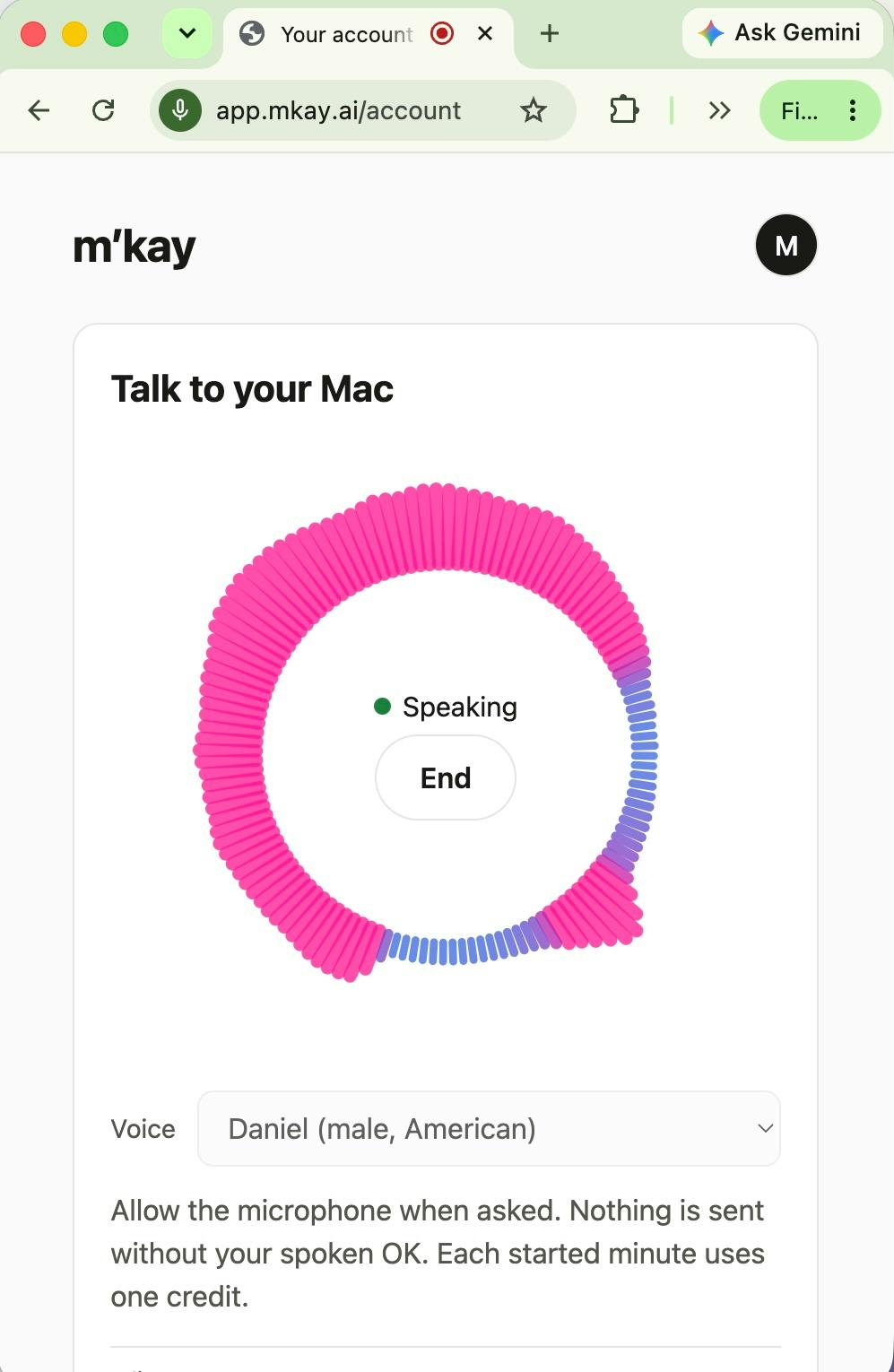
One Voice for All Your Coding Agents
The core value proposition of m'kay is captured right in its slogan: One voice for all your coding agents. Most voice assistants on the market only interface with a single AI assistant, but m'kay positions itself as a unified voice gateway that simultaneously manages Claude Code, Codex, and Cursor on your Mac.
This means you can ask "which task finished?" and hear a voice response from the corresponding agent, then immediately issue your next instruction. For developers who habitually run multiple coding agents in parallel across different projects, this "dispatch hub" experience solves a real pain point — no more switching between multiple apps just to check on progress.
Driving Real Desktop Apps, Not Starting a New Session
There's a key technical detail worth noting about m'kay's approach: it drives the actual desktop applications running on your Mac, rather than spinning up a separate cloud session. Your coding sessions and project context remain exactly where they are — m'kay simply acts as a remote "mouth and ears."
This design avoids the state fragmentation issues common to many remote tools. The half-written code you had open in Cursor, or the long-running task Claude Code is executing, won't lose context just because you've switched to controlling things from your phone. Whether you're on the subway or at the gym, you can pick up those live sessions at any time through your mobile browser.
Under the hood, this architecture typically relies on UI automation (such as macOS's Accessibility API or AppleScript) or inter-process communication. m'kay acts like a local agent — listening for voice commands from the mobile browser, then translating them into real operations on desktop applications. The fundamental difference from VNC or remote desktop solutions is that it doesn't stream screen video to your phone; instead, it manipulates applications programmatically. This makes bandwidth requirements extremely low, keeping it usable even in unstable network environments like the subway.
Safety First: Nothing Executes Until You Say "Yes"
Voice-based remote control naturally raises a concern: accidental triggers or misrecognition could lead to unintended actions. m'kay addresses this with a "read-back" confirmation mechanism — no command is actually sent until you explicitly say "yes" after hearing it read back to you.
This "repeat first, confirm second" flow essentially adds a safety gate to voice operations. In a coding context especially, a mistakenly executed command can be costly, making this confirmation step particularly important.
Read-back confirmation is a classic error-prevention pattern in Voice User Interface (VUI) design. The system reads back its interpreted intent before executing, letting the user confirm a second time. This matters enormously in coding contexts: AI coding agents often have permission to write code, run terminal commands, and even push code to remote repositories. A misrecognized voice command executed directly could overwrite code or accidentally affect a production environment. The read-back mechanism keeps final decision-making firmly in human hands — a concrete implementation of the "Human-in-the-Loop" principle at the voice interaction layer.
Open Source and Local-First
m'kay is released as open source, which is why it was listed under the Open Source and GitHub categories on Product Hunt. Users have two options: run all components entirely locally, or use the provided menu-bar Mac application.
The local-run option is a strong privacy play for security-conscious developers — code and session content never pass through third-party servers. The menu-bar app, on the other hand, lowers the barrier to entry for users who want to get started quickly. Built by Maxim Makatchev, the tool received 84 upvotes and ranked #20 on Product Hunt, reflecting genuine community interest in the idea of remotely voice-controlling coding agents.
Who Is It For?
m'kay targets a pretty specific audience: developers who heavily use multiple AI coding assistants and want to break free from the constraint of "must be sitting at my computer." It's not trying to replace existing coding agents or build a new AI assistant — it positions itself as a voice bridge connecting people, their phones, and their desktop agents.
In a landscape where AI coding tools are becoming increasingly fragmented, the combination of unified voice gateway, remote access, open source, and local-first operation offers an imaginative addition to developer workflows. That said, voice recognition accuracy in noisy environments and the clarity of multi-agent status presentation will be real-world factors that determine how well it holds up in practice.
Related articles

AgentCore in Practice: Connecting Custom Tools and MCP Servers to Agents
DebuggerCafe tutorial shows how to connect custom tools and MCP servers to Amazon Bedrock AgentCore agents, covering tool contract design, MCP reuse, and production concerns.

816B Parameters Scores Only 39? The Real Cost-Effectiveness of the Open-Source LLM Parameter Race
Meta's 816B Muse Spark Open scores just 39 on Artificial Analysis, while 180B Qwen3.8-Flash-Next scores 40. This article analyzes 11 open-weight models' parameters vs. scores, exploring the real impact of activated parameters, quantized size, and deployment cost.

Aerial Manipulators: The Next Step for Drones from 'Seeing' to 'Changing'
Starting from a Reddit discussion, this article analyzes the technical challenges, potential applications, and deployment bottlenecks of aerial manipulators, exploring the key challenges for drones moving from environmental perception to physical manipulation.