Maaa: A 'Mom' Living in Your Mac's Notch, Reminding You to Drink Water and Eat
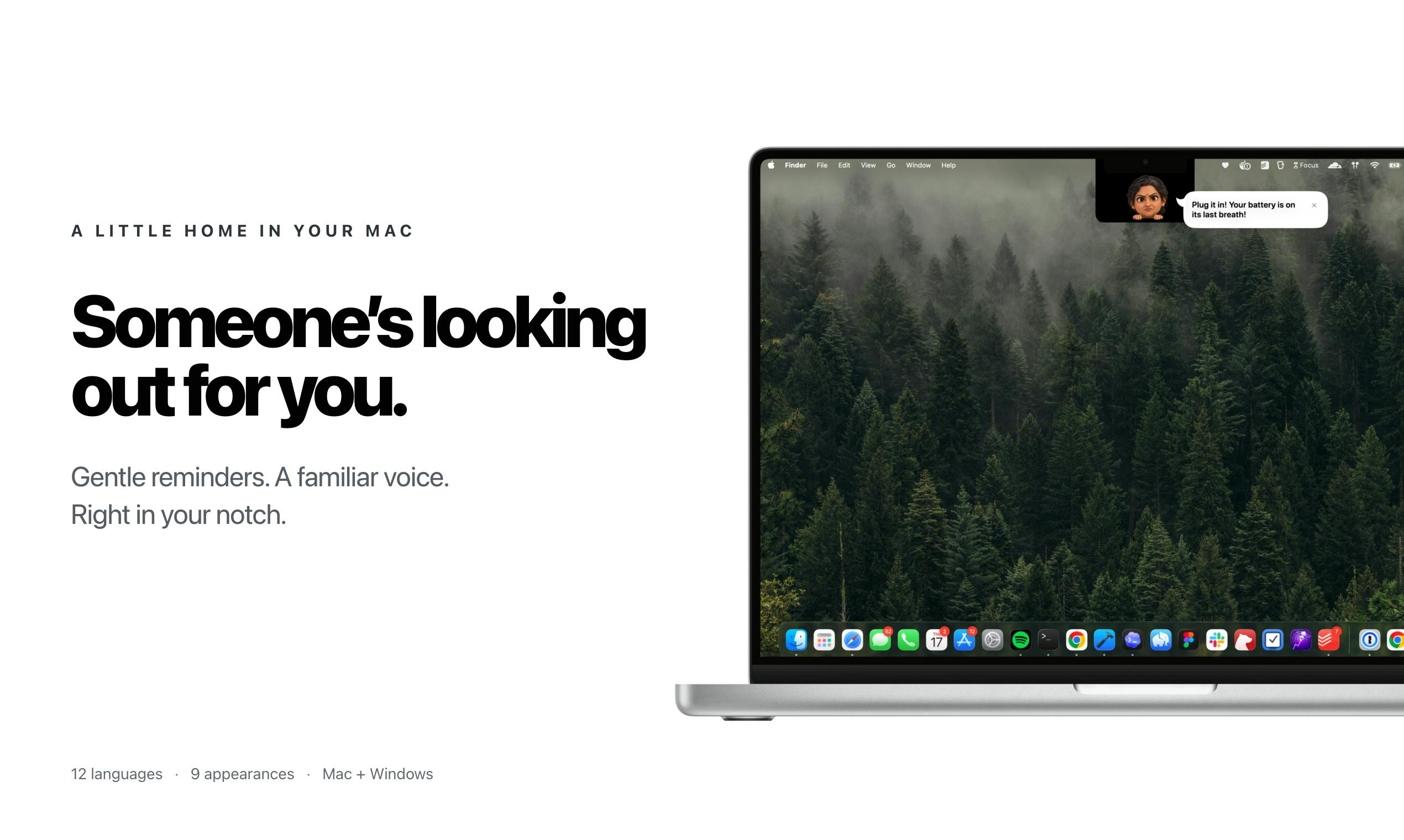
Maaa is a lightweight macOS app that delivers warm, mom-style health reminders through your MacBook's notch.
Maaa is a lightweight health reminder tool for macOS 14 and above, with a standout concept: embedding hydration, meal, and break reminders directly into the MacBook's notch, framed as a 'mom living in your notch.' It replaces cold system notifications with a humanized, emotionally warm interaction style, supports 12 languages, and earned #12 on Product Hunt with 79 upvotes. While its core functionality isn't technically complex, its emotional design and clever use of the notch make it a compelling desktop companion for knowledge workers prone to neglecting self-care.
A Caring Reminder Assistant That Lives in Your Mac's Notch
On Product Hunt, a macOS utility called Maaa climbed to #12 on the daily rankings with 79 upvotes, pitching itself with the tagline: "A mom in your Mac's notch, looking out for you." Its premise is refreshingly simple — bring health and wellness reminders into that easily ignored notch at the top of your MacBook screen.
For Mac users who spend long hours hunched over their laptops, the habits of staying sedentary, forgetting to hydrate, and skipping meals are all too common health pitfalls. Maaa takes a gentle, humanized approach to solving this problem — not through cold, impersonal system notifications, but through the warm, nagging-style reminders you might expect from a caring mother.
Core Features: Gentle Health Nudges
Maaa's feature set is built around three everyday health habits:
- Hydration reminders: Regular prompts to drink water so you don't forget to hydrate during long work sessions
- Meal reminders: Timely nudges to eat at appropriate intervals
- Break reminders: Encouragement to step away from the screen and relieve eye strain and fatigue from sitting too long
None of these features are groundbreaking on their own — the market is already crowded with health reminder apps. What sets Maaa apart is its delivery mechanism: it leverages the MacBook's notch as an interaction surface, letting reminders appear naturally in your line of sight without feeling intrusive.
Multilingual Support
Notably, Maaa supports 12 languages, signaling that it's aimed at a global audience rather than just the English-speaking market. For an independently developed utility, this level of localization effort speaks to developer Rahul's ambitions for the product's reach.
Why the Notch?
Ever since Apple introduced the notch design on MacBook Pro and other models, the feature has been a point of design controversy — it eats into the top of the screen yet sits idle in most usage scenarios. In recent years, more and more developers have been exploring ways to make that space useful, transforming the notch into an information display or interaction surface.
Maaa is a product of this trend. It reframes the notch from a passive "flaw" into an active "care window," surfacing reminders in a spot that minimally disrupts your workflow. This design philosophy reflects a growing direction in macOS utility apps: incremental innovation built on top of native system elements.
Within the developer ecosystem, notch-based tools have carved out a small but real niche. Early standouts include TopNotch (which blacks out the notch background to visually hide it) and NotchNook (which expands the notch into a drawer-style panel for widgets). Apple itself took a step in this direction with macOS Sonoma (14.0) by introducing Dynamic Island-style dynamic notifications — though the full Dynamic Island experience remains exclusive to iPhone. This context makes clear that the notch isn't just a hardware compromise; it's becoming a testing ground for third-party macOS developers to explore "top-of-screen micro-interactions." By focusing on health reminders as its vertical, Maaa is pursuing differentiation within an established space rather than pioneering an entirely new category.
Who Is It For?
Maaa requires macOS 14 or later, which means it targets users running newer Mac hardware — particularly those with notch-equipped models. It's categorized under Mac and Menu Bar Apps, fitting squarely into the lightweight productivity and wellness tool space.
In terms of positioning, Maaa goes after knowledge workers, developers, and creators who tend to neglect self-care during focused work sessions. The "mom" metaphor carries genuine emotional warmth, and that emotional resonance is a big part of why the app gained traction on Product Hunt.
macOS 14 (Sonoma) was officially released by Apple in September 2023, with minimum hardware support including MacBook Pro and MacBook Air models from 2019 onward, as well as select iMac and Mac mini configurations. Targeting macOS 14 as the minimum version gives Maaa access to newer SwiftUI APIs and system permission models, but it also means intentionally excluding users still on Ventura (13) or earlier. Since the notched MacBook Pro was first introduced with the 2021 models (M1 Pro/Max), and system upgrade adoption often lags, this version floor expands the opportunity space for notch-based interactions while also narrowing the potential install base somewhat.
The Value and Limits of a Focused Utility
To put it plainly, Maaa is an independently built utility with a clear, focused purpose. Its strengths lie in emotionally resonant design and clever use of the notch, solving a genuine everyday pain point with a low barrier to entry. Ranking #12 with 79 upvotes shows that the "lightweight + warm" product formula genuinely connects with users.
That said, the limitations of this category are real: the core functionality (timed reminders) isn't technically complex and is easily replicated by competing apps or built-in system features. Its differentiation relies heavily on interaction style and emotional framing, and long-term retention remains an open question. For most users, Maaa feels more like a delightful desktop companion than an indispensable tool.
For users who value simplicity, enjoy humanized interactions, and happen to use a notched Mac, Maaa is worth trying. It's a reminder that great products don't need to be feature-heavy — sometimes a warm idea, executed just right, is more than enough.
Related articles
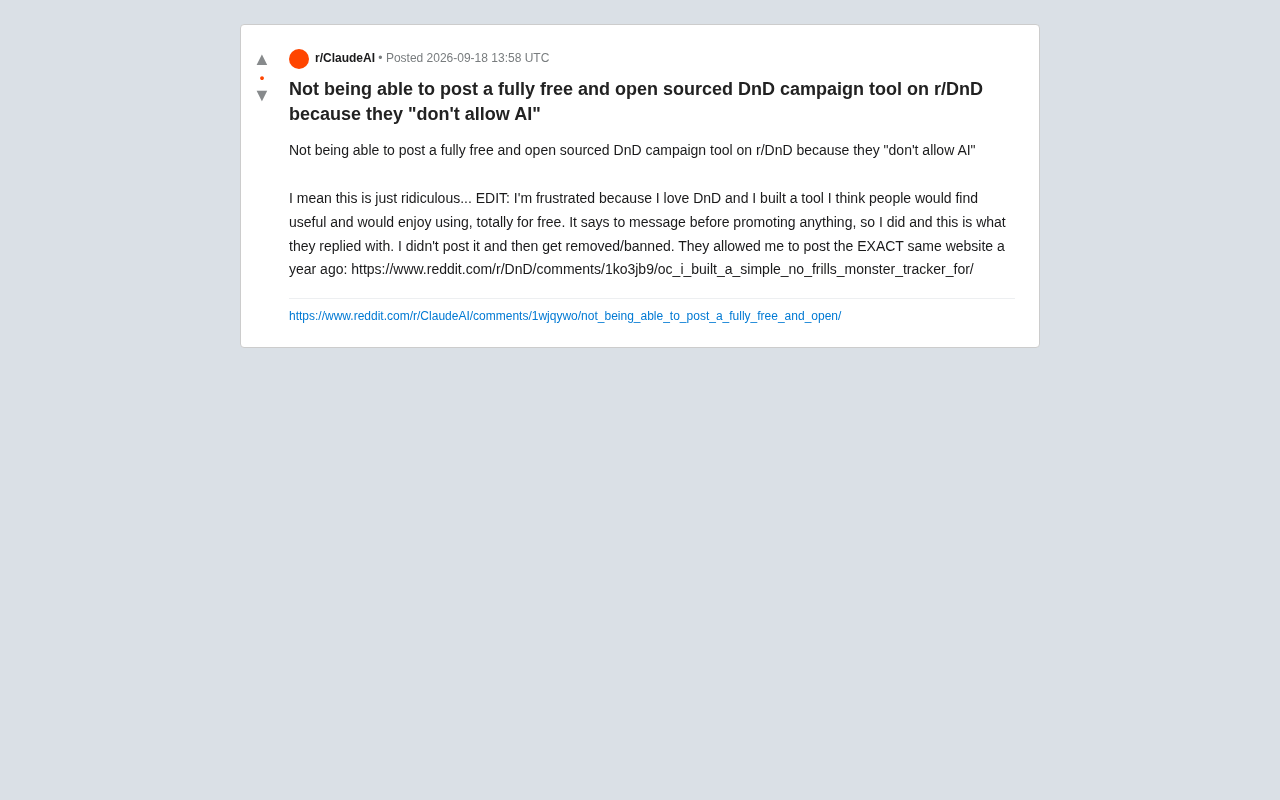
Free Open-Source Tool Rejected: The Community Controversy Sparked by r/DnD's AI Ban
A free open-source DnD campaign tool was rejected by r/DnD's AI ban — yet the same tool was approved a year ago. The case highlights the blurry line between AI tools and AI-generated content.
What LLMs Can You Run with 1.9TB of RAM? Exploring the Ceiling of Local AI Deployment
A Reddit user with 1.9TB of RAM sparked debate about local LLM deployment. We break down what massive RAM enables, where CPU inference falls short, and the real bottlenecks.
Researchers Use Claude to Hack OpenAI Systems: A New Wake-Up Call for AI Security
Security researchers used Anthropic's Claude to breach OpenAI systems, taking over employee accounts and accessing internal repos. What this means for AI security.