Mac Computer Use: The Skill Pack That Lets AI Agents Actually Act on Mac

An open-source skill pack that makes AI agents truly confirm completion on macOS instead of faking it.
Mac Computer Use is an open-source macOS desktop automation toolkit for AI agents built around an observe–act–verify closed loop: rehearse before acting, execute once, and always read back the target state to confirm. Unlike traditional automation scripts, it distinguishes "failure" from "unknown" — a failed readback returns `unknown` rather than triggering retries, preventing agents from faking success. It covers window detection, screenshots, Chinese text input, and CDP-based web control, supports 8 major agent clients including Claude Code, Codex, and Cursor, requires no server or API key, and installs with one command. Currently at v0.2.0 with Intel testing still pending, but architecturally clear and a solid starting point for reliable Mac-based agent workflows.
Why Agents Need a "Hands-On" Skill Pack
Today's AI Agents too often get stuck in an awkward state of "looks like it's done" — they dispatch a click event, declare "clicked," and have no way of knowing whether the application's actual state changed. Typing out some text doesn't mean it was saved; if permissions aren't properly granted, screenshots and readbacks will fail outright; a captured snapshot is just a coordinate, and the window may have already disappeared while the agent was observing.
Mac Computer Use is an open-source project designed specifically to address these pain points. It's not just another screenshot scripting tool — it encodes the boundaries of desktop execution into a skill pack that agents can call. Four common problem categories — units of operation, timing, focus, and unconfirmable results — are all addressed by this project in one go.
Core Mechanism: A Three-Step Closed Loop of Observe, Act, Verify
The project's methodology can be summed up in one sentence: rehearse the command before writing it, execute once, then read back the target state to confirm.
This "observe–act–verify" closed loop is the soul of the entire tool. It requires a dry run before every action to confirm that elements and coordinate units are unambiguous; execution happens exactly once, with no blind replays; and after execution, the target state must be read back and checked. If the state can't be confirmed, the tool returns unknown directly — it doesn't try a different channel and retry.
A key detail is buried in the v0.1.0 acceptance criteria fix: a readback failure after a write is explicitly classified as "unknown" rather than triggering a failure-and-retry. This is where the author made a deliberate design shift from "retry" to "stop" — replacing blind repetition and waiting with read-only assertions. Exit code 2 cannot be treated as success; this rule architecturally prevents agents from "deceiving themselves."
This design philosophy has deep roots in automated testing. Traditional UI automation frameworks (like Selenium and Appium) are widely known for "false positives": a command being issued is treated as completion, with no check on whether the actual UI state responded, leading to inflated test suite pass rates. Mac Computer Use's unknown state design is essentially bringing the concept of "assertion-driven" testing into the agent execution layer — highly consistent with the "arrange-act-assert" pattern from the testing world. The distinction between exit code 2 (unknown) and exit code 1 (failure) matters: the former tells the caller "I can't determine the result," while the latter says "I've confirmed it failed." When an agent receives unknown, it should pause and report up rather than decide to retry on its own. This hands control over uncertainty back to higher-level scheduling logic, avoiding the common failure mode where automated systems drift further off course when operating in ambiguous states.
What It Can Actually Do: From Window Detection to 3D Modeling
The tool provides a set of command-based capabilities covering everything from environment self-checks to real execution:
- Native Doctor: Run a self-check after installation; returns four categories of information — accessibility and screen recording permissions, system version, chip architecture, and current foreground app
- Native Windows: Reads the window list to confirm execution is happening on this Mac
- Probe + Bundle ID: Detects application entry points
- Screenshot capability (X + window number): Reads spatial content within a window and takes a screenshot
- Xset: Fills Chinese text into input fields, with a prior dry run
- CDP Targets + port: Connects to embedded web pages and reads out page structure

Real-world scenarios make this concrete. For example, asking it to turn a reference image into a viewable 3D model — it observes the page, uses CDP input and assertions, and ultimately produces a model file of around 218KB that can be rotated in a browser, along with the original Blender file. Or filling Chinese text into a specified input field and reading it back for verification — it goes through the accessibility settings channel and returns the read-back text plus a structured JSON result. Or clicking a button to confirm whether the application state actually changed — it rehearses first, clicks once, verifies with a read-only assertion, and returns both a screenshot and a state assertion.
CDP (Chrome DevTools Protocol) is the key concept for understanding the embedded web page control capability. CDP is the debugging protocol exposed by Chrome/Chromium, allowing external programs to connect via WebSocket to directly read page DOM structure, execute JavaScript, monitor network requests, and more. Many desktop applications (such as Electron-based VS Code, Cursor, and Notion) embed a Chromium engine internally, so they can also be programmatically controlled via CDP. Mac Computer Use's CDP Targets feature means it can cross the boundary between "native app" and "web content" — first locating the host window via macOS Accessibility APIs, then diving into the embedded web layer via CDP to read structured content. This is especially critical for agent scenarios that need to operate on hybrid applications (native UI shell + web content), and is why this feature requires an additional dependency on Node 22.4+.
Installation and Permissions: Getting Started with One Command
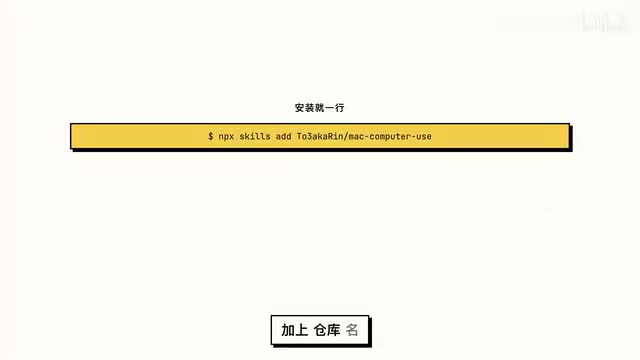
Installation takes just one command using an spm-style command-line tool with the repository name. Prerequisites are clearly defined:
- macOS 14 or above, Swift 6
- CDP functionality additionally requires Node 22.4+
- The installer requires Python 3
The installer executes five steps: installs the full skill pack, selects which agent to use, copies the entire directory (refuses to overwrite if the target already exists), performs an incremental local compile on first invocation (the build directory must be writable), and system permissions must be manually granted in System Settings.
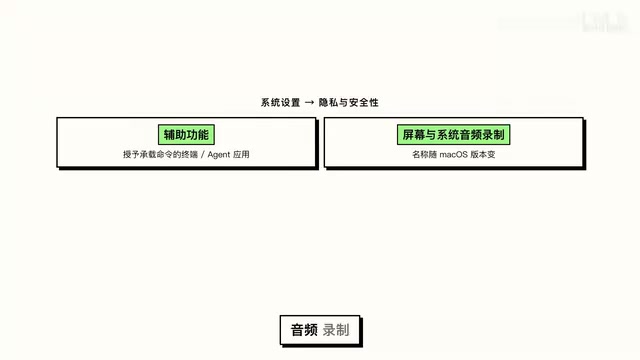
The tool's permission philosophy deserves emphasis: it does not pop up authorization dialogs, nor does it modify the permissions database. You need to go to System Settings → Privacy & Security and manually check the boxes for Accessibility and Screen & System Recording permissions for the terminal or agent application running the commands (the exact names vary by macOS version). After granting permissions, restart the host program and run doctor again to verify. Updates follow the same restrained logic — download the skill archive from the releases page along with a checksum, and since the installer refuses to overwrite, updates require using a different directory or manually replacing files.
Security Boundaries and Compatibility
The tool defines four clear security boundaries: rehearse before writing commands; elements and coordinate units must be unambiguous, snapshots without these are rejected outright; foreground operations require the user to be idle for at least 2 seconds (max 15-second wait), use a drawing lock, and stop as soon as the user resumes input; and if the result is unknown, stop — verification stays read-only. It cannot manipulate the permissions database, bypass the lock screen, or complete system authentication on behalf of the user.
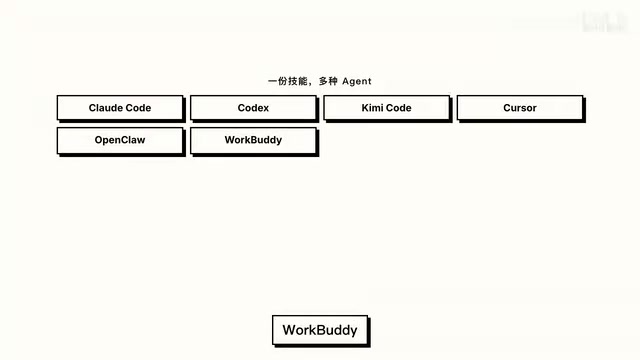
On compatibility, the project lists installation entry points for 8 clients, including Claude Code, Codex, Cursor, OpenClaude, and other mainstream agent tools (some client name transcriptions in source material may have minor discrepancies). The cost story is also quite friendly: the control tool itself has zero server-side infrastructure and zero API keys — the only real cost is model API calls from your agent.
The Accessibility API is the core system interface for desktop automation on macOS, originally designed to give assistive tools like screen readers access for visually impaired users. Through this API, programs can query the identifier, position, text content, and interaction state of any UI element, and simulate clicks, inputs, and other operations — all without relying on image recognition. This is the macOS equivalent of Windows' UI Automation framework or Linux's AT-SPI interface. For this reason, macOS requires callers to obtain explicit authorization in System Settings → Privacy & Security → Accessibility — the OS treats this as a high-privilege capability, and any unauthorized program's calls will be directly rejected with an error. This is the fundamental reason why screenshots and readbacks fail outright when permissions aren't in place.
Project Status and Maturity
Looking at public data, as of October 2026, the repository has 1,128 stars, 16 forks, 4 open issues, and two contributors. The repo was created in September 2026, with the latest version at 0.2.0. The verified test environment is macOS 15 + Apple Silicon + Swift 6.1.2, while the full test matrix for Intel architecture and macOS 14 is yet to be completed. Public acceptance testing uses only synthetic test data, and raw desktop screenshots are excluded from the repo and release packages by default — reflecting a careful approach to privacy.
Overall, the value of Mac Computer Use lies not in how many flashy operations it can perform, but in making "confirmation" a core constraint of the tool itself. For developers who genuinely want agents to reliably act on Mac rather than "pretend to finish," this is a conceptually sound starting point.
Related articles

OpenAI Partners with Shield: How the Astra Agent Revolutionizes IT Troubleshooting
OpenAI and Shield launch the Astra agent, which autonomously logs into computers and legacy systems to fix IT issues in real time, 35-40% faster than traditional models, with humans involved only when judgment is needed.

iPhone Duo Battery Life Tested: One Charge a Day Is Unavoidable, and the Large Screen Is the Culprit
iPhone Duo battery test: heavy use needs at least one charge a day, and about 30% remains after 6.5 hours of screen-on time. How often the large screen is unfolded is key; a MagSafe battery pack helps, and long-term degradation is also worth watching.

Kimi K3.1 Pro Open-Sourced: 2.8 Trillion Parameters Close In on Opus
Moonshot releases the open-source MoE model Kimi K3.1 Pro, with 2.8T total parameters and 104B activated, trailing Opus 5.5 by under 1 point on Terminal Bench 4.0.