MacCam: The Native Mac Camera App Apple Never Built

MacCam is a free native Mac camera app filling the gap Apple left, with multi-source input and direct Photos integration.
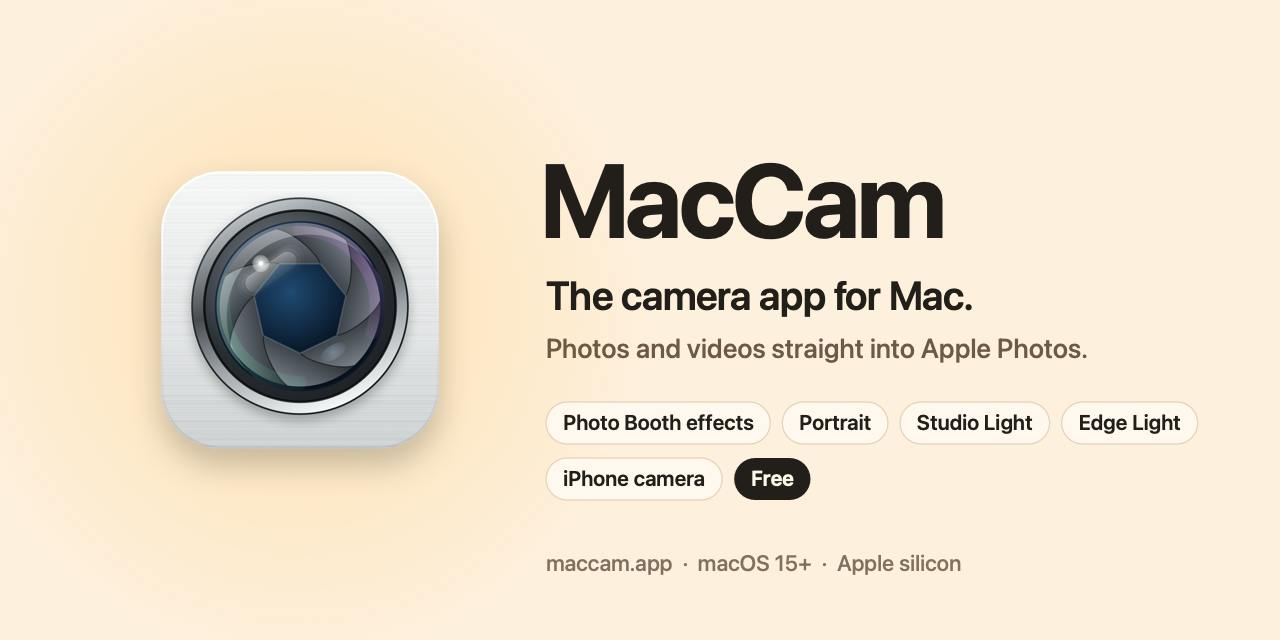
MacCam is a free native macOS camera app by indie developer Milan, billed as "the camera app Apple never built for Mac." It supports the Mac's built-in webcam, iPhone via Continuity Camera, and external webcams, saving shots directly to Apple Photos. Built-in modes include Portrait, Studio Light, and Edge Light alongside classic Photo Booth effects. The Pro version will add a teleprompter, eye contact correction, and knock-to-shoot, with the first 100,000 users getting lifetime Pro access free. MacCam targets a real but low-frequency gap, and its ability to retain users and convert them to paid plans will be its defining challenge.
The Camera App Mac Has Always Been Missing
On iPhone and iPad, the Camera app comes standard. But on Mac, if you want to snap a photo with the built-in webcam, you're usually stuck reaching for Photo Booth or a third-party tool. MacCam targets exactly this long-overlooked gap — positioning itself as "the camera app Apple never built for Mac."
This free, native macOS app launched on Product Hunt lets users capture photos and videos using their Mac's built-in camera, an iPhone, or any external webcam, with results saved directly to Apple Photos. For users accustomed to seamless integration within the Apple ecosystem, this "shoot and it's in your library" workflow is far more convenient than juggling multiple tools.
Feature Focus: Classic Effects Plus Portrait Enhancements
MacCam preserves many of the classic Photo Booth effects users already know, while adding shooting modes like Portrait, Studio Light, and Edge Light. These modes previously appeared mostly in iPhone's camera system or video conferencing beauty tools — integrating them into a desktop camera app means Mac users get a more mobile-like experience when shooting selfies, profile photos, or casual short videos.
Conceptually, MacCam isn't trying to be professional imaging software. It's filling a basic but frequently needed use case: quickly using your computer's camera to capture something. It's aimed at everyday users rather than professional photographers, which explains why "native," "free," and "saves directly to Photos" are its primary selling points.
Continuity Camera is the technical foundation behind MacCam's ability to support iPhone as an input source. Since macOS Ventura (2022), Apple has allowed a nearby iPhone to function as a wireless webcam for Mac, with the system automatically recognizing and handling the video feed. iPhone cameras far surpass most Mac built-in webcams in image quality, wide-angle capability, and depth performance — meaning MacCam, by leveraging this system-level feature, can deliver capture quality well above what its hardware positioning might suggest, with no extra configuration required from users.
Pro Roadmap and the "Lifetime Free" Strategy
The developer has planned several features for the Pro version targeting content creators and remote workers: a teleprompter, eye contact correction (an algorithm that makes your gaze appear directed at the camera), and knock to shoot. These features clearly target video bloggers, online meetings, and course recording scenarios.
The growth strategy is worth noting — the first 100,000 users get Pro features free for life. This is a classic early-stage cold-start tactic: trading free access for initial user volume and word-of-mouth. For a newly launched indie developer product, this approach can rapidly accumulate seed users in the short term, though it requires sustained updates to maintain retention.
The Eye Contact feature deserves a separate explanation. Since laptop webcams are typically positioned above the screen while users' eyes naturally fall on the face of whoever they're talking to in the center of the display, there's a few-degree line-of-sight offset — making video calls look like you're "looking down" rather than directly at the other person. Apple first introduced a machine learning-based gaze correction algorithm in FaceTime with iOS 14, using real-time eye region redrawing to simulate the effect of "looking at the camera." MacCam plans to integrate similar capability in its Pro version, which offers real practical value for users who frequently record tutorials or participate in online meetings.
Market Performance and a Few Observations
At the time of this writing, MacCam had received 69 upvotes and 2 comments on Product Hunt, ranking 10th, with categories spanning Mac, Photography, and Webcam. For a product built by indie developer Milan, these numbers represent a solid if unremarkable start.
The need MacCam addresses is genuine — Mac has long lacked an official, fully featured camera app. Its opportunity lies in consolidating capabilities scattered across Photo Booth, video conferencing software, and third-party recording tools into a single place. The challenge is that camera capture is an infrequent use case. Whether users will remember to reach for this app when they occasionally need it — and whether Pro features can justify ongoing payment — will determine how far it goes.
For users who regularly need to shoot profile photos, record videos, or join video calls on their Mac, this free app is worth trying, especially while spots remain in the first 100,000 users to lock in lifetime Pro access.
Related articles

Astro 7 Rewrote Every Page, So IndexNow Now Hashes What a Crawler Reads
NeuraGrowth documents how an Astro 7 upgrade caused 273 pages to be misjudged as updated, and switched IndexNow hashing from file bytes to crawler-readable content—text, links, title, meta, and JSON-LD only.

From Python to AI Agents: A Full-Stack Learning Path with 488 Lessons and 23 Projects
A Udemy course covering Python, machine learning, deep learning, LLMs, RAG, and AI Agents, with 488 lessons and 23 real-world projects. This article analyzes the logic of this full-stack AI learning path, who it suits, and self-study advice.

What Is a Residential Proxy? A Comparative Analysis of ISP, Datacenter, and Residential Proxies
An in-depth analysis of residential proxies (ISP proxies), their types, and how they differ from datacenter proxies, covering static vs. rotating residential IP selection criteria, use cases, and FAQs for e-commerce, social media, and data collection teams.