Major Cursor Agent Update: AI Coding Assistant Now Tests Its Own Code and Records Video Proof

Cursor Agent can now autonomously code, test, and record video proof, shifting code review from reviewing code to reviewing behavior.
Cursor has released a major update where its coding Agent can now use a computer to test code and record working videos, just like a human developer. Through a hands-on demo on the Excalidraw open-source project, the Agent independently completed development and autonomous testing of three major features: table templates, CSV paste-to-table, and LaTeX formula rendering — even proactively discovering and verifying edge cases. This marks a paradigm shift in code review from line-by-line inspection to reviewing AI's behavioral output, transforming the developer's role from coder to reviewer and decision-maker.
Cursor recently shipped a major update — its coding Agent can now use a computer to test its own code changes, just like a real programmer, and record working videos as "proof of work." This means the paradigm of code review is undergoing a fundamental shift: in the future, reviews will no longer focus on checking code line by line, but on whether the AI can demonstrate its work through actual actions.
From "Blind Code Review" to "Video-Based Acceptance": A Paradigm Shift in Code Review
Imagine this scenario: a colleague asks you to review a Pull Request, and you discover they haven't even tested their own changes. You'd probably be frustrated. Pull Requests (PRs) are a core collaboration mechanism in modern software development, first popularized by GitHub in 2008. After completing feature development, developers submit merge requests to the main codebase, and other team members review the code changes (the diff), confirming logical correctness and style consistency before allowing the merge. This process, known as Code Review, is a critical line of defense for code quality. However, as the proportion of AI-generated code grows rapidly, the traditional line-by-line review model faces an efficiency bottleneck — reviewers need to understand the AI's coding intent, while the volume of AI-generated code far exceeds the speed of human handwriting.
Cursor founder Aman Sanger pointed out that this is exactly the common experience when collaborating with coding Agents — the AI writes code, but you can't confirm whether it actually runs.
Now, the Cursor Agent has gained the ability to use a computer. This capability stems from recent breakthroughs in multimodal large models — in 2024, Anthropic was the first to release Claude's Computer Use feature, allowing AI to identify interface elements through screenshots and simulate mouse clicks, keyboard inputs, and other operations. The technical foundation includes visual understanding models (identifying the position and state of UI elements), action planning (decomposing high-level goals into specific operation sequences), and feedback loops (adjusting subsequent behavior based on operation results). Cursor has deeply integrated this capability into the programming workflow, enabling the Agent to not only write code but also launch browsers, navigate to locally running applications, operate interface elements, and record the entire process as video — just like a human developer. When reviewing code, developers can not only see the code diff but also watch the Agent's operation recording to visually confirm whether the feature works correctly.
Hands-On Demo: Adding Three Major Features to Excalidraw with Cursor Agent
Environment Setup and Automatic Codebase Onboarding
In the demo, Aman chose Excalidraw as the test project. Excalidraw is an open-source online whiteboard tool built with React and TypeScript, renowned for its hand-drawn visual style, with over 90,000 stars on GitHub, widely used for technical architecture diagrams, brainstorming, and collaborative design. Choosing such a real, large-scale open-source project as the demo subject effectively tests the AI Agent's capability boundaries in real engineering environments.
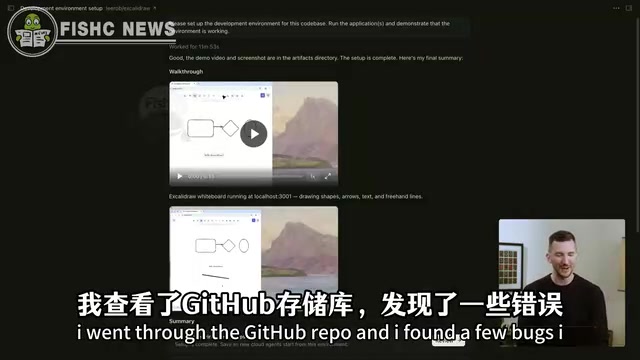
Aman had the Cursor Agent automatically onboard to this codebase. The Agent successfully completed the environment setup and returned a video showing it navigating using the computer and verifying that the software was running properly.
This step alone is highly valuable — for complex projects, environment configuration is often one of the most time-consuming steps, involving dependency installation, environment variable configuration, database initialization, and a series of other operations. The Agent's ability to autonomously complete this process and provide visual verification significantly lowers the barrier for new members or new tools to onboard to a project.
Adding Table Template Support
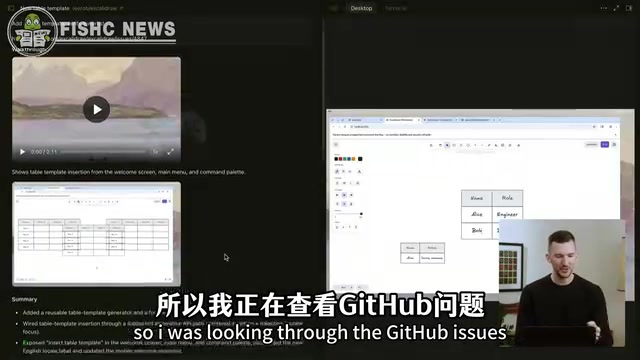
Aman picked a feature request from GitHub Issues: adding table support to Excalidraw. He pasted the GitHub Issue link to the Agent, which then worked independently for about 40 minutes before returning a video showing how it navigated to the locally running software in the browser and successfully inserted the newly created table template.
CSV Paste-to-Table: The Agent's Clever Implementation
The follow-up request was even more interesting. Aman noticed another request on GitHub — support for pasting CSV data as table templates. He submitted this additional requirement to the Agent, which delivered results after another 20 minutes of work.
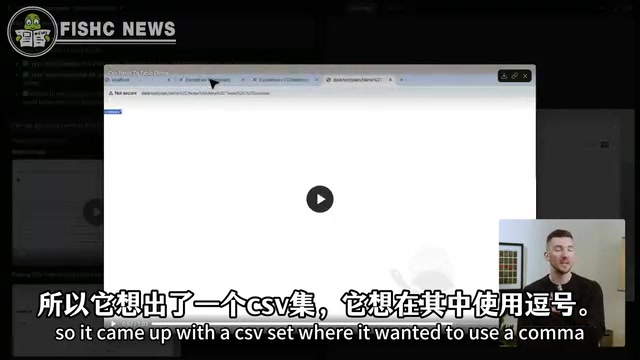
The Agent's implementation was quite clever: it opened a new tab, injected data directly into the browser via URL, then copied and pasted it into Excalidraw to generate a table. Even more impressive, the Agent proactively thought about and handled edge cases — it constructed a CSV dataset containing commas (which need to be wrapped in quotes), then copied and pasted this text into Excalidraw to verify that the data could be parsed correctly.
It's worth elaborating on the complexity of the CSV format here: CSV (Comma-Separated Values) seems simple but is full of pitfalls. According to the RFC 4180 specification, when a field value itself contains commas, newlines, or double quotes, the entire field must be wrapped in double quotes, and double quotes within the field must be escaped with two consecutive double quotes. For example, a value like Hello, World containing a comma would be incorrectly split into two fields by the parser if not wrapped in quotes. The Agent's proactive construction of such edge-case test data demonstrates its understanding of data format specifications, rather than merely meeting the minimum standard of "it runs."
This ability to autonomously discover and verify edge cases has gone beyond the scope of "writing code" and begun to exhibit the thinking patterns of a junior test engineer. Notably, this is fundamentally different from traditional automated testing. Traditional automation frameworks (like Selenium, Cypress, Playwright) rely on developers pre-writing deterministic test scripts that execute the same operation sequence every time. An AI Agent's autonomous testing is inherently exploratory: based on its understanding of functional requirements, the Agent independently decides what to test and how to test it, and can even discover edge cases that developers didn't explicitly request. This is closer to how human test engineers work — conducting exploratory testing combining domain knowledge and intuition. Of course, this also means the Agent's test coverage is unpredictable, and it's currently more suitable as a supplement to human review rather than a complete replacement.
LaTeX Math Formula Rendering
The third feature was adding LaTeX rendering support to Excalidraw. LaTeX is a typesetting system widely used in academia and engineering, particularly excelling at precise rendering of mathematical formulas. Implementing LaTeX rendering in web applications typically relies on JavaScript libraries like KaTeX or MathJax, which parse LaTeX syntax strings into DOM elements or SVG graphics. Integrating LaTeX support into a canvas application like Excalidraw requires solving technical challenges such as real-time formula rendering, scaling adaptation, and interaction with other canvas elements.
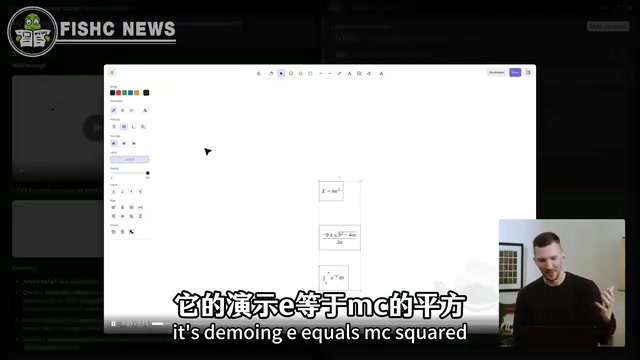
After completing development, the Agent's returned video showcased classic mathematical formula demonstrations: E=MC², the quadratic equation formula, and even integral expressions. The Agent successfully proved it could input mathematical equations and correctly convert them to LaTeX-rendered format — meaning it not only completed the library integration but also handled the complete interaction chain from user input to formula rendering.
A Complete AI Development Workflow Loop
This new feature set isn't simply "AI writes code + records video" — it constructs a complete automated development workflow:
- Environment Setup: Agent automatically onboards to the codebase and configures the development environment
- Feature Development: Independent coding based on GitHub Issues or natural language descriptions
- Autonomous Testing: Uses computer to operate the interface, verifying that features work correctly
- Video Proof: Records the operation process as a reviewable work artifact
- Human Takeover: Developers can click "Take Control" at any time to take over the desktop environment with minimal latency
- Code Review: View all diffs within Cursor, and mark the auto-created PR as Ready after confirmation
The key to this workflow is that the developer's role transforms from "the person who writes code" to "the person who reviews and makes decisions." You no longer need to write code line by line; instead, you review the Agent's work output — including code changes and visualized feature verification. This model is highly consistent with the "Human-in-the-Loop" philosophy in software engineering: AI handles the intensive coding and testing work, while humans handle high-level decisions, quality assurance, and risk assessment.
Profound Implications for the Software Development Paradigm
This update sends an important signal: the future of code review will shift from "reviewing code" to "reviewing behavior."
Traditional Code Review focuses on code quality, logical correctness, and style conventions. But when AI Agents become the primary code producers, reviewing every line of AI-generated code line by line is neither realistic nor efficient. A more reasonable approach is to see whether the Agent's work output meets expectations, just like reviewing a team member's deliverables.
This shift is also visible in the broader industry context. GitHub's data shows that by the end of 2024, GitHub Copilot had participated in generating over 30% of new code. Autonomous coding Agents like Devin and OpenHands are also iterating rapidly. As the proportion of AI-generated code continues to rise, the bottleneck in code review will no longer be "can we understand the code" but "can we efficiently verify whether the code's behavior is correct." Cursor's video verification solution is a direct response to this bottleneck.
This also means developers need to cultivate new skills — not writing better code, but better defining requirements, evaluating results, and identifying potential risks. Software engineers' core competitiveness is migrating from "coding ability" to "systems thinking and judgment." Specifically, this includes: the ability to precisely describe requirements (because vague requirements lead to Agent output deviation), the ability to quickly assess whether system behavior meets expectations, and the ability to identify security vulnerabilities and architectural risks that AI might overlook.
This feature is now live in Cursor, and developers can set up their own codebase for testing at cursor.com/onboard. For anyone following the development of AI programming tools, this is a milestone update worth trying firsthand.
Related articles
 Tech Frontiers
A Rare Quiet Day in AI: Recursive Self-Improvement Stirs Beneath the Surface
A rare quiet day in AI sees multiple sources go silent simultaneously. Behind the calm, Recursive Self-Improvement (RSI) research continues. What this means for the industry.
 Tech Frontiers
Reve 2 vs. Ideogram 4: A Deep Dive into Layout Control in AI Image Generation
A deep comparison of Reve 2 and Ideogram 4's layout control capabilities, covering technical approaches, real-world use cases, and industry trends for designers and creators.
 Tech Frontiers
In the Weights: Check Your Influence Score in the AI World
In the Weights is an AI influence search engine that quantifies your presence in the AI world with a score. Explore how it evaluates practitioners and what it means for digital identity.