Mavis Hands-On Review: The Chinese-Made AI Assistant That Scrapes Data, Manages Files, and Controls Your PC Remotely

Mavis is a Chinese AI Agent offering browser automation, local file management, and remote PC control with low setup friction.
Mavis is a Chinese-made AI Agent built around three core capabilities: a browser assistant that scrapes data, compares prices, and runs scheduled tasks using your logged-in browser; a file assistant that uses local semantic indexing for natural-language file search with full offline/privacy support; and cross-device remote control that lets your phone trigger tasks on your office PC. The three features can be chained into a complete automated workflow. Limitations include occasional failures on dynamic pages and misinterpretation when instructions are vague, but overall daily usability is rated positively.
The domestic AI Agent space is heating up fast, and a product called Mavis has caught the attention of many early adopters as a potential dark horse this year. After two weeks of intensive use, Bilibili creator Api concluded that this AI assistant handles browser automation, scheduled tasks, file management, and cross-device control more smoothly than many overseas alternatives.
For users who already understand what AI Agents can do but have been blocked by registration barriers or poor localization, Mavis offers a lower-friction entry point. This article breaks down its three core capabilities — along with its genuine value and real limitations — based on Api's hands-on testing.
Getting Started: Low Barrier, Solid Foundation
Mavis leads with simplicity. No complex configuration required — download, install, and you're in. As a Chinese-made Agent, it's far better adapted to domestic websites, software, and ecosystems, which is precisely where many overseas Agent products fall short.
On the free tier, each account gets 10 million tokens per day — enough for typical daily use. The main interface is clean: function panel on the left, conversation area in the center. What sets it apart from ordinary chat AI is that it can actually operate your computer.
The interface also features an "Office" setup containing six specialized AI Agents, all coordinated by a character called "Lao Ma" (Old Ma). You simply give Lao Ma an instruction; it analyzes and delegates to the appropriate Agent. The interaction is reduced to a single conversation.
Mavis offers two operating modes: Efficiency Mode combines on-device response with cloud computing for speed and accuracy; Local Mode prioritizes on-device models, keeping data entirely on your machine and working offline — ideal for privacy-sensitive files. The system includes an AI mode detector that recommends the best fit based on your hardware.
What is MCP (Model Context Protocol)? MCP is an open protocol standard proposed by Anthropic in late 2024, designed to let AI models connect to external tools, data sources, and services in a unified way. Think of it as the "USB port" of the AI world — plugin developers write an interface once to the MCP spec, and any MCP-compatible AI client can use it. Mavis's built-in MCP plugin support is built on this ecosystem: once you install plugins for platforms like 什么值得买 (SMZDM) or Feishu, the Agent can directly read data and execute actions on those platforms without requiring custom integration layers for each one. As the MCP ecosystem grows, so does Mavis's reach.
Core Capability #1: Browser Assistant
Mavis can take over your browser — clicking, scrolling, filling forms, and downloading just like a human would. Crucially, it uses your existing browser in its logged-in state, so pages behind authentication are fully accessible. It also supports installing various MCP plugins for platforms like 什么值得买, Feishu, and DingTalk, enabling direct access to their data and features once installed.
Api ran a real test: he wanted a cost-effective gaming headset, but comparing prices across platforms manually was tedious. He installed the 什么值得买 MCP plugin and asked Lao Ma to look up 10 well-reviewed gaming headsets with good value. About a minute later, a table appeared with model names, brands, prices, stores, discounts, specs, and user ratings — the entire process visualized in real time.
Better yet, it also delivered tiered purchase recommendations by price range: under ¥100, ¥100–200, ¥200–400, and ¥400–500, saving the need to research independently. Beyond product comparisons, it can aggregate cross-platform trending Top 10 lists, batch-download images from web pages, auto-fill forms — essentially any repetitive browser task can be handed off.
Automated Tasks: Let the Agent Work on Schedule
Pair the browser assistant with scheduled tasks and the impact multiplies. Setup is intuitive: create a task, describe what to do, set the frequency (daily/weekly/monthly or custom) and time, then save.

Api configured two recurring tasks: one runs every morning at 10 AM to compile the latest tech news for content ideas; another runs every 12 hours to pull the top 5 trending tech videos on Bilibili, neatly packaging titles, creator names, view counts, and links. No manual intervention needed — while he was still on the subway, his office computer was already running the tasks, and by the time he reached his desk, the topic ideas were waiting. Every run is logged with a history you can review anytime. This is particularly powerful for work that repeats on a schedule — configure once, automate indefinitely.
How browser automation works under the hood: There are generally two approaches to AI Agents controlling browsers. The first is Vision-based: take a screenshot, use a visual model to identify UI elements, then simulate clicks. The second is DOM-based: directly read the browser's DOM structure to locate elements. Vision-based is more universal but breaks when page rendering changes; DOM-based is more stable but has limited support for dynamically loaded pages. Mavis operates in the user's already-logged-in local browser rather than spinning up a separate sandbox, which means it inherits the user's cookies and session state — bypassing most login-gated pages naturally. This is something many cloud-based Agents (which run browsers inside remote virtual machines) struggle to do. The tradeoff: it occupies the foreground browser during operation and can't run fully silently in the background.
Core Capability #2: File Assistant
Once web tasks are covered, Mavis turns to the files on your machine. The file assistant doesn't just sort by filename — it genuinely understands file content. Before use, you need to grant access to local folders in settings; starting with Documents, Desktop, and Downloads is recommended. Allow one to two days for the local index to build, after which searches become faster and more accurate.
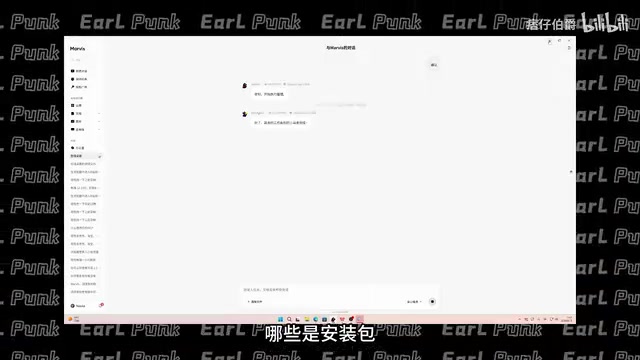
After authorization, you can find files using natural language. Api demonstrated this: he couldn't remember where a video asset was stored, and the filename was just a string of numbers, so he typed: "Help me find a video asset I recorded around June 25th, about 3 minutes long." A few minutes later, the system returned the matching file.
The organization feature is equally thoughtful — it doesn't rearrange files on its own. Instead, it first scans and presents a plan (what to archive, what to sort by month, what to move, what duplicates to clean up), then executes only after you confirm.
Worth emphasizing: the file assistant supports Local Mode, meaning all searches and operations happen on-device, nothing is uploaded to the cloud, and it works offline. For personal photos and sensitive documents on your machine, this provides genuine peace of mind.
The tech behind "understanding file content": The file assistant's content comprehension relies on local vector indexing. On first authorization, the system reads file contents, converts them into high-dimensional numerical vectors, and stores them in a local database. When you type a natural language query, it converts that query into a vector too, then finds the files with the closest semantic match — which is why searching "3-minute video recorded around June 25th" can surface a file with a random numerical name. Building the index takes one to two days because it's essentially doing a "semantic scan" of every file. In Local Mode, both vector generation and retrieval happen on-device; the original file contents never leave your machine, which is what makes the privacy guarantee credible.
Core Capability #3: Cross-Device Remote Control
The first two capabilities require you to be at your computer. Cross-device remote control solves the "I'm out and about" problem. Setup is simple: install the Mavis app on your phone, log in with the same WeChat or QQ account as your PC, and authorize the device connection. Once connected, your PC's online status appears on the app's home screen.
Api's two most-used scenarios are telling. First: triggering a multi-gigabyte game update download on the way home from work so it's ready to play the moment he walks in. Second: when a colleague urgently needed a document edited while he was out at a meeting, he pulled out his phone, had the computer locate the file, remotely opened and edited it, then sent it directly to his phone — without touching the computer once. For more complex operations, the app also provides a full remote desktop view with a virtual keyboard and mouse. It supports binding multiple computers to one account and switching between them at will.
Advanced Feature: Skill Reusability

Mavis abstracts repeatable workflows into "Skills." You can save a common task as a Skill and invoke it later without re-describing the steps. For example, generating a weekly report involves visiting three fixed websites to pull data, formatting it consistently, and producing standard charts. Api saved this entire workflow as "Weekly Report Assistant" — every Friday, saying "run the weekly report" triggers everything automatically.
The platform also has a Skill Marketplace featuring official and community-contributed Skills that you can install directly, and you can publish your own Skills to share with others. This reusable, shareable design means Agent capabilities accumulate over time rather than being used up in a single interaction.
Limitations and Honest Takeaways
Api didn't shy away from the product's shortcomings. It's not omnipotent: when webpage structures change, data scraping can fail; when instructions are unclear, it can misinterpret the request. These situations require manual correction from the user. Some complex dynamic pages also cause it to get stuck — worth setting expectations accordingly.
That said, the overall assessment is positive. It genuinely takes over the repetitive, mechanical, time-consuming chores that pile up every day. The three core capabilities can also be chained together: a morning scheduled task uses the browser assistant to scrape data, the file assistant archives the results, and cross-device remote control lets you check on everything while you're out — forming a complete automated workflow. For users who want to actually integrate an Agent into their daily routine, putting even one or two of these features to work can deliver meaningful productivity gains.
Related articles

The Disinformation War in the Russia-Ukraine Conflict: Bot Farms Still Operating After Drone Strike on Yandex
After Ukrainian drone strikes on Russian data centers, Zelensky claimed social platforms improved, but Russian bot farms are still operating. This article analyzes the decentralized architecture and resilience of disinformation networks.

Nothing Headphone A Hits Half Price for the First Time: Headphone + Album Bundle Promo
Nothing Headphone A is on sale at half price for the first time via an Amazon bundle deal: add the headphone and Charli XCX's album CD to get 33% off the full order. Black and white both included. Here's how the bundle works and whether it's worth it.

Flox Intelligence Uses AI Acoustic Deterrence to Protect Transportation Infrastructure
Flox Intelligence uses edge AI devices to identify wildlife species and play species-specific sounds to deter them from railways, airports, and highways, addressing the habituation problem of traditional deterrence methods.