MiniMax H3 Ecosystem Updates: Ref2VA 3-Step Generation and ComfyUI Tooling Breakdown
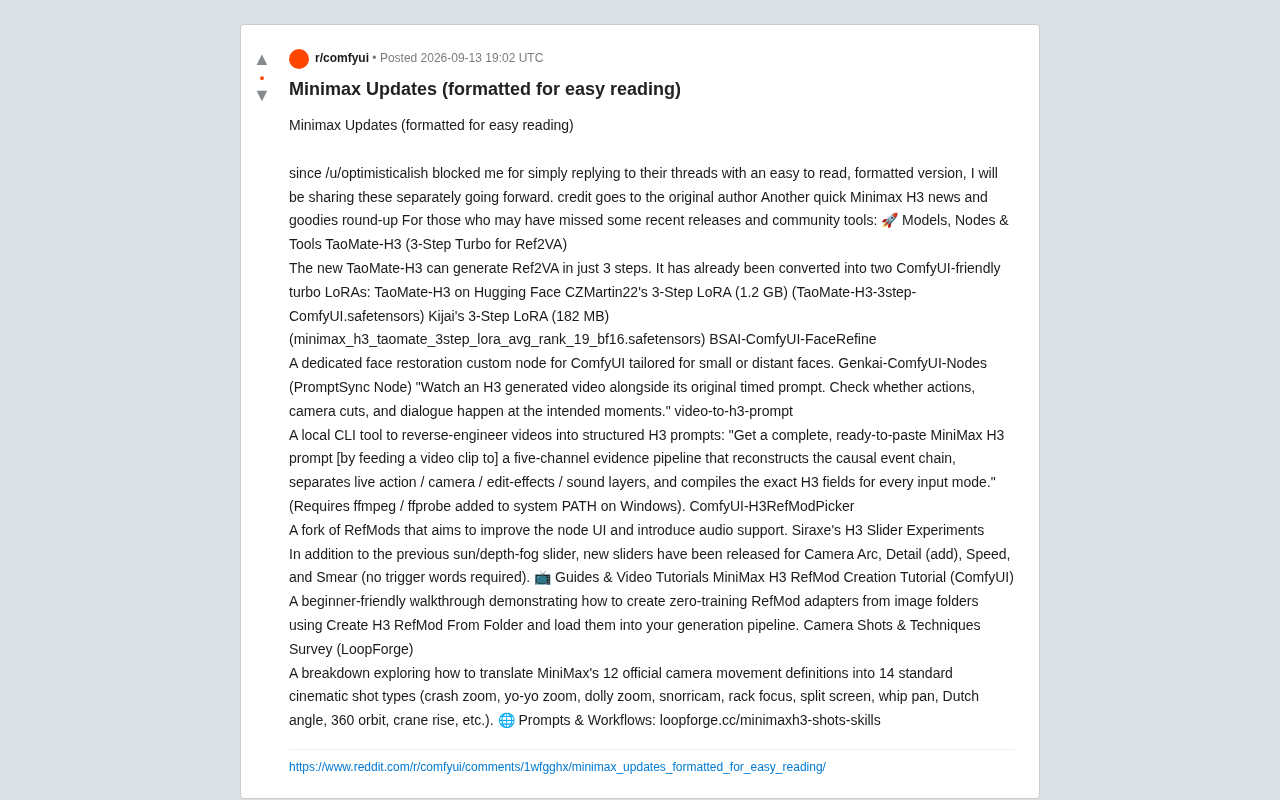
MiniMax H3's open-source ecosystem gains 3-step Turbo LoRA, new ComfyUI nodes, and a video-to-prompt reverse engineering tool.
MiniMax H3's open-source community has released a concentrated batch of updates. The headline is TaoMate-H3 Turbo LoRA, which cuts Ref2VA generation to just 3 steps, available in 1.2 GB and 182 MB builds for different hardware setups. The ComfyUI ecosystem gains a FaceRefine node for distant face repair, a PromptSync node for prompt timing validation, and an improved RefModPicker. On the tooling side, the `video-to-h3-prompt` CLI can reverse-engineer existing footage into structured H3 prompts. Siraxe's parameter slider experiments add triggerword-free controls for camera arc, speed, and smear, while LoopForge's tutorials map 12 official camera movements to 14 cinematic shot types.
MiniMax H3's video generation model has seen a wave of rapid community updates recently — from Turbo LoRA for accelerated inference to face refinement nodes and a CLI tool for reverse-engineering prompts from video. The open-source ecosystem around it is taking shape fast. This roundup covers the models, ComfyUI nodes, and tutorial resources worth knowing about, so you can catch up on anything you missed.
Accelerated Inference: TaoMate-H3 Generates in 3 Steps with Ref2VA
The centerpiece of this update cycle is TaoMate-H3, which compresses the Ref2VA (reference image to video/audio) generation process down to just 3 steps. For iterative video generation workflows, slashing the step count means dramatically shorter wait times and a lower VRAM threshold to get started.
TaoMate-H3 is currently available as two ComfyUI-friendly Turbo LoRA versions:
- CZMartin22's 3-Step LoRA: Larger file (~1.2 GB), filename
TaoMate-H3-3step-ComfyUI.safetensors. - Kijai's 3-Step LoRA: Trimmed down to 182 MB, filename
minimax_h3_taomate_3step_lora_avg_rank_19_bf16.safetensors.
The size difference between the two is significant — users can choose based on their local hardware and quality requirements. The base model itself is available on Hugging Face. This "official model + community-quantized/distilled LoRA" distribution pattern has become the standard playbook for open-source video generation ecosystems.
A note on LoRA and Turbo LoRA: LoRA (Low-Rank Adaptation) is a lightweight fine-tuning technique that injects targeted capabilities by inserting small, low-rank decomposition matrices alongside a pretrained model's weight matrices — without modifying the original parameters. Turbo LoRA is an applied variant specifically designed to distill or accelerate the sampling steps of diffusion models. What normally takes dozens of denoising steps can be compressed to very few, guided by the LoRA, at the cost of a slight quality trade-off. CZMartin22's version (1.2 GB) retains more complete weight information and is suited for quality-focused users. Kijai's version (182 MB) uses average-rank compression to reduce the size to roughly 1/7th, making it better for VRAM-constrained setups or rapid iteration. Both are BF16 precision, balancing computational efficiency with numerical stability on modern GPUs.
ComfyUI Node Extensions: Face Refinement and Prompt Validation
The community has contributed several useful custom nodes for ComfyUI workflows, each targeting a specific pain point in the generation process.
BSAI-ComfyUI-FaceRefine is a dedicated face refinement node that optimizes smaller or more distant faces within a scene. In video generation, faces in wide shots often break down due to insufficient resolution — a specialized repair node like this can effectively recover the lost detail.
The PromptSync node from Genkai-ComfyUI-Nodes addresses a different problem: temporal alignment between prompts and generated output. It lets users "watch H3-generated video side-by-side with its original timed prompts to check if actions, camera cuts, and dialogue happen at the expected moments." For creators who need precise timing control, this is an essential validation tool.
ComfyUI-H3RefModPicker is a fork of RefMods focused on improving the node UI and adding audio support, making reference module management more intuitive.
Reverse Engineering: Generating H3 Prompts from Video
video-to-h3-prompt is one of the more inventive tools in this update batch. It's a local CLI application that "reverses" existing video footage into structured H3 prompts.
According to the author, it reconstructs a causal event chain through a "five-channel evidence pipeline," decomposing live-action footage, camera movement, editing effects, and sound into layers, then compiling precise H3 fields for each input modality. In plain terms: feed it a video clip, and it outputs a ready-to-paste, complete MiniMax H3 prompt.
On Windows, the tool requires ffmpeg / ffprobe to be added to the system PATH. Tools like this lower the barrier to mimicking or reproducing a visual style, and they signal a broader shift in prompt engineering — from hand-writing to automated extraction.
Understanding the five-channel pipeline and H3's structured format: MiniMax H3 prompts use a structured field format rather than the free-text descriptions typical of standard diffusion models. Scenes are decomposed into discrete fields — shot type, character action, audio description, timeline moments, and so on — requiring users to fill them in according to a defined schema. This structured design improves the model's understanding of intent, but significantly raises the bar for manual prompt writing. The "five-channel evidence pipeline" refers to simultaneously analyzing five dimensions of a video: visual content (the frame), camera movement (motion), editing rhythm (timing), sound effects and dialogue (audio), and then mapping each dimension's analysis to the corresponding H3 field. This automated extraction process is essentially a "reverse compiler" for prompt engineering, letting users quickly derive reusable creative templates from existing footage.
Parameter Tuning: Siraxe's Slider Experiments
Siraxe's H3 slider experiments build on earlier sun and depth-of-field fog sliders, adding several new adjustable parameters: Camera Arc, Detail Add, Speed, and Smear.
A key advantage of these sliders is that they work without trigger words — users can adjust effects continuously like dialing a knob, rather than relying on specific keywords. This "parametric control" approach is a better fit for video creation's need for continuous variation, compared to the discrete adjustments of traditional prompt writing.
Tutorials and Cinematography Resources
For newcomers, the community has also put together complementary learning materials.
The MiniMax H3 RefMod Creation Tutorial (ComfyUI) is a beginner-friendly walkthrough demonstrating how to use Create H3 RefMod From Folder to create a zero-training RefMod adapter from a folder of images, then load it into a generation pipeline. Zero training means no lengthy GPU training sessions are required to get a customized reference module.
LoopForge's cinematography research goes deeper into film language. It explores how to map MiniMax's 12 officially defined camera movements to 14 standard cinematic shot types — including crash zoom, yo-yo zoom, dolly zoom, snorricam, rack focus, split screen, whip pan, Dutch angle, 360-degree orbit, and crane/jib shots, among others. The associated prompts and workflows are available at loopforge.cc/minimaxh3-shots-skills.
A glossary of cinematic techniques: Some of the shot types mentioned may be unfamiliar to readers without a film background. Dolly Zoom (also called the Hitchcock zoom) involves moving the camera forward or backward while simultaneously adjusting the focal length in the opposite direction, keeping the subject the same size while the background compresses or stretches — creating a vertiginous visual effect. Snorricam mounts the camera directly to the actor, pointed at their face, so the background lurches violently as the actor moves — commonly used to convey a character's subjective anxiety. Rack Focus shifts the focal point within a single shot from foreground to background (or vice versa), guiding the viewer's attention. Dutch Angle tilts the camera so the horizon line runs diagonally across the frame, often used to create a sense of unease or disorientation. Understanding these terms helps users translate their creative intent into the camera-specific fields within H3 prompts more precisely.
Takeaways
Looking across these updates, MiniMax H3's community ecosystem is advancing along two main tracks: efficiency optimization (3-step Turbo LoRA, face refinement) and controllability improvements (parameter sliders, prompt validation, cinematography mapping). Most of these tools are built around ComfyUI, further cementing its role as the hub of open-source video generation. For creators looking to go deep with MiniMax H3, these community resources provide a complete path from beginner to advanced.
Related articles

The Touchscreen MacBook and Apple's Delightful Mess: A Deliberate Gamble
The Vergecast unpacks the touchscreen MacBook Pro's launch logic, the ProLed naming controversy, the iPad squeezed between iPhone and Mac, and how Apple stays competitive with premium hardware in the AI era.

Fifty Years Studying Power: Robert Caro's Writing and Insights on Power
Robert Caro reflects on 50 years studying power: Lyndon Johnson's persuasion and leverage, Robert Moses's transformation from idealist to ruthless builder, the dilemmas of large-scale construction, and his methods of compressing themes and solitary focus in biography writing.

Can a $20,000 Robot Do Your Chores? The Test Results Are Surprising
A YouTube test video shows how a $20,000 robot responds to commands like washing dishes, turning off lights, taking out trash, and feeding the dog. This article analyzes its real capability boundaries, the state of voice interaction technology, and how far household robots are from mainstream adoption.