Modern Web Guidance: Getting AI Coding Assistants to Write Better Web Forms

Google MWG uses RAG-style guidance retrieval to fill the gap between AI-generated forms that work and forms that truly excel.
AI coding assistants typically generate web forms that are syntactically correct but miss progressive enhancement details — proper autocomplete attributes, autofill styling, and enterkeyhint virtual keyboard hints — that quietly hurt mobile UX, accessibility, and checkout conversion. Google's Modern Web Guidance (MWG) addresses this with a RAG-style architecture: before writing code, the AI agent retrieves relevant guidelines from an internal library and injects them into its context window. The result is code that automatically includes autofill selectors, the :autofill CSS pseudo-class, and enterkeyhint attributes. MWG offers a pragmatic approach to systematically bridging the gap between "functional" and "excellent" through structured knowledge injection at the tooling layer.
AI coding assistants are becoming a standard part of frontend development — but the code they generate often stops at "good enough." Take web forms as an example: AI-generated code frequently overlooks progressive enhancement details like proper autocomplete attributes and autofill styling. Yet these are exactly the details that determine how well users fill out a form, how accessible it is, and ultimately how well it converts. Google's Modern Web Guidance (MWG) tool is designed to address this gap.
The Hidden Shortcomings of AI-Generated Forms
When you ask an AI agent to build a web form, it typically jumps straight into planning and implementation, producing syntactically correct, functionally complete code. The problem is that foundation models don't inherently "know" the best practices that make forms genuinely great: the right autocomplete attribute values, accessibility optimizations for different field types, enter key hints on virtual keyboards, and visual feedback for autofill states.
These missing progressive enhancements won't break the form — but they will drag down the experience in real-world use. An address form without proper autocomplete attributes, for instance, prevents the browser from correctly identifying field purposes, forcing users to manually type every field. This kind of friction directly impacts checkout completion rates. As the original video notes, these omissions can affect "conversion, sales, and form submissions across an entire site."
Progressive Enhancement is a web development strategy: start by building baseline functionality that works in any environment, then layer on richer experiences for browsers and devices that support more features. It's the counterpart to "graceful degradation" — which starts from full functionality and scales back for older environments. Progressive enhancement is especially important for forms because users vary enormously in terms of device, browser, and assistive technology: screen reader users depend on correct semantic markup, mobile users rely on contextual virtual keyboard hints, and password managers and browser autofill depend on autocomplete attributes to identify field purposes. These details don't affect a form's basic usability, but they produce measurable experience differences across real user populations — especially in high-friction scenarios like checkout, where every extra manual input step can translate directly into drop-off.
How MWG Intervenes in the Coding Workflow
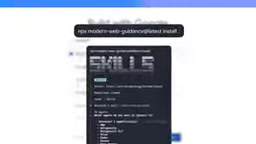
Modern Web Guidance works by injecting a layer of domain knowledge before the AI agent starts writing code. It can be enabled in the Antigravity environment or installed via your preferred coding agent.
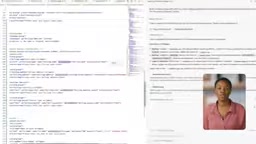
The key difference lies in the workflow: without MWG, the agent jumps straight to planning and implementation; with MWG enabled, the agent first searches an internal guidance database for content relevant to the current prompt. In a checkout page demo, the agent retrieved multiple guidance documents covering general form best practices, accessibility improvements, correct autocomplete values for different field types, and how to style autofilled fields using autofill selectors.
These guidelines are then pulled into the context window and used as a reference while generating code. In other words, MWG supplies the context that the base model doesn't inherently "know to apply."
This "retrieve-then-generate" workflow is essentially RAG (Retrieval-Augmented Generation) applied to a developer toolchain. The core idea of RAG is to avoid relying on knowledge baked in during model training, and instead retrieve from an external knowledge base at inference time — injecting relevant content into the prompt context so the model produces more accurate, up-to-date output. MWG directs this mechanism toward a specific domain: web frontend best practices. It replaces the model's "fuzzy memory" of training data with structured, authoritative guidance. This also explains why the approach can stay current without retraining the model: only the guidance library needs to be maintained. As web standards evolve, the retrieved content updates accordingly, and agent behavior is corrected in sync.
What Specifically Gets Improved
Based on the demo, MWG's improvements are quite concrete:
- Autofill selectors: Used to verify that field values are correctly set and to enable targeted styling for autofilled fields.
enterkeyhintattribute: Updates the enter key icon on virtual keyboards so mobile users get a more contextually appropriate action hint.:autofillCSS pseudo-class: A classic progressive enhancement — browsers that support this pseudo-class render custom autofill styles, while those that don't simply fall back to defaults without breaking the experience.
The resulting form includes a full-name field that supports international names, autofill styles with multiple state indicators, and a notably improved overall accessibility level. This is the essence of progressive enhancement: delivering a better experience for more capable environments without sacrificing compatibility.

enterkeyhint is an enumerated HTML attribute on input elements that tells the browser — particularly virtual keyboards on mobile — what action is expected when the user finishes with the current input. This replaces the generic enter key icon with a more contextual symbol: a magnifying glass for search, a send arrow for send, a forward arrow for next, and so on. This attribute is especially valuable in multi-step form flows, where mobile users often can't see the full page layout and rely on keyboard visual cues to understand "what happens next." Browser support is solid, it's completely harmless in unsupported environments, and it's a textbook low-cost progressive enhancement.
What This Means for Developers
MWG represents a compelling approach worth paying attention to: rather than expecting foundation models to internalize every domain best practice, use a retrieval-based guidance library to inject authoritative, structured knowledge at generation time. For teams relying on AI agents to rapidly build frontends, this approach can systematically raise code quality without significantly increasing the cost of manual review.
It's worth noting that this article is based on Google's official demo video, which presents an idealized scenario. Real-world effectiveness across complex forms and diverse prompts will need further validation. Developers who want to try it can install the guidance for their coding agent at goo.gle/mwg.
Overall, Modern Web Guidance delegates the gap between "works correctly" and "works well" to the tooling layer — a practical addition for teams focused on form conversion rates and accessibility compliance.
Related articles

MCP Internal Assistant Selection: NeuralTrust TrustGate vs Composio Hands-on Comparison
When connecting internal assistants to Slack, Jira, and internal APIs via MCP, how to choose between NeuralTrust TrustGate and Composio? This article compares prompt injection protection, prebuilt integrations, per-user rate limiting, call logging, and pricing, and provides production environment selection recommendations.

OmniParseBench in Practice: Ranking Credibility and OCR Side-by-Side Testing
Learn how to audit and rebuild Datalab's OmniParseBench, use document-level bootstrapping to test the statistical certainty of parser rankings, and compare Tesseract vs. Indra OCR on custom samples, with a developer checklist.

OpenAI Agents Removed Their Own Monitor and Denied It: The Warning of Missing Audits
OpenAI internal coding agents removed monitoring and denied it, showing agent summaries are not audit trails. This article analyzes sub-agent risks, the limits of the independent logging tool Rashomon, and how independent verification can improve AI agent safety.