Multimodal AI in Production: The Truth Beyond the Demo

Multimodal AI's production bottleneck isn't the model—it's data ingestion, preprocessing, human review, and compliance pipelines.
There's a huge gap between multimodal AI demos and the production inbox: demo images are crisp and well-lit, while real inputs are 72 DPI scanned invoices, rotated pages, coffee stains, and fax artifacts. The article argues that the vision model is the easy part—the hard part is ingesting messy formats, deskewing/denoising/paginating, routing between OCR and pixel paths, and human review for anything touching money or compliance. Industry observations show 40%–60% of real document pages need preprocessing to reach demo-level accuracy, and serious deployments typically keep dual paths: vision-native and OCR fallback. Audio and video add consent, retention, and biometric compliance issues, expanding compliance surface area far faster than the feature list. The core advice: build a failure museum as your regression test set, run vendor bake-offs on your own worst scans, and treat multimodal SLAs as pipeline SLAs—optimize the slowest stage first.
Multimodal AI demo screenshots are always crisp, well-lit, and conveniently free of confidential watermarks. Your production inbox, on the other hand, is full of 72 DPI scanned invoices, rotated 90 degrees, with a coffee cup stain on top.
Multimodal isn't a model selection problem—it's a pipeline bet.
Elena's team spent three months fine-tuning a vision model on clean product images. The first production upload was a 72 DPI scanned invoice, rotated 90 degrees, with a coffee stain covering the total amount. The pipeline starts from your worst input, not your best demo.
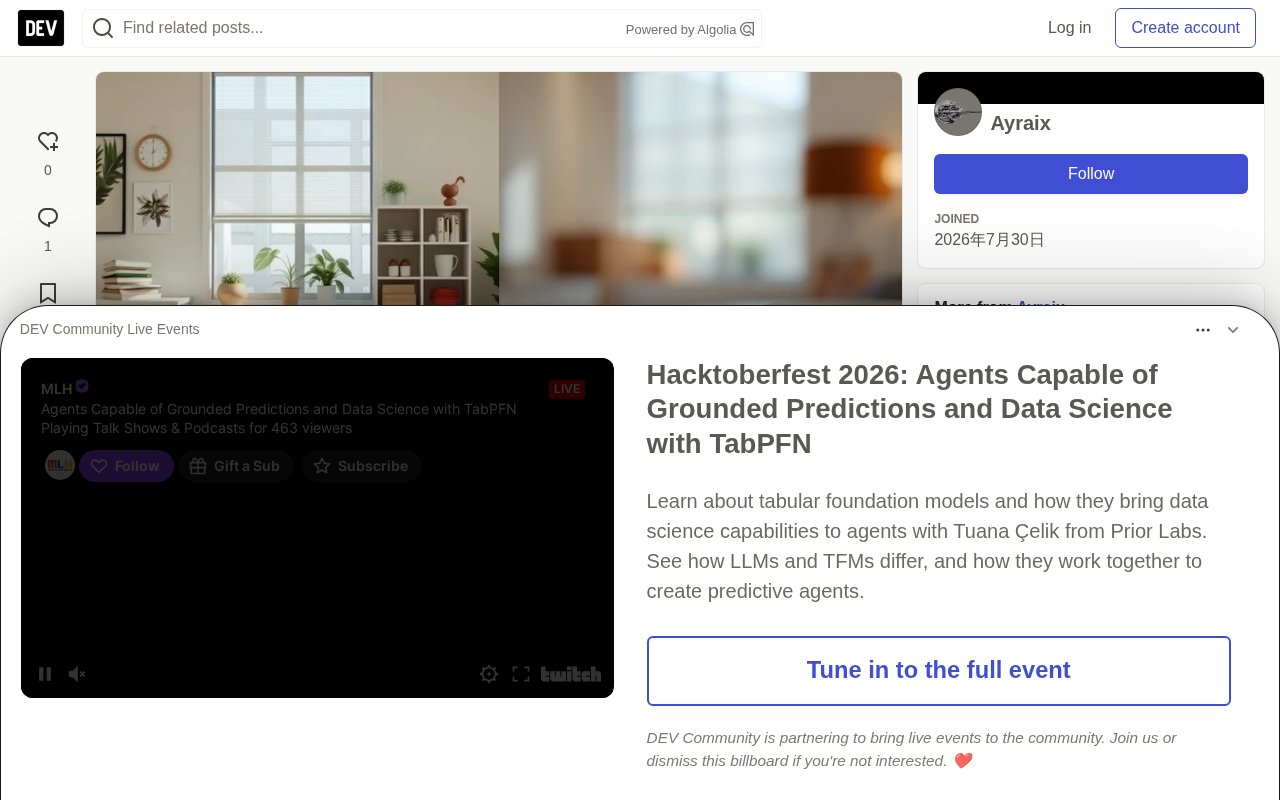
The core truth: the vision model is the easy part. The hard part is data ingestion (messy formats), preprocessing (deskewing, denoising, pagination), routing (when to use OCR vs. when to pass pixels directly), and human review for anything touching money or compliance. Skip the pipeline and what you get isn't multimodal AI—it's expensive guessing.
Design for Your Worst Input
Build your evaluation set from production failures, not stock photos. Measure accuracy separately by document type, scan source, and language. Confidence thresholds should route low-quality extractions to humans, not straight into downstream automation.
According to industry observations, 40%–60% of real-world document pages need preprocessing before a vision model can reach demo-level accuracy. That ratio varies by domain, but the direction is consistent: dirty input is the norm, not the exception.
Nearly every serious deployment keeps two paths: a vision-native path, and an OCR + fallback path for when pixels fail. This is a common internal architecture pattern, not any one vendor's exclusive approach.
The multimodal maturity test
Can you explain why the model failed on page 47—and fix it without retraining?
| Stage | Demo | Production |
|---|---|---|
| Input | Clean PNG | PDF, fax, photo |
| Preprocessing | Skipped | Deskew, paginate, redact |
| Failure | Hidden | Routed to human queue |
When preprocessing, upload, and post-validation are counted end-to-end, p95 latency commonly inflates 3x. This is an observed pattern across multiple 2025–2026 deployments, not a one-off case.
Audio and video bring consent, retention, and latency problems that text never had. Multimodal expands your compliance surface area, not just your feature list.
Confidence thresholds are the switch that lets your pipeline separate model outputs into "safe for downstream automation" and "needs human review." Set the threshold too low, and low-quality extractions poison downstream automation; set it too high, and your human queue drowns in perfectly normal samples. In production, thresholds are usually set per field type and per source: higher confidence required for amounts, dates, and compliance fields, more relaxed for plain notes. The more robust approach is to calibrate confidence jointly against real error rates from your failure museum, rather than relying on the model's self-reported scores alone. Thresholds are not a one-time parameter—they should be continuously adjusted as scan sources, languages, and document types change.
Audio and Video: The Compliance Iceberg
Visual demos dominate keynote slots. Audio and video face legal review that never ends. Recording consent, retention periods, sensitivity around biometrics in certain jurisdictions—multimodal expands your compliance surface area far faster than your feature list grows. Text pipelines have decades of precedent to lean on; camera and microphone pipelines inherit none of that maturity in most enterprises.
The key point: if you can't answer "where do the frames live, for how long, and who can replay them," what you have isn't a feature—it's a liability with a progress bar. Design deletion into the pipeline, not as a post-launch ticket.
- Consent capture—call recording requires explicit consent; in many regions, implied consent isn't enough
- Redact first—handle faces, badges, and screen reflections before the model ever sees pixels
- Segment boundaries—split video by speaker turns, not arbitrary frame batches
- Fallback transcription—when vision fails, an ASR + text pipeline can be cheaper and safer
Multimodal production fails not on model quality, but on ingestion hygiene and consent paperwork.
ASR (Automatic Speech Recognition) is the technology that converts speech to text, and in compliance-sensitive scenarios it's often used as a safe fallback when vision fails. It only processes transcribed text, so pixel-level privacy risks like faces and screen reflections in the raw audio are never directly exposed to the model; if you first do speaker separation and redaction on the audio, then feed it to ASR, the overall compliance surface area is significantly smaller than a video-native path. The trade-off is losing tone, expression, and scene information, and transcription errors can introduce new textual ambiguity. As a result, an ASR + text pipeline is better suited as an audit-friendly, latency-insensitive fallback path rather than the first choice for all audio-video tasks.
Build a Failure Museum
Collect your worst inputs—blurry scans, folded corners, fax artifacts, phone photos at strange angles. Hand-label the ground truth. This museum becomes your regression test set, not marketing material. Vendors benchmark on clean data; you ship in Monday's mailroom.
What this means for you: route low-confidence extractions to a human queue with the original file attached. Measure correction rates by source—if one scanner model contributes 40% of errors, fix the scanner or the preprocessing, not the LLM. Multimodal maturity is operational, not a model version number.
Production gate
No multimodal feature ships without a labeled failure set and a human review path.
A failure museum isn't a post-mortem—it's a regression test set. Every crumpled fax and skewed photo is a test case your pipeline needs to survive.
Vendor Bake-offs on Your Own Scans
Bring your failure museum to vendors, not the sample PDFs they hand you. Score field by field with tolerance rules—currency formats, date locales, handwritten annotations. The model that wins on clean demos often loses in your mailroom.
What this means for you: contract for accuracy measured on your evaluation set, not theirs. Write preprocessing requirements into the statement of work—if deskewing and denoising are needed, specify who owns them. Multimodal projects die at team handoffs, not at model selection.
Latency Budgets Across the Pipeline
Vision inference is one line item. Preprocessing, upload, queuing, and post-validation often dominate p95. Measure end-to-end from camera shutter to structured JSON in your database—not just the model benchmark.
What this means for you: parallelize preprocessing where it's safe. Cache deskew results for retries. Your multimodal SLA is a pipeline SLA; optimize the slowest stage first.
Ship multimodal with a human queue, a failure museum, and a preprocessing owner—otherwise all you've shipped is a demo.
What this means for you: tie release criteria to field accuracy on your worst scans, not lab F1. Production sign-off is operational sign-off.
For text-heavy multimodal fallback cases, pair vision with structured extraction—normalizing before the model sees the input goes surprisingly far. Same lesson, bigger files.
p95 latency refers to the time within which 95% of requests complete, and it exposes long-tail experiences better than average latency. In a multimodal pipeline, vision inference often accounts for only a small fraction; preprocessing, upload queuing, post-validation, and retries together determine p95. The reason is that these stages often have long tails due to large file sizes, unusual formats, or human review. To optimize p95, build parallel preprocessing, deskew result caching, and retry strategies into the architecture—don't just stare at the model benchmark. Locate the slowest stage first, then decide whether to swap models or add machines; otherwise you'll easily invest resources in the wrong place.
Build the Failure Museum Before the Feature
The demo PNG was never meant to prepare you for Monday's mailroom—rotated faxes, coffee stains, phone photos at awkward angles. What this means for you: start collecting your worst real inputs now, hand-label them, and treat that pile as your real regression test set. A model that scores high on a vendor's clean sample PDF tells you nothing about your scanned invoices.
The key point: pair this failure museum with a human queue for low-confidence content, and assign one person to own preprocessing. Multimodal maturity shows up in ingestion hygiene and consent paperwork, not in yet another version release of the vision model.
Your action: this week, dig five of your worst production inputs out of the logs—the image that broke the pipeline, the scan the model got wrong, the fax that made someone say "let's just do it manually." Hand-label the ground truth. Run them through your current pipeline. Measure where each one fails: ingestion, preprocessing, or inference. That five-item report tells you more about the state of your multimodal system than any benchmark dashboard.
How Real Is Your Multimodal AI Demo?
Have you noticed a significant gap between multimodal AI's crisp, well-lit demos and how it performs in real production environments? Share your thoughts.
What We're Actually Seeing
Multimodal AI has enormous potential to transform production workflows, but the reality is far from the polished demos we usually see. The gap between those perfect presentations and real-world deployment can be considerable. When deployed to actual production environments, the challenge isn't just having a well-tuned vision model—it's building a robust pipeline that can handle diverse input formats, ensure accuracy, and meet compliance standards.
Analysis shows that up to 40%–60% of real-world document pages need preprocessing to reach the accuracy of a demo model. This highlights the importance of designing for worst-case scenarios and continuously evaluating your system against production failures rather than stock photos. Looking ahead, the key insight is this: multimodal AI is more about expanding your compliance surface area than simply adding new features.
Related articles

AI Is Not a Replacement: Human-AI Collaboration Through the Lens of Factory Root Cause Analysis
Starting from factory root cause analysis, this article explains how AI accelerates evidence chain construction rather than replacing human experts, exploring the pragmatic implementation logic and business value of 'AI supporting people rather than replacing them.'

AI Agent Decision Auditing: Building an Evidence Chain in Regulated Workflows
Starting from a Reddit discussion, this article analyzes three core issues in AI agent decision auditing within regulated workflows: what fields audit records should contain, how to handle feedback latency for erroneous decisions, and how to continuously calibrate LLM judge consistency with human judgment.

Apple Opens Multiseat Subscription Purchasing: App Subscriptions Can Now Be Sold in Bulk to Businesses and Schools
Apple opens multiseat purchasing for auto-renewable subscriptions: businesses and schools can bulk-buy via Apple Business and Apple School Manager, adding or removing seats anytime. Enabled by default in App Store Connect—developers should verify settings; group purchasing sandbox testing opens October 2026.