n8n Local Deployment Tutorial: Self-Hosting + AI Assistant with a Single Command
Deploy n8n locally with one command and build automation workflows using its built-in AI assistant.
n8n now supports one-command local self-hosted deployment via Docker and includes a built-in AI assistant starting from version 2.35. Users can connect their own LLM via OpenRouter, build workflows through natural language prompts, and leverage closed-loop AI debugging. The update also introduces granular permission controls for AI agents, balancing convenience with security.
The workflow automation tool n8n has recently made major simplifications to its local self-hosted deployment process. Components that previously required manual configuration—such as sandbox environments and private search engines—are now consolidated into a single command. Starting from version 2.35, n8n also ships with a built-in AI assistant that lets users bring their own model API keys and build complete automation workflows using natural language. This article, based on a hands-on walkthrough by bilibili creator Leo, covers the key steps and real-world experience of this new workflow.
n8n Local Deployment: From Tedious Configuration to a Single Command
n8n is a widely popular open-source workflow automation tool that lets you connect various applications and APIs through a node-based visual interface. It occupies the "node-based workflow automation" space, complementing SaaS products like Zapier and Make (formerly Integromat). Its core differentiator is open-source self-hosting: users can keep all data on their own servers, avoiding compliance risks associated with third-party hosting. n8n's node-based orchestration model encapsulates each operation (HTTP requests, database queries, message pushes, etc.) as an independent node, with nodes connected via JSON data flows to form a Directed Acyclic Graph (DAG). This visual approach lowers the barrier to orchestration, but it also means the number of nodes in complex workflows can quickly explode—precisely the pain point the AI assistant aims to solve.
However, for users who want to run n8n locally or on private servers, the self-hosting deployment barrier has always been high—requiring manually launching code execution sandboxes, configuring private search engines for the AI assistant, and setting up a whole series of components.
The core change in the new approach is compressing all manual steps into a single Docker command. Docker is an OS-level virtualization technology that packages an application and all its dependencies into an isolated environment called a "Container." Compared to traditional virtual machines, containers share the host kernel, offering faster startup times and lower resource consumption. n8n's one-click deployment solution essentially uses Docker Compose or a single docker run command to pull and launch the n8n main service, the Code Sandbox (for securely executing user-written JavaScript/Python nodes), and potentially a private search engine—all as multiple containers at once. In the past, users had to write separate configuration files and manually map ports and data volumes; now these parameters are preset in the official image, dramatically reducing the chance of errors.
All you need to do is install Docker Desktop on Mac, Windows, or Linux (it provides a graphical container management interface for macOS and Windows, running the actual container engine internally via a Linux VM), make sure it's running in the background (on Mac, sometimes clicking the icon seems unresponsive, but the process is actually already running in the background), and then execute the single-line command provided by the official documentation to complete the deployment.
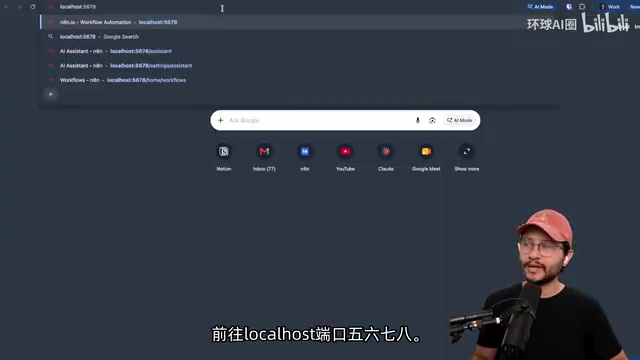
Interestingly, this one-click setup is primarily designed for local trial scenarios. For production deployments, the official documentation under the /hosting path provides more comprehensive configuration guidance, covering database persistence, reverse proxies, SSL certificates, and other production-grade requirements. Once installation is complete, navigate to localhost:5678 to reach n8n's registration page, create an account as usual, and you're ready to go.
Version Updates and AI Assistant Integration
In versions prior to 2.35, the AI assistant feature still required manually adding environment variables to enable. The new version makes updating self-hosted instances extremely simple: just add the --update flag to your existing deployment command and specify the target version, and Docker will automatically upgrade from the old version to the specified one.
After the upgrade, refresh your instance and the AI assistant will present a brand-new interface designed specifically for self-hosted mode—it allows users to connect a model provider and select a specific LLM from it.
Connecting LLMs via OpenRouter
The demonstration used OpenRouter as the provider. OpenRouter is a Large Language Model (LLM) aggregation gateway that acts as a unified API proxy layer between users and multiple model providers (OpenAI, Anthropic, Google, Meta, etc.). Users only need to maintain one API key and one request format to freely switch between dozens of models, without registering and managing keys separately for each provider. OpenRouter also offers automatic fallback, usage tracking, and transparent per-model billing. In the n8n context, choosing OpenRouter means users can switch from Claude Opus to GPT-4o or Gemini at any time without modifying the integration configuration on the n8n side—simply reselect from the model list. This decoupled design ensures the AI assistant's model choice isn't locked to a single vendor.
The integration process is also quite straightforward:
- Create an API key on the OpenRouter page
- Return to your n8n instance, select OpenRouter as the provider, and enter the key
- Choose your target model from the extensive model list (Claude Opus was used in the demo)
- Click continue—a green confirmation message indicates the AI assistant is now enabled for all users on that instance
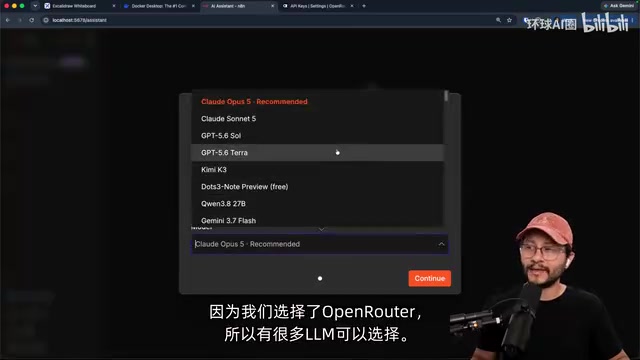
To switch models or adjust configurations later, go to "Settings → AI Assistant," where you can centrally manage provider, model, web search, MCP server usage, and other options.
Permission Controls: Setting Security Boundaries for AI Agents
An often-overlooked but critically important feature is permission settings. The operational permissions an AI Agent holds within an automation platform directly impact system security. The permission control mechanism n8n introduces is essentially an implementation of the "Principle of Least Privilege": administrators can define allowed and blocked actions for the AI agent, such as creating workflows, modifying workflows, deleting workflows, and accessing credentials.
For example, if you don't want the agent to delete any existing workflows, you can set the corresponding toggle to "Block"; users who prefer to let the agent operate freely can choose "Allow." This approach is crucial in enterprise-grade automation platforms, because an AI agent with full permissions could accidentally delete critical workflows or leak sensitive credentials due to model hallucination. Granular permission settings let teams grant agents greater freedom in development environments to boost efficiency while tightening permissions in production to mitigate risks—achieving a dynamic balance between security and efficiency.
Real-World Test: Building Automation Workflows with Natural Language Prompts
To verify the AI assistant's actual capabilities, the demonstration borrowed a typical community scenario—the original example was "check a website every few minutes for available driving lesson slots, and send a WhatsApp notification when one opens up." Leo adapted it into a more universally applicable requirement: check a creator's page daily for newly published workflow templates, and send a notification when updates are found.
This type of "monitor specific content on a specific website" requirement is a classic web scraping plus state comparison scenario. The technical implementation typically involves three stages: first, use an HTTP request node to periodically access the target page and extract structured data (such as a template list); second, compare the scraped results against historical records stored in a local database to identify new entries; finally, push the differences to the user via a messaging channel (Telegram, Slack, email, etc.). This type of requirement has broad applicability, making it ideal for demonstrating the AI assistant's ability to understand ambiguous instructions.
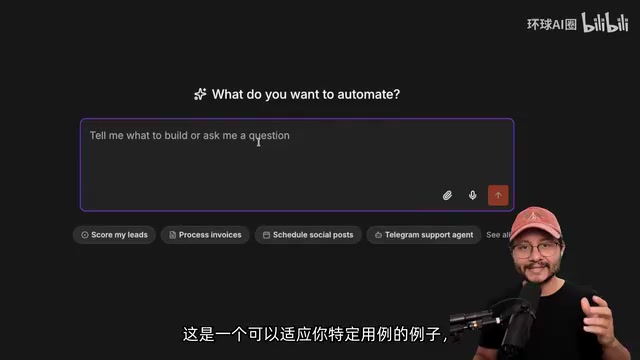
The actual prompt was quite brief, but the AI assistant demonstrated solid contextual completion capabilities:
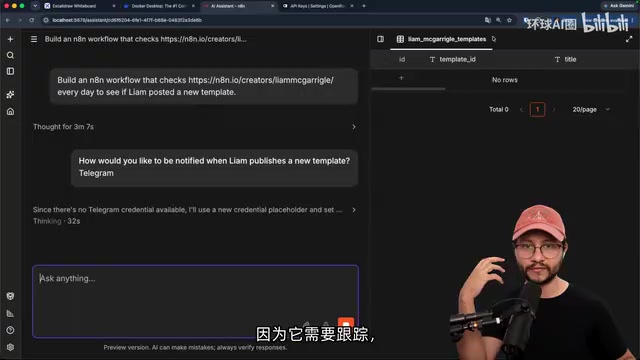
- Proactively asking about key decisions: Faced with a vague prompt, the agent would follow up with technical details like "How would you like to be notified?", explicitly surfacing decisions the user hadn't realized they needed to make. Telegram was ultimately chosen in the demo.
- Automatically building a database: To distinguish "new templates" from "previously notified old templates," the agent first built a database for state tracking. This step is particularly significant—it means the AI understood not just the surface-level requirement of "send notifications," but also inferred the implicit engineering requirement of "needing to remember which items have already been notified about," reflecting current LLMs' progress in engineering reasoning.
- Credential setup and debugging: When the workflow execution lacked Telegram credentials, the agent prompted the user to add a token and chat ID.
Since full access permissions weren't granted, the agent requests approval when invoking different tools. Users can choose "Allow once" or, once confident it's safe, select "Always allow" to reduce interruptions.
"Fix with AI" Enables Closed-Loop Debugging
During actual execution, the workflow errored out at one point because the Telegram bot hadn't been started. At that point, a "Fix with AI" option appeared in the chat interface—clicking it sends the error information to the LLM, which analyzes and adjusts the workflow.
This "build—run—error—AI fix" closed-loop debugging pattern is an important paradigm in AI-assisted development in recent years. The core idea is to pass runtime error information (including error type, stack trace, and context state) to the LLM as context, letting the model determine the root cause and generate a fix. Compared to the traditional "check logs—search documentation—manually modify" workflow, this significantly shortens the feedback loop. In n8n's implementation, the LLM can not only read the error message but also directly modify node configurations within the workflow and re-trigger execution, forming a truly automated closed loop. This pattern is especially valuable for non-technical users—they don't need to understand the Telegram Bot API's authentication mechanism; they just need to confirm the AI's suggested fix to continue.
Ultimately, the agent successfully sent a notification containing template links, completing the entire automation loop and dramatically lowering the debugging barrier for non-technical users.
Summary
This n8n update is noteworthy in two directions: first, radically simplified deployment—a single command spins up a complete local self-hosted environment, and version updates require only appending a flag; second, the built-in AI assistant transforms how workflows are built—users can bring their own model API keys and complete the entire process through natural language conversation, from requirement understanding and database design to credential configuration and error fixing.
For developers and automation enthusiasts who want to maintain local control over their data without dealing with tedious configurations, this represents a genuine reduction in barriers. The introduction of permission controls also adds a layer of security safeguards alongside the AI agent's convenience. From an industry trend perspective, this n8n update reflects a larger direction: low-code/no-code tools are evolving from "visual drag-and-drop" to "natural language-driven." AI is no longer just a node within a workflow—it has become a collaborator in building the workflow itself. This paradigm shift may redefine the answer to the question of "who can build automation."
Related articles

Cursor AI in Practice: Weighing Efficiency Gains Against Costs in an AI IDE
An in-depth look at Cursor AI IDE's interface layout, four modes (Agent/Plan/Debug/Ask), model selection, and Git context integration, with hands-on demos weighing subscription costs against going direct to Claude.

Free Landing Page Design Rules Library: A Practical Guide for Claude Code and Cursor
A free landing page design skill for Claude Code and Cursor: MIT licensed, nearly 9,000 stars, asks about offer/audience/action before planning 12 sections with hard font and spacing constraints.

Cursor Keeps Writing Wrong Code? The Problem May Be Context, Not Prompts
Cursor keeps writing wrong code? The problem may be context, not prompts. Learn how to supply relevant files, full error messages, and expected results, plus a plan-first, small-step, test-driven workflow to reduce AI coding errors—while remembering code review remains the developer's job.