NANI??? : The Invisible Real-Time Translator on Mac That Ends Video Call Confusion
NANI??? uses local real-time translation overlay subtitles to let Mac users invisibly join foreign-language meetings.
NANI??? is a Mac-exclusive real-time translation app built around local speech recognition and overlay subtitles, without adding a bot to meetings, so participants cannot notice it. It supports speaker recognition, being-called-on alerts, reply suggestions, pre-meeting glossaries, and post-meeting summaries, positioned as an assistive layer for smooth participation and effortless follow-up. It targets the gray but real need of not wanting others to know you can't understand, so its technical path must be local, background-based, and non-intrusive. It currently has 54 upvotes and ranks 18th on Product Hunt, but with little community feedback, its real-world latency, accuracy, and privacy boundaries remain to be verified.
When video meetings cross language barriers, the most awkward moment is when your boss suddenly asks you something—and all you want to say is "Nani?" A Mac app called NANI??? has appeared on Product Hunt, aiming to solve this pain point with completely invisible real-time translation subtitles.
How It Works
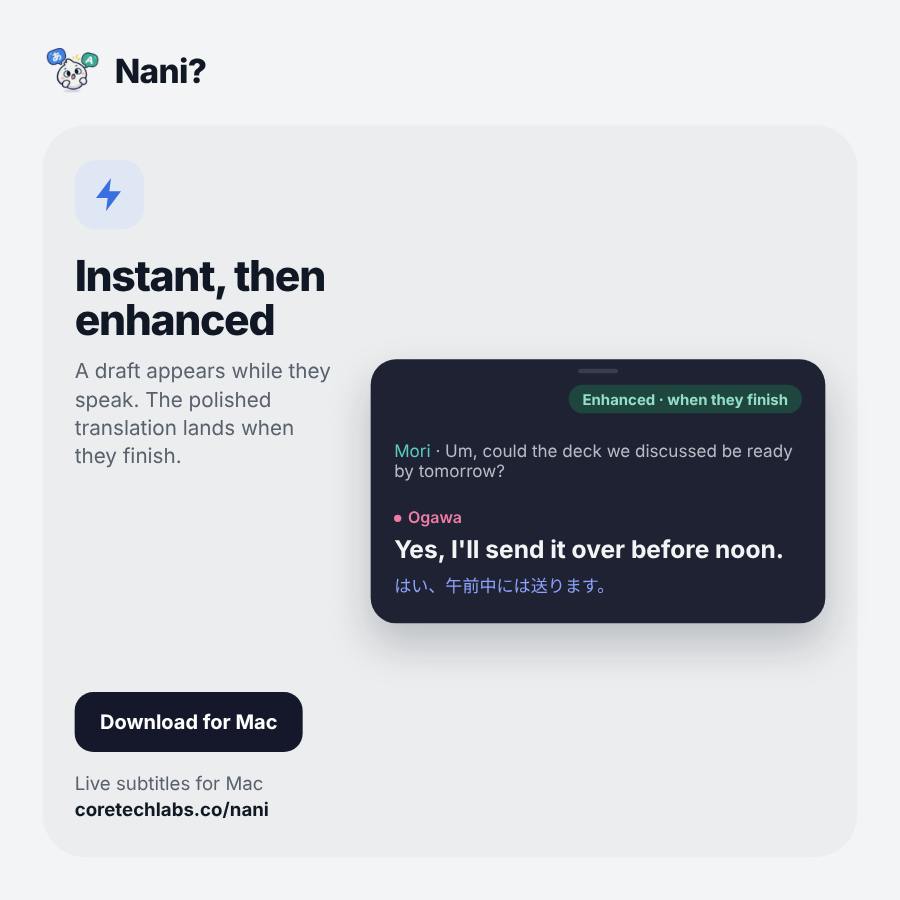
The core logic of NANI??? is "local recognition + overlay subtitles." It uses speech recognition to determine who is currently speaking, generates real-time translated subtitles directly on the Mac, and displays them as an overlay on top of any video call software.
The key is "no bot in the meeting." Many translation solutions on the market send a bot to join the meeting, and everyone can see an extra participant—which is extremely awkward in practice. NANI??? chooses to handle recognition and translation locally, without taking up a meeting seat or leaving any trace in the participant list. According to the product description, throughout the entire process "nobody sees a thing."
System Audio Capture: NANI??? needs to capture system audio in order to "hear" other people in a meeting, which is not a default capability on macOS. Since macOS 10.15 Catalina, Apple has tightened audio permissions—ordinary apps cannot directly record system output, and developers typically need to rely on solutions like ScreenCaptureKit or virtual audio drivers. This is also one of the reasons it currently only supports Mac—the audio architectures of different operating systems vary greatly.
Overlay Subtitles: An overlay is a transparent window that always stays on top and allows click-through, able to draw content above any foreground application. It makes subtitles look like part of the video call interface without requiring users to switch windows. Implementation typically relies on the system's accessibility and window layering APIs, so it has certain requirements for permissions and system versions.
More Than Subtitles: Recognition, Alerts, and Reply Suggestions
If it were just translated subtitles, the value would be limited. NANI??? adds several more practical layers of design:
Speaker Recognition: It can distinguish who is speaking by voice, avoiding the problem of subtitles getting mixed together in multi-person meetings.
Being Called On Alert: When it detects that someone is asking you a question, the app plays a notification sound, preventing you from freezing up because you didn't understand.
Reply Suggestions: More importantly, it offers reply suggestions you can say directly out loud—even if you don't know the language at all.
Pre-Meeting Context and Glossary: You can add background information and specialized terminology before the call to improve translation accuracy.
Post-Meeting Summary: After the call ends, it automatically generates a summary and action items, saving you the trouble of manually organizing meeting notes.
Combining these features, what NANI??? is really trying to build is an assistive layer that lets you "not need to review after the meeting and not panic during it"—not just a translation tool.
Speaker Diarization: In multi-person meetings, without distinguishing speakers, subtitles blend into an untraceable stream of text. Speaker diarization uses voiceprint features to determine "who said what and when," and is a separate model from simple speech recognition. It determines whether the being-called-on alert can trigger accurately—if it can't tell who is asking the question, the alert may produce false positives.
Real-Time Translation Latency and Accuracy: Chaining speech recognition with machine translation accumulates latency, typically ranging from hundreds of milliseconds to several seconds. Excessive latency causes people to miss their turn to respond, which actually increases awkwardness. Accuracy depends heavily on accents, specialized terminology, and background noise—which is why a pre-meeting glossary can improve results.
Why the Invisible Design Deserves Attention
Translation products are not scarce, but the vast majority fall into two categories: copy-paste text translation, and simultaneous interpretation mode that requires the other party to know about it. NANI??? targets a gray-area but real need—you don't want others to know you can't understand.
This positioning determines that its technical path must be local, background-based, and non-intrusive to others. It also defines its boundaries: currently Mac-exclusive, and it needs to be able to capture system audio and microphone input. Its Product Hunt result of 54 upvotes and 18th place shows it struck a chord with some people's needs, but the sample is still very small. You may not have noticed that this product line still only has 1 comment, and community discussion has yet to develop—the actual latency, accuracy, and privacy boundaries still need verification from more users.
Privacy Boundaries: Local recognition means audio doesn't need to be uploaded to the cloud, theoretically reducing leak risk, but it also puts the computing burden on the user's device. If any step of the product relies on cloud translation, audio clips may still leave the local machine. Users need to pay attention to the privacy policy's statements about data storage and transmission, especially in meeting scenarios involving business secrets.
Simultaneous Interpretation Mode: Traditional simultaneous interpretation requires the speaker to know about it and cooperate—for example, using a dedicated interpretation channel or having an interpreter intervene. It suits formal, public occasions, but not the private need of "I just want to understand it myself." NANI???'s approach is the opposite of simultaneous interpretation: sacrificing some accuracy and stability in exchange for not being noticed by others.
Who It's For
Ordinary members of multinational teams, professionals who need to attend English meetings but lack confidence in their speaking skills, and sales or support roles that frequently interact with foreign-language clients are the most direct target users for this product.
Its "your boss won't know" selling point is essentially not about concealment, but about low-cost confidence—letting you participate before you're fully ready.
For people who have long been kept on the edge of meetings by language barriers, the value of this kind of tool isn't how accurate the translation itself is, but that it lowers the barrier to "participation" to something measurable by a single click.
One-line Summary
NANI??? uses local real-time translation overlay subtitles to let Mac users invisibly participate in foreign-language meetings.
Paragraph Summary
NANI??? is a Mac-exclusive real-time translation app whose core idea is local speech recognition plus overlay subtitles, without sending a bot into the meeting, so participants cannot notice it. It supports speaker recognition, being-called-on alerts, reply suggestions, pre-meeting glossaries, and post-meeting summaries, positioned as an assistive layer for "no panic during the meeting, no review after it." The product targets the gray-area but real need of "not wanting others to know you can't understand," so its technical path must be local, background-based, and non-intrusive. It currently has 54 upvotes and ranks 18th on Product Hunt, but there is very little community feedback, and its actual latency, accuracy, and privacy boundaries still need verification. Target users include ordinary members of multinational teams, professionals lacking confidence in spoken language, and roles that frequently interact with foreign-language clients.
Related articles

A Single Prompt Triggers a Global PHP Security Storm: Is AI a Savior or a Hidden Risk?
A single AI prompt triggered a global PHP security crisis affecting Wikipedia and the Internet Archive. This article reviews the incident, analyzes the OpenAI-Amazon controversy, and explores the security paradox of lowered vulnerability discovery barriers in the AI era and developer response strategies.

When AI Is Taken Away: How Reliance on Shortcuts Undermines Your Problem-Solving Resilience
A study of 1,222 people found that after using AI to answer questions, once AI was removed, people gave up on more problems than a control group that never used AI. The article analyzes the impact of AI reliance on learning resilience and metacognition, and explores design implications for AI learning tools.

Carta and NewView Partner to Let Startup Employees Cash Out Equity Early
Carta and NewView Capital partner to simplify startup tender offers, helping employees sell equity early. Analysis of the mechanism, liquidity pain points, and impact.