New Apple TV 4K Unboxing Hits a Snag: YouTube App Temporarily Unavailable

New Apple TV 4K launches with YouTube app unavailable due to an outdated device whitelist.
Apple's new Apple TV 4K arrived to first-batch users today, but the YouTube app displays a black screen, a QR code, and a "YouTube is not yet available on this device" error, rendering the app completely unusable. Reports concentrate on new device users, while older Apple TVs work normally, indicating it's not a global YouTube outage. Based on industry practice, the most likely cause is that YouTube's backend has not yet added the new device model to its server-side whitelist, or there's a compatibility issue with tvOS. Users can wait for an app update, use AirPlay casting, or substitute with other streaming apps. Such launch-day compatibility issues are typically fixed within hours to days; neither Apple nor Google has commented.
The new Apple TV 4K began arriving in users' hands today, but early adopters encountered an unexpected issue with the YouTube app right after powering on their devices. According to multiple users who received the device, opening the YouTube app results in a black screen displaying only a QR code and the error message "YouTube is not yet available on this device." The phenomenon quickly sparked discussion across social media and forums.
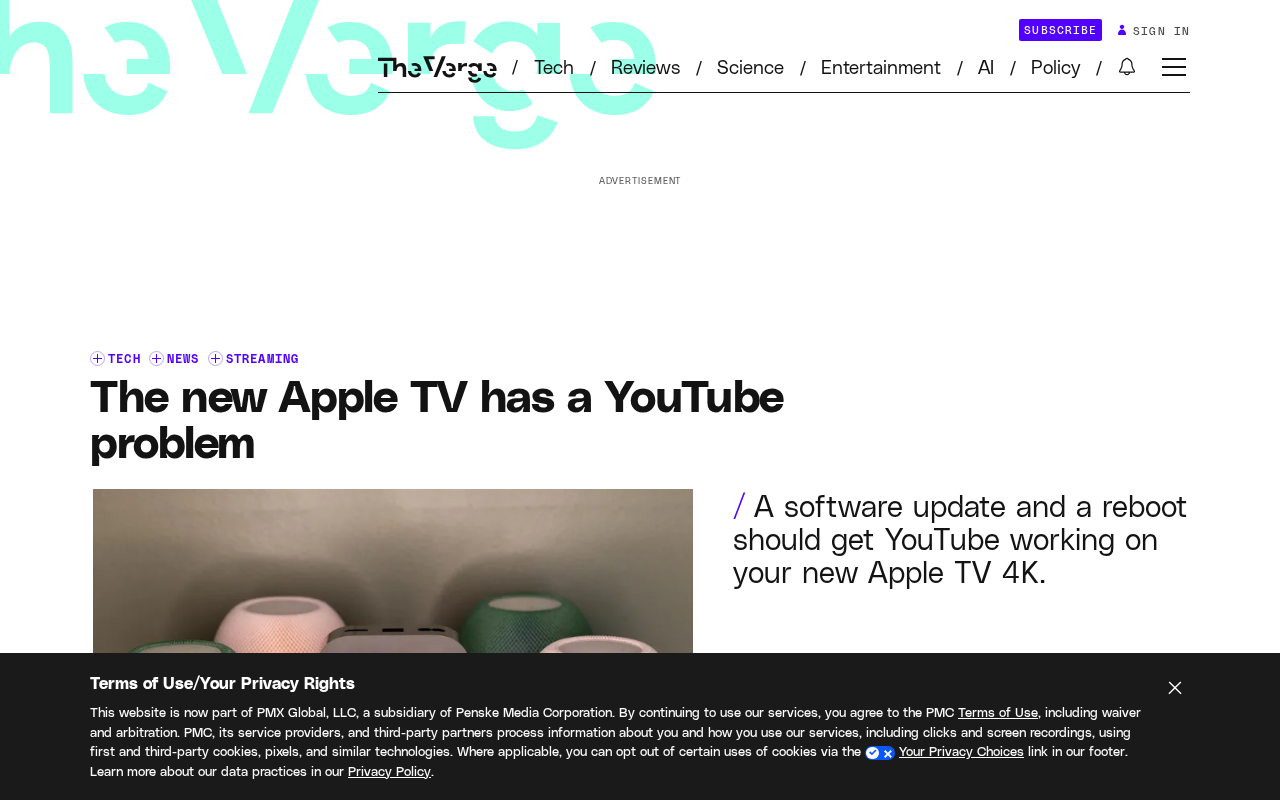
Symptom: Black Screen + QR Code, App Completely Unusable
Based on user reports, the issue is not an occasional crash or slow loading—rather, the app immediately enters a near "dead-end" interface upon launch. A QR code appears in the center of a black screen, with the aforementioned error message displayed below. Scanning the QR code leads to a page that offers no effective solution, and users cannot bypass the restriction through conventional means (such as restarting or reinstalling the app). This means the YouTube app is currently completely unusable on the new device.
From a technical standpoint, this type of error is typically related to device identification (Device ID) or a system version whitelist mechanism. App developers need to add the new device model or system version to a compatibility list on the backend; otherwise, the app will actively refuse service. Given that the Apple TV 4K is brand-new hardware, the YouTube team may not have completed compatibility verification yet.
tvOS App Distribution and Review Process
tvOS apps are distributed through the App Store, and versions submitted by developers must go through Apple's review. However, passing review does not mean the app's backend has been adapted for all new hardware. The app binary can be listed ahead of time, while backend device whitelists, DRM certificate issuance, and CDN configuration are server-side elements controlled by the developer—often only finalized on the hardware launch day. This "client-first, server-later" rhythm is a common reason why core apps experience brief unavailability during new product launches.
Scope of Impact: Concentrated Reports from First-Batch Users, Older Devices Unaffected
Current reports are concentrated among users who received the new Apple TV 4K today. Users with older Apple TV models report that the YouTube app works normally on their devices, indicating the issue is directly related to the new hardware rather than a global YouTube service outage.
You may not have noticed, but this is not the first time a streaming app has experienced compatibility issues during a new hardware launch. New devices on platforms like Roku and Fire TV have encountered similar situations in the past, typically resolved within hours to days through app updates or server-side configuration adjustments. However, for a device that emphasizes the streaming experience, the absence of a core app undoubtedly severely impacts the out-of-box experience.
How AirPlay Casting Works and Its Limitations
AirPlay is a wireless screen-casting protocol within the Apple ecosystem that allows an iPhone or iPad to send video streams to an Apple TV over the local network for playback. The way it works is that the sending device handles content retrieval and decoding, while the Apple TV serves only as a display and audio output terminal—thus it does not depend on the availability of the YouTube app on the Apple TV itself. However, AirPlay casting has notable limitations: the phone must remain unlocked with the YouTube app running, and it cannot support independent remote control operation, multi-user switching, or background playback like a native tvOS app. Image quality may also be affected by network bandwidth. As a temporary workaround, this is currently the most convenient alternative.
Possible Causes: Delayed Compatibility Verification, Server-Side Whitelist Not Updated
Based on user feedback and industry practice, the most likely cause is that the YouTube app's backend service has not yet added the new Apple TV 4K's device identifier to its allow list. The app sends device information to the server upon launch, and the server determines whether to provide content based on preset rules. If the new device model is not on the list, it returns the "not yet available" message.
Another possibility is a compatibility issue between the app version and the new tvOS system, but given that the error message explicitly points to the device level, the former is more likely. Neither Apple nor Google has issued an official comment on the matter.
Device ID and Whitelist Mechanism
In streaming app distribution systems, the device identifier is a key field used by servers to recognize client hardware models and system versions. Apple TV apps typically obtain the device model (such as internal codes like AppleTV14,1) and tvOS version number through system-provided APIs, and report them to the app backend on first launch or during periodic heartbeats. The backend maintains a compatibility whitelist, and only devices whose model and system version both match preset rules are authorized to fetch content manifests and playback authorization. The main purpose of this mechanism is to prevent decoding anomalies, DRM failures, or UI glitches on unverified hardware combinations. Therefore, when new hardware goes on sale and the whitelist has not yet included its model, the app actively returns "not yet available" rather than attempting to run—which is exactly the typical manifestation of this error.
User Recommendations and Outlook
For users who have already received the device, currently viable options include: waiting for a YouTube app update or server-side configuration to take effect; temporarily using AirPlay to cast YouTube content from an iPhone or iPad; or substituting with other streaming apps. Given that such issues are typically resolved quickly, users need not worry excessively.
In the long run, this incident reminds us that software ecosystem compatibility during hardware launches remains an industry-wide challenge. For Apple and Google, completing compatibility testing for core apps before new products hit the market is key to improving user experience. We will continue to monitor the progress of the fix.
Related articles

Gemini 4 Neon Leak: A Potential Strong Contender Against Opus 5.5
A Hacker News thread suggests Gemini 4 Neon looks like an Opus 5.5 competitor. This article unpacks the product positioning behind this community signal, shifts in the top-model competitive landscape, and what it means for developers' model selection strategy.

Claude Fable 5.2's Self-Authored Short Film 'Fable' Sparks Discussion
A short film 'Fable,' credited to Claude Fable 5.2 for script, visuals, and directing, appears on Hacker News. This article analyzes the significance of full-pipeline AI creation, community reactions, and what it means for content creators.

Anthropic IPO Pricing: A Signal of AI Giants Going Public
Anthropic's IPO pricing draws attention. This article analyzes its potential impact on AI industry valuation, commercialization paths, and the competitive landscape, and highlights public-market expectations and challenges for AI companies.