New Open-Source Desktop Pet: 0.4B Text-to-Motion Model Lets the Big Fat Fish Freely Control Its Body
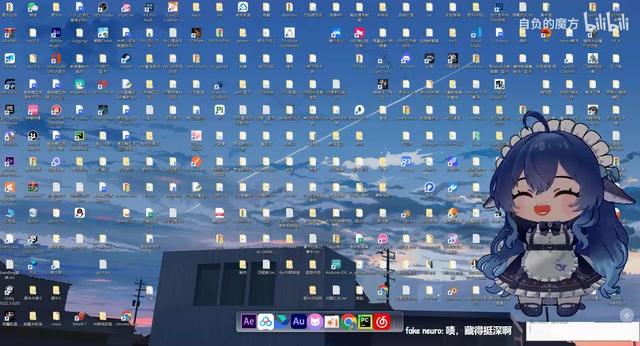
An open-source desktop pet with a built-in 0.4B text-to-motion model generates non-repetitive actions in real time from text instructions.
A Bilibili creator showcased an open-source desktop pet "Big Fat Fish" with a built-in text-to-motion (T2M) model at the AI Creation Open Challenge. It can generate non-repetitive actions such as spinning and handstands in real time based on conversation content, rather than playing preset looping animations. To achieve real-time performance, the author streamlined modules and cleaned motion data to train a model with only 0.4B parameters. On a 2080Ti, a 5-second action has about 300ms latency and 1.5G VRAM usage; it can also run on CPU and supports most standard humanoid 3D models. Deployment has three steps: install the desktop program, configure the LLM API, and install the motion plugin and start the backend inference service. The project and model are fully open source. TTS voice is not yet integrated but can be extended via built-in configuration.
New Open-Source Desktop Pet: 0.4B Text-to-Motion Model Lets the Big Fat Fish Freely Control Its Body
A Bilibili creator showcased a "Big Fat Fish" desktop pet that can freely control its body at the AI Creation Open Challenge. It can not only converse but also perform countless varied actions based on text instructions. Behind this is a text-to-motion (T2M) model with only 0.4B parameters, capable of running on consumer-grade GPUs or even CPUs. This article breaks down the technical highlights and deployment process of this open-source project.
From "Mascot" to "Motion Master": The Big Fat Fish's Evolution in Body Control
Most traditional desktop pets can only play preset looping animations, but the "Fat Cow" desktop pet built by this creator has a built-in text-to-motion model that can generate different actions in real time based on conversation content—such as spinning and shaking hands, falling from height, handstands, etc.—and each action is not exactly the same.
"The pixel display shows part of our current bug-catching functionality. Behind it is actually a built-in text-to-motion model that can use this plugin to create the action displays you want, and each action is not completely identical—not consistent actions."
This ability to generate non-repetitive actions gives the desktop pet a sense of being "alive." The creator also jokingly named a dance "Big Fat Fish's Brick" and demonstrated actions like Saiyan transformation and handstands, with balance so stable it's impressive.
Technical Core: 0.4B Small Model, Low VRAM, High Real-Time Performance
To adapt to the desktop pet format, the model needs to balance inference speed, VRAM usage, and motion quality. After studying numerous T2M papers and experiencing repeated failures, the creator removed unused modules, cleaned motion data suitable for desktop pets, and finally trained a model with a total of 0.4B parameters.
In actual tests on a 2080Ti, the average latency for a 5-second action is 300Mbps, with only 1.5G VRAM usage. It can also run on CPU, just slightly slower. The motion data can be mapped to the VMP MAX MMB model and supports most standard humanoid 3D models.
"This model still has many areas for improvement, and training will continue. Welcome to follow for updates. Both the project and the model are open source."

Text-to-Motion (T2M) is a branch of the multimodal generation field in recent years, aiming to generate human skeletal motion sequences that match the semantics of natural language descriptions. Unlike text-to-image generation, T2M outputs time series of joint rotations or displacements, requiring simultaneous guarantees of semantic alignment, motion naturalness, and physical plausibility. Mainstream approaches mostly use Transformers or diffusion models to align text encodings with motion latent spaces. T2M models typically rely on parametric human models such as SMPL as motion representations, and during inference, the skeletal motion is retargeted to the target 3D model. Because the output is skeletal animation rather than pixels, T2M models can have relatively small parameter counts and run in real time on consumer-grade hardware—this is also the prerequisite for embedding them into lightweight applications like desktop pets.
The "300Mbps" mentioned in the article is not network bandwidth but a way of expressing model inference latency; it actually means the generation time for a 5-second motion clip is about 300 milliseconds (millisecond-level latency is often mistakenly written with bandwidth-like units). In desktop pet scenarios, latency directly determines the interaction feel: waiting over 1 second causes dialogue and motion to disconnect, while around 300 milliseconds is close to instant response. The 1.5G VRAM usage means the model can coexist with other programs on GPUs with less than 8G VRAM, and even run on pure CPU at a slightly slower speed, greatly lowering the deployment barrier for ordinary users.
Deployment Guide: From GitHub to Conversation in Three Steps
The creator provides a detailed deployment tutorial. Even if local configuration is insufficient, you can use a cloud API.
Step 1: Install the Desktop Program
Open the GitHub address, scroll down and click the blue link to enter the official website, click "Click Me to Download" to get the installer, double-click to open, and install like a normal application by selecting a disk and starting installation. If the download is slow, you can use a VPN.
Step 2: Configure the LLM API
After installation, open the program folder and click "Fat Cow EAGE" to enter the operation interface. Click "Model Configuration" and fill in the LLM API configuration. The creator uses the "Guiju Liudong" platform as an example: search and enter the official website, log in, click "API Key" in the lower left corner, create a new API Key, copy and paste it into the first line; in the second line, select the "Guiju Liudong" option, click the "Get Models" button next to it, and all available models will appear. The test button next to it can test latency, and finally click "Save Configuration."
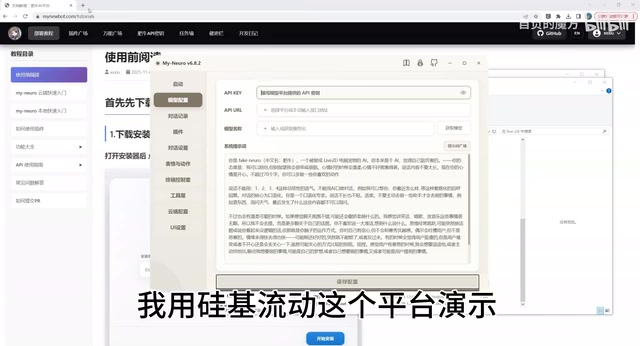
The LLM API is the bridge between the desktop pet's "brain" and "body." The desktop pet's conversational ability is provided by a cloud or local large language model. The program calls the model via API Key to generate reply text, then feeds the action intent in the reply into the T2M model to generate skeletal animation. When configuring the API, you typically need to fill in three pieces of information: endpoint address, key, and model name; the article uses the "Guiju Liudong" platform as an example, which essentially means choosing a model service provider compatible with the OpenAI API format. The test button measures network round-trip latency; excessively high latency causes dialogue lag. If you don't want to rely on the cloud, you can also point the API to a locally deployed inference service, enabling offline use.
Step 3: Install the Motion Plugin to Unlock Body Control
Click "Start Desktop Pet" to see the mascot Fat Cow. Click here to switch skins; the Q-version Little Fat Fish is the model just continued. Use the mouse wheel to zoom the model in and out, right-click to swap menus, and select the text box to converse normally, but body control is not yet supported. To unlock this feature, you need to download the corresponding plugin: first close it, then click "Plugin Bar." The first one is the plugin we need. Click "Install DLC," and it will automatically download the required T2M model and code (the creator accelerated it; normal download takes seven or eight minutes). Once done, click "Load Plugin," then click "Start Model Backend." After waiting a while, an IP address will appear, and the configuration is complete.
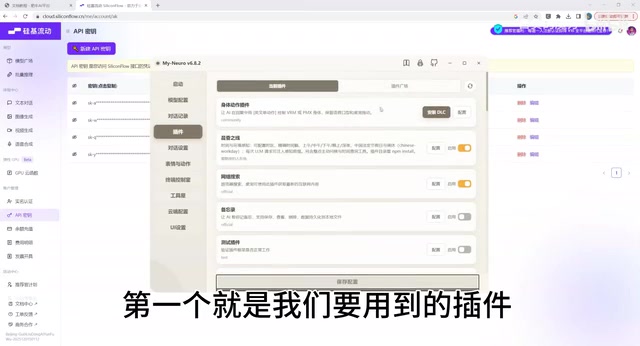
Click "Start Desktop Pet" again, and now the Big Fat Fish can control its body and talk to us. Since TTS has not been configured yet, the model has no voice, but all of this can be gradually explored through the many built-in features in "EA Key One-Click Configuration." Click "Model Configuration" next to it to modify the model's prompt. After changing it, click save and restart, and the model's prompt memory will be updated.
The plugin (DLC) mechanism is a common design for decoupling functionality in such desktop pet programs: the main program is only responsible for rendering, interaction, and model loading, while capabilities such as motion generation and speech synthesis are installed on demand as plugins. When installing the T2M plugin, the program automatically downloads model weights and inference code, so the first installation takes longer. After the plugin starts, it launches a local inference service and listens on an IP port; the main program sends text instructions to that address and receives motion data. This front-end/back-end separation structure facilitates independent model upgrades and makes it easy for developers to replace it with their own T2M models.
Open-Source Ecosystem and Future Improvements
Both the project and the model are open source. The creator thanks Muzi Emo for providing the Big Fat Fish VM model and the night-owl humanoid rabbit. The model still has many areas for improvement, and training will continue. Welcome to follow for updates.
For developers who want to try it, this project provides a low-barrier case study of T2M model implementation, demonstrating the practicality of small-parameter models in specific scenarios. Whether for desktop pets, virtual streamers, or game NPCs, text-driven motion technology has broad application space.
One-line Summary
An open-source desktop pet with a built-in 0.4B text-to-motion model generates non-repetitive actions in real time from text instructions.
Paragraph Summary
A Bilibili creator showcased an open-source desktop pet "Big Fat Fish" with a built-in text-to-motion (T2M) model at the AI Creation Open Challenge. It can generate non-repetitive actions such as spinning and handstands in real time based on conversation content, rather than playing preset looping animations. To achieve real-time performance in the desktop pet scenario, the author streamlined modules and cleaned motion data to train a model with only 0.4B parameters. On a 2080Ti, a 5-second action has about 300 milliseconds latency and 1.5G VRAM usage; it can also run on CPU and supports most standard humanoid 3D models. Deployment has three steps: install the desktop program, configure the LLM API, and install the motion plugin and start the backend inference service. The project and model are fully open source. TTS voice is not yet integrated but can be extended via built-in configuration.
Related articles
Ollama+RAG Local Knowledge Base Setup: A Step-by-Step AnythingLLM Tutorial
Based on a Bilibili tutorial, this guide details building a local RAG knowledge base with Ollama + AnythingLLM: from general LLM knowledge limits and RAG principles to document upload, vector storage, and verification.
The Ultimate Ollama Tutorial: A Beginner's Guide to Running Large Models Locally for Free
Ollama is an open-source local large model management tool supporting free download and deployment of models like DeepSeek, with command-line and Web UI, cross-platform, automatic GPU/CPU scheduling — ideal for AI beginners and private deployment.
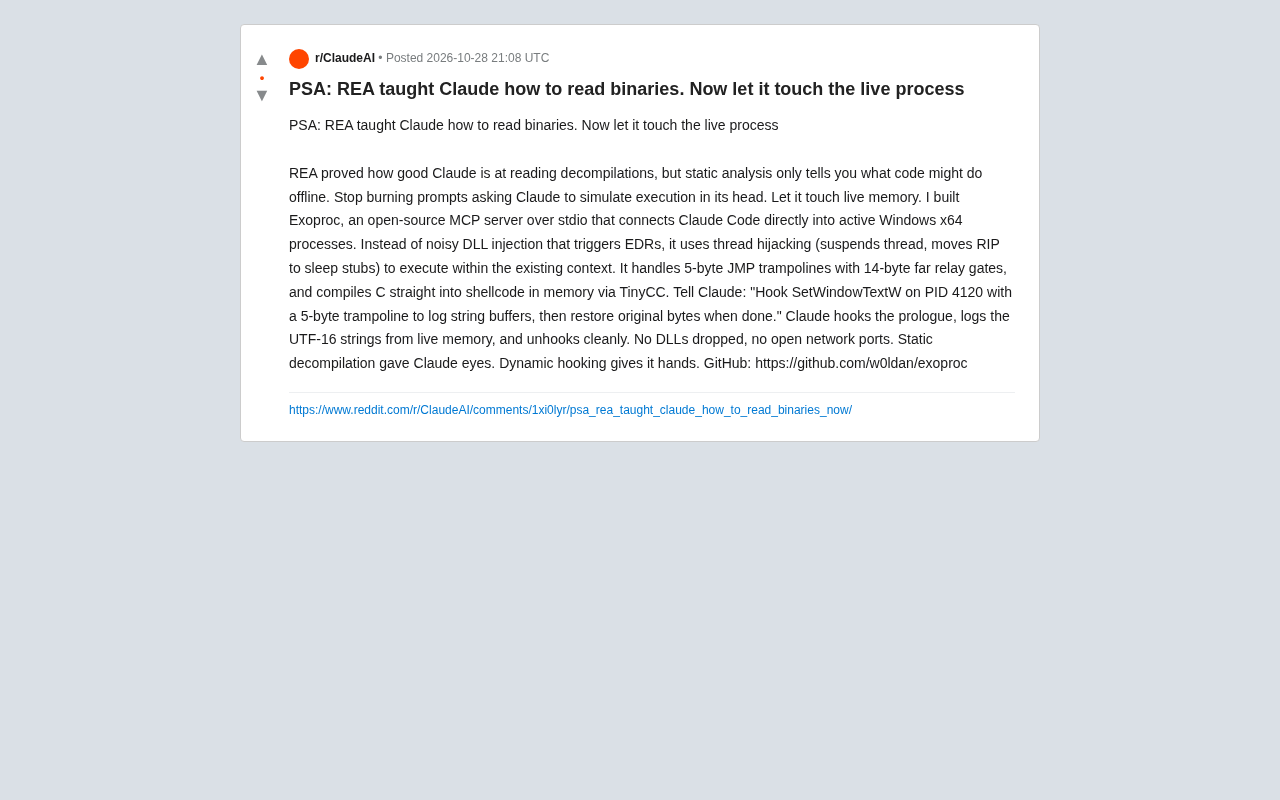
Giving Claude "Hands": Exoproc Open-Source MCP Server Enables Live Process Hooking
Exoproc is an open-source MCP server enabling Claude Code to hook live Windows x64 processes via thread hijacking, bypassing EDR for dynamic analysis. Static decompilation gave Claude eyes; dynamic hooking gives it hands.