No Code Required: Using AI to Plan Production-Grade Application Architecture

Plan the architecture in plain English first, then let AI write the code — the key step from prototype to production.
Based on a Build It demo, the author threw away an AI-built personal trainer prototype and used an AI planning partner to derive a full system spec in plain English before coding. Key decisions: a pre-built exercise library plus AI composition (cutting latency from 15s to 2s), cutting a redundant field, a single-document weekly view with date anchoring, separate endpoints for full-week vs. single-day changes via tool calling, week-bucketed chat history, and layered memory with agent-attached memory updates. When AI writes code, systems thinking is scarce.
From Prototype to Production: Why You Need System Architecture Planning
Many people stop once they've built a prototype with AI — roughly 95% of people stop there. A prototype helps you quickly see what your product looks like, but turning it into a maintainable, scalable, production-grade application requires one critical step: thinking through the system architecture before writing code.
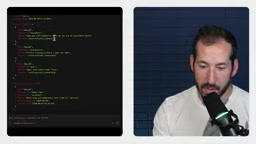
This article is based on a hands-on demo from the developer show Build It. The author, Devin, built a prototype of an AI personal trainer app using AI Studio, then made a counterintuitive decision: throw the entire prototype away and rebuild from scratch in a structured, deliberate way. Before rebuilding, he worked with AI to plan out the database structure, service design, and data flow entirely in plain English (without writing any code).
This process demonstrates an important capability: when AI can write code for you, the truly scarce skill is systems thinking — figuring out what data looks like, how it flows, when to use AI, and when not to.
The Planning Partner: Let AI Be Your Architecture Interlocutor
The demo used a product called Google Anti-Gravity, which can spin up an agent without any special setup. The author created a "planning partner" agent whose sole job, strictly speaking, is to discuss ideas with him, challenge his judgments, help him clarify his thinking, ask key questions, and find the best solution together.
This agent's deliverable is a document containing the data structure, database schema, and server design. The database chosen was Cloud Firestore.
The entire conversation took place in "whiteboard mode," with the AI repeatedly emphasizing one point: software architecture sounds like alphabet soup, but at its core it's just organizing information logically. This "clarify first, then build" process is exactly the dividing line between vibe coding and production-grade development.
Core Architecture Decision: AI-Generated or Pre-Built Library
Planning began with the most central question: should training exercises be generated by AI in real time, or queried from a pre-built library?
The author's judgment was that a hybrid approach makes the most sense. The reasoning is practical: exercise explanation content is the most expensive from a performance standpoint and consumes the most tokens, but the exercises themselves hardly ever change. So pre-build an exercise library, and let the agent focus on composing exercises into coherent training plans.
The benefits of this decision are concrete: save a lot of AI compute time, cut latency from 15 seconds to 2 seconds, save money on every request, and guarantee 100% accuracy and consistency in instructional videos and exercise cues.

This example highlights the single most important lesson of the whole demo: know when to use AI, when not to, and when to use it ahead of time. Not every part of the pipeline is suited to calling an LLM in real time.
Latency and token cost are the two hard constraints that determine whether AI is called in real time. LLM output is generated autoregressively token by token, so generating a long piece of text often takes over ten seconds, with the time roughly proportional to output length, while the first-token latency is relatively fixed. This means "have the model write an exercise explanation on the fly" is both slow and expensive, whereas "have the model pick a few IDs from the library and order them" produces extremely short output and can be an order of magnitude faster. Token billing covers both input and output, so putting large blocks of static content into the prompt also incurs ongoing costs. The general engineering principle is therefore: pre-generate and cache parts that are stable, lengthy, and high-quality; generate in real time only parts that are personalized, short, and need instant response. Pre-generation has another hidden benefit — you can do human review and quality checks in the offline phase, ensuring the consistency and accuracy of what goes live.
Database Modeling: From Exercise Library to Weekly Plan
The Exercises Collection: The App's "Menu"
The first step is to create a top-level collection exercises. Each document represents an exercise, containing an ID, name, category, target muscle groups, and other info. The entire library is generated ahead of time and serves as the agent's source material.
Training Blocks: A Redundant Field That Got Cut
The second step is the training blocks within the weekly plan. The initial design split blocks into types like primary, strength, and standard, each holding a list of exercises underneath.
The author spotted a problem: since every block stores a list, even if it has only one item, you can completely determine in the app whether it's a single set or a superset based on the list length. That type field is redundant. The AI's response was: you've just hit a golden rule of software engineering — never store information you can derive from existing data.
The Weekly View: Loose-Leaf Notebook vs. Filing Cabinet
There are two approaches to storing a week and its days.
Approach one, the "loose-leaf notebook": one document holds the entire week, with each day's training nested inside. The advantage is that a single database call retrieves all the information; the disadvantage is the Firestore document size limit (though training plans themselves are small, so the impact is minor).
Approach two, the "filing cabinet": one document per weekly plan, with each day's training as a subcollection. The advantage is that days are isolated from each other — editing Monday only touches Monday; the disadvantage is that opening the weekly view requires reading the week document plus each day's documents, meaning multiple database reads.
In the end, the loose-leaf notebook approach was chosen. The author also proposed two corrections: use date anchoring (e.g., "starting the week of...") instead of a plain week index; and add pre-generated suggested edits to weeks and trainings — those chips you see in the UI — computed ahead of time and stored.
Firestore's data model is a document database: data is organized in a hierarchy of collections → documents → subcollections, with documents stored in a JSON-like form. Two key constraints directly shaped the architecture choices in this article. The first is the 1 MiB document size limit — anything larger must be split, which is why the "loose-leaf notebook" approach had to assess how big training plans could get. The second is that billing and latency are calculated by number of documents read and written — reading multiple fields within a nested document counts as one read, but reading N documents in a subcollection counts as N reads, which is exactly why the "filing cabinet" approach costs more when opening the weekly view. Additionally, Firestore doesn't support complex cross-document transactional queries, and denormalized redundancy (copying commonly used data onto the read path) is a common practice — the "pre-generated suggested edits stored ahead of time" in this article falls into this category of trading space for read performance.
Agent Endpoint Design: Don't Let AI Rewrite the Whole Week
One of the most critical parts of planning is the shape of the data the agent returns.
The author used a vivid analogy: if you tell your personal trainer in person, "my shoulder is bothering me, can we swap an exercise today," you wouldn't expect the trainer to throw your entire seven-day folder into a shredder and spend ten minutes rewriting your whole week's plan.
So you need two separate endpoints: full-week generation and single-day modification, because their goals and latency requirements are completely different. If you're only changing one day, you shouldn't trigger a full-week generation.

So how does the agent know which one you want? The answer is tool calling. Give the agent a tool registry, and it analyzes the conversation content and user input to decide on its own whether to answer directly, modify a certain day, or rebuild the whole week. This is a crucial part of modern AI engineering.
Response Return and Human Confirmation
The author also changed a previous decision: return the complete response (including the updated week or day) to the client and display it as an inline card in the chat, with "Accept" and "Modify" buttons — only when the user taps Accept is it actually written to Firestore. This protects the database and avoids ghost overwrites — AI-generated content never lands in the database before the user confirms it.
Chat History Storage: Finding the Sweet Spot Between Extremes
There are two extreme approaches to storing chat: one document holding an array of messages ("a roll of paper"), or one document per message ("a filing cabinet"). The former is easy to load but the document grows without bound; the latter is flexible to write but loading the entire chat is a disaster — you'd have to grab document after document.

The middle-ground solution is chat history bucketed by week, which aligns neatly with the app's own weekly view structure. One chat per week, loaded week by week — neither unbounded growth nor reading message by message.
User Profiles and Layered Memory: The Most Cutting-Edge Design
The training execution and logging part is fairly straightforward: each completed workout is stored as a permanent document. But the really interesting part is the user profile and onboarding design.
The author explicitly says he hates onboarding wizards — he's even abandoned products because he disliked their guided flows. What he wants is zero-friction conversational onboarding: open the app, one button to generate a workout, another button to "introduce yourself," and then the user just rambles like "I like running, want to improve my cardio, want to lose a little weight," and the agent extracts the information itself and generates the first week's plan.
Behind this design is a layered memory architecture:
- Layer one: permanent preferences — e.g., "I want to run at least two days a week." The agent always remembers this.
- Layer two: situational physiological info — e.g., "my hamstrings are sore." Relevant only for a few days; shouldn't be asked about forever.
- Layer three: immediate conversation context — e.g., training for a particular race. Relevant only right now, can fade afterward.
Going further, the author wants memory to be continuous and autonomously updated. Traditional AI app memory tends to be write-only — the AI keeps accumulating facts until it confuses itself; a real personal trainer, by contrast, constantly updates, corrects, and prunes their notes as your life changes. To this end, the agent is given permission to return memory changes alongside its replies. The AI called this "the holy grail of agentic memory."
Tool calling is the standard mechanism by which LLMs interact with external systems: developers declare a set of available tools to the model (function names, parameter schemas, descriptions), and when the model determines during generation that some action needs to be performed, it outputs a structured call request; the outer program executes it and passes the result back to the model to continue reasoning. Its significance is that it hands the decision of "when to act and how many times" to the model rather than hard-coding it into branches in the code, so one set of endpoints can support casual chat, single-day modification, and full-week rebuild all at once. In practice, note: tool descriptions must be precise enough, or the model will misfire; tool execution should be idempotent or include a confirmation mechanism; and the call chain needs a maximum count and timeout control to keep the model from falling into repeated calls.
Wrapping Up: System Overview and Core User Journey
The planning document was finalized with two more sections: a system overview and the core user journey, the latter tracing how information flows between the various parts. The entire spec document is now 100% complete, and only then does the actual building of the app begin.
The author's reminder to viewers is apt: if you've been vibe coding — just piling on features and testing in your head — then "thinking through the system ahead of time" may be a new skill you need to re-practice. But it's precisely this kind of architecture reasoning done in plain English, with your brain, that makes an app more robust, maintainable, and scalable.
FAQ
Does planning a system without writing code become disconnected from reality? No. Nailing down the data structure and data flow in natural language during the planning phase actually reduces rework later. In the demo, every decision corresponds to a concrete database structure and performance impact.
Why not just let AI generate everything in real time? Cost and latency are hard constraints. A pre-built exercise library cuts latency from 15 seconds to 2 seconds and guarantees consistent, accurate content. The key is judging which parts are suited to real-time generation and which are suited to pre-generation.
Is layered memory hard to implement? Conceptually it's not complex — the core is tagging memory fields with different lifecycle labels and allowing the agent to attach memory changes to its replies. The hard part is gracefully pruning expired information, which is exactly what the demo left for later iterations.
One-line Summary
Plan the system architecture in natural language first, then let AI write the code — the key step from prototype to production.
Paragraph Summary
Based on a hands-on demo from the developer show Build It, this article describes how the author, after building an AI personal trainer prototype with AI, chose to throw the entire prototype away and instead work with an AI "planning partner" to derive a complete system spec in plain English before writing any code. Core decisions include: a hybrid approach for training exercises using a pre-built library plus AI composition, cutting latency from 15 seconds to 2 seconds and ensuring content accuracy; cutting a redundant type field derivable from list length; choosing a single nested document for the weekly view with date anchoring and pre-generated suggested edits; designing separate endpoints for full-week generation and single-day modification, letting the agent choose via tool calling; bucketing chat history by week; and layered memory for user profiles, allowing the agent to attach memory changes. The overall message: when AI can write code, what's scarce is systems thinking.
Related articles

OpenAI Partners with Shield: How the Astra Agent Revolutionizes IT Troubleshooting
OpenAI and Shield launch the Astra agent, which autonomously logs into computers and legacy systems to fix IT issues in real time, 35-40% faster than traditional models, with humans involved only when judgment is needed.

iPhone Duo Battery Life Tested: One Charge a Day Is Unavoidable, and the Large Screen Is the Culprit
iPhone Duo battery test: heavy use needs at least one charge a day, and about 30% remains after 6.5 hours of screen-on time. How often the large screen is unfolded is key; a MagSafe battery pack helps, and long-term degradation is also worth watching.

Kimi K3.1 Pro Open-Sourced: 2.8 Trillion Parameters Close In on Opus
Moonshot releases the open-source MoE model Kimi K3.1 Pro, with 2.8T total parameters and 104B activated, trailing Opus 5.5 by under 1 point on Terminal Bench 4.0.