Notchware: Turning the MacBook Notch into an AI Agent Status Island

Notchware transforms the idle MacBook notch into a dynamic island with real-time AI coding agent alerts.
Notchware is a macOS app that repurposes the MacBook's long-idle notch into a dynamic information display, drawing inspiration from the iPhone's Dynamic Island. The free tier covers music playback controls and system status like battery and volume; the $3.99 one-time Pro upgrade adds task status and approval alerts for AI coding agents including Codex, Claude Code, and Cursor — eliminating the need to constantly switch back to the terminal. Built natively with SwiftUI, requiring macOS 14.6+, it emphasizes local privacy with no accounts, no tracking, and no cloud dependencies.
The black notch at the top of MacBook screens has long been little more than a "necessary evil" hiding the camera — largely useless most of the time. A macOS app called Notchware aims to change that. It transforms the notch into a dynamic information island that displays music playback, system status, and — crucially — real-time alerts for AI coding agents. The app earned 71 upvotes on Product Hunt, landing at #8 for the day.
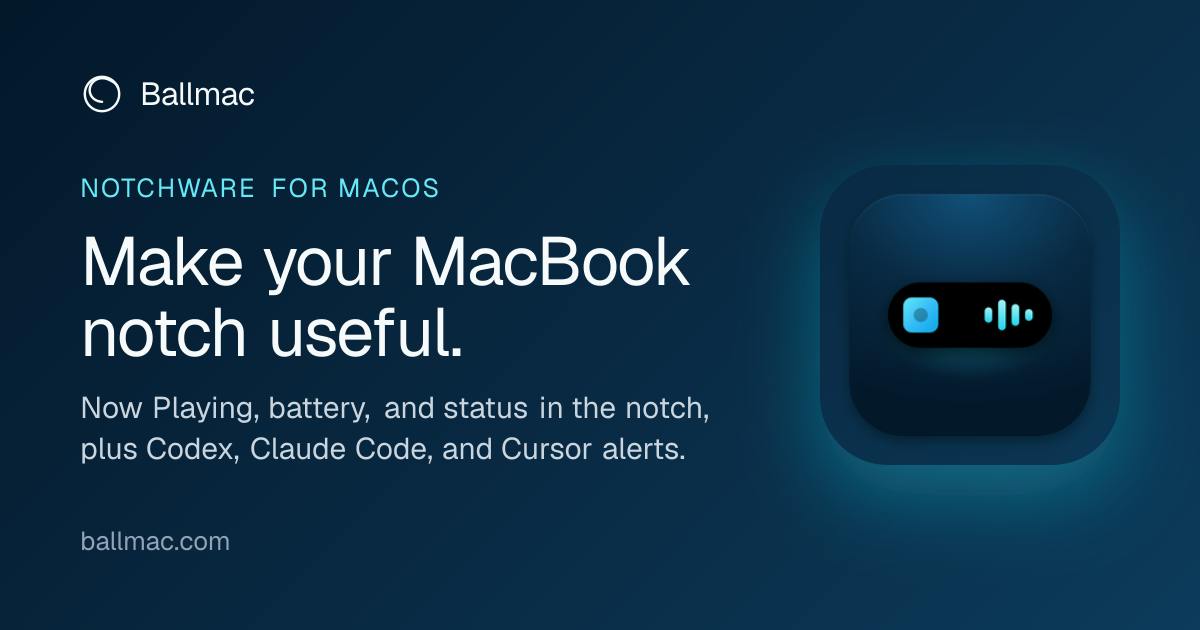
Turning an Idle Notch into a "Live Island"
Notchware's core idea is to bring Apple's Dynamic Island concept — proven on iPhone — to the physical notch on Mac. The app surfaces a Now Playing widget in the notch area, complete with album art and playback controls, while also integrating system indicators like battery, volume, brightness, Focus mode, and Wi-Fi.
The logic is straightforward: users' eyes naturally drift to the top-center of the screen. Placing high-frequency information there is more attention-efficient than scattering it across the menu bar or burying it in an expandable Control Center. For users who rely on keyboard shortcuts to adjust volume and brightness, the instant visual feedback in the notch also reduces the cognitive cost of confirming whether an action actually took effect.
What Sets the Pro Version Apart: AI Agent Alerts
What truly differentiates Notchware from the many "notch beautifier" tools on the market is the AI coding agent alert feature introduced in the Pro version (a one-time purchase of $3.99). It supports three leading AI coding tools: Codex, Claude Code, and Cursor.
Solving the "Staring at the Terminal" Problem
There's a common friction point when working with AI coding agents: the agent runs tasks in the background, but knowing when it needs human approval or when it's finished often requires repeatedly switching back to the terminal window. Notchware Pro pushes these state changes to the notch — so when an agent needs you to confirm an action or finishes a task, you know instantly without having to babysit the terminal.
This reflects an emerging product direction: as agentic coding becomes part of everyday workflows, a new category of tooling around agent state visualization and human-in-the-loop handoff notifications is starting to take shape. Notchware's choice to surface these alerts in a location that doesn't interrupt the main workspace — yet remains clearly visible — is a lightweight answer to this growing need.
Codex is OpenAI's cloud-based AI coding agent that autonomously executes multi-step programming tasks in a sandboxed environment, including writing code, running tests, and fixing bugs — pausing at key decision points that require human confirmation. Claude Code is Anthropic's terminal-native coding agent that runs as a command-line tool, capable of reading and writing files and executing shell commands, also using a "ask-before-acting" permission model. Cursor is a deeply AI-integrated code editor whose Agent mode can autonomously make changes across multiple files. All three share a common trait: they run longer-duration tasks asynchronously in the background and rely on some notification mechanism when user authorization is needed — which is exactly where Notchware steps in.
Agentic coding refers to a workflow in which an AI agent autonomously plans and executes multi-step programming tasks — a paradigm shift from the traditional "ask a question → get a code snippet → paste it manually" approach. In agentic workflows, human developers take on more of a supervisor role: setting goals, approving high-risk operations (like deleting files or running database migrations), and providing guidance when the agent gets stuck. One of the core challenges of this model is the perceived cost of human-in-the-loop handoffs — developers need to stay aware of when an agent needs intervention without breaking their own flow state. The traditional approach of keeping a terminal window visible consumes valuable screen space and creates distraction; system notification banners tend to be overly disruptive. Notchware's decision to use the notch — a spot where the eye naturally lands — as the home for these alerts is a lightweight solution to this tension.
Technical Implementation and Privacy Stance
Notchware is built natively with SwiftUI and requires macOS 14.6 or later. The developer highlights three key commitments: no accounts, no analytics tracking, no cloud dependencies.
For a persistent app that needs to read playback information, system state, and monitor AI coding tool activity, fully local processing is a meaningful signal. It means user data never leaves the device to reach a third-party server, alleviating the privacy concerns that typically come with always-on utility apps. The one-time purchase, no-subscription pricing model is also consistent with a "no data collection, no cloud business" philosophy.
SwiftUI is Apple's declarative UI framework, introduced in 2019, for building native apps across iOS, macOS, watchOS, and other platforms. "Built natively with SwiftUI" means Notchware calls system-level APIs directly to render its interface and read state data, rather than relying on cross-platform runtimes like Electron — which typically translates to lower memory usage and better system integration. macOS 14.6 corresponds to Sonoma, a version that brought improvements to SwiftUI's animation and layout capabilities and provides the system-level support needed for precise rendering in the notch area. For a background-resident tool that continuously reads media playback state and process information, choosing a native framework over a cross-platform runtime is itself consistent with its stated goals of low resource usage and local privacy.
Product Positioning and Target Audience
Looking at the feature set, Notchware's target user is quite specific: MacBook users who regularly work with AI coding agents — developers and technical professionals. Casual users can treat it as a handy music and system status tool, but for those who rely heavily on Cursor or Claude Code, the Pro version's agent alerts are the real value proposition.
At $3.99 as a one-time purchase, the barrier to entry is minimal — essentially trading the price of a coffee for a notification hub positioned right in your line of sight. This kind of small, focused utility is exactly the type of product the Product Hunt community gravitates toward: not trying to do everything, but precisely solving one concrete friction point in a specific workflow.
Conclusion
Notchware's value isn't in technical complexity — it's in astutely stitching together two trends: the long-neglected notch space on Apple hardware, and the growing need for agent state visibility in AI-assisted programming. For users already deeply embedded in agentic workflows, lightweight companion tools like this are likely to become increasingly common fixtures in the toolchain.
Related articles

Why Does the Tesla Roadster Need to Fly? A Deep Dive into Musk's Wild Demo
Tesla's Roadster launch showed wall-climbing, upside-down driving, and flying stunts—but The Vergecast notes the demo car may lack a battery, the Rocket version is invite-only and not street-legal, and the website terms don't guarantee delivery. After nine years of delays, why does this car still need to exist?

AI Is Not a Replacement: Human-AI Collaboration Through the Lens of Factory Root Cause Analysis
Starting from factory root cause analysis, this article explains how AI accelerates evidence chain construction rather than replacing human experts, exploring the pragmatic implementation logic and business value of 'AI supporting people rather than replacing them.'

AI Agent Decision Auditing: Building an Evidence Chain in Regulated Workflows
Starting from a Reddit discussion, this article analyzes three core issues in AI agent decision auditing within regulated workflows: what fields audit records should contain, how to handle feedback latency for erroneous decisions, and how to continuously calibrate LLM judge consistency with human judgment.