NotchX: Turning the MacBook Notch into a Music and Call Hub
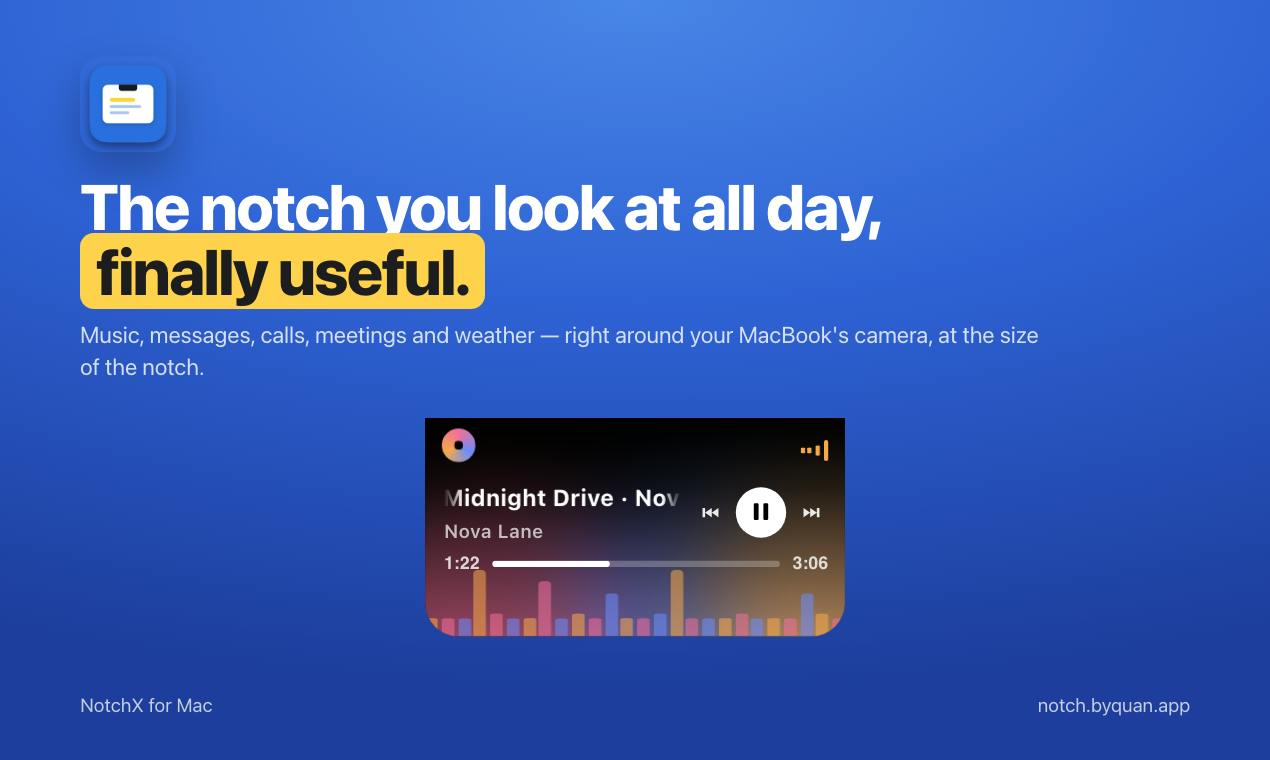
NotchX turns the MacBook notch into a local info panel showing music, messages, calls, and schedule.
NotchX is a tool that transforms the MacBook screen notch into a persistent information panel, displaying music playback, Slack/Teams/Messages messages, call answering, meeting reminders, and weather, so users can get key updates without switching apps. It emphasizes local data processing with no cloud upload, with privacy as its core selling point. Pricing is $9.99 one-time after a 14-day free trial. On Product Hunt it received 72 votes, 2 comments, and ranked 16th, indicating moderate attention. The article sees it as a "nice-to-have" efficiency tool limited by notch area and device coverage, not a must-have.
MacBook's notch at the top of the screen has been controversial since its debut—some see it as a design compromise, while others see room for interaction innovation. NotchX, newly appearing on Product Hunt, is among the latter: it transforms this black cutout into a real-time information hub, attempting to make the notch go from "eyesore" to "useful."
The Notch Is No Longer a Dead Zone, but an Information Gateway
The core idea behind NotchX is simple: since the notch area can't display content anyway, why not turn it into a persistent lightweight panel? According to the product description on Product Hunt, this panel can display currently playing music, messages from Slack, Teams, and Messages, incoming calls you can answer or decline, upcoming meetings, and weather information.
This is essentially opening up another information channel closer to the user's visual focus, beyond the system menu bar. Users don't need to switch apps or pull down Notification Center to catch a glimpse of key updates. For knowledge workers who frequently switch between multiple collaboration tools, this "zero-click" way of accessing information can genuinely reduce attention drain.
Technical origins of the MacBook notch: The 14/16-inch MacBook Pro released in 2021 was the first to introduce the notch design, essentially to accommodate the upgraded 1080p front camera and sensors while narrowing the screen bezels. The physical pixels in the notch area still exist—macOS simply renders them black by default to hide the camera module, so third-party apps can theoretically use those pixels to display content. Apple has not officially opened an API for the notch area; developers typically rely on private frameworks or window layering tricks to overlay that region, which is the technical root of the relatively high compatibility risks for such tools.
Feature Breakdown: Which Scenarios Are Actually Useful
Quick Controls for Music and Calls
The most direct value of the notch panel shows in media and call scenarios. When playing music, the notch area can display track information and provide basic controls; when a call comes in, users can answer or decline directly from the notch without switching to the phone app. This design puts high-frequency actions front and center, right where the eyes naturally rest.
Instant Glances at Messages and Schedule
NotchX integrates with Slack, Teams, and Messages, meaning team communication messages can appear in the notch in a lightweight form. Combined with "next meeting" prompts, it feels more like a miniature personal assistant panel. The Product Hunt page categorizes it under Productivity and Menu Bar Apps, with a clear positioning: not a replacement for primary apps, but the "first landing point" for information.
Ecosystem positioning of Menu Bar Apps: Menu Bar Apps refer to lightweight applications that reside in the macOS menu bar at the top-right of the screen, usually existing as icons that expand into a panel when clicked. These apps are characterized by running in the background, low resource usage, and quick invocation. NotchX being classified in this category means it follows a similar interaction paradigm, but moves the display area from the top-right corner to the notch at the top of the screen, closer to the user's visual center. Understanding this classification helps assess its operating model: it most likely runs as a background resident process, driving notch panel updates by listening to system events and app notifications.
Privacy Design: Data Never Leaves the Machine
Amid rising privacy sensitivity, NotchX explicitly emphasizes "Everything stays on your Mac"—all data remains local and is not uploaded to the cloud. This point is listed separately in the product description, indicating the developer treats it as a core selling point.
For users who need to handle work messages and meeting schedules, local processing reduces concerns about data leaks. However, publicly available information does not yet explain the specific technical implementation—for example, whether message syncing relies on local client APIs or other mechanisms—which may be a point to watch going forward.
Local processing and client APIs: "Data never leaves the machine" typically means the app directly calls the locally running client interfaces of various messaging apps (such as the local database or notification API of Slack desktop), rather than routing through cloud servers. The advantage of this architecture is strong privacy and low latency, but the cost is dependence on each app's client staying running and its interfaces remaining stable. Once Slack or Teams changes its local data structures or permission policies, integration features may break. Localization solutions thus have an inherent tension between privacy and maintainability, which is also a key dimension for evaluating the long-term viability of such tools.
Pricing and Market Response
NotchX adopts a "14-day free trial + one-time purchase of $9.99" model. In today's era of subscription proliferation, one-time payment is a friendly choice for small utility apps and lowers the decision barrier for users.
Looking at Product Hunt data, the product received 72 votes and 2 comments, ranking 16th. This result shows it has attracted some attention, but discussion heat is not particularly high. The low comment count also means real user feedback is still limited, and word-of-mouth on the product experience needs time to build.
The Imagination Space and Limits of Notch Apps
Turning the notch into a functional area is not NotchX's invention—developers have previously tried lightweight interactions in the notch area such as progress bars and notification prompts. NotchX's difference lies in integrating multiple information sources into a one-stop hub.
The limitations are equally obvious: the notch area is limited, so the amount of information it can carry has a ceiling; multi-app integration means higher maintenance costs for compatibility and stability; and not all MacBooks have a notch, which naturally limits the potential user base. It feels more like an efficiency tool that's "the icing on the cake" rather than a must-have.
For Mac users who pursue a clean desktop and want to reduce app switching, NotchX offers an idea worth trying—after all, a 14-day trial is enough to judge whether it fits your workflow.
One-line Summary
NotchX turns the MacBook notch into a local information panel displaying music, messages, calls, and schedule.
Paragraph Summary
NotchX is a tool that transforms the MacBook screen notch into a persistent information panel, capable of displaying music playback, Slack/Teams/Messages messages, call answering, meeting reminders, and weather, aiming to let users access key updates without switching apps. It emphasizes that all data is processed locally and not uploaded to the cloud, with privacy as a core selling point. Pricing is a 14-day free trial followed by a one-time purchase of $9.99. On Product Hunt it received 72 votes, 2 comments, and ranked 16th, indicating moderate attention. The article views it as a "nice-to-have" tool for boosting efficiency, limited by notch area and device coverage, and not a must-have.
Related articles

Hermes Agent Beginner's Guide: Hands-On with a Self-Evolving AI Agent
A beginner's guide to Hermes Agent, the open-source self-evolving AI agent that gained 41.7K GitHub stars in two months—covering Harness Engineering, the learning loop, three-layer memory, WSL installation, and hands-on configuration.

AI Agent in Action: Building a Smart Office Assistant with WorkBuddy
A practical case study shows how Tencent WorkBuddy batch-converts and archives files, compares chat LLMs with AI Agents, and analyzes WorkBuddy's credit system, use cases, and positioning for office automation selection.

From Single-GPU Bottlenecks to Hundreds of Billions of Parameters: 6 Key Questions in Large Model Distributed Parallelism
Based on a Bilibili tutorial, this article organizes core knowledge of large model distributed parallelism: starting from decoder-only architecture's token-by-token generation and the essence of X times W computation, it analyzes six key questions including data parallelism, tensor parallelism, and pipeline parallelism under single-GPU bottlenecks. Suitable for learners in private deployment and model training scenarios to build systematic understanding.