Ollama v0.40.3 Released: Skips Local Model Compatibility Migration

Ollama v0.40.3 skips local model compatibility migration on startup to improve server stability.
Ollama has released patch version v0.40.3, focused on stability improvements. The primary change skips the local model compatibility migration process on server startup (PR #18908). Compatibility migration automatically converts old-format models at launch, but can cause slow startups or errors in certain scenarios. Maintainer jmorganca determined that skipping this step avoids potential side effects and improves server predictability. The release includes GPG signature verification, offering an added security assurance for production deployments. For most users, this is a straightforward, low-risk upgrade.
Release Overview
Ollama has released v0.40.3, a minor update focused primarily on stability fixes. The core change in this release is the server skipping local model compatibility migration (server: skip local model compatibility migration, PR #18908). This commit was signed by project maintainer jmorganca and published with a GitHub verified signature, ensuring the trustworthiness of the code's origin.
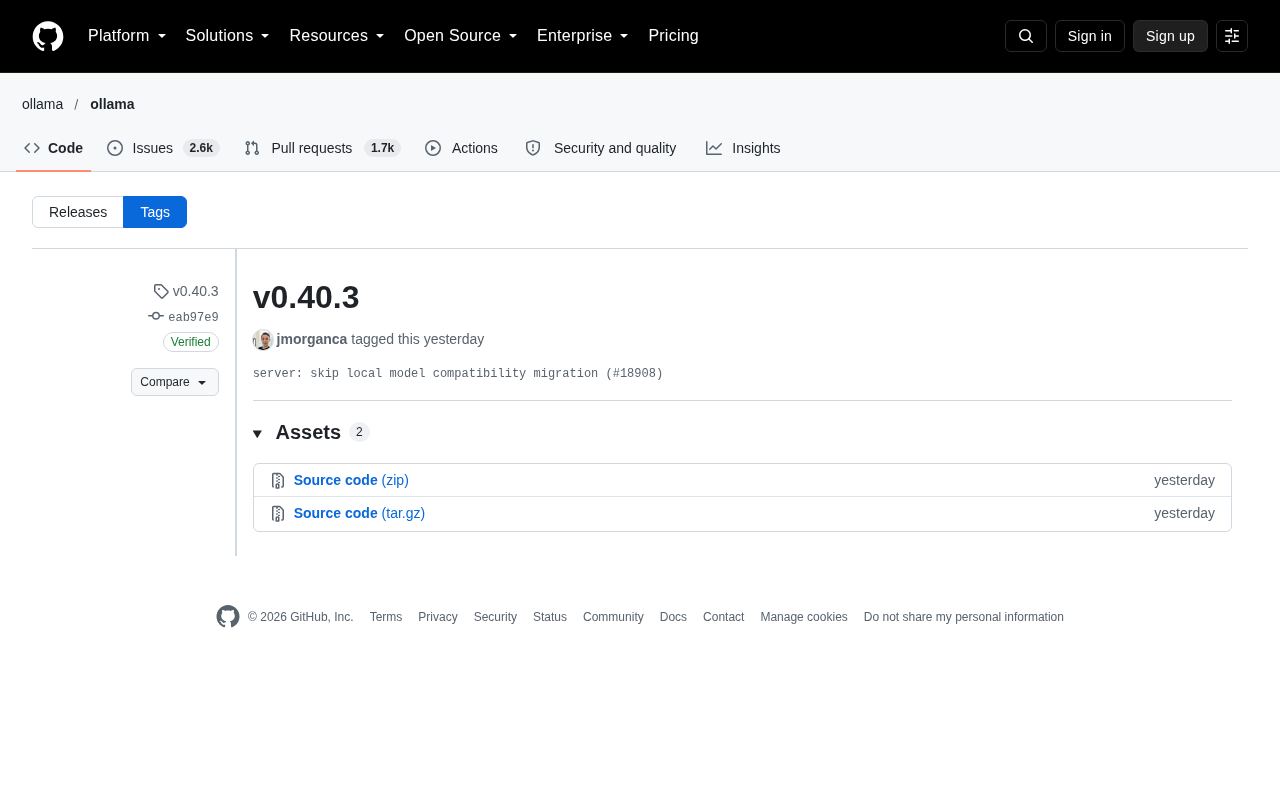
For users who regularly run large language models locally with Ollama, patch releases like this typically don't introduce significant feature changes — but they often resolve hidden issues that surface during upgrades or startup.
Core Change in This Update
Based on the public commit information, v0.40.3 revolves around a single change: the server skipping compatibility migration for local models.
What Is Compatibility Migration
As software evolves, model storage formats, metadata structures, or configurations may change between versions. To ensure that locally saved models from older versions can still be loaded in newer ones, the application typically runs a "compatibility migration" on startup — automatically converting old formats into new ones.
Model files stored locally by Ollama follow specific metadata formats (such as GGUF and other quantized formats along with their accompanying manifest files). Whenever Ollama adjusts its internal data structures, model indexes or configuration files written to disk by older versions may not be directly recognized by newer versions. This requires scanning the local model library and performing format conversion on first launch. For users with a large number of models or those storing models on mechanical hard drives, this process can be time-consuming and has historically been the root cause of occasional startup hangs.
Why Skip It
Skipping this migration step typically signals that the maintainers have determined the current migration logic may introduce side effects — such as migration failures in certain scenarios, slower startup times, or unnecessary processing of models that are already in a compatible state. By skipping this step, potential startup anomalies are avoided, improving the stability and predictability of the server. This kind of decision reflects the pragmatic trade-offs open-source projects make in prioritizing stability during version maintenance.
GPG (GNU Privacy Guard) signature verification is a common security mechanism in open-source software releases. Publishers sign binaries or commits with a private key, and users can verify via the corresponding public key (in this case, Key ID: B5690EEEBB952194) that the file has not been tampered with and genuinely originates from the claimed publisher. GitHub's "verified" badge indicates that the commit's GPG signature has been validated by the platform. For teams deploying Ollama in server or production environments, verifying signatures before installation is a fundamental measure against supply chain attacks.
Practical Impact for Users
For the vast majority of Ollama users, upgrading to v0.40.3 is a low-risk operation. If you've previously experienced slow model loading or migration-related errors after a version upgrade, this release should improve that experience.
Since this release comes with a verified GPG signature (key ID: B5690EEEBB952194), users can confirm the integrity and authenticity of the binary during download and installation — which is especially important for developers deploying local models in production or sensitive environments.
Upgrade Recommendations
As a patch release, v0.40.3 is recommended for all users following the standard update process. Users on the command-line tool can reinstall the latest version through official channels, while those on containerized deployments can pull the corresponding latest image. Before upgrading, it's worth checking that your existing local models are accessible, and a quick run verification after the upgrade should be sufficient.
Overall, v0.40.3 is a reflection of Ollama's continued effort to refine the local model running experience. While any single change may be small, a steady iteration cadence is precisely what earns developer trust in open-source infrastructure projects.
Related articles

Why Does the Tesla Roadster Need to Fly? A Deep Dive into Musk's Wild Demo
Tesla's Roadster launch showed wall-climbing, upside-down driving, and flying stunts—but The Vergecast notes the demo car may lack a battery, the Rocket version is invite-only and not street-legal, and the website terms don't guarantee delivery. After nine years of delays, why does this car still need to exist?

AI Is Not a Replacement: Human-AI Collaboration Through the Lens of Factory Root Cause Analysis
Starting from factory root cause analysis, this article explains how AI accelerates evidence chain construction rather than replacing human experts, exploring the pragmatic implementation logic and business value of 'AI supporting people rather than replacing them.'

AI Agent Decision Auditing: Building an Evidence Chain in Regulated Workflows
Starting from a Reddit discussion, this article analyzes three core issues in AI agent decision auditing within regulated workflows: what fields audit records should contain, how to handle feedback latency for erroneous decisions, and how to continuously calibrate LLM judge consistency with human judgment.