Open-Source Local Photo Management Tool: A Free Adobe Lightroom Alternative

A free, open-source, fully local Adobe Lightroom alternative with on-device AI surfaces on Hacker News.
A free, open-source Adobe Lightroom alternative emphasizing fully local operation and integrated AI capabilities has appeared on Hacker News. Targeting photographers frustrated with Adobe's subscription costs and cloud privacy risks, the project runs all photo processing, library management, and AI analysis — including auto-tagging, content recognition, and face clustering — entirely on the user's device. This aligns with the broader on-device AI trend, as model miniaturization and consumer hardware improvements make local inference increasingly viable. The project is still in early stages, and RAW format support, real-world AI performance, and Lightroom migration costs remain key hurdles to watch.
An Open-Source Effort Worth Watching
In Hacker News's "Show HN" section, a free, open-source Adobe Lightroom alternative that runs entirely locally has sparked community discussion. For photographers and professional users long frustrated by Adobe's subscription fees and privacy concerns, projects like this have always held steady appeal.
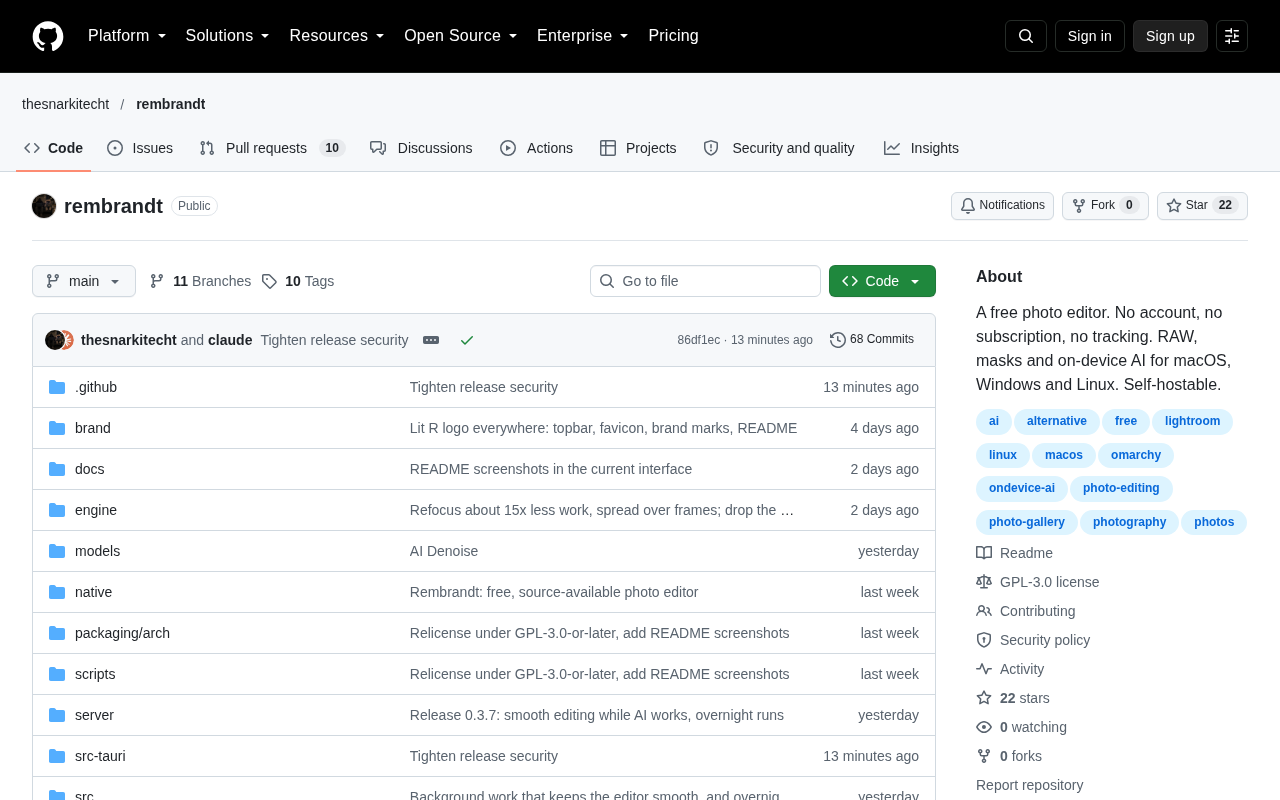
The project's core selling points can be summed up in three areas: zero cost (free and open source), data stays on your device (completely local), and AI-powered photo management capabilities. Against the backdrop of Lightroom increasingly tying its features to cloud services, an alternative that emphasizes local operation addresses real pain points for many users.
Why Local Operation Has Become a Core Demand
Adobe Lightroom's product strategy has shifted increasingly toward the cloud in recent years. The subscription model requires ongoing monthly payments, while features like photo syncing and AI capabilities often depend on Adobe's online services. This means users' photo data must be uploaded to third-party servers — raising privacy concerns and making offline workflows inconvenient.
This open-source project adopts "completely local" as a core design principle, meaning photo processing, library management, and even AI analysis all run on the user's own device. For photographers, this provides not only privacy protection but also eliminates dependence on internet connectivity and continuous subscriptions. Data sovereignty is becoming an important competitive differentiator for open-source tools versus commercial SaaS products.
How AI Capabilities Are Implemented
The project explicitly highlights "with AI" — a key differentiator from traditional open-source photo management tools like digiKam and darktable. Local AI is typically used for automatic photo tagging, content recognition, similar image clustering, and face recognition, helping users quickly search and organize large photo libraries.
Running AI inference entirely on-device does impose certain hardware requirements, but it also completely eliminates the privacy risk of sending personal photos to the cloud for analysis. This is a textbook example of the current on-device AI trend — as models shrink and consumer hardware grows more powerful, more features that once required the cloud are returning to local execution.
The core technical approach for on-device AI typically relies on lightweight model frameworks such as ONNX Runtime, TensorFlow Lite, or Apple's Core ML. These frameworks allow neural networks originally running in data centers to be compressed and deployed on personal devices. Common models used in photo management include CLIP (Contrastive Language–Image Pre-training) for object and scene recognition, lightweight face detection and clustering networks, and embedding vector models for image similarity. Modern consumer GPUs and Apple Silicon's Neural Engine can already run these inference tasks at acceptable speeds, making it feasible to build semantic indexes for tens of thousands of photos on an ordinary home computer. It's worth noting that the accuracy ceiling of local AI is generally lower than commercial models continuously trained on massive cloud datasets — so "good enough" rather than "best in class" is the realistic expectation for evaluating such solutions.
Early Community Feedback
With 16 upvotes and 14 comments on Hacker News, the project is clearly still in its early stages and has yet to attract widespread attention. "Show HN" posts are essentially a way for developers to solicit feedback from the technical community, and the comment section typically focuses on a few practical concerns:
- RAW format coverage: Professional photographers are heavily dependent on non-destructive editing of RAW files — this is a hard benchmark for any viable Lightroom alternative.
- Actual AI performance: The recognition accuracy, processing speed, and resource consumption of local models determine whether AI is a genuine productivity tool or just a marketing buzzword.
- Migration cost: Whether existing Lightroom users can smoothly import their catalogs and edit history directly affects adoption willingness.
- Cross-platform support and long-term maintenance: The sustainability of an open-source project often matters more to users than the feature set at launch.
RAW format (Raw Image Format) is uncompressed or losslessly compressed sensor data output directly by digital cameras. It contains wider dynamic range and color information than JPEG, but requires dedicated decoders to handle each manufacturer's proprietary format (e.g., Canon's CR3, Nikon's NEF, Sony's ARW). In the open-source ecosystem, LibRaw and dcraw are the two mainstream RAW decoding libraries, and both darktable and RawTherapee are built on them. However, camera manufacturers frequently release new models, and open-source library support for new formats often lags by several months — a persistent challenge for the real-world usability of "alternative" solutions. Additionally, Lightroom's non-destructive editing system relies on a catalog file (.lrcat) that records every adjustment step. Importing this metadata compatibly is one of the most technically complex problems in any migration path.
Opportunities and Challenges for Open-Source Alternatives
Actually displacing Lightroom is no easy feat. Adobe has deep expertise in color science, RAW decoding, brush-based adjustments, and more, along with an extensive ecosystem of tutorials and resources. In the near term, a more realistic positioning for open-source alternatives is to serve users who are privacy-conscious, budget-constrained, or opposed to subscription models.
That said, the rise of on-device AI does offer new entrants a real opportunity to leapfrog incumbents. When traditional tools still rely on manual organization, a locally AI-driven tool that can automatically understand photo content has a genuine differentiating advantage in the "management" layer. Whether these projects can catch up to mainstream standards on editing capabilities will be the key test in their next phase.
Among existing competitors in the open-source photo management space, each has a different focus: darktable specializes in professional-grade RAW darkroom processing — powerful but with a steep learning curve; digiKam excels at library management and metadata organization, with face recognition support but relatively traditional AI capabilities; Immich targets self-hosted Google Photos replacement and has grown rapidly in recent years, but is positioned more toward backup and browsing than professional editing. New entrants looking for a foothold need to strike a balance between "AI-driven automated organization" and "sufficiently capable editing tools," rather than trying to compete with Adobe on every dimension. Long-term sustainability risks also include community forking and contributor attrition — project governance models and commercial support plans deserve equal attention.
Conclusion
This free, open-source, fully local, AI-integrated Lightroom alternative represents a clear user demand: control over your own data, freedom from subscription lock-in, and access to the conveniences that modern AI provides. While its current traction is modest and its maturity remains to be seen, the direction it represents — privacy-first, local-first creative tools — is a trend well worth watching. Interested users are encouraged to try it out and share real-world feedback with the developers.
Related articles

Why Does the Tesla Roadster Need to Fly? A Deep Dive into Musk's Wild Demo
Tesla's Roadster launch showed wall-climbing, upside-down driving, and flying stunts—but The Vergecast notes the demo car may lack a battery, the Rocket version is invite-only and not street-legal, and the website terms don't guarantee delivery. After nine years of delays, why does this car still need to exist?

AI Is Not a Replacement: Human-AI Collaboration Through the Lens of Factory Root Cause Analysis
Starting from factory root cause analysis, this article explains how AI accelerates evidence chain construction rather than replacing human experts, exploring the pragmatic implementation logic and business value of 'AI supporting people rather than replacing them.'

AI Agent Decision Auditing: Building an Evidence Chain in Regulated Workflows
Starting from a Reddit discussion, this article analyzes three core issues in AI agent decision auditing within regulated workflows: what fields audit records should contain, how to handle feedback latency for erroneous decisions, and how to continuously calibrate LLM judge consistency with human judgment.