OpenAI Codex in the Cloud: Exploring Codebases, Auto-Coding, and Generating PRs End-to-End

A complete walkthrough of OpenAI Codex's cloud workflow: exploring codebases, auto-coding, and generating PRs.
This tutorial demonstrates how OpenAI Codex works in the cloud using a real Next.js project. It covers two core interaction modes — Ask (read-only exploration) and Code (autonomous development) — and shows how Codex automatically generates Pull Requests that integrate seamlessly with GitHub's standard review workflow, enabling safe, human-supervised AI-assisted development.
OpenAI Codex's cloud capabilities are redefining how developers collaborate with AI. In the second episode of this tutorial series, the author uses a real Next.js project to walk through how Codex can explore a codebase in a cloud environment, execute coding tasks, and automatically generate Pull Requests. This article breaks down that complete workflow and examines the design logic and practical value behind it.
Project Background: Starting with a Frontend Practice Project
The project used in this demo is called Yumpair — a food pairing website built with Next.js. Users can combine different ingredients (like strawberries with balsamic vinegar), and other users can rate the pairings.
Next.js is a React framework developed by Vercel. Since its release in 2016, it has become a mainstream choice for full-stack web development. It offers server-side rendering (SSR), static site generation (SSG), API routes, and other out-of-the-box capabilities, addressing the SEO optimization and initial load performance pain points of pure React applications. For a project like Yumpair, choosing Next.js means Codex needs to understand multiple layers of the tech stack — file system routing, React component lifecycles, and Next.js-specific data fetching patterns like getServerSideProps and getStaticProps — which sets a high bar for AI code comprehension.
You may not have noticed, but this project currently only has the frontend UI completed, with no backend services connected. This setup is actually quite representative — by stripping away backend complexity, readers can focus more clearly on observing Codex's true performance in code understanding and auto-generation.
Ask vs. Code: Two Fundamentally Different Interaction Modes
Codex in the cloud offers two core interaction modes. Understanding the difference between them is key to mastering the entire workflow.
Before starting a task, you need to confirm two things: selecting the correct runtime environment, and selecting the target branch that Codex will inspect or branch from (in this case, the main branch). Then, type your request in the input box and choose between two execution modes: Ask or Code.
Ask Mode: Read-Only Exploration, Zero Code Changes
In Ask mode, Codex doesn't modify any code — it only reads the code and converses with you. The author's first prompt was: "can you explore the code base and give me a brief summary of this project."
Even for a simple question, Codex treats it as an independent task and spins up an isolated container to run and analyze the code. These isolated containers are based on OCI-standard container technology (the same foundation as Docker), providing each task with a completely independent filesystem, process space, and network environment, ensuring that the analysis has no side effects on the original codebase. Tasks appear in a task list, and users can view logs in real time — from environment setup and file reading to intermediate reasoning steps, the entire process is fully transparent.
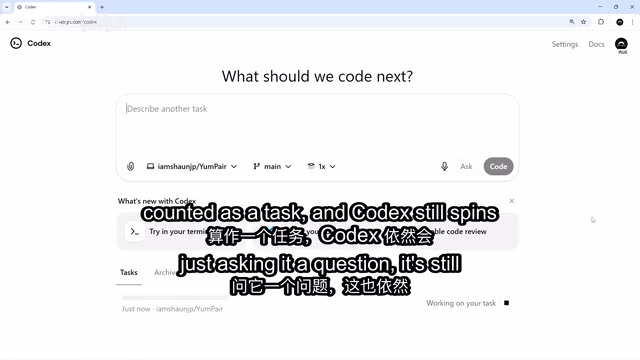
Once complete, Codex produced an accurate summary: Yumpair is a Next.js application for discovering and sharing food pairings, listing core features like the homepage and the create-pairing page, and even identifying existing unit tests in the project. This demonstrates Codex's strong ability to grasp the overall structure of an unfamiliar codebase.
Code Mode: Letting AI Actually Make Code Changes
After getting the full picture of the project, the author assigned Codex a real development task: add two new input fields to the "create new food pairing" form.
Precise Prompts Are the Foundation of High-Quality Output
Prompt engineering refers to the practice of carefully crafting input instructions to optimize the output quality of large language models. In code generation scenarios, vague requirement descriptions often cause AI output to deviate from expectations, triggering multiple rounds of iterative fixes. Research shows that prompts containing clear constraints, specific interaction behaviors, and visual specifications can significantly reduce the model's room for improvisation, bringing output closer to actual requirements.
The author's prompt exemplifies this principle — it was highly specific: "Add two fields to the new food pairing form: a short description field; and an input field that supports comma-separated tags. Tags should appear as pills inside the input box when the user types a comma, each with a delete button (×), no duplicate tags allowed, with the two fields stacked vertically."
The author specifically mentioned that he has been deliberately making his prompts more precise lately to ensure AI doesn't go off track. This is a practical takeaway — clearly describing UI interaction details significantly improves the usability of AI output and reduces the cost of repeated revisions. The ability to express requirements with precision is becoming a new skill that developers in the AI era must actively cultivate.
After clicking the Code button, Codex spins up a brand-new isolated container. All code changes happen in its own remote environment and never touch the main codebase. This aligns with the "ephemeral infrastructure" philosophy in cloud-native development — if you're not satisfied with the result, simply discard the task. The risk is completely contained.
Complete Deliverables: Summary, Test Results, and Screenshot Preview
Once the task is complete, Codex provides three deliverables: a summary of changes, test results (all passing), and a screenshot preview of the changes. The author confirmed that both the new description field and the tags field matched expectations.
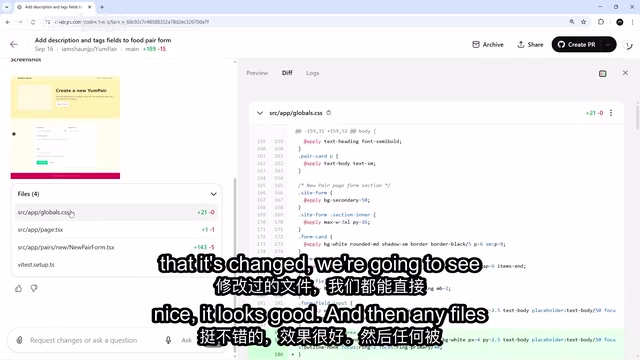
All modified files are shown in diff format, and the top of the interface offers three views to toggle between: Preview (screenshot), Diff (code changes), and Logs (run logs). This multi-dimensional result display allows developers to quickly judge whether the changes are acceptable.
GitHub Workflow: From Auto-Creating PRs to Local Verification and Merging
One of the most prominent features of Codex in the cloud is its deep integration with GitHub's standard workflow.
The Pull Request Mechanism: A Safety Review Layer for AI Programming
The Pull Request (PR) mechanism originated from GitHub's innovative design in 2008 and has since become the de facto standard for engineering team collaboration. Its core value lies in decoupling "code changes" from "code review": developers complete work on independent branches and submit merge requests via PRs, allowing team members to review, discuss, and run automated tests before merging. Codex's deep integration of this mechanism — automatically creating feature branches and generating PRs with change descriptions — means AI-produced code is naturally embedded within a human review step. This represents a more responsible AI tool design paradigm at the engineering practice level.
One-Click Pull Request Creation
At the top of the task result page, there's a button to create a PR. After clicking it, Codex automatically generates a Pull Request with a summary of the changes and a link back to the corresponding Codex task for easy future traceability. Branches created by Codex default to the codex/ prefix followed by a feature description (this naming convention can be customized in settings).
Preview Locally Before Merging
Rather than clicking merge directly on the PR page, the author chose to verify the changes locally first. The workflow is worth referencing:
- Run
git fetchin VS Code to pull the latest references for all remote branches; - Use
git switchto check out the new feature branch Codex created; - Visit
localhost:3000in a browser to preview the changes live.
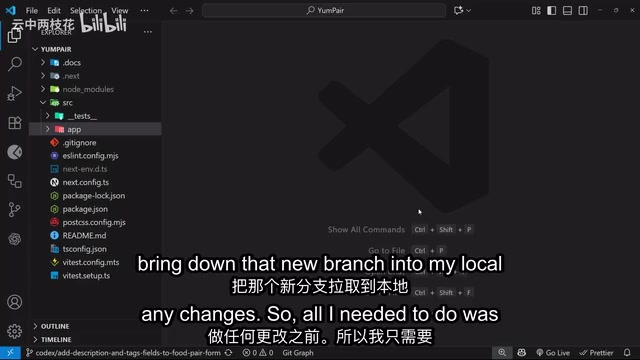
The author offers an important reminder here: if you're completely unfamiliar with git and GitHub, it's strongly recommended to learn the basics before diving deep into Codex in the cloud, because the entire workflow is heavily dependent on core Git concepts like creating branches and submitting PRs.
During the actual verification, the description field, comma-separated tags, pill styling, delete buttons (×), duplicate tag prevention, and form reset functionality all worked correctly. Once satisfied, the author merged the feature branch into main, deleted the extra branch, and synced the local main branch.
Task Management: Archiving and Follow-Up
Back in the Codex console, completed tasks can be organized using the Archive button. Archived tasks remain viewable under the Archive tab.
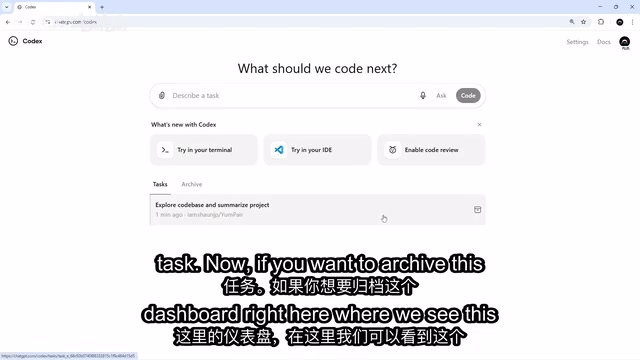
The author noted that it currently doesn't appear possible to permanently delete task records, and this feature is expected to be added in a future update.
Summary: Isolated Sandbox + Human Review — The Right Boundaries for AI Programming
From GitHub Copilot's code completion (2021), to Cursor's conversational editing (2023), to OpenAI Codex in the cloud's autonomous task execution (2025), AI programming tools are undergoing a paradigm shift from "assisted input" to "autonomous agent." Early tools primarily served as real-time suggestion tools for developers, while the "AI Agent" model represented by Codex in the cloud can independently plan steps, execute multi-file modifications, run tests, and deliver complete results — marking a shift in AI's depth of involvement in the software development value chain from "line-level" to "task-level."
This tutorial episode fully demonstrates the core value of Codex in the cloud: it's not a simple code completion tool, but an AI development collaborator capable of independently completing tasks in an isolated environment and delivering results through the standard GitHub workflow.
From code comprehension in Ask mode, to autonomous development in Code mode, to automatically generating PRs and locally verifying merges — the entire flow preserves AI's autonomous execution capability while leaving the final review and decision-making authority with human developers through the Git branch mechanism. This design philosophy of "isolated sandbox + human review" is precisely the safety boundary that AI programming tools need in order to move into actual production environments.
In the next episode, the author will demonstrate how to have Codex review its own generated code changes and Pull Requests, further refining this AI-assisted development collaboration loop.
Key Takeaways
Related articles

Disaster and Glory of the Apollo Program: The History We Must Revisit Before Returning to the Moon
From the fatal Apollo 1 fire to Apollo 8's daring lunar orbit to Apollo 11's successful landing—revisiting the disasters, fears, and compromises of the Apollo program and their lessons for today's return to the Moon.

Netflix Trust Exercise Turns Into Firing Trap: Where Are the Boundaries of Corporate Trust?
A Netflix employee was fired after sharing private info in a trust exercise. We analyze the risks of corporate trust exercises and how employees can protect themselves.

AMD CDNA5 Architecture Deep Dive: Technical Evolution and the AI Computing Competition Landscape
Deep analysis of AMD's CDNA5 architecture covering Chiplet packaging upgrades, HBM memory evolution, and low-precision compute optimization, examining how AMD challenges NVIDIA's AI chip dominance.