OpenClaw in Practice: From Excel to Automated Reports
OpenClaw automates data analysis, report generation, and scheduled tasks with a low barrier, but its boundaries need rational assessment.
Based on Bilibili creator Teacher Chang's tutorial, this article covers OpenClaw's core capabilities: reading local data via file paths, calling Python for analysis, generating structured reports with charts, merging spreadsheets, scheduled scraping, and PPT creation. One-click deployment, a 600+ page community guide, and Skills templating lower the barrier, with Feishu/QQ/WeChat/DingTalk integration for remote control. Limitations include weaker PPT layout than Doubao and high token use for scheduled tasks.
OpenClaw (nicknamed "little crayfish") has recently drawn widespread attention, even spawning "crayfish anxiety"—the fear of falling behind by not learning new tools. Bilibili creator Teacher Chang's tutorial starts from real enterprise scenarios, showing how OpenClaw can complete data analysis, report generation, and scheduled tasks through simple operations, and stresses that it is not out of reach. This article is based on that tutorial and, combined with multiple sources, outlines OpenClaw's core capabilities and implementation paths.
1. What Is OpenClaw and What Can It Do?
OpenClawAd is an automated AI assistant that can read local files, call Python for data analysis, generate structured reports, and support scheduled tasks and skill extensions. In the video, the creator demonstrated several office scenarios:
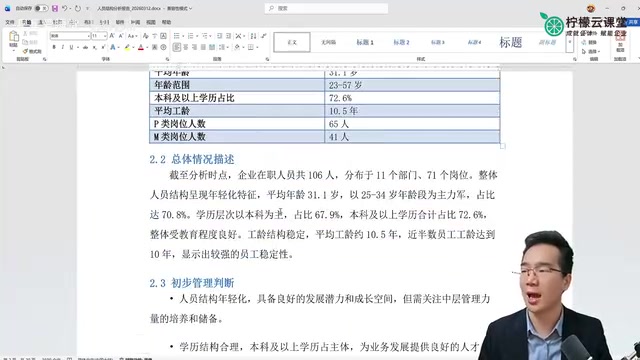
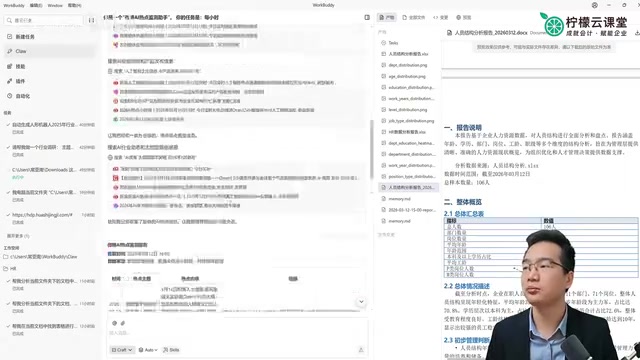
- Personnel structure analysis: Send the path of an Excel spreadsheet to Tencent's Workbody (which the creator calls a "one-click install crayfish"), and the AI automatically reads the data, analyzes it, and generates a report with charts and textual interpretation.
- Scheduled Weibo hot-topic scraping: Set it to scrape news updates once per hour; after verifying stability, it was stopped because of excessive token consumption.
- Spreadsheet merging: Send a folder path, and the AI automatically merges multiple spreadsheets and reports the number of rows and files.
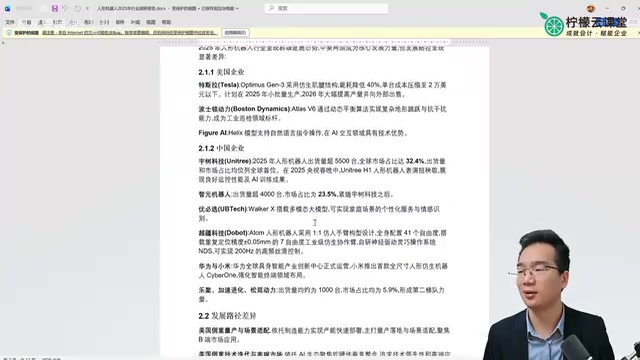
- Report generation: The AI calls skills to complete a humanoid robot report and PPT creation. Although details and layout still have room for improvement, the overall result is usable.
According to analysis by the creator and a YouTube channel, OpenClaw's core advantages lie in its low barrier to entry and automation, making it especially suitable for repetitive office tasks.
OpenClaw's underlying operating logic is "large model + tool use / function calling." The model itself does not directly read or write files or execute code; instead, based on the user's natural-language instructions, it determines which tool needs to be called (reading files, running Python, sending messages, etc.), generates structured call parameters, and the runtime environment actually executes them before passing the results back to the model for further reasoning. This "reason—call—observe" loop is exactly why it can turn a single path instruction into a complete report. Understanding this helps judge the boundaries of its capabilities: whether a task can be completed depends on whether a corresponding tool exists, whether the model can correctly plan the calling sequence, and whether the feedback from execution results is correctly interpreted.
2. Low-Barrier Deployment: One-Click Installation and Community Support
In response to news such as "people lining up at Tencent's building for installation," the creator pointed out that major companies have launched out-of-the-box one-click deployment software, greatly lowering the barrier to use. In addition, the community provides a 600-plus-page complete guide to OpenClaw, covering comprehensive information and suitable for in-depth learning.
Multiple sources show that OpenClaw offers diverse deployment methods, from local one-click installation to cloud hosting, so users can choose according to their needs.
3. Practical Case: From Excel to Automated Reports
The creator focused on demonstrating the process of generating a personnel structure analysis report:
- Send the path of the original Excel spreadsheet to the AI.
- The AI automatically reads the data, calls Python for analysis, and generates a report according to the specified requirements.
- The report includes a table of contents, overall description, management judgment, age structure analysis, charts, department analysis, textual interpretation, and risk warnings.
- Users can adjust the font (for example, change it to SimSun) and set scheduled updates.
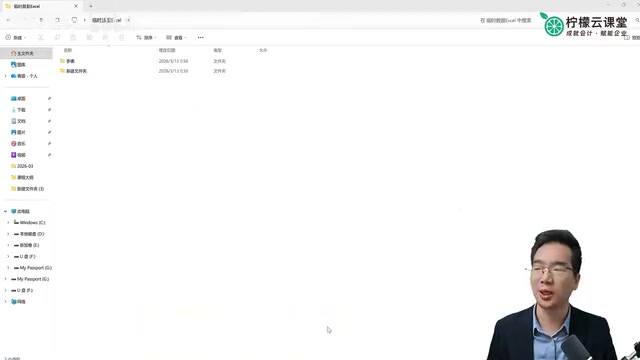
The creator also tested a spreadsheet merging task; the AI completed it automatically and reported the number of merged rows and files, verifying the stability of automated execution.
4. Skills and Ecosystem Integration
Skills are an important extension mechanism of OpenClaw. The creator suggests turning commonly used prompts into skills so that next time you only need to send the data path and invoke the skill to automatically generate a report. For example, after updating data each week, send the path and instructions, and the AI directly outputs the latest report.
OpenClaw also supports integration with platforms such as Feishu, QQ, WeChat, and DingTalk, enabling users to control their computers remotely by sending messages from a mobile phone. The creator uses it every day to push stock news on a schedule, reflecting the convenience of ecosystem integration.
Skills can be understood as reusable "task packages": packaging a validated prompt, execution steps, and required tools into a named skill. When invoked, you only need to provide the input (such as a data path), and the model executes according to the predefined process. The difference from a simple prompt template is that a skill usually also defines trigger conditions, parameter formats, and output structure, making results more stable and easier to reuse. In practice, it is recommended to prioritize high-frequency, fixed-format tasks (weekly reports, data verification, spreadsheet merging) as skills, and to fix output templates and validation steps within the skill to reduce the uncertainty caused by re-describing requirements each time.
5. Challenges and Outlook
Although OpenClaw performs impressively in automated office work, the creator also pointed out that its PPT color schemes and layout are slightly inferior to Doubao, and detail handling still needs improvement. In addition, scheduled tasks consume a relatively large number of tokens and need to be planned reasonably.
Cross-validation from multiple sources shows that OpenClaw's ease of use and automation capabilities are generally recognized, but there is still room for improvement in complex tasks. With continued iteration by the community and vendors, its application scenarios are expected to expand further.
For users worried about falling behind, the creator suggests starting with simple tools, using one-click deployment and community resources, and gradually mastering OpenClaw without excessive anxiety.
The token consumption mentioned in the article refers to the unit of measurement for text processed by the model: input instructions, file contents, tool return results, and model outputs are all counted. Scheduled tasks are costly because each trigger requires reloading the context and making multiple rounds of tool calls; the higher the frequency and the larger the files, the faster the consumption. Common control measures include reducing execution frequency, narrowing the reading scope (passing only necessary fields or summaries), caching and reusing intermediate results, and choosing lighter models for different tasks. This also explains why the hourly scraping in the demonstration was proactively disabled after its feasibility was verified.
One-line Summary
OpenClaw completes data analysis, report generation, and scheduled tasks with low-barrier automation, but its boundaries should be viewed rationally.
Paragraph Summary
Based on Bilibili creator Teacher Chang's tutorial, this article introduces the core capabilities and implementation paths of the automated AI assistant OpenClaw. It can read local data via file paths, call Python for analysis, and generate structured reports with charts and textual interpretation. It can also perform spreadsheet merging, scheduled hot-topic scraping, PPT creation, and other tasks. One-click deployment solutions and a 600-plus-page community guide significantly lower the barrier to use. The Skills mechanism can templatize common tasks and supports integration with Feishu, QQ, WeChat, and DingTalk for remote mobile control. The article also points out its limitations: PPT color schemes and layout are inferior to Doubao, and scheduled tasks consume relatively many tokens. The author suggests users start with simple tasks and not panic excessively over "crayfish anxiety."
Related articles

The Touchscreen MacBook and Apple's Delightful Mess: A Deliberate Gamble
The Vergecast unpacks the touchscreen MacBook Pro's launch logic, the ProLed naming controversy, the iPad squeezed between iPhone and Mac, and how Apple stays competitive with premium hardware in the AI era.

Fifty Years Studying Power: Robert Caro's Writing and Insights on Power
Robert Caro reflects on 50 years studying power: Lyndon Johnson's persuasion and leverage, Robert Moses's transformation from idealist to ruthless builder, the dilemmas of large-scale construction, and his methods of compressing themes and solitary focus in biography writing.

Can a $20,000 Robot Do Your Chores? The Test Results Are Surprising
A YouTube test video shows how a $20,000 robot responds to commands like washing dishes, turning off lights, taking out trash, and feeding the dog. This article analyzes its real capability boundaries, the state of voice interaction technology, and how far household robots are from mainstream adoption.