Project cards now support custom components for a more flexible dashboard

Project card metrics are now customizable, saved per project, and synced across devices, so your dashboard shows the right data.
The Overview tab of the Vercel dashboard now lets you choose the metric displayed in the top-right corner of each project card, replacing the previous fixed Real Experience Score. Available components cover four categories: firewall (allowed/denied requests), observability (alerts, edge requests, function invocations, error rate), Speed Insights (Real Experience Score, LCP, CLS), and Web Analytics (online visitors, visitors, page views). Selections are saved per project and sync with your account across refreshes and devices, so team members configure once and it persists. The switcher menu shows each metric's current value for easy judgment; if a feature isn't enabled, you can start the enablement flow directly from the menu. This change lets security, performance, and growth teams each get what they need from a shared dashboard, reducing information overload and page-hopping.
Title
Project cards now support custom components for a more flexible dashboard
Meta Description
The Overview tab of the dashboard now supports custom components on project cards, letting you choose firewall, observability, Speed Insights, or Web Analytics metrics for each project individually. Selections are saved per project and synced across devices.
Article Content
The Overview tab of the dashboard now lets you choose which metric is displayed on each project card, replacing the previous fixed display of the Real Experience Score. This change may seem minor, but it reflects a broader trend of developer tool dashboards moving from a one-size-fits-all approach to on-demand customization.
From fixed metrics to on-demand switching
In the past, the top-right corner of a project card always displayed the Real Experience Score, but different roles on a team care about different signals. Security-sensitive projects may need to focus more on firewall activity, while marketing sites care more about traffic data. Now you can switch the metric shown in that spot for each project individually, making the card truly reflect what you care about.
According to the official description, selections are saved per project and sync with your account across refreshes and devices. This means team members don't need to adjust it manually every time—configure it once and it persists long-term.
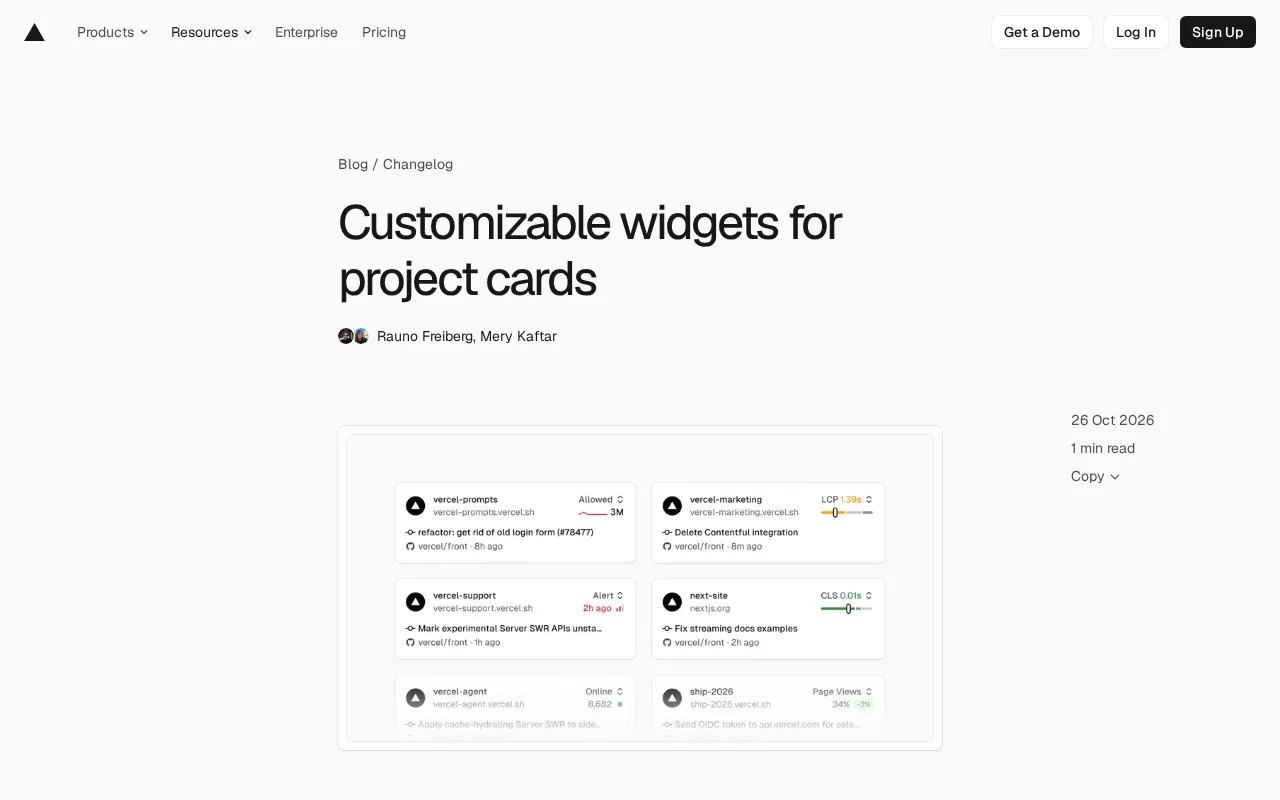
The list of available components
The currently supported components cover four categories—firewall, observability, Speed Insights, and Web Analytics—specifically including:
- Firewall: allowed requests, denied requests
- Observability: alerts, edge requests, function invocations, error rate
- Speed Insights: Real Experience Score, LCP, CLS
- Web Analytics: online visitors, visitors, page views
These options basically cover several key dimensions of project health—security, performance, traffic, and runtime status. For teams maintaining multiple projects at once, being able to choose metrics based on each project's nature is more meaningful in practice than uniformly displaying a single fixed score.
Real Experience Score is the core metric provided by Speed Insights. Based on real user monitoring data, it calculates a score from 0 to 100 by combining Core Web Vitals such as First Contentful Paint (FCP), Largest Contentful Paint (LCP), First Input Delay (FID), and Cumulative Layout Shift (CLS), quantifying users' overall perception of page load speed and interaction smoothness. The higher the score, the better the experience.
LCP (Largest Contentful Paint) measures the time it takes for the largest content element in the viewport (usually the main image or a large block of text) to finish rendering, and is a key indicator of perceived load speed; CLS (Cumulative Layout Shift) quantifies the degree to which visual elements unexpectedly move during page load, reflecting layout stability. Both are members of the Core Web Vitals system proposed by Google and directly affect search rankings and user retention. Displaying LCP and CLS alongside the overall score lets performance owners quickly pinpoint whether slow loading or layout jitter is causing the experience to degrade.
Web Analytics and Speed Insights both belong to Vercel's observability product line, but they focus on different things: Web Analytics focuses on traffic and audience behavior, providing aggregated data such as online visitors, unique visitors, and page views, and by default does not rely on cookies, emphasizing privacy compliance; Speed Insights focuses on performance experience, collecting Core Web Vitals through real user monitoring. The two sets of data are complementary—one answers "who came and what they looked at," the other answers "how smoothly they used it." Understanding this division of labor helps you choose the right metric for a project's stage when customizing cards—look at traffic during the growth phase, and look at performance during the optimization phase.
How to use it and additional capabilities
The switcher is located in the top-right corner of any project card. The menu displays the current value of each available metric, and selecting one saves it to that project. The benefit of this design is that you can see the actual values of each metric before switching, making it easy to quickly judge which metric is more worth paying attention to.
Another practical detail: if a feature hasn't been enabled for a project yet, you can start the enablement flow directly from the component menu without leaving the Overview tab. Currently this capability applies to Speed Insights Plus, Web Analytics, and alerts.
What it means for team collaboration
A common pain point of multi-project dashboards is that information overload and information scarcity coexist: cards are piled with too many uniform metrics, yet the data each project actually needs to watch varies. Customizing components per project moves the dashboard from "showing all the data" to "showing the right data."
This flexibility is especially important when security teams, frontend performance owners, and growth teams share the same dashboard. Security projects look at denied firewall requests, marketing projects look at visitors and page views, and performance projects look at LCP and CLS—each gets what it needs without jumping back and forth between multiple pages.
Observability in this context refers to the ability to infer a system's internal state from runtime signals such as alerts, edge requests, function invocations, and error rate. Unlike traditional log monitoring, observability emphasizes inferring internal behavior from external outputs, and is especially suited to serverless and edge computing architectures—where function instances are short-lived and distributed, making it difficult to troubleshoot machine by machine. The number of edge requests reflects the traffic distribution across CDN edge nodes, while function invocation counts and error rates directly reflect the health of backend logic. Incorporating these metrics into project cards means teams can spot abnormal fluctuations and trigger alerts at the first opportunity without diving deep into a logging platform.
How to get started
Open your team's Overview tab and use the switcher in the top-right corner of any project card to start configuring. It's recommended to first identify the top priority for each project and then set them one by one, to avoid frequent adjustments later.
Related articles
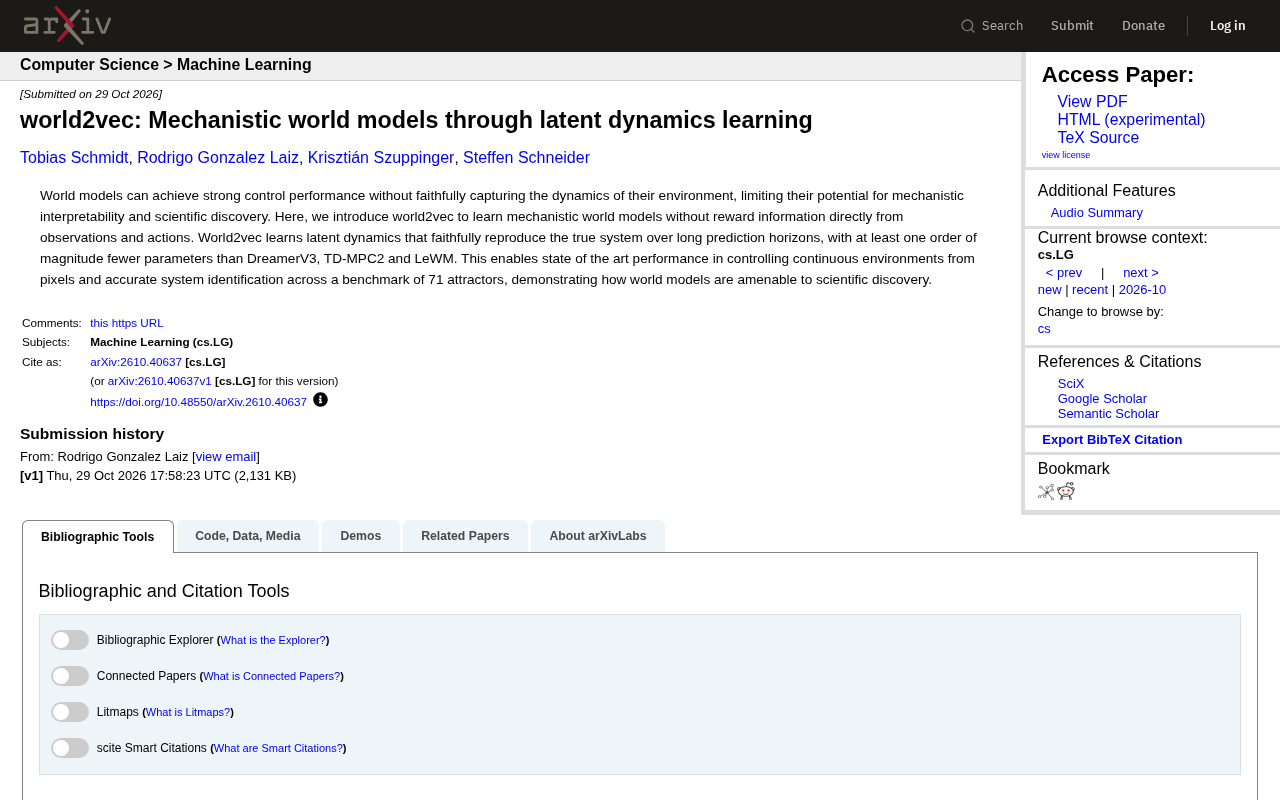
world2vec: Building Mechanistic World Models with Latent Dynamics Learning
world2vec proposes a reward-free method for learning mechanistic world models via latent dynamics, faithfully reproducing systems over long horizons with at least an order of magnitude fewer parameters than DreamerV3, TD-MPC2, and LeWM, and achieving accurate system identification on 71 attractor benchmarks.

A New KL-DRO Paradigm: Adaptive Scenario Generation Around a Learned Density Model
KL-DRO research proposes centering the KL ball on a learned density model instead of the empirical distribution, with adaptive scenario generation guiding sampling toward the worst case. Experiments show lower cost under distribution shift when records are scarce and the model can extrapolate, with comparable in-distribution cost.

ODE Samplers for Discrete Diffusion Models: Exponential Residual Flows Accelerate Generation
Discrete diffusion models lack deterministic ODE sampling? This article introduces Exponential Residual Flows (ERFs), which introduce continuous residual variables per token to construct piecewise ODEs for deterministic sampling and support consistency distillation acceleration. Superior to prior methods on code and text generation tasks.