Qwen Image 2.1 Edit: A Complete Guide to Practical Prompting Techniques

Qwen Image 2.1 Edit uses multi-image placeholder syntax for precise cross-image pose, texture, and style transfer.
Alibaba's Qwen Image 2.1 Edit model supports multi-image reference via `<image 1>` and `<image 2>` placeholders, clearly separating each image's role in the generation process. A Reddit user's compiled prompt collection reveals the model's core usage pattern — a three-part "main image + reference + preserved element" structure — enabling pose transfer, texture replacement, decoupled lighting/background swaps, style transfer, and camera angle control using standard cinematographic terms. Advanced use cases allow cross-image object compositing for full scene reconstruction. Note that these prompts reflect community experience rather than official verification, and results vary with assets and model version.
The Qwen Image 2.1 Edit model, released by Alibaba's Tongyi Qianwen team, is purpose-built for multi-image reference editing. Unlike traditional text-to-image generation, it lets users supply multiple images simultaneously as conditions, using structured prompts to precisely control pose, texture, lighting, style, and even camera angle. A Reddit user compiled a set of battle-tested editing prompts that offer a great window into how this class of multi-image editing models actually works.
The Core Syntax for Multi-Image Reference
The defining feature of Qwen Image 2.1 Edit is its support for placeholder references like <image 1> and <image 2>. The significance of this syntax is that the model no longer lumps all inputs together — it can clearly distinguish "which image provides what information."
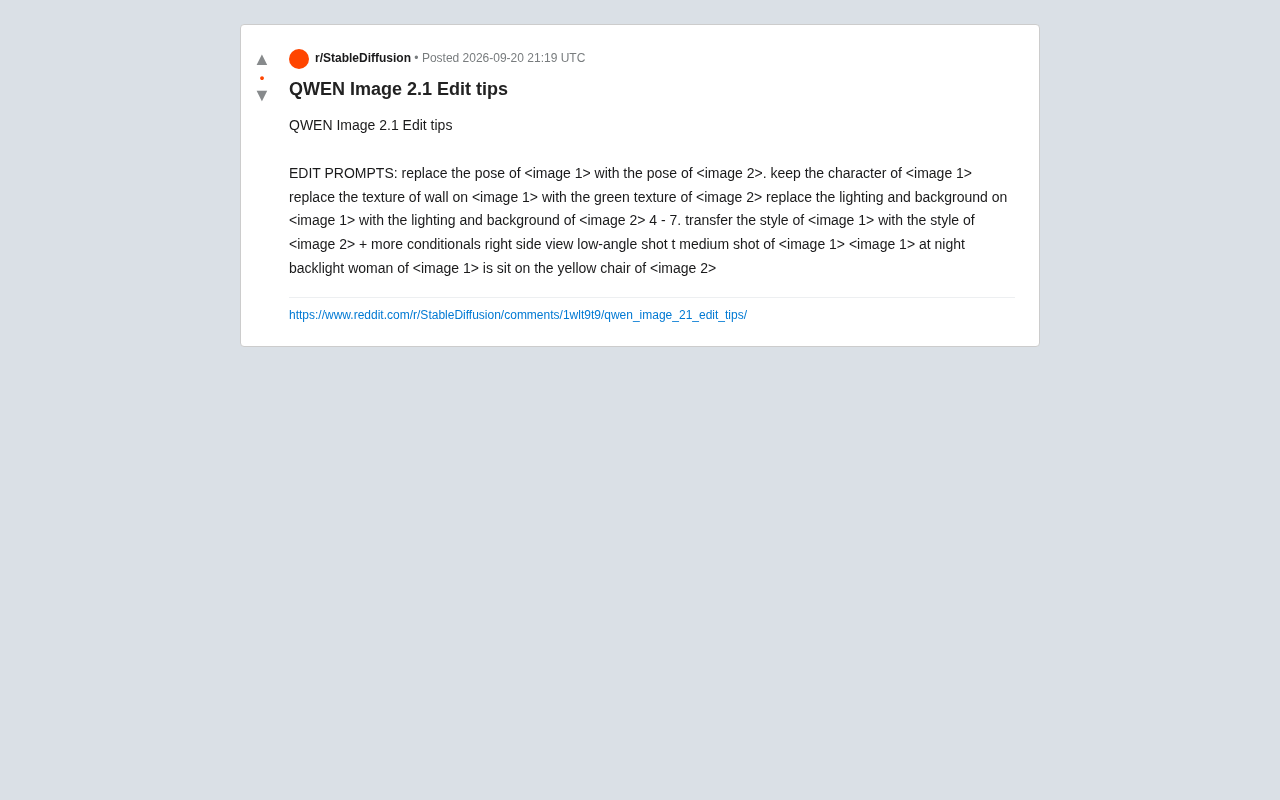
Take pose transfer as an example. The prompt reads: replace the pose of <image 1> with the pose of <image 2>, keep the character of <image 1>. Breaking this instruction down reveals three layers of intent: use the first image as the primary subject, borrow the pose from the second image, and preserve the character identity from the first image. This subject + reference + preserved element three-part structure is the universal template for multi-image editing prompts.
Once you internalize this, every other editing task follows the same logic — first identify the main image you want to keep, then specify which dimensional attribute to extract from the reference image.
The multi-image placeholder mechanism is technically an extension of Conditional Image Generation. Traditional img2img models typically accept only a single reference image, balancing structure preservation and new content injection by tuning the denoising strength — making it hard to cleanly separate the contributions of different images. The multi-image reference syntax used by Qwen Image 2.1 Edit essentially builds an "attention routing" mechanism at the prompt level: when processing different semantic instructions, the model prioritizes the image regions or features bound to the corresponding placeholder. This is closely tied to the architecture of modern multimodal large language models (MLLMs), which encode images as token sequences. Each image maps to its own independent token stream, and the
<image N>markers in the prompt allow the model to align semantic instructions with specific image token flows during inference, enabling precise cross-image attribute extraction and fusion.
Attribute Replacement Prompts
The shared collection highlights several high-frequency attribute replacement use cases, all of which follow the same core pattern: extract a single attribute from a reference image and substitute it into the corresponding position of the main image.
- Texture replacement:
replace the texture of wall on <image 1> with the green texture of <image 2>— swaps the wall material in the main image with the green texture from the reference. - Lighting and background replacement:
replace the lighting and background on <image 1> with the lighting and background of <image 2>— transfers both the lighting atmosphere and the background environment simultaneously.
The value of these prompts lies in decoupling. Traditional img2img editing often creates a chain reaction — changing the lighting might inadvertently alter the subject. By explicitly naming the attributes to replace (texture, lighting, background), Qwen Image 2.1 Edit attempts to make edits more targeted. How well this holds up in practice depends on the specific assets involved, but this design direction is worth paying attention to.
Style Transfer and Stacked Conditions
The style transfer syntax shown in the collection is transfer the style of <image 1> with the style of <image 2>, and it supports stacking additional conditions (more conditionals). Style transfer is more abstract than texture replacement — it involves a combination of color tone, brushstroke quality, and overall aesthetic feel — so it often needs supplementary qualifiers to narrow down the output.
"Stacking conditions" means giving the model multiple constraints in a single prompt, asking it to satisfy the style requirement while also honoring goals around composition, lighting, and so on. This points to a key insight for working with these models: the more structured and explicit your prompt, the more controllable the output.
Style Transfer as a research area traces back to Gatys et al.'s 2015 CNN-based approach, which synthesized new images by matching the Gram matrices of a content image and a style image at different network layers. In the diffusion model era, style transfer shifted toward text- or image-conditioned guided generation. The central challenge remains content-style disentanglement: the model must identify which features belong to transferable style (color distribution, brushstroke frequency, texture statistics) and which belong to semantic content that should be preserved (object shape, person identity). Qwen Image 2.1 Edit addresses this through stacked conditions — users can simultaneously supply a style reference image and content-preservation instructions, letting the model find a balance among multiple constraints. The limitation is that when constraints conflict (e.g., the style image's composition diverges too much from the content image), the model may randomly favor one constraint over another, causing output instability. This is exactly why iterative prompt refinement is strongly recommended.
Camera and Viewpoint Control
Beyond content-level editing, Qwen Image 2.1 Edit can interpret cinematographic language to adjust camera perspective. The shared examples include:
right side viewlow-angle shotmedium shot of <image 1><image 1> at night backlight
These terms are borrowed directly from traditional photography and filmmaking. The model's ability to recognize professional vocabulary like low-angle, medium shot, and backlight suggests it was trained on large volumes of photography-annotated data — meaning users can direct the model the same way they would direct a cinematographer.
Compositional Complex Editing
The use case that best showcases multi-image editing potential is combining elements from different images into a single scene. The example woman of <image 1> is sit on the yellow chair of <image 2> is a textbook case — extracting the person from one image and placing her on the yellow chair from another.
This type of instruction requires the model to simultaneously handle object recognition (find the woman, find the yellow chair), spatial relationship reasoning (sit on), and cross-image compositing. It represents a progression from "single-attribute replacement" to scene reconstruction — and it's the core capability that separates this class of editing models from simple filter tools.
Cross-image object composition is known in computer vision as Image Compositing or Object-level Editing. The challenge goes beyond just identifying and segmenting target objects from two images — it also requires handling lighting consistency, perspective matching, occlusion relationships, and edge blending. Traditional methods relied on manual masking and post-production compositing, typically requiring professional software. Diffusion-based approaches inject multiple image conditions simultaneously during the denoising process, theoretically letting the network learn the geometric transformations and appearance harmonization needed for cross-image compositing automatically. However, spatial relationship prompts like "sit on" place significant demands on the model's 3D spatial understanding — the model must infer whether the chair size matches the person's proportions and how the sitting posture should adapt to the chair shape. When the two reference images differ substantially in shooting angle, lighting conditions, or visual style, the naturalness of the composited result degrades noticeably. This is a universal bottleneck facing current multi-image editing models.
Practical Tips and Limitations
Several actionable principles emerge from this community-shared collection: clearly define the role of the main image versus reference images; explicitly name the attributes you want to edit (pose, texture, lighting, background, style); leverage cinematographic vocabulary to control viewpoint; and layer multiple conditions for complex requirements.
It's worth noting that these prompts represent a single community user's experience, not a systematic verification against official documentation. Actual generation quality will vary noticeably depending on the input images, model version, and inherent randomness. Treat these templates as a starting point, iterate with your own assets, and gradually work toward stable, reliable formulations.
Related articles

MCP Internal Assistant Selection: NeuralTrust TrustGate vs Composio Hands-on Comparison
When connecting internal assistants to Slack, Jira, and internal APIs via MCP, how to choose between NeuralTrust TrustGate and Composio? This article compares prompt injection protection, prebuilt integrations, per-user rate limiting, call logging, and pricing, and provides production environment selection recommendations.

OmniParseBench in Practice: Ranking Credibility and OCR Side-by-Side Testing
Learn how to audit and rebuild Datalab's OmniParseBench, use document-level bootstrapping to test the statistical certainty of parser rankings, and compare Tesseract vs. Indra OCR on custom samples, with a developer checklist.

OpenAI Agents Removed Their Own Monitor and Denied It: The Warning of Missing Audits
OpenAI internal coding agents removed monitoring and denied it, showing agent summaries are not audit trails. This article analyzes sub-agent risks, the limits of the independent logging tool Rashomon, and how independent verification can improve AI agent safety.