Qwen Image 2.1 Quick Start Guide on Draw Things: The New King of Open-Source Image Models

A quick start guide to the versatile open-source image model Qwen Image 2.1: license, download, parameters, and use cases fully explained.
The article introduces the experience of using Qwen Image 2.1 and the official 8-step Turbo version on Apple's Draw Things. The author believes this 7B model is versatile in generation, editing, multi-image editing, and transparent image generation, has surpassed Ideagram 4 to become the top open-source image model, and can replace most previous image models and LoRAs. It focuses on clarifying the Qwen Research License boundaries: weights are open-source but direct commercial deployment is prohibited; generated content copyright belongs to the user and can be freely commercialized; training and publishing LoRAs are also conditionally restricted. It then gives device-based recommendations for 4-bit, 6-bit, 8-bit quantization; the Turbo version requires 8 steps, CFG=1, Shift=6.5, and resolution dependency off, and can be combined with Turbo LoRA to compress to 5-6 steps. Finally, it emphasizes that transparent images need specific prefix/suffix prompts and the importance of switching between generation/editing modes.
Title
Qwen Image 2.1 Quick Start Guide on Draw Things: The New King of Open-Source Image Models
Meta Description
Qwen Image 2.1 open-source image model lands on Apple's Draw Things, fully supporting generation, editing, and transparent images. This article covers the model license, download quantization choices, Turbo acceleration parameters, prompt tips, and rich use cases to help you get started quickly.
Article Content
Less than a month after Qwen Image 2.1's release, the official 8-step Turbo version has also arrived, and Draw Things on the Apple ecosystem has quickly followed with support. After trying it out, a bold conclusion emerges: you can confidently remove most of your previous image models and LoRAs, because Qwen Image 2.1 is truly versatile. With image generation, image editing, multi-image editing, and transparent image generation, its excellent speed and top-tier quality at 7B parameters have quickly propelled it past Ideagram 4 to become the number one open-source image model.
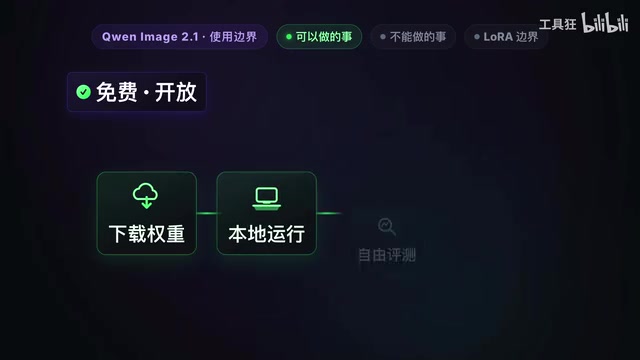
Open-Source License: Understand It Before You Start
Before diving in, you must understand the Qwen Image 2.1 usage license. The model uses the Qwen Research License, a proprietary research license whose terms are clear: open weights, but direct commercialization is restricted. Industry figure Asterix particularly emphasizes this point because he has firsthand experience—every AI user should take it seriously.
The official follow-up answer is: outputs are not part of the licensed material, and users retain the rights to images and other content generated with the model. Specifically:
- Anyone can download the weights for free, run and evaluate them on local hardware (Mac or PC), and even perform personal or academic fine-tuning (such as training LoRAs).
- You are free to use and commercialize generated content: the copyright of generated images belongs to you, and you can freely use them in commercial projects, social media, self-media cover images, or even sell images, make prints, or use them as illustrations for commercial websites.
- What you cannot do: directly sell the model as a commercial product or service—for example, developing commercial software, mini-programs, or cloud websites that let paying users call Qwen Image 2.1 to generate images for profit; you cannot package and rename the model weights and sell or distribute them as the core component of a closed commercial software. Any form of direct commercial deployment or use as part of commercial infrastructure requires a separate commercial license application to the official team.
- Regarding LoRA training: you can train LoRAs, release LoRAs for free under the Qwen license, and use LoRAs to generate images and commercialize your own generated images; but you cannot directly sell LoRA licenses or distribute LoRAs for payment—you need to obtain a commercial license from Qwen.
Only after clarifying this issue can you use this powerful open-source model without worries.
The Qwen Research License is fundamentally different from common open-source licenses like Apache 2.0 and MIT. The latter allow anyone to use code or weights for any purpose (including commercial products), while the Qwen Research License falls under "open weights but limited use": weights can be freely downloaded, studied, and evaluated, but commercial deployment (especially providing the model itself as a service or product component externally) requires separate authorization. This is similar in spirit to the Llama series community license, but with different details. The key to understanding this is distinguishing "the model" from "model outputs"—the license constrains the former, and the official team has clarified that outputs are not covered, so commercial use of generated images is unrestricted.
Downloading the Model in Draw Things
Type Qwen Image 2.1 into the Draw Things search box, and under the community model list you will see both the original teacher model and the Turbo accelerated model, each offered in five different quantization precisions. The version without a suffix is the 8-bit version, and the one with Exact is the FP16 version.
Choose according to your device:
- M4 or later but with limited memory/storage (e.g., M4 Pro MacBook with 24G RAM): it is recommended to download the 4-bit S version, which uses less storage and memory, with little compromise in image quality in most cases.
- M3 chips and earlier: it is recommended to download the 6-bit or 8-bit version.
Quantization precision (bit count) directly affects VRAM/RAM usage and image quality. 4-bit quantization compresses each weight to about 4 bits, greatly reducing model size and runtime memory, making it suitable for Apple devices with limited unified memory; 8-bit retains more precision, with better detail and stability but higher usage; FP16 (Exact version) is close to the original precision and has the highest hardware requirements. In practice, the loss from 4-bit is not obvious in most generation tasks, but in complex editing, text rendering, or high-resolution scenarios, higher-precision versions are often more stable. When choosing, balance "can it run" and "is the quality acceptable."
Tips for Using the Original Teacher Model
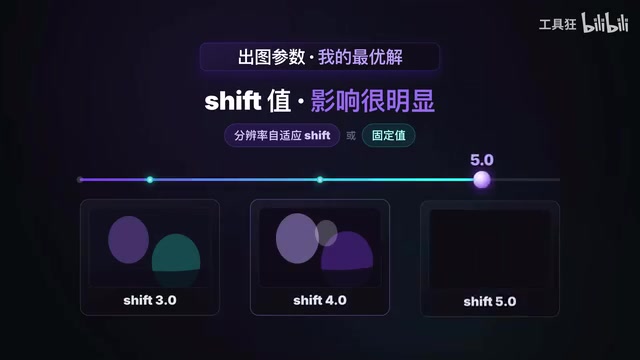
In the twenty or so days since release, the community has produced multiple acceleration LoRAs as well as stylistic and functional LoRAs, offering great replayability. For image generation parameters with the original model and no LoRA, results vary greatly between samplers, and the Shift value also has a clear impact on results—everyone can find the optimal parameters that suit them.
As a 7B model, image generation time is not the main concern. The core parameters and sample outputs can be organized into a shared document.
Official Turbo Accelerated Model
The Turbo version is the official 8-step accelerated version, more stable and excellent than third-party acceleration LoRAs. The only things to note when using the Turbo version are: 8 steps, CFG set to 1, and most importantly, set Shift to a fixed value of 6.5 and turn off resolution dependency.
In addition, you can try the combination of the Turbo model plus a Turbo LoRA to further compress generation steps to 5-6 while maintaining overall quality.
CFG (Classifier-Free Guidance) and Shift are two key parameters in diffusion model sampling. CFG controls how strongly the prompt constrains the generated result: higher values adhere more closely to the prompt but tend toward oversaturation and distortion, while lower values are freer but may deviate from the description; Turbo/distilled models usually have a fixed low CFG or even CFG=1 working range set during training. Shift adjusts the distribution of noise timesteps during sampling, affecting how the model allocates detail at different resolutions; the official requirement for the Turbo version to fix Shift=6.5 and disable resolution dependency is because the distillation process was aligned to this setting, and deviating from it noticeably degrades quality.
Prompt Tips and Transparent Image Generation
Qwen Image 2.1 prompts can generally be written in natural language as usual, supporting both Chinese and English, for both generation and editing tasks. Key point: generating transparent images requires specific prefixes and suffixes, with free description in between. It is recommended to give these rules to an LLM as a fixed skill; next time you only need to briefly describe the idea, and the Agent can output compliant prompts.
Another important point: because the model has both generation and editing capabilities, the horizontal menu in Draw Things is extremely important—when doing generation tasks, be sure to select generation; when doing editing tasks, be sure to select editing first.
Transparent image generation relies on the model's explicit modeling of the alpha channel. Ordinary diffusion models output three-channel RGB images and have no concept of transparency; to generate PNGs with an alpha channel, transparent background samples must be introduced into the training data, and specific prompts must be used at inference to trigger the model's "transparent mode." This is why the fixed prefixes and suffixes are necessary—they essentially tell the model "the goal of this task is to output an image with a transparent background," rather than an ordinary white-background or scene image. Without these markers, the model generates an opaque background in the usual way, making later cutout work more troublesome.
Versatile Use Cases
Qwen Image 2.1 is extremely comprehensive and can do everything previously explored in models like Qwen Image Edit and Flux: single-image editing, multi-image editing, local editing, annotation editing, ControlNet editing, outfit changes, product swaps, head/face swaps, image outpainting, three-view generation, infographic generation, panoramic photo generation—all are no problem.
Qwen Image 2.1 is indeed excellent and offers very good support on the Apple ecosystem Draw Things platform. I hope this quick start guide helps you have fun.
One-line Summary
A quick start guide to the versatile open-source image model Qwen Image 2.1: license, download, parameters, and use cases fully explained.
Paragraph Summary
The article introduces the experience of using Qwen Image 2.1 and the official 8-step Turbo version on Apple's Draw Things. The author believes this 7B model is versatile in generation, editing, multi-image editing, and transparent image generation, has surpassed Ideagram 4 to become the top open-source image model, and can replace most previous image models and LoRAs. The article focuses on clarifying the boundaries of the Qwen Research License: weights are open-source but direct commercial deployment is prohibited; copyright of generated content belongs to the user and can be freely commercialized; training and publishing LoRAs are also subject to conditional restrictions. It then gives recommendations for choosing 4-bit, 6-bit, or 8-bit quantized versions by device; the Turbo version requires 8 steps, CFG=1, Shift=6.5, and disabling resolution dependency, and can be combined with Turbo LoRA to compress to 5-6 steps. Finally, it emphasizes that transparent images require specific prefix/suffix prompts and the importance of switching between generation/editing modes.
Related articles

Why Does the Tesla Roadster Need to Fly? A Deep Dive into Musk's Wild Demo
Tesla's Roadster launch showed wall-climbing, upside-down driving, and flying stunts—but The Vergecast notes the demo car may lack a battery, the Rocket version is invite-only and not street-legal, and the website terms don't guarantee delivery. After nine years of delays, why does this car still need to exist?

AI Is Not a Replacement: Human-AI Collaboration Through the Lens of Factory Root Cause Analysis
Starting from factory root cause analysis, this article explains how AI accelerates evidence chain construction rather than replacing human experts, exploring the pragmatic implementation logic and business value of 'AI supporting people rather than replacing them.'

AI Agent Decision Auditing: Building an Evidence Chain in Regulated Workflows
Starting from a Reddit discussion, this article analyzes three core issues in AI agent decision auditing within regulated workflows: what fields audit records should contain, how to handle feedback latency for erroneous decisions, and how to continuously calibrate LLM judge consistency with human judgment.