Remind: macOS Full-Screen Meeting Reminders + AI Briefing Tool In-Depth Review
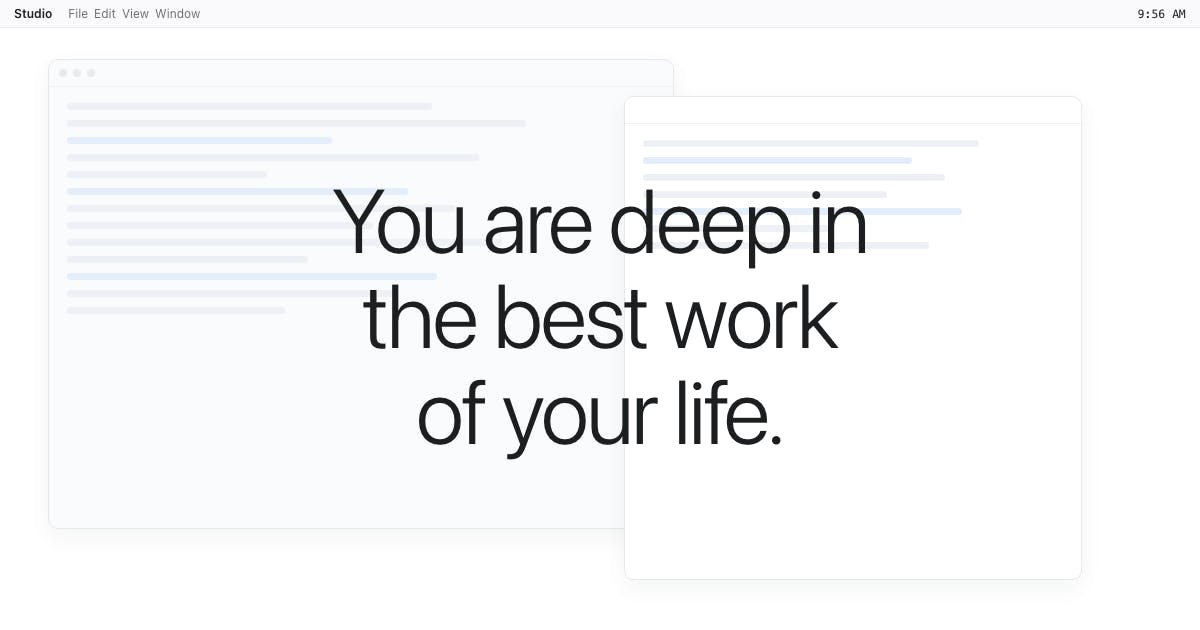
macOS full-screen meeting reminders with AI briefings to eliminate missed meetings and poor preparation
Remind tackles two overlooked meeting pain points: weak reminders and inadequate preparation. It uses full-screen takeovers across all displays to ensure you can't miss meetings, plus AI-generated briefings that aggregate context from emails, Slack, and Notion. Priced at $19.99/year with a 7-day trial, it's designed for Mac users juggling multiple daily meetings.
The Overlooked Meeting Pain Points: Weak Reminders and Inadequate Preparation
The widespread adoption of remote work and hybrid work models stems from the digital transformation accelerated by the 2020 global pandemic. According to Gartner data, over 39% of knowledge workers worldwide adopted hybrid work models in 2023. This shift gave rise to a collaborative tool ecosystem represented by Zoom, Microsoft Teams, and Slack, while also exposing new efficiency bottlenecks: the context switching cost caused by fragmented meetings has risen sharply. Research shows that knowledge workers attend an average of 4-6 meetings daily, and each task switch requires approximately 23 minutes to regain focus, rendering traditional passive notification mechanisms (such as system tray pop-ups) far less effective.
Calendar reminders are nothing new. But what truly frustrates people often isn't "forgetting about a meeting"—it's two more subtle problems: reminders are too weak and easily ignored, and realizing right before a meeting that you know nothing about the other party.
The recently launched macOS app Remind, which appeared on Product Hunt, targets precisely these two pain points. Product Hunt is the world's largest new product discovery community, founded by Ryan Hoover in 2013. The platform uses a daily leaderboard mechanism where users determine product exposure through upvotes. Products landing in the top 10 typically gain 3,000-5,000 early users and coverage from dozens of media outlets. For indie developers and startups, Product Hunt has become a critical channel for validating product-market fit. Remind's positioning is straightforward—"Full-screen meeting reminders with AI briefings." After launch, it received 91 votes and ranked 9th on the daily leaderboard, generating considerable attention in the Productivity category. Notably, the productivity tools category is particularly competitive, with over 30 product submissions daily, making this achievement indicative of a widely resonant pain point.
Unlike traditional calendar pop-ups that "flash by in the corner," Remind fills every screen with your next meeting until you click to join. This somewhat "forceful" design logic essentially uses visual intensity to combat procrastination and distraction.
Remind Core Features Explained
Full-Screen Reminders: Using Visual Pressure to Combat Distraction
Remind's most intuitive selling point is full-screen takeover. When a meeting approaches, it doesn't queue in the notification center waiting for you to check—it directly occupies all displays, complete with a one-click join button.
Full-screen notification is a highly intrusive user interface design pattern, with theoretical foundations in the "trigger strength" concept from behavioral design. Research from Stanford's Persuasive Technology Lab shows that notification effectiveness is proportional to visual prominence, but excessive intrusion triggers user aversion (called notification fatigue). macOS itself provides three notification levels: Banner, Alert, and Do Not Disturb, but these are system-level components unable to achieve cross-screen global takeover. Remind's full-screen overlay technology requires accessibility permission, which is a high-privilege operation in macOS security architecture.
The benefits of this design are obvious: during deep work or multitasking, you can hardly ignore it. For developers, designers, and creators who often "get immersed in code or documents and lose track of time," this full-screen强提醒 mechanism's value far exceeds a silent red dot notification. Of course, it may also disturb some users—this depends on individual preferences for notification intensity.
AI Briefings: Quickly Understanding Attendee Background Before Meetings
If full-screen reminders solve "showing up on time," then AI Briefing solves "being fully prepared." Remind automatically generates a briefing about the other party before meetings, helping you quickly grasp who you're about to meet and their background.
The AI briefing feature's underlying technology relies on large language models' (LLM) multimodal data integration capabilities. The workflow typically includes: first, securely accessing calendar APIs (such as Google Calendar API, Microsoft Graph API) via OAuth protocol to obtain meeting metadata; then calling email services (Gmail API, Outlook API) and collaboration tool APIs (Slack, Notion) to retrieve relevant conversation history; next, using natural language processing (NLP) techniques for entity recognition (identifying names, company names) and relation extraction; finally, inputting structured and unstructured data into the LLM for summary generation. Key technical challenges include how to complete sensitive data processing locally (avoiding privacy leaks) and how to handle API call rate limiting.
This feature's core value lies in cross-platform context aggregation. Remind supports connecting Google Calendar or Microsoft Calendar and can pull related emails, Slack messages, and Notion content into meeting preparation. This means you don't need to frantically search chat records or find previous emails before meetings—AI has already organized scattered context into a readable briefing.
For salespeople, customer success managers, investors, or professionals with frequent external meetings, this meeting preparation efficiency boost is immediate.
One-Click Meeting Join: Eliminating Daily Minor Friction
The one-click join button on the full-screen interface completely eliminates the "finding meeting link" friction. Though seemingly trivial, accumulated across multiple daily meetings, the saved attention cost is substantial.
Remind Pricing and Product Positioning
Remind currently supports only macOS 14 and above. Remind's choice of macOS 14+ as the sole supported platform reflects dual considerations of development efficiency and market positioning. The macOS development environment has unique advantages: Swift/SwiftUI provides a modern declarative UI framework with far higher development efficiency than cross-platform solutions; Apple ecosystem users have high willingness to pay, with App Store statistics showing Mac user ARPU (average revenue per user) is 2-3 times that of Windows users; macOS's security sandbox mechanism is strict, but distribution through the App Store gains system-level trust. Additionally, among efficiency tool core user groups (developers, designers, product managers), Mac users account for over 60%.
The pricing strategy is quite restrained: $19.99 per year with a 7-day free trial. The $19.99/year pricing represents a typical personal tier strategy, far below enterprise SaaS per-user costs (typically $10-30/month). This pricing model references the pricing range of mature productivity tools like 1Password and Things. From a unit economics perspective, annual subscriptions reduce payment friction and increase customer lifetime value (LTV). The 7-day free trial follows standard SaaS industry conversion funnel design: letting users experience 3+ "aha moments" during trial can achieve 20-30% conversion rates. For indie developers, this pricing both covers cloud service costs (mainly LLM API call fees) and maintains sufficient profit margins.
From a product philosophy perspective, Remind takes the "single-point deep dive" approach. It hasn't tried to become a comprehensive calendar management platform but instead polishes the "meeting reminder" scenario to perfection, then adds AI briefings as a differentiation highlight. This is also the typical playbook of many indie developers today—injecting new value into mature, established needs using AI capabilities.
Considerations Before Using Remind
Data Privacy and Security
To generate attendee briefings, Remind necessarily needs to access sensitive data from calendars, emails, Slack, and Notion. This raises a key question: Is this data processed locally, or uploaded to the cloud for large model analysis?
The current mainstream approach combines local small models for preprocessing, sending only desensitized key information to cloud-based large models. However, official descriptions don't clearly explain Remind's specific implementation. For meeting scenarios involving trade secrets, carefully read the privacy policy before adoption to understand data flow, storage location, and encryption measures.
Full-Screen Reminder Interruption Boundaries
Full-screen takeover is a double-edged sword. It ensures you don't miss meetings, but if too frequent or inflexible to disable, it may transform from "helper" to "disturbance." Ideal implementation should allow users to customize trigger timing, snooze logic, and exception rules. Excessive intrusion triggers notification fatigue, which is why some users remain cautious about highly intrusive tools.
macOS-Only Platform Limitations
Supporting only macOS means Windows users and cross-device users currently cannot use it. The platform choice disadvantage is limited market size—approximately 150 million active Mac devices globally, only 1/10 of Windows. For scenarios requiring unified team deployment, single-platform restriction is a negative factor in procurement decisions. However, considering indie developer resource constraints, focusing on a single high-value platform is a rational choice.
Summary: Who Is Remind For?
Remind is a typical "AI + productivity tool" product: it doesn't pursue disruptive innovation but rather seizes a specific, real daily pain point—showing up on time + being fully prepared—using full-screen reminders and AI context briefings as a one-two punch.
For Mac users whose days are filled with meetings and who often get distracted while task-switching, the $19.99/year pricing with 7-day free trial is virtually zero-barrier entry. It may not suit everyone, but it precisely hits the efficiency anxiety of high-frequency meeting populations. In today's landscape of homogenized AI applications, this "perfecting old needs" product approach is actually more likely to gain a firm foothold.
Key Takeaways
Related articles

OpenAI Partners with Shield: How the Astra Agent Revolutionizes IT Troubleshooting
OpenAI and Shield launch the Astra agent, which autonomously logs into computers and legacy systems to fix IT issues in real time, 35-40% faster than traditional models, with humans involved only when judgment is needed.

iPhone Duo Battery Life Tested: One Charge a Day Is Unavoidable, and the Large Screen Is the Culprit
iPhone Duo battery test: heavy use needs at least one charge a day, and about 30% remains after 6.5 hours of screen-on time. How often the large screen is unfolded is key; a MagSafe battery pack helps, and long-term degradation is also worth watching.

Kimi K3.1 Pro Open-Sourced: 2.8 Trillion Parameters Close In on Opus
Moonshot releases the open-source MoE model Kimi K3.1 Pro, with 2.8T total parameters and 104B activated, trailing Opus 5.5 by under 1 point on Terminal Bench 4.0.