Running a 27B LLM on a 24GB Mac mini: Three Critical Settings to Prevent Memory Overflow

Three essential settings for running Qwen3.8-27B on a 24GB Mac mini without memory overflow.
A Reddit user tested Qwen3.8-27B on an M4 Pro Mac mini with 24GB unified memory, achieving ~11 tok/s with 4-bit quantization. Three critical settings make it work: raising the GPU memory limit via sysctl, quantizing KV cache to q8_0 for 32k context support, and disabling thinking mode for interactive use. IQ4_XS quantization offers the best trade-off, saving 2GB over Q4_K_M with virtually identical speed.
Can a 27B Dense Model Fit Inside a 24GB Mac mini?
After the release of Qwen3.8-27B, the question on every Mac user's mind was: can a 27-billion parameter dense model actually run smoothly on a Mac mini with only 24GB of unified memory? A Reddit user spent an entire weekend testing on an M4 Pro (24GB unified memory, macOS 26.6.1, llama.cpp b10488, bartowski quantized GGUF) and provided comprehensive benchmark data along with a detailed account of pitfalls encountered.
It's important to understand what "dense model" means here: unlike the popular MoE (Mixture of Experts) architecture, a dense model activates all 27 billion parameters during every inference pass—every single token generated requires all parameters to participate in computation. MoE models (like Mixtral 8x7B) may have large total parameter counts, but only activate a subset of expert networks per inference, resulting in far less actual computational overhead than a dense model of equivalent size. This is exactly why running a 27B dense model on 24GB of memory is so challenging—there's no room to "cut corners."
Bottom line first: it's genuinely usable at 4-bit quantization. The ~11 tok/s speed is slow, but acceptable for offline tasks and barely keeps up with reading speed. Q4 output quality remains strong. However, this essentially maxes out the 24GB memory ceiling.
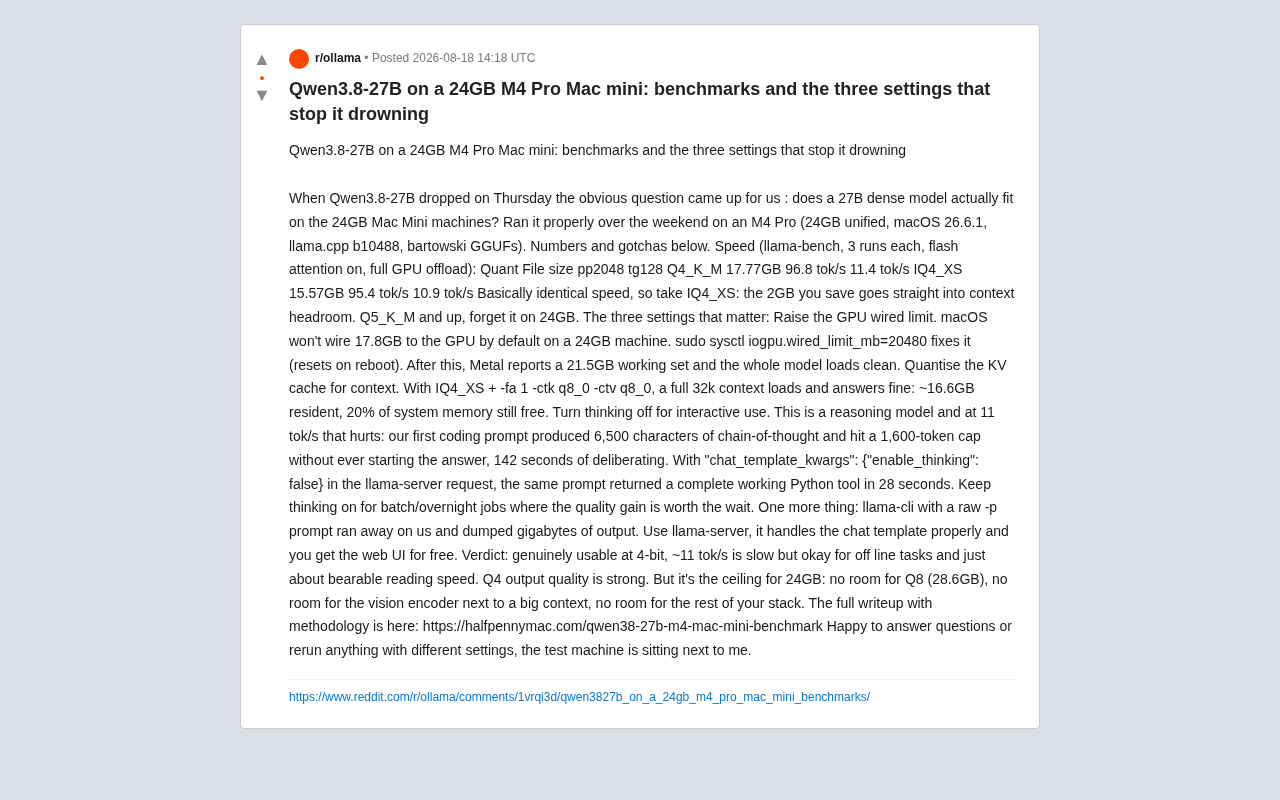
Quantization Format Comparison: IQ4_XS Offers Better Value
The tester ran three rounds with llama-bench, enabling flash attention with full GPU offload, yielding the following data:
| Quantization | File Size | pp2048 | tg128 |
|---|---|---|---|
| Q4_K_M | 17.77GB | 96.8 tok/s | 11.4 tok/s |
| IQ4_XS | 15.57GB | 95.4 tok/s | 10.9 tok/s |
Let's explain what these quantization formats mean. GGUF is the model file format defined by the llama.cpp project, supporting multiple quantization precisions. Q4_K_M represents 4-bit quantization using the K-quant scheme's medium variant, striking a balance between precision loss and file size. IQ4_XS is the extra-small variant of importance-weighted quantization at 4-bit—it allocates higher precision to more important weights in the model, maintaining quality at a smaller file size. bartowski is a well-known community quantization publisher, renowned for providing high-quality GGUF files in multiple formats.
The two performance metrics also need explanation: pp2048 (prompt processing 2048) measures the speed of processing 2048 input tokens at once, reflecting prefill-stage throughput. This stage is highly parallelizable, hence the high speed (~96 tok/s). tg128 (text generation 128) measures the speed of generating 128 tokens one by one—this stage is strictly sequential, as each token depends on the previous token's result, with speed limited by memory bandwidth rather than compute. For users, tg speed is the critical metric that determines the "typing speed" experience. The M4 Pro 24GB version features 273GB/s memory bandwidth, which essentially determines the theoretical upper limit of tg speed.
The speeds between both quantizations are virtually identical. Given this, IQ4_XS is the better choice—the ~2GB saved can be directly used for extending context headroom.
As for Q5_K_M and above, you can forget about them on a 24GB machine. Q8 quantization requires 28.6GB and simply won't fit. This means 4-bit is the practical ceiling for 24GB of memory.
Three Critical Settings to Stop It from "Drowning"
The "stop it drowning" in the title refers precisely to these three configurations—they determine whether the model can run stably within limited memory without crashing due to resource exhaustion.
1. Manually Increase the GPU Memory Limit
By default, macOS won't allocate 17.8GB of VRAM space for the GPU on a 24GB machine. You need to manually run:
sudo sysctl iogpu.wired_limit_mb=20480
This involves an important characteristic of Apple Silicon's Unified Memory Architecture (UMA): the CPU and GPU share the same physical memory pool, eliminating the need to copy data between system memory and dedicated VRAM as on traditional PCs. Model weights only need to be loaded once into unified memory, and the GPU can access them directly. However, UMA also means the GPU doesn't have its own large dedicated VRAM—24GB must simultaneously serve the operating system, applications, and GPU computation. macOS defaults to limiting the GPU's available memory quota to protect system stability, which is why you need to manually adjust the iogpu.wired_limit_mb parameter to override the default limit.
Note that this setting resets after a reboot. After executing it, Metal reports a 21.5GB working set, and the entire model can cleanly load fully into the GPU.
2. Quantize KV Cache to Support Long Contexts
Fitting the model weights alone isn't enough—the context cache also consumes memory. After the tester used IQ4_XS with -fa 1 -ctk q8_0 -ctv q8_0 (quantizing the KV cache to q8_0), the full 32k context loaded and responded correctly, with resident memory at approximately 16.6GB and 20% system memory still free.
Understanding why this step matters requires knowing how KV cache works. The KV cache (Key-Value Cache) is a data structure in the Transformer architecture that stores historical computation results from the attention mechanism. Every time the model processes a new token, it needs to look back at the Key and Value vectors of all previous tokens to calculate attention weights. Without caching these intermediate results, generating each token would require recomputing attention across the entire sequence—an extremely expensive operation. But KV cache memory usage scales proportionally with context length and model depth—for a 27B parameter model, full-precision (FP16) KV cache for 32k context could require several GB of memory. Quantizing the KV cache from FP16 to q8_0 (8-bit integer) cuts its memory footprint in half, allowing longer context windows within limited memory with negligible impact on output quality.
3. Disable Thinking Mode for Interactive Use
This is a reasoning model, and at 11 tok/s, verbose chains of thought create noticeable experience problems.
The Qwen3.8 series belongs to the reasoning model category—these models generate an internal Chain of Thought before producing their final answer, similar to humans "thinking before speaking." The chain of thought typically includes problem decomposition, hypothesis verification, and self-correction steps, significantly improving accuracy on complex tasks (like mathematical reasoning and multi-step programming). But the cost is a dramatic increase in total generated tokens—a response that might normally require 200 tokens can balloon to over 2000 with the chain of thought. In low-speed inference environments, the extra thinking tokens directly translate to extended wait times for users.
The tester's first coding prompt generated a 6,500-character chain of thought, hit the 1,600 token limit without ever starting the actual answer—spending a full 142 seconds "deliberating."
After adding "chat_template_kwargs": {"enable_thinking": false} to the llama-server request to disable thinking, the same prompt returned a complete, functional Python tool in 28 seconds.
Recommendation: disable thinking mode for interactive use; keep it enabled for batch processing or overnight tasks where quality improvements justify the time cost.
Practical Tips and Limitations Summary
The tester also mentioned an important detail: using llama-cli with a raw -p prompt went out of control, outputting gigabytes of content. You should use llama-server instead, which correctly handles chat templates and includes a free Web UI. The "chat template" here refers to properly formatting user messages into the input format the model expects (including special tokens for system prompts, user turns, and assistant turns). If the format is incorrect, the model may fail to recognize conversation boundaries, resulting in unlimited continuous generation.
Final verdict: At 4-bit quantization, Qwen3.8-27B is genuinely usable on a 24GB Mac mini. The ~11 tok/s is slow but sufficient for offline tasks, and Q4 output quality is excellent.
However, this is also the absolute limit of 24GB memory: there's no room for Q8 (28.6GB), no way to load a vision encoder alongside a large context, and no headroom for the rest of your tech stack. If your workflow requires vision capabilities or more concurrent resources, you'll likely need a machine with more memory.
For users looking to deploy large models locally on Apple Silicon, this real-world test provides an invaluable configuration blueprint—especially those three "anti-drowning" settings, which are essentially mandatory operations for getting a 27B dense model running on 24GB.
Related articles

Why Does the Tesla Roadster Need to Fly? A Deep Dive into Musk's Wild Demo
Tesla's Roadster launch showed wall-climbing, upside-down driving, and flying stunts—but The Vergecast notes the demo car may lack a battery, the Rocket version is invite-only and not street-legal, and the website terms don't guarantee delivery. After nine years of delays, why does this car still need to exist?

AI Is Not a Replacement: Human-AI Collaboration Through the Lens of Factory Root Cause Analysis
Starting from factory root cause analysis, this article explains how AI accelerates evidence chain construction rather than replacing human experts, exploring the pragmatic implementation logic and business value of 'AI supporting people rather than replacing them.'

AI Agent Decision Auditing: Building an Evidence Chain in Regulated Workflows
Starting from a Reddit discussion, this article analyzes three core issues in AI agent decision auditing within regulated workflows: what fields audit records should contain, how to handle feedback latency for erroneous decisions, and how to continuously calibrate LLM judge consistency with human judgment.