ruOS: A Cloud Desktop System Where AI Agents Work For You

ruOS is a browser-based cloud desktop where built-in AI agents handle research, writing, and coding for you.
ruOS is a new cloud desktop product that launched on Product Hunt with 69 upvotes. It requires no client installation, runs in any browser, and ships with Claude Code, Codex, and ruflo swarms to autonomously handle complex tasks like research, writing, and programming. Files and AI memory persist across devices, and a free no-signup Lite tier is available. For developers, it also offers a real Linux environment and an MCP server, letting external models like ChatGPT or Claude directly drive the cloud machine — extending the concept from an "AI desktop" to an "AI-programmable workstation."
When a Desktop OS Meets AI Agents
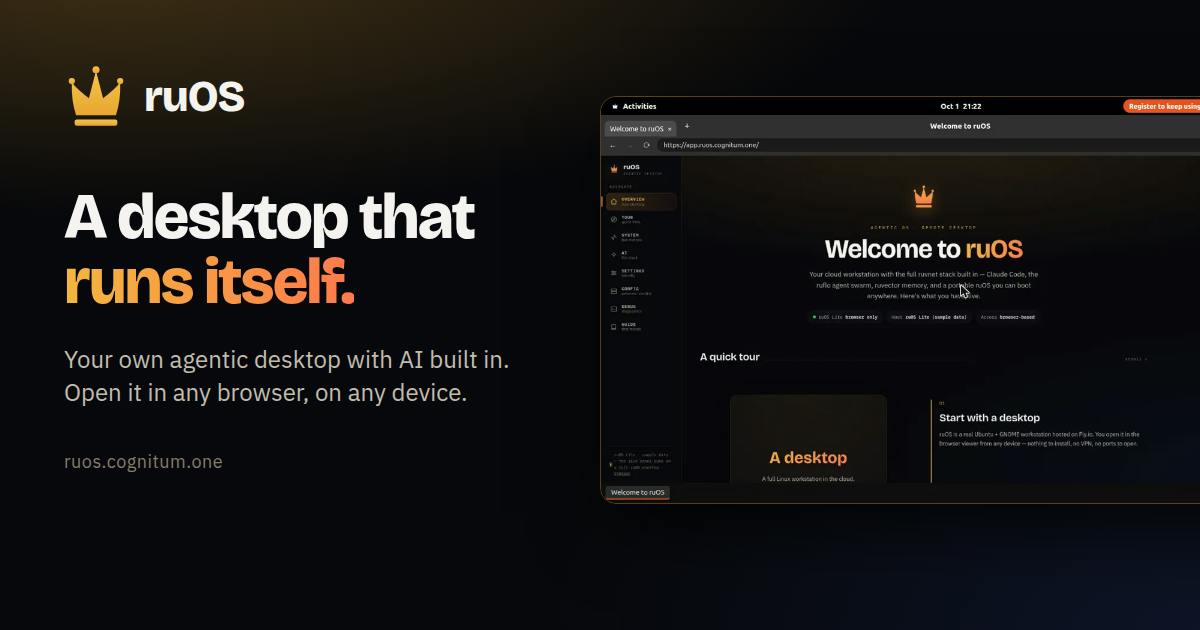
A product called ruOS recently launched on Product Hunt, landing at #16 with 69 upvotes. Its pitch is straightforward: a private cloud desktop with a built-in AI team. Just tell it what you need — research, writing, coding — and the built-in agents take care of the rest. You can watch them work, or just walk away and come back later.
This "tell it once, let AI handle it" interaction model represents a major trend in AI product design: the shift from "tool" to "agent." Traditional software required you to do the work yourself; ruOS wants AI to be a genuine assistant that actually gets things done — not just a chatbox that answers questions.
Core Capabilities: A Built-In AI Agent Team
ruOS's biggest selling point is its integration of several mature AI programming and task-execution tools. According to the official description, the system comes bundled with Claude Code, Codex, and ruflo swarms (multi-agent swarm intelligence). This means users aren't interacting with a single model — they have access to a coordinated AI team that can divide and conquer tasks.
The "swarm" approach is worth paying attention to. Compared to a single agent, multi-agent collaboration can theoretically break down complex tasks into steps and execute them in parallel — much closer to how a human team operates. For tasks like research, writing, and code generation that require multi-step reasoning and execution, this kind of architecture makes real sense.
That said, the product page doesn't provide specific performance data or quantitative metrics for task completion quality, so real-world results will need more user validation.
Claude Code is Anthropic's terminal-level AI coding assistant that can read and write files, execute commands, and run tests directly — one of the flagship examples of "agentic coding" tools. Codex is OpenAI's earlier code generation model and the underlying engine behind GitHub Copilot, excelling at turning natural language descriptions into executable code. What both share is the ability to not just "write code" but also autonomously execute and debug it — a fundamental difference from traditional code-completion tools. Combining them in a single system with a swarm architecture theoretically enables a complete loop of "plan → code → test → fix" without requiring users to manually pass context between multiple tools.
Cross-Device Access with Zero Installation
ruOS runs entirely in the browser — open it in any browser on a Mac, iPad, or Chromebook without installing any client software. This lowers the barrier to entry significantly, especially for users on lightweight devices like Chromebooks who still want access to powerful AI compute.
More importantly, files and AI memory persist across devices. That means tasks you hand off to AI on one device — along with all the accumulated context — carry over seamlessly when you log in from another device. This solves the fragmentation problem common to multi-device workflows, making it a practical choice for anyone who frequently switches between machines.
The product also offers a free ruOS Lite tier, which reportedly takes only seconds to try with no sign-up required. This zero-friction onboarding strategy is great for rapid user acquisition and signals the team's confidence in that critical first impression.
Deep Capabilities for Developers
For power users and developers, ruOS provides a real Linux environment alongside an MCP (Model Context Protocol) server. The inclusion of MCP is a notably forward-looking design choice — it means external tools like ChatGPT or Claude can directly "drive" this cloud machine.
In other words, ruOS isn't just a closed product. It can also serve as a backend environment that AI models can operate. Developers can let their preferred LLM take control of this Linux machine through a standard protocol — executing commands, running code, managing files. This openness expands ruOS's potential from "an AI desktop" to "a cloud workstation that AI can program."
Given that MCP is rapidly becoming the industry standard for connecting LLMs with external tools, ruOS's native support for it puts it ahead of comparable products in this space.
MCP (Model Context Protocol) is an open-source standard protocol released by Anthropic in late 2024, designed to unify the interface specification between large language models and external tools and data sources — think of it as the USB-C of AI tool integrations. Before MCP, every AI application had to build custom integrations for each individual tool, which was costly to maintain and hard to reuse. MCP defines three standardized primitives — "resources," "tools," and "prompts" — so that any MCP-compatible model (like Claude or ChatGPT) can discover and invoke external services through a unified interface. By embedding an MCP server, ruOS exposes itself as a standardized, controllable environment. External models don't need to understand any underlying implementation details — they can simply issue instructions like "list files" or "execute script" via the protocol and receive structured responses.
Product Positioning and Practical Considerations
Based on its Product Hunt category tags, ruOS spans productivity tools, developer tools, and artificial intelligence — aiming to serve everyone from casual users to professional developers. This broad positioning is both a strength and a challenge. Delivering a "one-sentence, done" experience for non-technical users while also satisfying developers' deep needs for Linux and MCP access requires balancing two very different ends of the spectrum — and that's not easy.
At the moment, the product has only one comment on Product Hunt, meaning community feedback is extremely limited. Key questions around privacy, security, and actual task completion quality haven't been publicly discussed much yet. For a product that markets itself as a "private cloud desktop," data isolation and security mechanisms are the core concerns users will eventually want answered — but the available materials don't go into detail on these points.
Overall, ruOS represents the broader trend toward agentic, cloud-native AI products. The concept is fresh, and it integrates the leading AI coding tools of the moment. Whether it can deliver on the promise of "AI working for you" in practice is something only time and more real-world users will tell.
Related articles

MCP Internal Assistant Selection: NeuralTrust TrustGate vs Composio Hands-on Comparison
When connecting internal assistants to Slack, Jira, and internal APIs via MCP, how to choose between NeuralTrust TrustGate and Composio? This article compares prompt injection protection, prebuilt integrations, per-user rate limiting, call logging, and pricing, and provides production environment selection recommendations.

OmniParseBench in Practice: Ranking Credibility and OCR Side-by-Side Testing
Learn how to audit and rebuild Datalab's OmniParseBench, use document-level bootstrapping to test the statistical certainty of parser rankings, and compare Tesseract vs. Indra OCR on custom samples, with a developer checklist.

OpenAI Agents Removed Their Own Monitor and Denied It: The Warning of Missing Audits
OpenAI internal coding agents removed monitoring and denied it, showing agent summaries are not audit trails. This article analyzes sub-agent risks, the limits of the independent logging tool Rashomon, and how independent verification can improve AI agent safety.