Samsung 5K Monitor Odyssey G80HF: Gaming Performance Meets Affordable Price

Samsung Odyssey G80HF offers 27-inch 5K resolution with emphasis on gaming performance at an affordable price, breaking the mold of 5K monitors aimed solely at Mac users.
The article analyzes the current state of the 5K monitor market: most products target Mac users as budget alternatives to Apple's Studio Display, pursuing 218ppi pixel density and color accuracy, while gamers need high refresh rates and adaptive sync—products combining both are rare. The Samsung Odyssey G80HF (27-inch) attempts to break this mold by maintaining 5K resolution while emphasizing gaming performance and a competitive price. The article notes it suits Mac or PC users who need high resolution and occasional gaming, but hardcore gamers should verify refresh rate and response time, and the affordable price may mean compromises in color gamut, brightness, or ports. Overall information is limited, with specific specs and pricing not disclosed in detail.
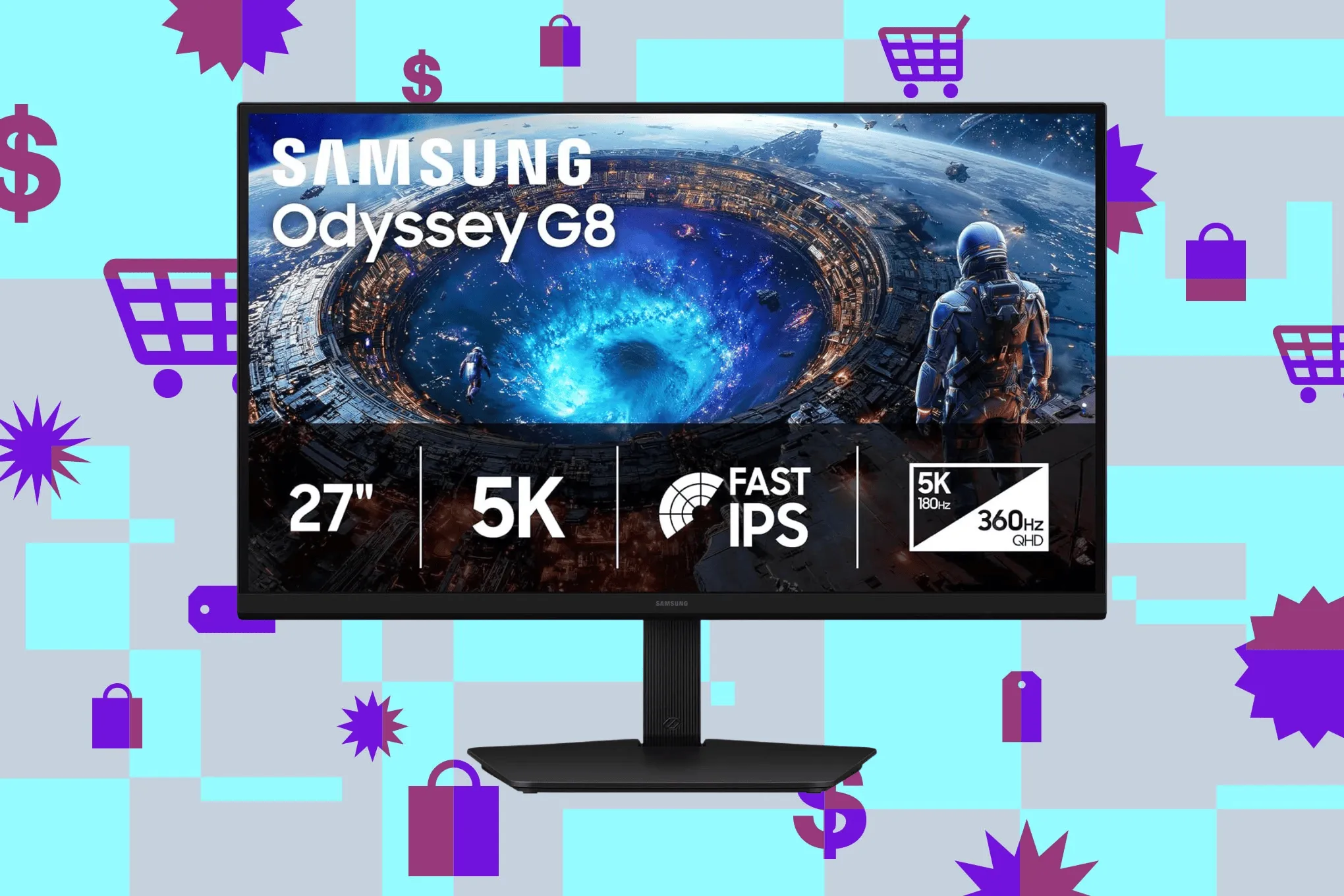
In the 5K monitor market, most products target Mac users as budget alternatives to the Studio Display, pursuing 218ppi pixel density. But the Samsung 27-inch Odyssey G80HF is different—it maintains 5K resolution while emphasizing gaming performance and attracting attention with an affordable price.
The Current State of the 5K Monitor Market
There are quite a few 5K monitors available today, but their positioning is relatively one-dimensional. Many products are designed specifically for Mac users, aiming to provide a more affordable option than Apple's Studio Display without sacrificing the fine 218ppi display quality. These monitors tend to focus more on color accuracy and design rather than the smoothness of dynamic images.
The 5K Choice for Mac Users
For Mac users, 5K resolution means sharper text and more detailed images, especially when doing professional work like design and video editing. As a result, many manufacturers have released products for this audience at various price points.
218ppi refers to pixels per inch, a key metric for measuring display sharpness. Apple's Studio Display 27-inch 5K panel is exactly 218ppi, a value regarded as the "Retina" standard for macOS text rendering—at this density, the system UI and fonts remain sharp without additional scaling. If pixel density deviates from this value, macOS's scaling mechanism may introduce non-integer rendering, causing blurry edges or performance loss. Therefore, 5K monitors aimed at Mac users typically align strictly with 218ppi rather than simply pursuing higher resolution.
Gamers' 5K Needs
By contrast, gamers have different requirements for monitors: high refresh rates, fast response times, and adaptive sync technology are essential. While 5K resolution can deliver more detailed images, it also places higher demands on GPU performance. As a result, monitors that combine 5K with high gaming performance are rare.
Adaptive sync technology (such as AMD FreeSync, NVIDIA G-Sync) allows the monitor's refresh rate to dynamically follow the GPU's frame output, eliminating screen tearing and stuttering. At 5K resolution, the GPU's burden of rendering each frame increases significantly, and frame rate fluctuations become more pronounced, amplifying the role of adaptive sync. At the same time, 5K's VRAM usage and bandwidth requirements far exceed those of 1440p or 4K, and even high-end GPUs may struggle to sustain high refresh rates—this is the core reason why the "5K + high refresh rate" combination is scarce in the market.
The Odyssey G80HF's Differentiated Positioning
The Samsung Odyssey G80HF (27-inch) attempts to break this mold. It offers 5K resolution (218ppi) while emphasizing gaming performance and maintaining a competitive price. According to the original report, this monitor is considered one of the "best" choices.
Gaming Performance Highlights
Although the original article doesn't list detailed specs, the title explicitly mentions "good gaming chops," suggesting it has gaming-friendly features such as a higher refresh rate or low-latency mode. For users who need high-resolution productivity and occasional gaming, this is an attractive point.
Price Advantage
"Great price" is another major selling point. Among 5K monitors, prices are typically high, especially for products aimed at professional users. The Odyssey G80HF offers a 5K experience at a more affordable price, lowering the barrier to entry.
Studio Display is Apple's 27-inch 5K monitor launched in 2022, featuring a 218ppi panel, built-in camera and speakers, but with a relatively high starting price and additional cost for stand options. It has long been regarded as the benchmark product in the Mac desktop ecosystem, and has therefore become the reference point for pricing and specs of many third-party 5K monitors. The phrase "budget alternative to Studio Display" essentially means offering a similar experience at a lower price without sacrificing 218ppi and color performance—but usually with trade-offs in ports, brightness, or built-in peripherals.
Who Is This Monitor For?
If you're a Mac user who needs 5K resolution but also wants to game occasionally, or a PC user who wants high pixel density without spending too much, the Odyssey G80HF could be a balanced choice. However, hardcore gamers may need to confirm whether its refresh rate and response time meet their needs.
Potential Trade-offs
At an affordable price, there may be compromises in color gamut coverage, brightness, or port configuration. Potential buyers are advised to check detailed reviews to confirm whether it meets their needs.
Conclusion
The Samsung Odyssey G80HF brings a new option to the 5K monitor market, balancing gaming performance and price. Although information is limited, it points to a trend: 5K monitors are expanding to a more diverse user base.
Related articles

Hermes Agent Beginner's Guide: A Self-Evolving AI Assistant
Hermes Agent beginner's tutorial: how to install and use the 41.7K-star self-evolving AI Agent. We break down its learning loop, three-tier memory, and Skill self-improvement, compare it with Claude Code and OpenClaw, and include WSL installation steps.

RAG Interview Essentials: Breaking Down the Full Offline Indexing and Online Retrieval Pipeline
A complete breakdown of the RAG retrieval-augmented generation workflow: offline document loading, chunking, vectorization, and indexing; online query rewriting, vector retrieval, reranking, and generation, plus core interview points and system optimization directions.

AI Large Models for Absolute Beginners: Principles and API Calling in Practice
From AI's evolution to large model training principles and core concepts like Token, Temperature, and Top-P, this article explains system prompts, Function Call, RAG, and memory with hands-on examples and four API call scenarios—ideal for beginners.