Screen Studio 4.0 Released: Glass Magnifier, Camera Keying, and Text-Based Editing

Screen Studio 4.0 adds glass magnifier, text-based editing, camera keying, and improves export performance and privacy.
Screen Studio 4.0, #1 on Product Hunt, is a Mac screen recording tool that adds glass magnifier, split screen (vertical video), text-based editing, camera keying, and automatic hiding of sensitive data and faces. It supports ProRes export, sharper zoom, and up to 4x faster speeds. Aimed at Mac users for demos, tutorials, and marketing, it automates manual editing to lower the production barrier.
Screen Studio 4.0, ranked #1 on Product Hunt for the day, brings several upgrades to the Mac screen recording experience. The tool was already known for automating complex tasks like zoom, motion, audio, and framing, making tutorial and demo video production simpler. Version 4.0 builds on that foundation with a glass magnifier, split screen (with vertical video support), text-based editing, camera keying, automatic hiding of sensitive data and faces, and improved export performance.
Core New Features
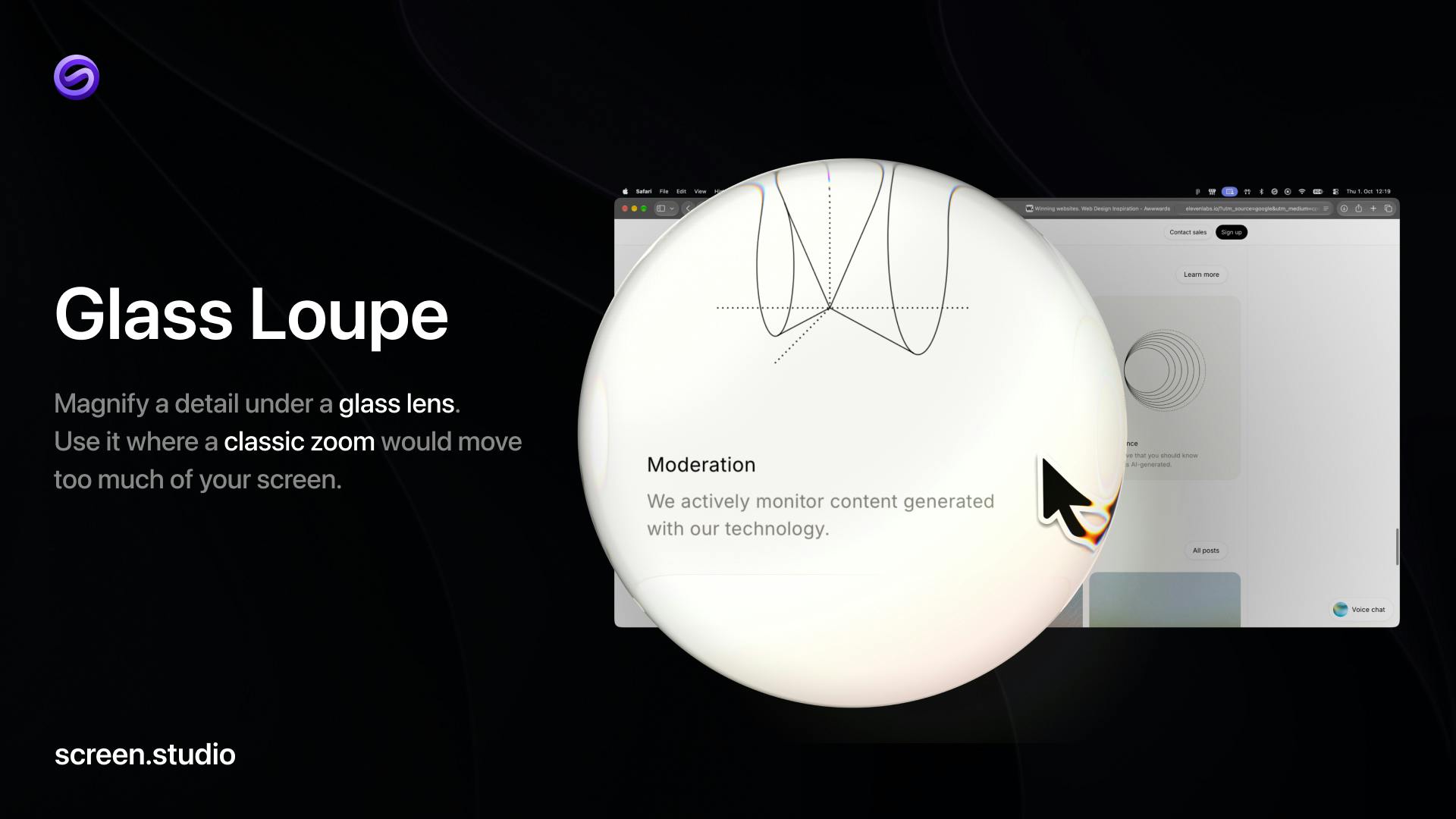
Glass Magnifier: Focus on Key Details
The glass magnifier is a local zoom tool that enlarges a specific detail area during recording or post-processing. Unlike traditional full-screen zoom, it highlights only a particular part, making it ideal for showing small buttons, code snippets, or design details in an interface. For tutorial creators, this means viewers can see the key operations more clearly without repeatedly adjusting the zoom level.
Text-Based Editing: Edit Video Like Text
Screen Studio 4.0 introduces the concept of "editing video like editing text." Users can delete or adjust segments directly on the transcript, and the video automatically follows the text edits for trimming. This interaction dramatically lowers the barrier to video editing, especially for quickly producing spoken explanations or step-by-step demos. Combined with automatic hiding of sensitive data and faces, the editing process becomes smoother and safer.
Text-based editing works by transcribing speech in the video into timestamped text via automatic speech recognition (ASR), then mapping text to video frames. When users delete or move text, the system automatically trims the corresponding video segments based on timestamps. This process relies on accurate speech transcription and time alignment, and is somewhat sensitive to background noise, accents, and speech rate changes. Screen Studio 4.0 brings this interaction to screen recording scenarios, suitable for spoken explanation content, but if recordings contain a lot of non-speech operation sounds or ambient noise, transcription accuracy may decline and manual proofreading may be needed.
Camera Keying and Automatic Privacy Protection
The camera keying feature allows separating a person from the background and placing them in a corner of the screen recording without a green screen. This is very practical for tutorials that need to show both the presenter and the operation interface. Meanwhile, version 4.0 can automatically hide sensitive data and faces, preventing privacy leaks when sharing videos and further reducing post-processing workload.
Camera keying (background removal) typically relies on green screens or depth sensors to separate a person from the background. Screen Studio 4.0's keying doesn't require a green screen; its underlying technology is mostly based on AI portrait segmentation models (such as deep-learning-based real-time semantic segmentation), which identify human contours and background boundaries in the frame and generate an alpha mask frame by frame. This technology is sensitive to lighting changes, hair edges, and motion blur, so actual results depend on model accuracy and hardware performance. For Mac users, Apple Silicon's neural engine can accelerate such inference, making real-time keying possible, though complex backgrounds or fast motion may still produce edge artifacts.
Performance and Format Upgrades
Beyond feature innovations, 4.0 also optimizes export: it supports ProRes format, sharper zoom, and up to 4x faster export speeds. For professional users needing high-quality output, these improvements mean shorter workflow waits and better image performance. Split screen now also supports vertical video, adapting to viewing habits on social media platforms.
ProRes is a high-quality, intra-frame compressed video codec developed by Apple, widely used in professional film and video post-production. Unlike common inter-frame compression formats like H.264, ProRes encodes each frame independently, so editing doesn't require decoding previous or next frames, significantly reducing CPU load and maintaining high fidelity of color and detail. Screen Studio 4.0's support for ProRes export means its output can go directly into professional editing software like Final Cut Pro or Premiere for further processing without noticeable quality loss from multiple transcodes. For tutorials or marketing videos requiring high-quality delivery, this feature enhances post-production flexibility.
Market Positioning and User Feedback
Screen Studio 4.0 received 180 votes and 34 comments on Product Hunt, ranking #1 for the day. This reflects strong market demand for easy-to-use screen recording tools. The product is primarily aimed at Mac users, suitable for product demos, educational videos, marketing content, and more. Its core advantage lies in automating complex editing tasks traditionally done manually, allowing creators to focus more on the content itself.
As video content becomes increasingly important in marketing and tutorials, Screen Studio 4.0 provides a more efficient solution for individual creators and small teams by lowering the production barrier and improving output quality.
One-line Summary
Screen Studio 4.0 adds glass magnifier, text-based editing, camera keying, and more, while improving export performance and privacy protection.
Paragraph Summary
Screen Studio 4.0 is the #1 Product Hunt Mac screen recording tool of the day. Building on its automatic zoom, motion, audio, and framing processing, it adds a glass magnifier, split screen (with vertical video support), text-based editing, camera keying, and automatic hiding of sensitive data and faces. The glass magnifier locally highlights interface details, text-based editing lets users trim video like editing text, and camera keying separates people from backgrounds without a green screen. Export supports ProRes format, with sharper zoom and up to 4x faster speeds. Aimed at Mac users for product demos, educational videos, and marketing content, its core advantage is automating traditional manual editing tasks and lowering the video production barrier.
Related articles

VERS: Editing Activation Explanations to Halve Reasoning Model Tokens
VERS guides reasoning models by editing activation explanations, cutting 45.8% of tokens on GSM8K with only a 0.82 pp accuracy drop and transferring to larger models, but losing accuracy on competition problems.

Finding Errors Is Not Enough: Selective Model Escalation for Entity-Targeted Sentiment Analysis
This study explores selective model escalation for entity-targeted sentiment analysis, comparing data collection ordering, uncertainty-driven re-examination, and model routing—finding that minority-class priority only helps at very small data volumes, the oracle upper bound far exceeds actual gains, and escalation must be tailored to each dataset.
WAS-PO: Using Whitened Advantages to Solve the Correlation Trap in Multi-Reward Reinforcement Learning
WAS-PO paper proposes whitening advantages to correct correlation bias in multi-reward RL: when rewards are correlated, naive weighted summation effectively applies Σ^{1/2}w instead of w. Experiments show training reward improves steadily, but held-out accuracy does not improve in sync, and under two rewards it actually falls behind.