ScreenCursor: A Screen Recorder That Automatically Generates Zoom Effects
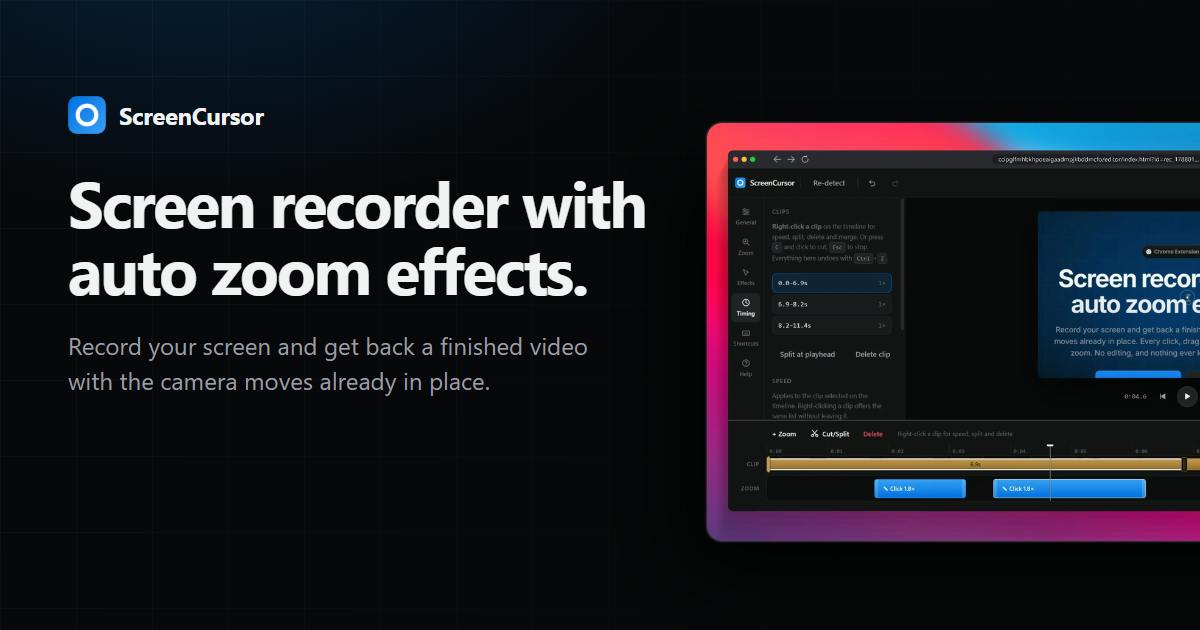
ScreenCursor auto-converts screen interactions into zoom effects, delivering finished recordings with no editing required.
ScreenCursor is a Chrome extension screen recorder built around a "record and you're done" workflow. It automatically maps clicks, drags, and keystrokes into zoom camera movements during recording, eliminating the need to manually keyframe zoom animations in tools like Final Cut or ScreenFlow. Its two main selling points are zero post-production editing and fully local processing — recordings never leave your machine. The extension is best suited for browser-based use cases like SaaS demos and web app tutorials, though its scope is narrower than desktop competitors like Screen Studio or Focusee. It earned 110 upvotes and #4 on Product Hunt at launch, with the key open question being how well its auto-zoom algorithm handles rapid interactions without triggering disorienting over-motion.
Screen recording seems simple enough — the real headache is post-production. To help viewers follow along with a button click or a drag-and-drop, creators often have to manually add zoom-ins and pans frame by frame in an editing app. ScreenCursor aims to automate this entire process: record your screen, and walk away with a finished video that already has all the camera motion baked in.
The product launched on Product Hunt and earned 110 upvotes, landing at #4 for the day, categorized under Chrome Extensions, Productivity, and Video.
Core Idea: Translating Interactions into Camera Language
ScreenCursor's product logic is sharply focused: while recording your screen, it captures every click, drag, and keystroke, then automatically maps those interactions to corresponding zoom effects. In the team's own words, "every click, drag, and keystroke becomes a zoom."
This addresses a genuine pain point. When creating product demos, tutorial recordings, or feature walkthroughs, a full-screen view often overwhelms viewers with too much information, making it hard to focus on the key action. The traditional approach is to manually set keyframes in Final Cut, Premiere, or ScreenFlow — a few minutes of footage can easily take several times that long to animate. ScreenCursor hands off the judgment of "where should we zoom in" to interaction detection: wherever you're working, the camera follows.
Two Key Selling Points: Zero Editing and Local Processing
The product page highlights two features that hit exactly what its target users care about most.
No Editing Required
"No editing" means the finished video is ready the moment recording ends. For indie developers, product managers, and content creators who need to produce demo content at high frequency, eliminating post-production has obvious value. It pushes the tool's positioning from "screen recorder" toward "automated video production" — not just capturing raw footage, but delivering a usable final cut.
Data Never Leaves Your Machine
"Nothing ever leaves your computer" is the other explicit promise — all processing happens locally, and recordings are never uploaded to the cloud. For screen recording scenarios involving internal systems, unreleased features, or sensitive data, this is practically a hard requirement. Compared to online recording tools that require uploading footage to a server for processing, local processing offers real peace of mind on privacy and compliance.
Positioning and Competition
ScreenCursor isn't entering an empty market. Auto-zoom as a feature has already been explored by products like Screen Studio and Focusee, both of which similarly market "automatic camera motion" as a way to make recordings look more polished and professional. ScreenCursor's entry point as a Chrome extension lowers the installation barrier and makes it a natural fit for browser-centric use cases like SaaS product demos and web app tutorials.
The Product Hunt numbers — 110 votes, #4 for the day — confirm there's sustained demand for "skipping the post-production step." But with only 3 comments, it's hard to assess how well the auto-zoom actually performs in practice. Whether the camera motion feels smooth, whether the zoom timing is intelligent, and whether rapid-fire interactions cause a disorienting flicker effect — these experiential details require hands-on testing to evaluate.
Both Screen Studio and Focusee ship as standalone desktop apps targeting macOS users, priced in the range of tens to over a hundred dollars, with core differentiation built around smooth post-recording zoom animations and extras like cursor highlighting and background blur. ScreenCursor's Chrome extension format means it's natively bound to the browser environment — no additional installer needed — but it's also therefore limited to in-tab interactions and can't record desktop software or cross-application workflows. This trade-off narrows its coverage compared to competitors, but within the specific vertical of web-based demos, it offers genuine plug-and-play convenience. For teams whose primary demo target is a web app, the friction cost is meaningfully lower.
Questions Worth Watching
Mechanically mapping every interaction to a zoom carries one major risk: "over-motion." When actions come in rapid succession, the screen may constantly zoom in, pan, and reset — creating more distraction than clarity. Good automated recording tools typically handle this at the algorithm level: deciding which actions are worth following, how to smooth transitions, and when to hold still. How mature ScreenCursor's approach is on this front will be the key differentiator between it and its peers — and the currently available public information isn't enough to draw conclusions.
For teams that regularly produce product demos and tutorials, ScreenCursor offers a "record and you're done" workflow, backed by the privacy advantage of local-only processing. That combination makes it worth including in any tool evaluation.
There's a useful reference point in professional screen editing: human editors typically follow the principle of "minimum necessary motion" — triggering a camera move only when viewer attention genuinely needs to be guided, and keeping the frame stable the rest of the time. Getting automation to replicate that judgment is fundamentally an intent-recognition problem. The same click can carry entirely different implications: navigating to a new page versus filling in a form field may call for completely different answers to "should we zoom here?" Some competing tools use heuristics based on dwell time or interaction density to filter out redundant motion, but these rules tend to break down under extreme pacing. ScreenCursor has not publicly disclosed the implementation details of its filtering mechanism — which remains the central unknown for evaluating its long-term usability.
Related articles

Salesforce Acquires Rune for $375M: AI Logistics Tech Bolsters Defense Business
Salesforce reportedly acquires defense tech startup Rune for $375M. Rune's AI logistics tech will strengthen Salesforce's Missionforce defense platform, continuing its M&A spree.

Why Fair Use Benefits Everyone in the AI Era
Starting from a Hacker News discussion, this article analyzes the legal logic and controversies of the fair use principle in AI training and content creation, and its dual impact on creators and the tech ecosystem.

Mistral Large 4 Open-Sources a Trillion Parameters, Microsoft Offers Voluntary Severance to 60,000 Employees
Mistral Large 4 open-sources a trillion-parameter multimodal model with a coding agent score of 48; SanDisk earnings show AI inference reshaping NAND demand; Google Gemini adds in-app file editing, OpenAI raises Codex quotas, and Microsoft offers voluntary severance to 60,000 employees.