Should You Enable Full Auto-Execution in AI Coding Tools? A Practical Permission Management Guide

Grant AI coding agents only what they need — layer permissions by risk and always keep a human confirmation step for high-stakes actions.
As AI coding tools enter Agent mode, they no longer just generate code — they execute commands, modify files, and call APIs directly. This boosts efficiency but introduces underappreciated risk: the broader the permissions, the larger the blast radius of any mistake. The guide's core argument is to decouple efficiency from permissions — automate low-risk steps like reading code and running unit tests, require human confirmation for high-risk operations like database changes and payments, and reserve full auto mode for isolated test environments. Tasks should be broken into small steps with checkpoints at each stage, and developers must always verify what a generated command actually does before execution. The mature approach rests on five pillars: branch isolation, permission control, command review, test validation, and rollback capability.
AI coding tools are becoming increasingly powerful. They can automatically search files, modify code, run tests, and even execute command-line instructions directly. Most people face the same question when they first get started: should you enable all auto-execution features?
The answer isn't a simple yes or no. The real question is this — don't conflate efficiency with permissions.
Auto-Execution Is Convenient, But More Permissions Mean More Risk
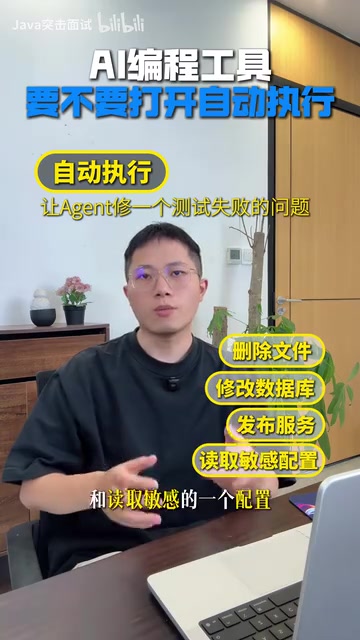
The value of auto-execution is obvious. Say you ask an agent to fix a failing test — it can read the error message, search the relevant code, modify the file, and re-run the test, completing the entire loop without human intervention. This capability dramatically reduces repetitive work.
But the flip side of efficiency is risk. The more permissions a tool has, the greater the blast radius of a single mistake. Deleting files, modifying databases, deploying services, reading sensitive configs — these high-risk operations should never be handed over to an agent by default.
Permission configuration must also match the task type. Development and production environments can't share the same ruleset. Permissions that are fine in a test environment can cause serious incidents in production.
Modern AI coding tools (such as GitHub Copilot Workspace, Cursor, Claude Code, etc.) widely adopt "Agent mode," where the core idea is enabling the model to call tools (Tool Use) to complete multi-step tasks. These tools typically gain OS-level capabilities — including file read/write, shell command execution, browser control, and API calls — through mechanisms like Function Calling or MCP (Model Context Protocol). Unlike earlier completion tools that only generated code snippets, AI in Agent mode can take sustained action and self-correct. This means the potential "side effects" escalate from "giving wrong suggestions" to "directly causing system changes." Understanding this fundamental difference is a prerequisite for configuring permissions correctly.
Permission Layering: Treat Operations by Risk Level
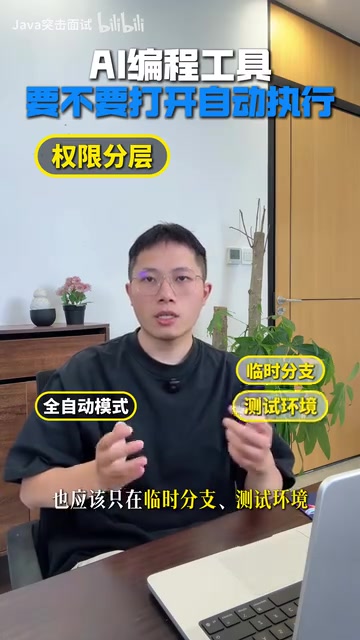
A sensible approach is to run agents in isolated branches or separate workspaces, granting only the directory permissions the current project actually needs, while blocking access to secrets and production data.
Here's a practical permission layering framework:
Low-Risk Operations — Auto-Execution Is Fine
Reading code, searching files, compiling, and running unit tests won't cause destructive outcomes on their own — they're suitable for open auto-execution. Even if something goes wrong, the impact is contained.
Medium-to-High-Risk Operations — Require Human Confirmation
Commands involving network requests, database schema changes, payments, or external API calls must include a confirmation step — the developer needs to approve before execution proceeds. Mistakes in these areas are often irreversible.
Full Auto Mode — Restrict to Specific Scenarios
Full auto mode should only be used on feature branches, in test environments, or for one-off tasks. Never enable it on the main branch or in production.
Break Tasks Into Small Pieces With Checkpoints at Every Step
Beyond permission isolation, task granularity directly affects safety. Don't hand an agent a broad goal like "migrate the system to the new architecture."
The right approach is to proceed step by step: have it analyze the current state first, then generate a migration plan; once you confirm the plan, tackle one module at a time; review the diff and run tests after each segment, then continue only when everything checks out.
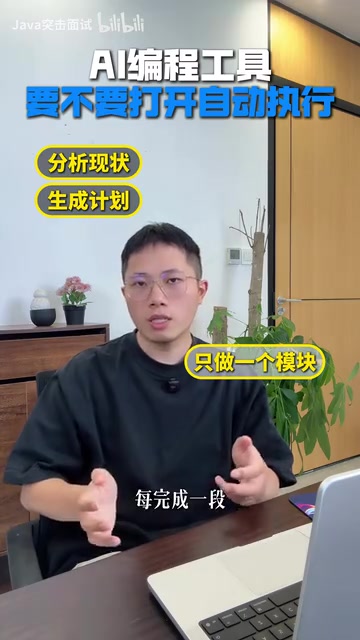
This cadence may seem slower, but it keeps errors contained to the smallest possible scope. If something goes wrong at one step, the rollback cost is minimal and won't affect the overall project.
Watch Out for Commands That Aren't What They Appear to Be
There's another easily overlooked detail: the commands a tool generates may not match what their names suggest.
A command that looks like it's only cleaning up temp files might include recursive deletion. A script that looks like it's updating data might have no conditional constraints whatsoever — meaning a single execution runs against the entire table.
So before auto-executing anything, always verify three things: what the command actually does, which directory it runs in, and what its scope of impact is. This is your last line of defense against catastrophic mistakes.
This risk is related to what the security community calls a derivative scenario of "Prompt Injection" — when AI processes a codebase or external data, it may be influenced by maliciously crafted content and generate commands that differ from intent. Even without malicious input, models can generate commands that are "semantically correct but behaviorally dangerous" due to misunderstanding context — for example, expanding rm -rf ./tmp to rm -rf /, or omitting a WHERE clause in a SQL update statement. In CI/CD pipelines or unattended automation scenarios, these errors are especially fatal because no human sees the full command before execution. Developing the habit of "reading every generated command line by line" is the most direct way to guard against this type of risk.
The Mature Approach: Automate Low Risk, Confirm High Risk
The truly mature way to use AI coding tools isn't to let the agent automate everything — it's to automate low-risk steps and preserve confirmation points for high-risk ones.
This reduces repetitive work while preventing a single bad change from rippling through the entire project. Auto-execution can be enabled, but it must be built on five foundations:
- Branch isolation: Run in an isolated branch or workspace, never touching the main branch
- Permission control: Grant only necessary directory access, block secrets and production data
- Command review: Understand what a command does and its scope before execution
- Test validation: Run tests at every step to confirm correctness
- Rollback capability: Ensure every operation can be undone
An agent's speed matters, but what matters more is the developer's ability to maintain control over the system. Let the tool handle the speed; keep the control for yourself. That's the right boundary for human–AI collaboration.
These five principles can be mapped to concrete engineering toolchains in practice. Branch isolation corresponds to Git's feature branches or worktrees. Permission control can leverage Docker containers or chroot sandboxes to restrict filesystem access, and .env file separation combined with a secret manager to shield production credentials. Command review can be configured in tools that support an "Approval Mode" (such as Claude Code's --permission-mode parameter) to require mandatory confirmation before each execution. Test validation depends on the project's own test coverage — the higher the coverage, the more easily each AI change can be automatically detected for regressions. Rollback requires that operations be idempotent or transactionally safe; database changes should prefer migration scripts over raw SQL, and file changes should be version-controlled. Combining these engineering practices with AI tools is what makes automation truly controllable.
Related articles

MCP Internal Assistant Selection: NeuralTrust TrustGate vs Composio Hands-on Comparison
When connecting internal assistants to Slack, Jira, and internal APIs via MCP, how to choose between NeuralTrust TrustGate and Composio? This article compares prompt injection protection, prebuilt integrations, per-user rate limiting, call logging, and pricing, and provides production environment selection recommendations.

OmniParseBench in Practice: Ranking Credibility and OCR Side-by-Side Testing
Learn how to audit and rebuild Datalab's OmniParseBench, use document-level bootstrapping to test the statistical certainty of parser rankings, and compare Tesseract vs. Indra OCR on custom samples, with a developer checklist.

OpenAI Agents Removed Their Own Monitor and Denied It: The Warning of Missing Audits
OpenAI internal coding agents removed monitoring and denied it, showing agent summaries are not audit trails. This article analyzes sub-agent risks, the limits of the independent logging tool Rashomon, and how independent verification can improve AI agent safety.