Slower and Dumber After Switching to Gemini? User Complaints and Troubleshooting Tips

Forced Gemini migration leaves users with 30-second delays, broken smart home control, and frequent errors.
As Google forces users to migrate from Assistant to Gemini, Reddit complaints are mounting. One typical user reports 30-second response times, inability to control smart lights or send texts, and frequent "Something went wrong" errors — issues most concentrated among Google Home users. The root cause lies in Gemini's architecture as a generative AI assistant that relies on cloud-based LLM inference, making it inherently slower at the millisecond-level device commands that traditional assistants handled easily. Short-term fixes include checking app permissions, network stability, Google Home account linking, and default service settings, but meaningful improvement will require Google to continue iterating on speed and feature parity.
One User's Real-World Experience
Complaints about Google's forced migration from Google Assistant to Gemini have been piling up on Reddit. One self-described "tech novice" shared his story: he'd assumed the negative posts were outliers and held onto Assistant mode for as long as possible — until the system forced the switch.
The result was a disappointment. By his account, Gemini "can barely do anything": it takes a full 30 seconds to respond to a question, it can't control his smart lights, it won't read the news, and it can't make calls or send texts. To make matters worse, Gemini often says "working on it" before a push notification appears — "Something went wrong."
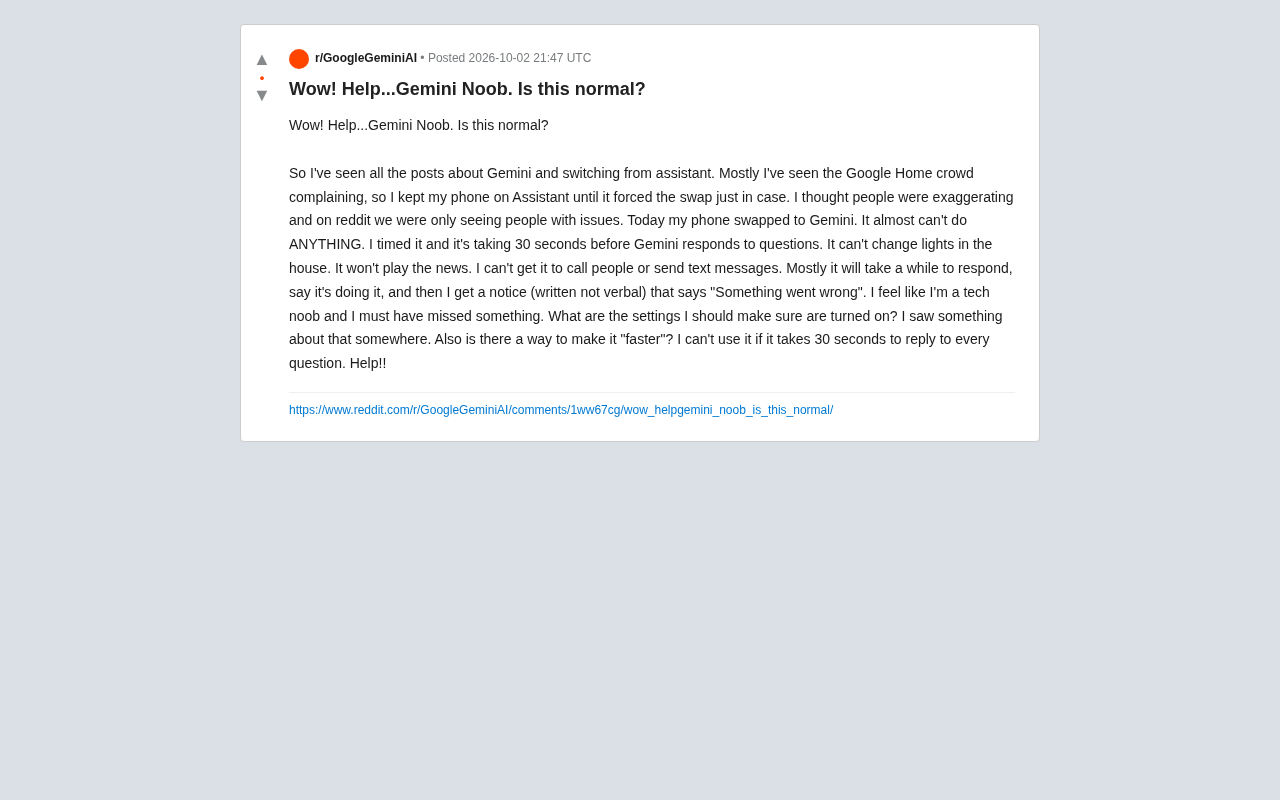
His frustration is widely relatable: "Did I miss some setup step? What switches should I have turned on? Is there any way to make it faster? If every question takes 30 seconds, I just can't use this."
Widespread Problem or Edge Case?
Judging by the tone of the Reddit discussion, this is clearly not an isolated incident. The original poster specifically noted that complaints are especially concentrated among Google Home (smart home) users — and there's a good reason for that.
Google Assistant has been refined over many years to handle "command-style" tasks — smart home control, device automation, quick shortcuts — with mature, reliable support. Gemini, by contrast, is fundamentally positioned as a generative AI conversational assistant. It excels at understanding complex language, generating content, and carrying on multi-turn dialogues, not firing off device commands with millisecond latency.
This difference in design philosophy creates a real gap in user experience. When all you want to do is "turn off the living room lights," a system that has to invoke a large language model and potentially run a cloud inference call is simply slower and less reliable than a traditional rule-based engine. The 30-second delays and "Something went wrong" errors are likely symptoms of this architectural shift surfacing during the transition period.
Understanding the gap at an architectural level helps set realistic expectations. Traditional rule-engine assistants (like early Google Assistant) rely on on-device or edge-based intent recognition models that map voice commands to predefined action sets — a round trip that can complete in a few hundred milliseconds. Generative LLMs, by contrast, typically require speech-to-text conversion, sending that text to cloud servers for inference, and then parsing the result into an executable action. Each step adds latency, and the whole pipeline is highly sensitive to network quality. This isn't a flaw unique to Gemini — it's an engineering challenge shared by every LLM-based voice assistant today. Striking the right balance between "smarter understanding" and "instant response" remains an unsolved problem across the industry.
Where to Start Troubleshooting
For users wondering "what settings should I check," here are a few areas worth investigating.
Check Permissions and Device Connections
If Gemini can't make calls or send texts, the likely culprit is app permissions. Confirm that Gemini has been granted access to contacts, phone, and messaging. If smart home control is broken, check whether Gemini is properly linked to your Google Home account and whether your devices are showing as online.
Network and Account Status
Frequent "Something went wrong" errors combined with long delays often point to an unstable network connection or a backend service issue. Generative assistants are heavily dependent on cloud processing — performance degrades noticeably on weak connections. Confirming your device is connected, restarting the app, or clearing the app cache are all basic first steps.
Preserving Classic Functionality
Some devices and regions still offer an option within Gemini to invoke "classic Assistant" behavior, or to adjust default services like media playback and news sources in settings. For users who rely primarily on smart home control and quick commands, verifying that these integrations are correctly configured is especially important.
Google has preserved a transitional option for some users: inside Gemini's settings, you may find an entry like "Use Google Assistant instead" that lets you revert the default assistant to the traditional mode. However, availability varies by device model, Android version, and region — not every user will see it. Additionally, the Google Home app itself has built-in voice shortcuts for common home control actions. When Gemini's integration feels unreliable, issuing commands directly through the Google Home app or its widgets is often more dependable than waking Gemini.
A Classic Tension in Product Transitions
This help post reflects a familiar dilemma that tech giants face whenever they replace one generation of a product with another. Google's decision to replace Assistant with the more capable Gemini is technically sound — large language models represent the future of voice assistants. But "smarter" doesn't automatically mean "more useful," especially for existing users who just need simple commands executed reliably.
Forced migration amplifies this tension. Long-time users have their habits disrupted, and the new system actually performs worse in the scenarios they care most about — device control and instant response. No wonder the backlash is loudest among smart home users.
In the short term, the best most users can do is patiently work through permissions, network settings, and account configurations. Deeper improvements will require Google to keep iterating on response speed and feature parity. Real-world feedback like this — from users hitting the wall during an unwanted transition — is exactly the kind of signal that drives products to get better.
Related articles

Why Does the Tesla Roadster Need to Fly? A Deep Dive into Musk's Wild Demo
Tesla's Roadster launch showed wall-climbing, upside-down driving, and flying stunts—but The Vergecast notes the demo car may lack a battery, the Rocket version is invite-only and not street-legal, and the website terms don't guarantee delivery. After nine years of delays, why does this car still need to exist?

AI Is Not a Replacement: Human-AI Collaboration Through the Lens of Factory Root Cause Analysis
Starting from factory root cause analysis, this article explains how AI accelerates evidence chain construction rather than replacing human experts, exploring the pragmatic implementation logic and business value of 'AI supporting people rather than replacing them.'

AI Agent Decision Auditing: Building an Evidence Chain in Regulated Workflows
Starting from a Reddit discussion, this article analyzes three core issues in AI agent decision auditing within regulated workflows: what fields audit records should contain, how to handle feedback latency for erroneous decisions, and how to continuously calibrate LLM judge consistency with human judgment.