SocialGPT: An AI Video Editing Tool That Works Through Chat

SocialGPT turns video editing into a natural language chat with AI, helping non-editors create short videos fast.
SocialGPT is an AI video editing tool built for creators and business owners who want to skip the learning curve of traditional software. Users upload footage and describe their edits in plain text — the AI handles trimming, captions, B-roll insertion, and music. Its standout feature is a hybrid model combining AI-assisted chat with manual timeline editing, balancing speed with control. Currently live on Product Hunt, it targets social media short-form content and signals a broader shift from one-click generation toward conversational AI collaboration.
Replace Complex Editing with Conversation
Video editing has long been one of the highest-barrier tasks in content creation. Producing a polished short video requires mastering timelines, transitions, captions, music, sound effects, and more — just learning a single editing application can eat up enormous amounts of time. SocialGPT aims to change that by turning the editing process into a conversation with AI.
Since launching on Product Hunt, SocialGPT currently sits at rank #11, with 67 upvotes and 6 comments, and is listed under categories including Social Media, Artificial Intelligence, and Photo & Video. Its core proposition is straightforward: upload your footage, then tell the AI in plain language what you want done.
What It Can Actually Do
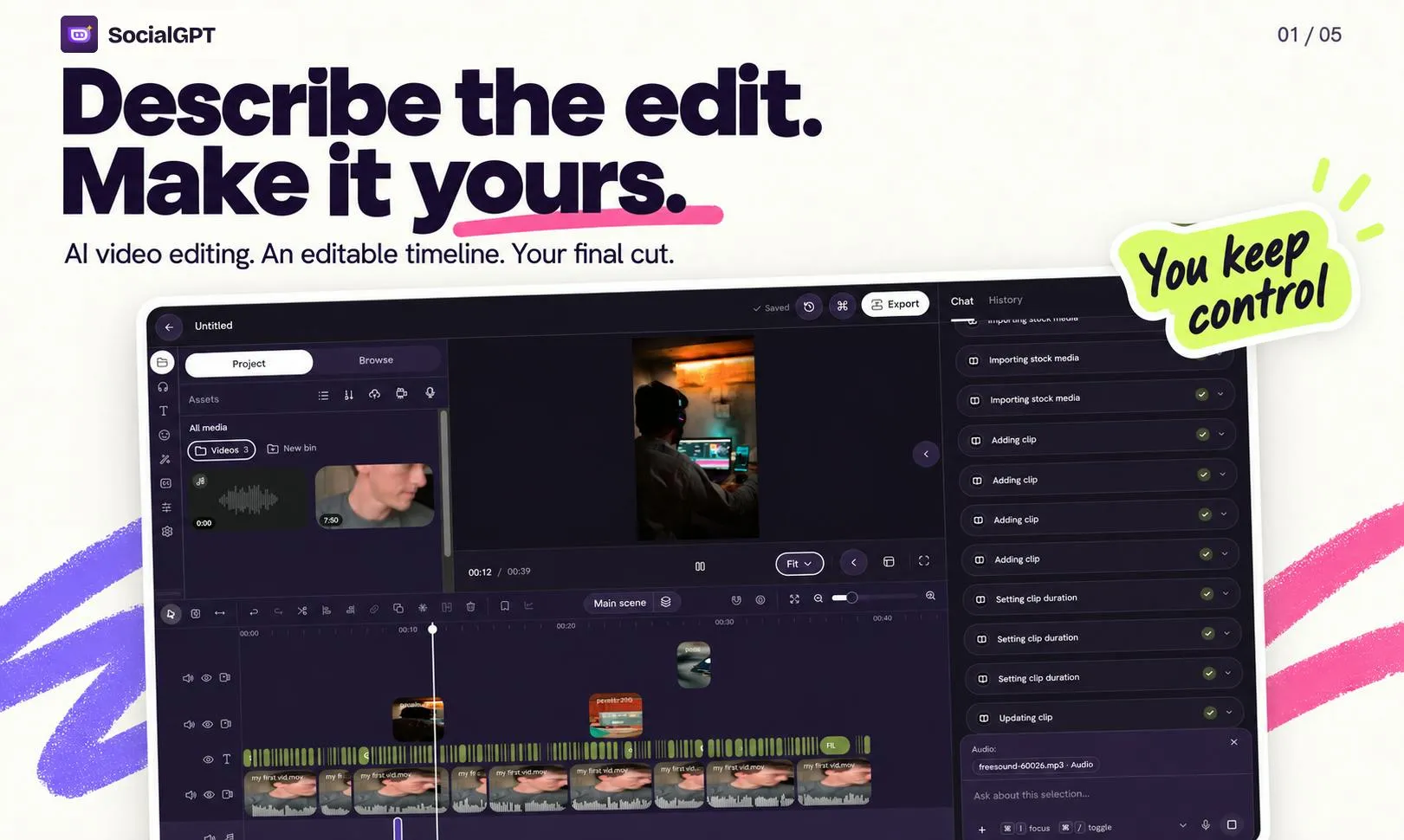
According to the official description, SocialGPT's workflow revolves around chat. After uploading your raw footage, you simply type out what you need — something like "tighten this up," "add captions," or "put some background music in" — and the AI carries out the corresponding edits.
The operations it supports cover the most common short-video production needs:
- Tighten the cut: Automatically removes redundant segments to improve pacing
- Captions: Auto-generates subtitles for talking-head content
- B-roll: Inserts supplementary or cutaway footage
- Music & sound effects: Adds background tracks and audio layers
Notably, SocialGPT doesn't lock users into chat-only mode. You can keep refining results through conversation, or jump in and edit the timeline directly yourself. This hybrid approach — AI-assisted with manual override — is what sets it apart from fully automated generation tools.
B-roll is a standard term in film and video production, referring to supplementary footage intercut with the primary material (A-roll — typically talking heads or main action). Examples include product close-ups, environmental shots, or related imagery. B-roll enriches visual depth, smooths jump cuts, and provides viewers with additional context during voiceover segments. In short-video production, well-placed B-roll is a key marker of professionalism — but sourcing, selecting, and inserting the right clips is often time-consuming for everyday creators. SocialGPT's AI-driven B-roll feature means the system attempts to semantically match and insert appropriate supplementary footage automatically. How well this works in practice depends heavily on how accurately the AI understands the video's content.
Target Users: Creators Who Don't Want to Learn New Tools
SocialGPT explicitly positions itself for two groups: creators and business owners — people who want to make videos but don't want to invest the time needed to master every editing tool's complex interface.
This positioning addresses a genuine pain point. For independent content creators who need to publish consistently, or small businesses producing promotional content for social platforms, the learning curve of professional editing software is a very real obstacle. SocialGPT lowers that barrier through conversational interaction — replacing "knowing how to operate the tool" with "knowing what you want."
Its placement in the Social Media category also signals its primary focus: short-form content for social platforms, not professional long-form post-production.
The Promise and Limits of Conversational Editing
Grafting large language model conversation onto video editing is a natural extension of where AI applications are heading. After text generation and image generation, high-barrier creative tasks like video editing are exactly where natural language interaction delivers the most value. Users no longer need to memorize keyboard shortcuts or menu hierarchies — they just need to clearly express their intent.
That said, this category of tool has inherent limitations. Conversational interfaces handle structured, describable editing tasks well, but for projects requiring precise frame-level control, complex visual effects, or highly personalized stylistic choices, manual editing remains irreplaceable. The fact that SocialGPT preserves manual timeline editing suggests the team understands this clearly — AI handles the heavy lifting and scaffolding, while humans retain final control over the details.
For social media content where speed and volume are the primary demands, that trade-off makes sense. It may not replace a professional editor, but it's more than capable of helping people who lack editing skills quickly turn a video idea into a finished product.
Frame-level control is a core concept of precision in professional video editing. Video typically plays back at 24 to 60 frames per second, meaning frame-accurate editing lets creators position cut points, trigger effects, or time caption appearances to within roughly 16 to 40 milliseconds. This level of precision matters enormously for beat-synced montages, music-aligned transitions, or content requiring exact lip-sync. Natural language works well for vague instructions like "add a transition around the three-second mark," but when the requirement becomes "cut to the next clip at frame 14 of second 2," conversational interfaces become significantly less efficient. This is exactly why preserving manual timeline editing isn't optional for professional users — it's essential.
Summary
SocialGPT represents a shift in AI video tools from "one-click generation" toward "conversational collaboration." It doesn't promise fully automated magic — instead, it offers an interaction model that aligns more naturally with how people actually think and work: making a video by chatting with an editing assistant. For creators and business owners who've been put off by traditional editing software, this could be a genuinely accessible entry point worth trying. As a product that just debuted on Product Hunt, its real-world editing quality and stability still need broader user validation.
Related articles

Will GitHub Die? Open Source Maintainer Burnout and the Collaboration Crisis in the AI Era
Lex Fridman podcast discussion on open source maintainer burnout and GitHub's predicament: massive pull requests overwhelm core maintainers, and AI worsens code bloat. Using math journal peer review and Poincaré conjecture verification as analogies, the article analyzes why verification in knowledge production must be deliberately slow, and how open source communities can avoid the failure mode of maintainers exiting.
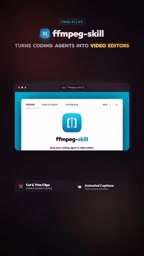
Stop Building Cookie-Cutter AI Websites: 3 Tools That Transform Your Coding Agent
Three tools that boost AI coding agents: FFmpeg skill for local video editing in Claude Code and Cursor, Hallmark's 50 design themes to fix cookie-cutter AI sites, and Jailbreaks' 25+ model prompts.

How America's Gerontocracy Squeezes the Younger Generation
Americans over 55 hold nearly three-quarters of national wealth, alongside an 80-year-old president and elderly congressional leaders. The Atlantic's Idrees Kahloon explains how gerontocracy drives up housing costs, squeezes opportunities for the young, and explores zoning reform and child poverty reduction as practical fixes.