TapNoise: A Mac Desktop Pet That Reacts to Every Keystroke

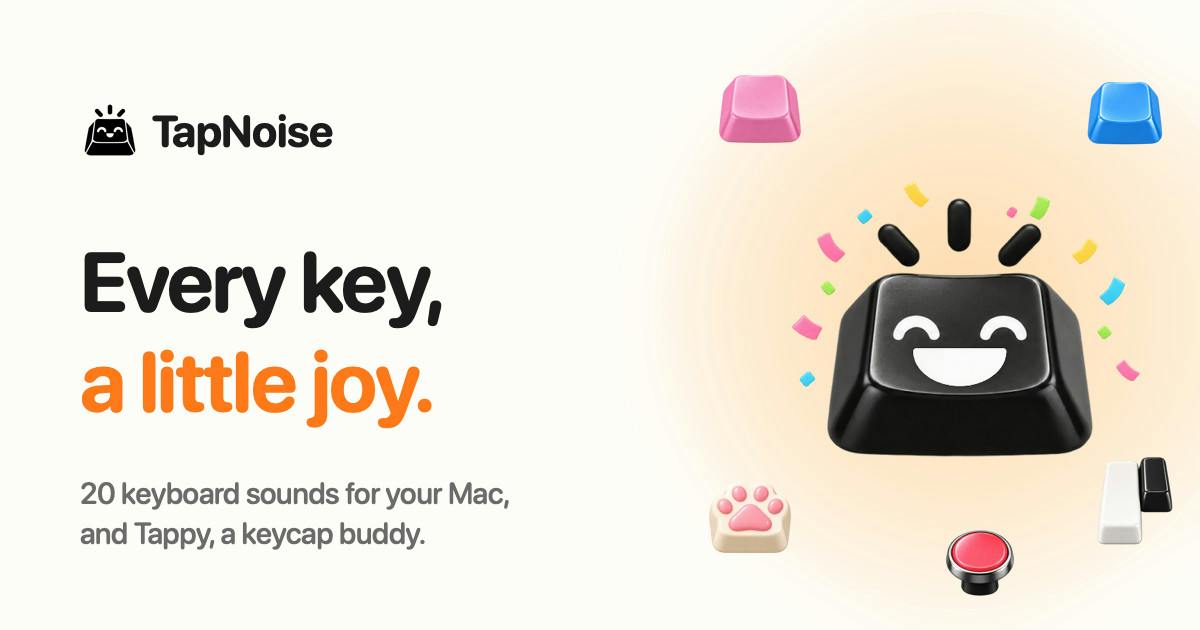
TapNoise is a Mac desktop pet whose keycap character Tappy reacts to typing and AI coding agent activity.
TapNoise, built by developer Rudra Satani, is a Mac desktop companion app centered on Tappy — an animated keycap that sweats, gets dizzy, eats, and dozes off in response to typing speed, charging state, and user absence. Its standout feature is AI coding workflow support: when agents in Claude Code, Codex, or Cursor finish a task, Tappy chimes and keeps sweating until you tap your MacBook to respond. Additional features include 20 keyboard sound effects, a Lift Alarm for theft prevention, and a Clean Mode for keyboard maintenance — all under a one-time purchase model.
A Little Pet That Lives on Your Keyboard
Desktop pet apps are nothing new, but TapNoise puts a fresh spin on the classic concept by weaving it into the modern developer's workflow. Its star is a tiny keycap character named Tappy, who lives on your Mac desktop and reacts to your every keystroke with charmingly human-like behavior.
Built by developer Rudra Satani, the app launched on Product Hunt and earned 65 upvotes, landing at #18 across three categories: Mac, Productivity, and Menu Bar apps. Its core pitch is straightforward: a lightweight, fun, one-time-purchase desktop companion.
What Tappy Actually Does
Tappy's appeal lies in how sensitively it mirrors your usage state. According to the official description, this little keycap will "sweat" when you're typing furiously, "get dizzy" when you slam your MacBook, "eat" when the charger is plugged in, and "doze off" when you step away from the computer.
These anthropomorphic animations transform the mundane act of typing into an emotionally engaging interaction. At its core, this is micro-interaction design — using tiny visual cues to create a hint of warmth between person and device. For anyone who spends long hours staring at a screen, that sense of "companionship" is exactly why desktop pet apps have remained perennially popular.
Built for the AI Coding Workflow
One of TapNoise's most interesting features is its dedicated support for AI coding tools. If you're working with AI programming assistants like Claude Code, Codex, or Cursor, Tappy will play a chime when your agent completes a task, then keep "sweating" until you tap twice on your MacBook to acknowledge it.
This solves a real pain point. AI coding agents can take a while to finish their work, and developers often switch to another window while waiting — only to miss the moment the task is done. TapNoise fills that gap with a playful notification mechanism, turning "waiting for the agent to return results" into something both practical and entertaining. It's also a telling sign that tool developers are increasingly designing products around AI coding workflows.
Claude Code is Anthropic's command-line AI coding assistant, Codex is OpenAI's code generation model, and Cursor is an AI-powered code editor. These tools share a common "agent mode" — the user gives an instruction, and the AI autonomously carries out a series of operations (reading/writing files, running commands, calling APIs), a process that can last anywhere from a few seconds to several minutes. Because tasks run asynchronously in the background, developers constantly have to juggle their attention: avoid sitting idle while waiting, but be ready to review results or issue the next instruction the moment the agent finishes. Existing OS notification systems weren't designed for this kind of workflow, and TapNoise fills that perceptual gap with a fun tactile-plus-visual signal.
Other Handy Features
Beyond the core pet interactions, TapNoise packs in a few practical features for real-world use cases:
- 20 keyboard sound effects: For fans of mechanical keyboard click feedback, with customizable typing sounds.
- Lift Alarm: Designed for users working in public spaces like cafés — triggers an alert when the device is picked up as a theft deterrent.
- Clean Mode: Temporarily disables keyboard input so you can wipe down your keys without accidentally triggering anything.
What these features share is a "small but specific" quality — each one targets a minor but genuine friction point in a Mac user's daily routine, rather than chasing feature bloat.
"Clean Mode" carries special significance for Mac keyboards. MacBook butterfly and scissor-switch keyboards are notoriously sensitive to dust and debris, requiring regular cleaning. The usual workaround is to shut down or lock the screen — but the former is time-consuming and the latter requires re-entering a password. Clean Mode simply blocks input signals, letting users clean their keyboard without interrupting their workflow. It's a textbook "minimum friction" solution. The Lift Alarm is similarly tuned to a specific Mac user behavior: MacBooks, being portable, are frequently taken to cafés, libraries, and other public spaces. A sound alert triggered the moment the device leaves the table serves as a first line of defense when users step away briefly — to grab an order or visit the restroom.
One-Time Purchase: A Lightweight Tool, No Subscriptions
At a time when subscriptions have become the software industry's default business model, TapNoise takes a clear stand with one-time pricing, emphasizing "Pay once, no subscription." For a lightweight tool with a relatively fixed feature set, a perpetual license tends to align better with user expectations and is simply easier to trust.
In terms of product positioning, TapNoise isn't a heavyweight tool trying to reinvent how you work — it's a small app designed to sprinkle a little delight into your day. It brings together the playfulness of desktop pets, the tactile satisfaction that mechanical keyboard enthusiasts crave, and a genuine notification gap in AI coding workflows, carving out a distinctive product niche in the process. For developers who spend long hours on a Mac and happen to be using AI coding tools, Tappy might just be the perfect little desktop companion to try.
Related articles

Why Does the Tesla Roadster Need to Fly? A Deep Dive into Musk's Wild Demo
Tesla's Roadster launch showed wall-climbing, upside-down driving, and flying stunts—but The Vergecast notes the demo car may lack a battery, the Rocket version is invite-only and not street-legal, and the website terms don't guarantee delivery. After nine years of delays, why does this car still need to exist?

AI Is Not a Replacement: Human-AI Collaboration Through the Lens of Factory Root Cause Analysis
Starting from factory root cause analysis, this article explains how AI accelerates evidence chain construction rather than replacing human experts, exploring the pragmatic implementation logic and business value of 'AI supporting people rather than replacing them.'

AI Agent Decision Auditing: Building an Evidence Chain in Regulated Workflows
Starting from a Reddit discussion, this article analyzes three core issues in AI agent decision auditing within regulated workflows: what fields audit records should contain, how to handle feedback latency for erroneous decisions, and how to continuously calibrate LLM judge consistency with human judgment.