tday.com: Let Coding Agents Automatically Generate Narrated Demo Videos for Features
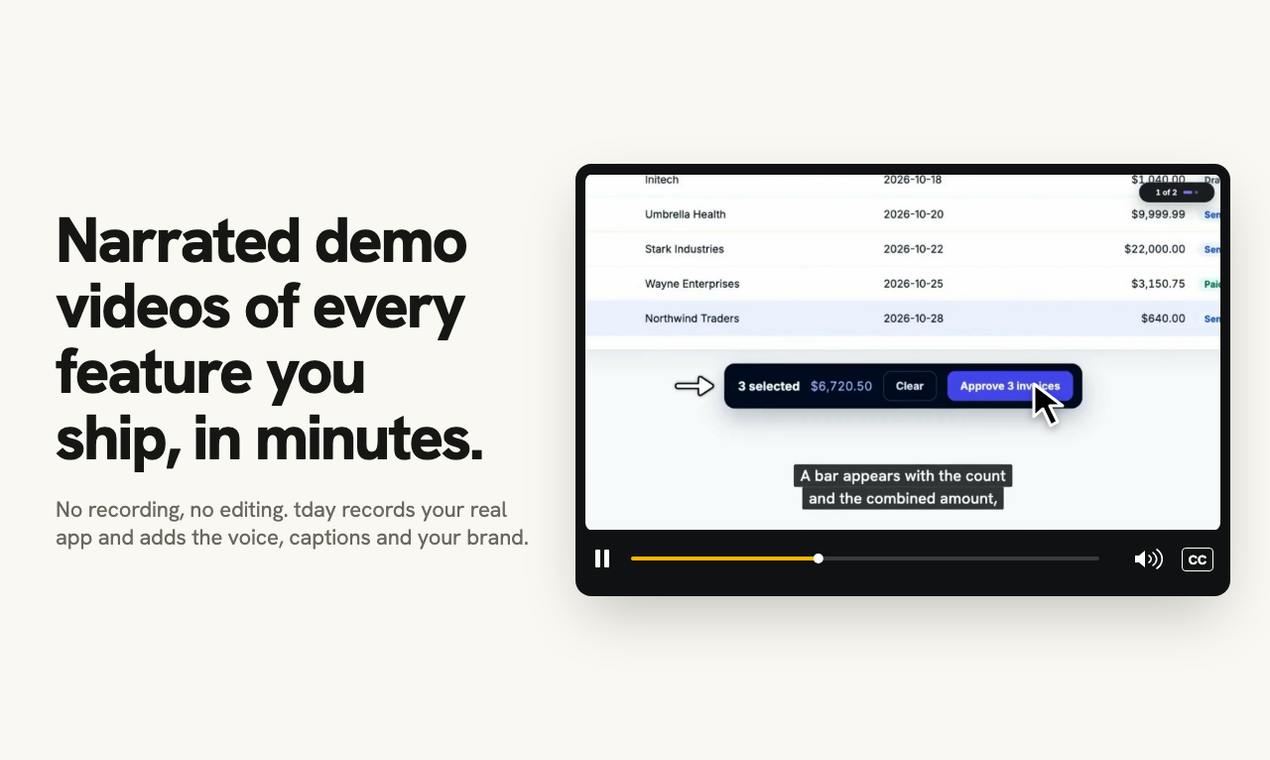
tday.com lets coding agents record screens and auto post-produce, generating feature demo videos at low cost.
tday.com is a new tool that ranked #7 on Product Hunt, targeting the pain point of "high production costs for feature demo videos and most features launching without demos." Its approach hands the recording step to coding agents like Claude Code, Cursor, and Codex already running locally: with a single instruction, the agent records real application interactions covering web, desktop, terminal, iPhone, and Android, including localhost, and tday then automatically injects narration, cursor trails, zooms, subtitles, and branding. Narration can be edited line by line without re-recording the entire segment. The product emphasizes that code never leaves the local machine, with a free tier for saving 5 demos. As an early-stage product, its community traction and generation quality remain to be verified.
Most features ship without a demo video—because producing a decent one takes hours of scriptwriting, screen recording, retakes, voiceover, and editing. tday.com, a new tool that ranked #7 on Product Hunt, aims to solve this pain point: with a single line of instruction, coding agents like Claude Code, Cursor, or Codex automatically record real application interactions, while tday handles adding narration, cursor trails, zooms, subtitles, and branding.
Why Feature Demo Videos Are Always Missing
The ROI of demo videos has always been awkward. Developing a feature might take just a few days, but producing a high-quality demo video takes hours. Scripts need repeated polishing, screen recordings are error-prone and require retakes, and voiceover and editing are professional work. The result is that most features launch with only text descriptions and screenshots, leaving users to figure things out themselves.
tday.com's core idea is to hand the recording step to the coding agents already running on your machine. According to its Product Hunt page, these agents can record real application interactions—including localhost—covering web, desktop, terminal, iPhone, and Android apps. This means you don't need additional screen recording tools, nor do you need to manually operate screen recording software.
The Workflow Behind a Single Line of Instruction
The usage flow is quite direct: request a demo in Claude Code, Cursor, or Codex; the coding agent records the application interactions on your machine; tday then automatically injects narration, cursor trails, zoom effects, subtitles, and branding elements.
After generation, the narration can be edited line by line—changing the wording of a single sentence doesn't require re-recording the entire video. The final product can be used for launch announcements, documentation, or changelogs, covering multiple use cases. This "recording and post-production separation" design reduces the cost of repeated adjustments.
The Claude Code, Cursor, and Codex mentioned in this article all belong to the category of "coding agents": they don't just complete code—they can read files, execute commands, operate browsers in a local terminal or editor, and autonomously complete multi-step tasks based on goals. It's precisely because they have the ability to "operate local applications" that they can be used as screen recording executors—write "open the page, click the button, complete the flow" as instructions for the agent to execute, and the recording action follows. This also explains why tday emphasizes no additional screen recording software is needed: the recording capability reuses the agent's own control permissions over the desktop and browser. Correspondingly, such integrations are sensitive to the agent's tool-calling permissions and runtime environment (e.g., whether GUI control is allowed, whether browser automation plugins are available), and stability may vary across different agents and versions—this is also something early-stage products require users to verify themselves.
Privacy and Local Processing
The page explicitly emphasizes that "your code never leaves your machine." For enterprise users and developers concerned about code security, this is a key selling point—demo recording involves real application interfaces and potentially sensitive data, and local processing can significantly reduce compliance risks.
Regarding pricing, tday.com offers a free tier for saving 5 demos; specific paid plans are not mentioned in the source material.
"Code doesn't leave the local machine" has two technical implications that need to be distinguished: first, the recording process is completed locally—screen content, terminal output, and application interfaces do not pass through third-party servers; second, whether post-production narration generation, subtitle and branding composition are also processed locally, or whether media files need to be uploaded. The original text only clarifies the commitment at the code level and does not specify where video materials and narration are processed. Demo videos themselves often contain business data, test accounts, or even internal copy in the interface, and their sensitivity is no lower than source code. For enterprise users, when assessing compliance risks, they should also confirm material storage location, retention period, and whether it's used for model training—not just look at "code doesn't leave the local machine."
Multi-Platform Coverage and Potential Limitations
Based on the source material, tday.com supports web, desktop, terminal, and iPhone and Android apps—a fairly broad coverage. However, as an early-stage product, it received 79 votes and only 1 comment when it joined Product Hunt, indicating modest community discussion. Actual generation quality and the stability of agent integration still need verification from more users.
For teams that release frequently and need many feature demo videos, such automation tools can indeed save the repetitive work of scripting and editing; but for teams pursuing refined brand storytelling, whether line-by-line narration editing can reach the level of manual production still requires practical testing.
Summary
tday.com captures the real pain point of "high production costs for feature demo videos" and offers a pragmatic solution combining coding agent recording with automated post-production. The commitment to local code processing and multi-platform support make it somewhat attractive, but product maturity and community feedback volume remain variables to watch.
Background
To understand the value of such tools, one can use the lens of "demo debt": when release cadence outpaces the production of documentation and demos, undocumented features accumulate into user comprehension costs, ultimately manifesting as increased support tickets and low feature discoverability. Traditionally, paying off this debt relies on dedicated documentation or marketing staff—costly and slow to schedule; handing recording to coding agents already in the development workflow essentially embeds demo production into existing development actions, dramatically reducing marginal costs. This also explains the positioning of such tools—they may not aim to replace professional video production, but rather to turn "every feature has a watchable demo" from a luxury into a default option.
Related articles
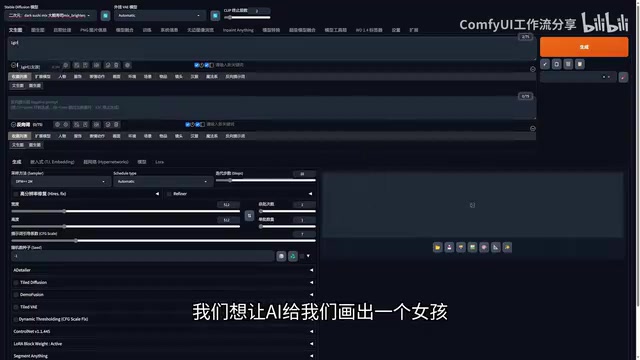
Akio SD Bundle 2026 Edition: One-Click Install & Zero-Basics Image Generation Tutorial
Akio Stable Diffusion bundle 2026 one-click install tutorial: text-to-image prompts, checkpoint and VAE selection, sampling parameters, seed reproduction, and ControlNet line-art repainting—generate images from zero basics.
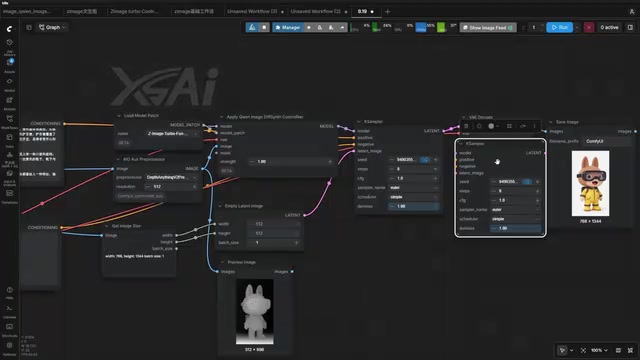
ComfyUI Two-Stage Sampling in Practice: A Guide to Choosing ControlNet Preprocessors
ComfyUI two-stage sampling tutorial: ControlNet controls structure in stage one; stage two drops ControlNet to boost quality with Denoise at 0.75. Covers OpenPose, Canny, Soft Edge, and Depth preprocessors.

2026's Most Mind-Bending Animated Series 'Infinite Flow': The Ultimate Fusion of Mystery, Deduction, and Survival Challenges
An in-depth analysis of Bilibili's animated series *Infinite Flow*: its infinite-flow worldview, mystery-deduction and survival challenges, Lin Qian's growth, ensemble portrayal, and narrative ambition.