Teable Mobile: Build Team Databases and Automation Apps from Your Phone
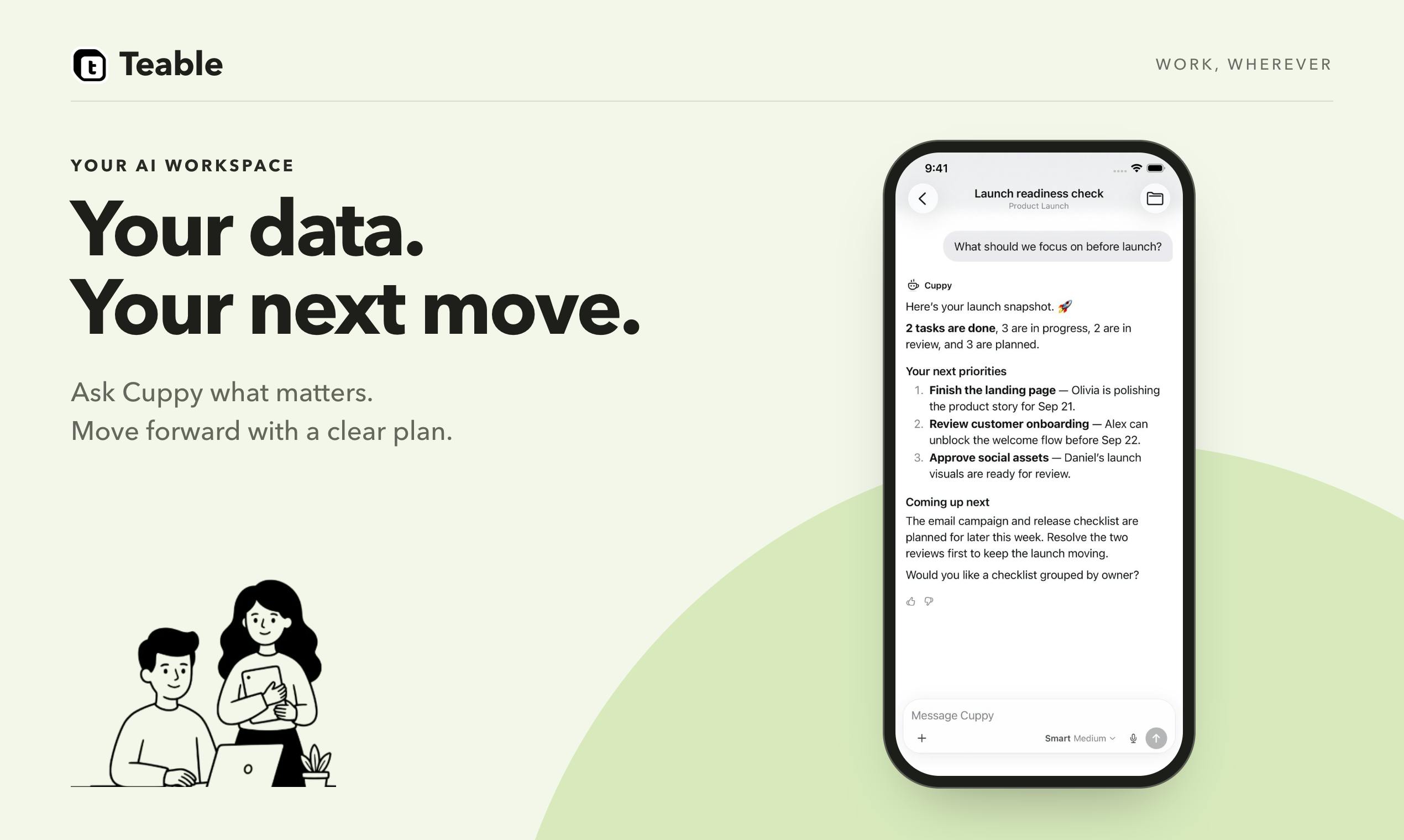
Teable launches a mobile app that brings database, app, and automation building to phones via voice input and publish notifications.
Teable launched its mobile app on Product Hunt, bringing its "database + app + automation" three-in-one building capability to phones. The core idea is to let users verbally describe workflows as if training a new employee, with the system generating the corresponding database structure, app interface, and automation rules. The mobile version highlights "press and hold to speak" voice input and team publish notifications, attempting to compress the path from idea to team-ready into one voice description plus one publish action. The article analyzes its differentiated positioning against Airtable, Notion, Glide, and Softr, notes that voice input's fidelity for complex conditional branches remains a challenge, and concludes that the product is better suited for small teams without dedicated developers and field work scenarios, while the mobile experience for complex configurations remains to be verified.
Teable recently launched its mobile app on Product Hunt, bringing database building, app publishing, and automation workflows—previously done on desktop—to phones. The core idea is to "explain your workflow clearly, just like training a new employee," and then have Teable generate the database, app, and automation rules so that work no longer lives only in someone's head. The mobile version further adds voice input and team notifications, aiming to lower the barrier to building.
From "Explaining It Clearly" to "Running Automatically"
Teable is not positioned as a mere spreadsheet tool. According to the official description, it builds three layers simultaneously: database, app, and automation. The database handles structured storage, the app layer provides the interface for daily team operations, and automation connects repetitive processes. This "three-in-one" approach is similar to products like Airtable and Notion, but Teable emphasizes describing workflows in natural language or voice, with the system generating the corresponding structure.
The addition of mobile changes the usage scenario. Previously, building such systems required sitting at a computer to configure fields, views, and automation rules; now it can be done via phone. The official announcement specifically highlights the "press and hold to speak" interaction—users verbally describe workflows, and the system converts them into runnable configurations. For team roles who are often on-site and unable to open a computer, this is a practical change.
Product positioning differences between Airtable and Notion: Airtable started as "spreadsheet + relational database," emphasizing a table view as the core, with views, field types, and extensions enabling lightweight apps. Notion enters through document collaboration, with databases as part of the page system, leaning more toward knowledge management and project tracking. Both are evolving into "app-building platforms," but their underlying models differ: one is table-first, the other document-first. Teable's "database + app + automation" three-in-one essentially puts these three layers of capability into a single building process, directly competing with Airtable's Interfaces and Notion's buttons and automations. The difference is that it emphasizes natural language/voice as the configuration entry point rather than pure visual drag-and-drop.
Voice Input and Team Notifications: Two Pillars of the Mobile Experience
Teable Mobile has made two notable interaction designs. First, voice input: users press a button and describe the workflow verbally; the system understands and generates the database structure and automation. This lowers the learning curve for non-technical users and makes "building on the go" possible. Second, the publishing and notification mechanism: after building, users can publish directly to the team and receive notifications when tasks are completed.
Together, these two features form a short path from "idea" to "team-ready." Traditionally, the birth of an internal tool often involves requirement discussions, table design, permission configuration, and more. Teable attempts to compress this chain into one voice description plus one publish action. Of course, the accuracy of voice input and the fidelity of complex workflows still depend on the model's understanding of business context—a challenge common to such products.
Technical challenges of converting natural language to structured configuration: Turning a spoken workflow into a runnable database structure and automation rules involves three stages: intent recognition, entity extraction (fields, states, roles), and process orchestration. Business descriptions often contain implicit context—for example, "notify the warehouse after a customer places an order" requires the system to infer an orders table, a warehouse role, and a trigger condition. Current large language models perform well on single-step instructions, but with multi-condition branches, loops, and exception handling, they tend to miss edge cases or generate redundant fields. Therefore, such products typically adopt a "generate draft + human confirmation" mode rather than fully automatic one-shot generation. The accuracy of voice input also heavily depends on domain vocabulary coverage and the regularity of user expression.
Competitive Landscape of Mobile Site-Building Tools
Teable Mobile enters a heating-up track. Airtable has long had a mobile app, Notion continues to strengthen its mobile experience, and tools like Glide and Softr focus on turning spreadsheet data into app interfaces. Teable's differentiation lies in incorporating automation into the same building process and using voice as one of the primary input methods.
According to Product Hunt data, Teable Mobile received 84 upvotes, ranking 8th, with categories covering Android, Spreadsheets, SaaS, and Artificial Intelligence. This result indicates some initial attention, but with only 7 comments, community discussion depth is still limited. For a SaaS tool aimed at team collaboration, whether mobile can truly handle complex building tasks needs more real-world use cases to verify.
The no-code site-building paths of Glide and Softr: Glide and Softr are both "data-source-driven" no-code app builders, typically using Google Sheets, Airtable, or other spreadsheets as the backend to automatically generate mobile or web interfaces. Their advantage is quickly turning existing spreadsheets into interactive apps with low barriers and fast deployment; their limitation is relatively limited complex business logic and automation capabilities, with deep customization still relying on external services. In contrast, Teable closes the loop of database, interface, and automation within one product, reducing cross-tool synchronization costs, but it also means users must accept its data model and configuration approach, resulting in higher migration costs. The common trend in this track: while lowering the building barrier, how to maintain configuration precision and maintainability on mobile.
Who Is Teable Mobile For
Inferring from the product description, Teable Mobile is better suited to the following scenarios: first, small teams that need to quickly build internal management tools but lack dedicated developers; second, field teams that need to record and adjust processes on the fly and cannot rely on desktop; third, teams already using Teable desktop who want to handle urgent configurations while away.
It should be noted that mobile screen space is limited, and it is currently difficult to judge from public information how field configuration and view adjustments for complex databases feel on a phone. Although voice input lowers the description barrier, for automation workflows with many conditional branches, pure voice expression may be less precise than visual configuration. These are areas Teable needs to continue refining in future iterations.
Conclusion
Teable Mobile liberates "building team systems" from the desktop, using voice input and publish notifications to shorten the distance from idea to implementation. Its value lies not in replacing desktop but in covering moments when users cannot sit at a computer. For small teams seeking lightweight internal tools, it is a choice worth watching; for scenarios with complex processes and fine-grained configuration, mobile currently serves more as a supplement than a primary tool.
One-line Summary
Teable launches a mobile app that uses voice input and publish notifications to bring database, app, and automation building to phones.
Paragraph Summary
Teable launched its mobile app on Product Hunt, bringing its "database + app + automation" three-in-one building capability to phones. The core idea is to let users verbally describe workflows as if training a new employee, with the system generating the corresponding database structure, app interface, and automation rules. The mobile version highlights "press and hold to speak" voice input and team publish notifications, attempting to compress the path from idea to team-ready into one voice description plus one publish action. The article analyzes its differentiated positioning against Airtable, Notion, Glide, and Softr, notes that voice input's fidelity for complex conditional branches remains a challenge, and concludes that the product is better suited for small teams without dedicated developers and field work scenarios, while the mobile experience for complex configurations remains to be verified.
Related articles
Surface RTX Spark Dev Box Runs 120B Model Fully Offline: An Intelligent Terminal Hands-On
Microsoft Surface RTX Spark Dev Box demo: running a 120B local model offline via open-source Intelligent Terminal, building a bootable Hyper-V VM with one sentence, showcasing Project Zemuth local AI.

After Affirmative Action Ends: Sharp Drop in Black Enrollment and the Rise of HBCUs
After the Supreme Court ended race-conscious admissions, Black freshman enrollment at the top 50 most selective universities fell 27%, with Harvard dropping from 18% to 11.5% and Yale from 9.5% to 8%, as more Black students turn to HBCUs.

Claude Rolls Out Watermarking Across the Board: Paid Users Can't Opt Out, But Only a Select Few Can Detect It
Anthropic extends Claude's invisible text watermark to Mythos 5, Opus 4.7 and more, globally and with no paid opt-out. Even proofreading and translation get marked, yet detection is limited to regulators and enterprises.