Timeline Nodes Come to ComfyUI: NKD Preview Tools Feature Breakdown and Hands-On Guide

NKD Preview Tools adds professional timeline nodes to ComfyUI for mask, audio, and video alignment.
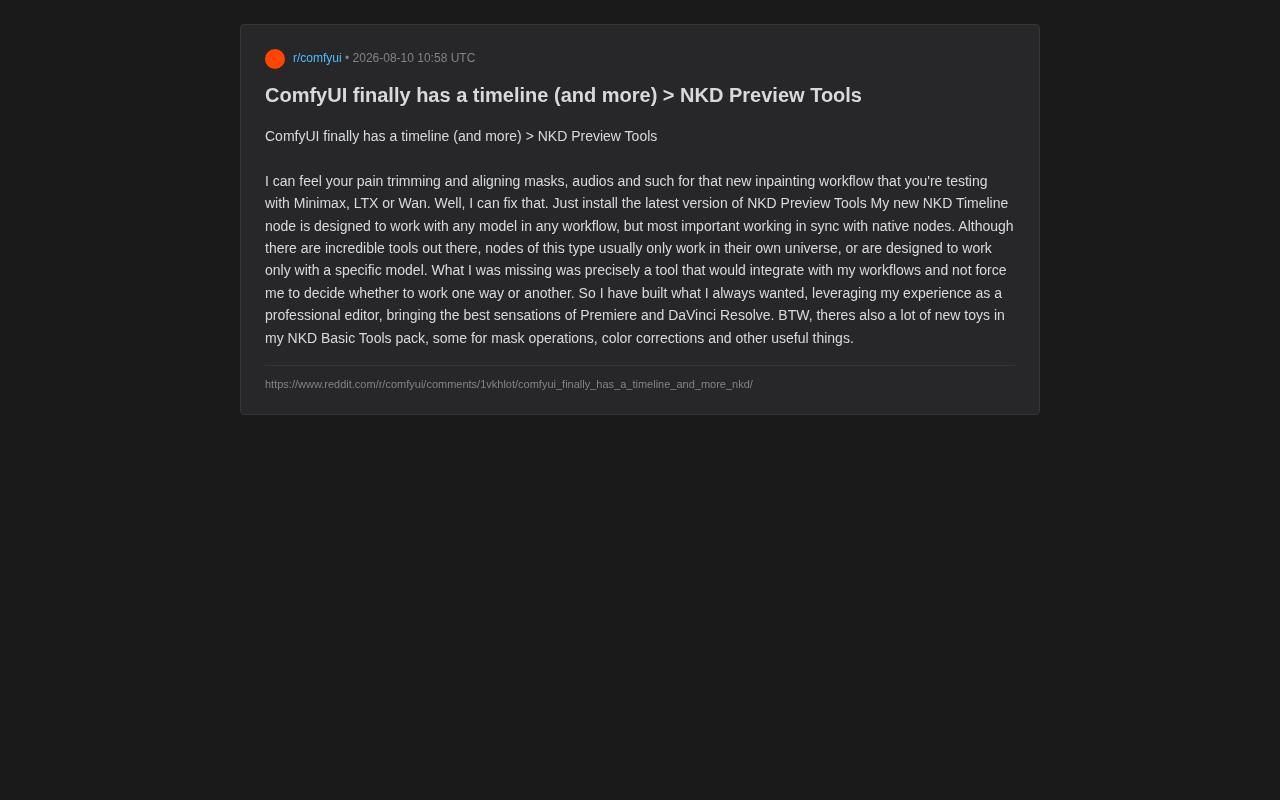
NKD Preview Tools introduces native timeline nodes to ComfyUI, solving the long-standing pain point of aligning masks, audio, and video frames in AI video generation workflows. Built by a developer with professional editing experience, it borrows interaction paradigms from Premiere and DaVinci Resolve while maintaining full compatibility with ComfyUI's native nodes, making it a practical efficiency tool for creators working with Minimax, LTX, Wan, and other video models.
For creators who have long used ComfyUI for video and image generation, a persistent pain point has always existed: how to efficiently align and trim masks, audio, and other time-series assets. Recently, a developer with a professional editing background released NKD Preview Tools, bringing the long-awaited Timeline nodes to ComfyUI in an attempt to fundamentally transform this workflow experience.
Why ComfyUI Needs a Timeline Node
With the rise of video generation models like Minimax, LTX, and Wan, more and more creators are building complex inpainting and video editing workflows in ComfyUI. However, when working with these workflows, aligning masks, audio, and video frames is often a nightmare.
ComfyUI is a node graph-based graphical interface for Stable Diffusion, with its core design drawing from the procedural workflow philosophy of professional VFX software like Houdini and Nuke. Each node represents an independent processing unit (such as loading models, sampling, VAE decoding, etc.), and nodes pass data flow through connections. The advantage of this architecture lies in its high customizability and reproducibility — users can precisely control parameters at every step and save entire workflows as JSON files. However, node-based programming is naturally suited for handling data transformations in the "spatial dimension" (such as image scaling, cropping, and blending), while lacking intuitive interaction methods for "temporal dimension" operations (such as frame-by-frame alignment and timeline trimming).
The developer candidly stated this pain point in the introduction: "I can feel your pain when you're cropping and aligning masks and audio while testing new inpainting workflows for Minimax, LTX, or Wan." The models mentioned here — Minimax Video (from MiniMax), LTX-Video (an open-source video generation model developed by Lightricks), and Wan (from Alibaba's Tongyi team) — represent the cutting edge of the current open-source video generation landscape. These models are typically based on the DiT (Diffusion Transformer) architecture, treating video as a spatiotemporal joint latent space representation for denoising generation. Unlike pure image generation, video models need to handle inter-frame consistency, motion coherence, and other temporal issues, so workflows in ComfyUI naturally involve extensive frame sequence operations — including per-frame keyframe mask drawing, audio-video synchronization, and precise positioning of inpainting regions on the timeline.
Traditionally, ComfyUI, as a node-based visual programming environment, excels at building logical pipelines but falls short when it comes to fine-grained alignment in the temporal dimension. Users have had to rely on tedious numerical inputs or multiple auxiliary nodes to manually adjust the start and end positions of assets.
Core Design Philosophy of NKD Timeline
The most noteworthy aspect of the NKD Timeline node is its versatility and native compatibility. The developer emphasizes that this node was designed to "work with any model in any workflow," and most importantly, to stay in sync with ComfyUI's native nodes.
Breaking the "Tool Silo" Problem
A long-standing issue in ComfyUI's plugin ecosystem is that many similar tools only operate within their own "universe" or are designed for a specific model. ComfyUI's open architecture allows any developer to create custom node packages, which has spawned an extremely active but also fragmented plugin ecosystem. As of mid-2025, ComfyUI Manager catalogs thousands of node packages. However, many powerful node packages (such as ComfyUI-VideoHelperSuite, ComfyUI-AnimateDiff, etc.) operate independently in terms of data formats, naming conventions, and workflow logic. For example, one video tool might use a custom frame sequence format that's incompatible with the input of another mask processing tool, forcing users to add extra conversion nodes. This means that once users choose to use a specialized tool, they may be forced to abandon their existing workflow habits or switch back and forth between multiple systems.
The developer keenly identified this gap: "What I was missing was a tool that could fit into my workflow rather than forcing me to choose between two ways of working." This user-scenario-driven design approach creates a stark contrast between NKD Timeline and other closed-off tools.
Injecting Professional Editing Software Experience
It's worth noting that the developer of this tool has a professional video editing background. They've incorporated the operational experience of Premiere and DaVinci Resolve — two industry-leading editing applications — into NKD Timeline. Adobe Premiere Pro and Blackmagic Design's DaVinci Resolve are currently the most mainstream non-linear editing (NLE) software in film and television post-production. They share a core interaction paradigm validated through decades of iteration: multi-track editing based on a timeline. Users can directly drag and drop clips on a visual timeline, precisely set in and out points through three-point or four-point editing, and use Slip and Roll tools to fine-tune edit points. This WYSIWYG interaction approach greatly reduces the cognitive load of temporal operations.
For users familiar with traditional video editing software, NKD Timeline's introduction of this mature interaction language into ComfyUI's node environment means a more intuitive way of working — directly dragging, trimming, and aligning assets on a timeline rather than repeatedly debugging abstract node parameters.
This approach of "bringing the professional editing suite into ComfyUI" will likely significantly lower the barrier to entry for video-based AI workflows.
The Unique Challenges of Inpainting in Video Scenarios
Inpainting originated as a concept in image editing, referring to using a mask to specify regions that need to be regenerated, allowing AI models to fill in new content while keeping the surrounding content unchanged. When this technique extends to video, complexity increases exponentially: masks are no longer static two-dimensional regions but need to change frame by frame along the timeline to track target objects (typically leveraging video segmentation models like SAM2); simultaneously, the generated results in repainted areas must maintain temporal consistency between adjacent frames to avoid flickering or deformation. This means creators need precise control over the start and end frames of mask sequences, transition methods, and alignment with the original video — operations that are extremely tedious without timeline tools, and this is precisely one of NKD Timeline's most core use cases.
NKD Basic Tools Feature Overview
Beyond the highly anticipated Timeline node, the developer has also added numerous new features to the NKD Basic Tools package. According to the introduction, these new additions cover several practical areas:
- Mask Operations: Providing more flexible mask processing capabilities for inpainting and segmentation workflows
- Color Corrections: Allowing creators to perform color grading directly within the generation pipeline, reducing dependency on post-processing
- Other Utilities: A series of auxiliary features that improve daily workflow efficiency
The addition of these tools indicates that the NKD series isn't content with solving a single pain point but aims to build a more complete, creator-oriented collection of practical tools.
The Significance of NKD Preview Tools for the ComfyUI Ecosystem
From a broader perspective, the emergence of NKD Preview Tools reflects a trend in the ComfyUI ecosystem evolving from "model-driven" to "workflow-driven." In the early stages of the Stable Diffusion ecosystem (2022-2023), the community's core focus was on models themselves — from SD 1.5 to SDXL, to various fine-tuned models (LoRA, DreamBooth). Users' primary demand was "better generation quality." But as foundational model capabilities gradually approach saturation, and complex applications like video generation and real-time rendering emerge, the bottleneck is shifting from "insufficient model capability" to "low workflow efficiency."
This transition is similar to software engineering's evolution from "computing power is king" to "developer experience (DX) is king." As a workflow orchestration platform, ComfyUI's core value is shifting from "what models can it run" to "how efficiently can it organize and iterate creative processes." Early on, the community focused primarily on integrating more powerful models; now, as complex application scenarios like video generation and inpainting mature, tool usability and integration are becoming the new competitive focus.
A truly useful timeline may seem like a small feature, but it actually addresses the most fundamental and frequently used operation in AI video creation workflows. Its value lies not in showing off technical prowess, but in freeing creators from repetitive manual alignment so they can devote more energy to creativity itself.
Conclusion
NKD Preview Tools addresses the ComfyUI community's long-standing core pain point in time-series asset processing by introducing natively compatible timeline nodes and a rich set of basic tools. It draws from the interaction experience of professional editing software like Premiere and DaVinci Resolve while adhering to a design philosophy of "never forcing users to change their workflow," offering video and image generation creators a more convenient option.
For users currently exploring video models like Minimax, LTX, and Wan, this may be a productivity tool worth trying. As a community tool, its stability and long-term maintenance remain to be proven over time, but the direction it represents — "centering the creator experience" — is undoubtedly a positive signal for the healthy development of the ComfyUI ecosystem.
Related articles

Meta Rebalancer in Practice: Task Placement and Optimization Tutorial
A practical guide to Meta Rebalancer's task placement and optimization: learn its C++ core with Python bindings, data center modeling, constraint and objective priorities, and how local search compares to the HiGHS exact solver on public benchmarks.

Meta Releases Muse Wonder and Muse Wonder Full: A Comprehensive Breakdown of Million-Token Context Agent Models
Meta releases Muse Wonder and Muse Wonder Full, two million-context Agent models. Muse Wonder is available via Meta Model API at $4 per million input tokens and $20 per million output tokens; Muse Wonder Full is tied to the Muse Code plan and leads on DeepSWE and SWE-Marathon benchmarks.
A Deep Dive into deepseek-harness: The Real Value and Hidden Concerns of an Open-Source AI Harness
An in-depth review of open-source project deepseek-harness: analyzing its plugin architecture, local inference performance, and privacy advantages, while flagging questionable marketing data and missing benchmarks.