Tiny Little Office: A New Take on Minimalist Office Tools
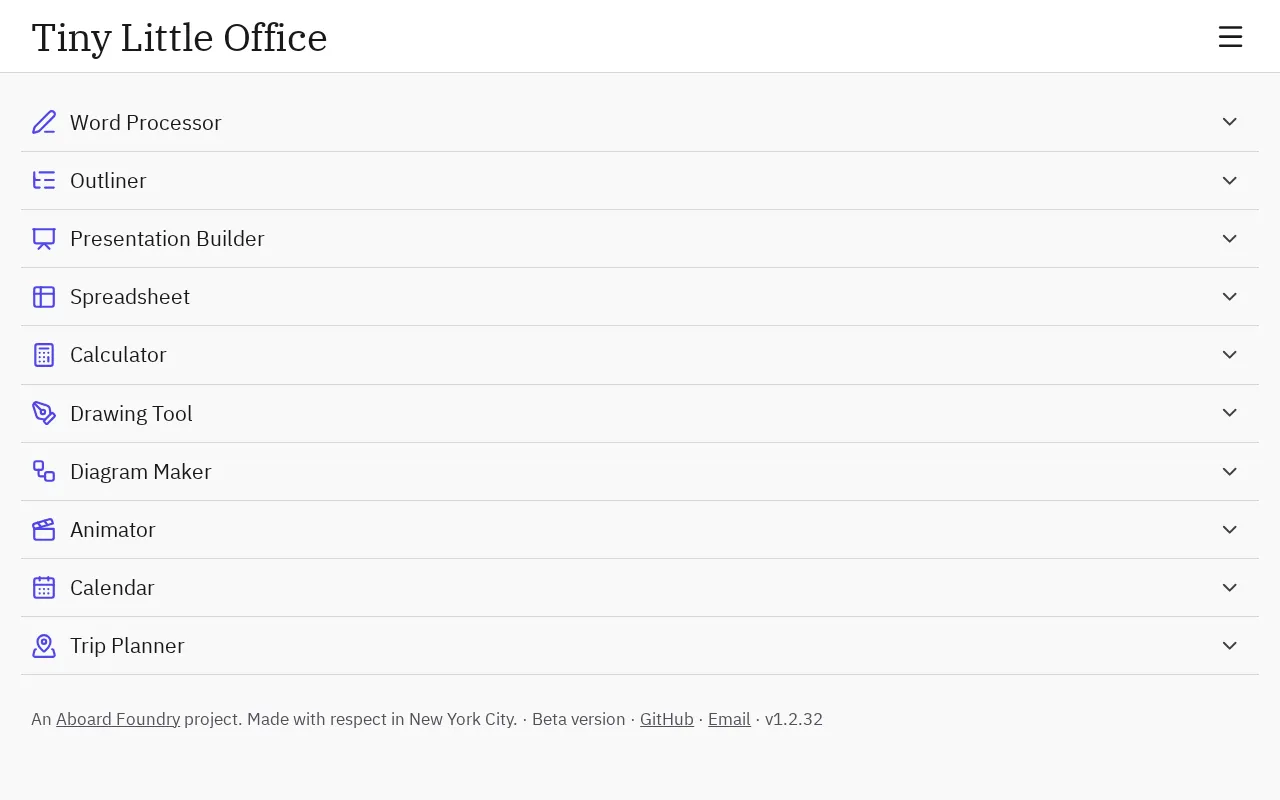
Tiny Little Office sparks tech community discussion with its lightweight, low-distraction pitch, but key details remain undisclosed.
Tiny Little Office is a lightweight office product that has sparked discussion on Hacker News. Its name alone conveys a rebellion against bloated office software, advocating a low-distraction philosophy of "open and use, close and go." The article notes that such products typically target personal notes, draft writing, and one-off tasks. The core isn't feature reduction but a refusal to lock users into an ecosystem. Early traction is concentrated in tech communities, with users who prioritize privacy and localization. However, the minimalist office track is already crowded, and "lightweight" alone is no longer a differentiator—whether it can complete a full task while staying light is the dividing line. Currently, there are no public answers on offline support, data storage, or pricing, so it's worth adding to a watchlist.
In an era where tools grow increasingly bloated and subscription models run rampant, a product called Tiny Little Office has sparked discussion on Hacker News. From the name alone, it appears to be trying to make the "office suite" small again—but whether "small" means minimalist feature reduction or a redefinition of how we work remains an open question based on currently available information.
What Problem It Might Solve
The plight of modern office software is no secret: a document tool requires login, sync, collaboration permissions, and an AI assistant. Startup time is measured in seconds, while attention is constantly fragmented by pop-ups and recommended content. The very name Tiny Little Office responds to this fatigue—it suggests a tool philosophy of "open and use, close and go."
These kinds of minimalist office products typically target several scenarios: personal notes and drafts, lightweight document writing, and one-off tasks that don't require complex formatting. What they share is a refusal to lock users into an ecosystem, rather than simply subtracting from a feature list.
Local-first is a software design philosophy that has been frequently mentioned in productivity tool communities in recent years. Its core premise is that user data is stored on the local device by default, the app's full functionality remains available offline, and network sync is merely an optional enhancement rather than a prerequisite. Representative implementations of this philosophy include note-taking tools like Obsidian and Logseq, as well as a series of editors that use CRDT (Conflict-free Replicated Data Type) technology to merge data across devices.
Local-first aligns closely with "minimalist office" because it addresses two demands simultaneously: first, privacy—data doesn't pass through vendor servers; second, performance and controllability—open and use, without relying on network round-trips. For a product like Tiny Little Office, whether it adopts a local-first architecture almost determines whether it can truly deliver on the promise of "open and use, close and go." If it still depends on a cloud account system, then the so-called "tiny" is only lightweight at the interface level, not at the architectural level.
Three Signals Worth Noting
First, the naming strategy itself is the product positioning. "Tiny Little" is a reduplicative emphasis, conveying a rebellion against "big and comprehensive." In technical communities like Hacker News, this kind of naming often quickly attracts developers and writers who are frustrated with bloated software.
Second, it appeared along the RSS and HN distribution paths. This means the early user base skews toward the technically sensitive crowd with demands around privacy and localization. These users care deeply about "does it need to be online" and "where is the data stored," and they will also become an important source of feedback on product direction.
Third, the minimalist office track is already quite crowded. From plain text editors to local-first note-taking tools, "lightweight" itself is no longer a differentiating advantage—whether it can complete a full task while staying lightweight is the real dividing line.
Hacker News (HN) is a tech community under Y Combinator that uses a voting mechanism to rank content, with a user base primarily composed of engineers, entrepreneurs, and technical writers. When a product appears on the HN front page, it often means it has undergone intense scrutiny from this group: they will dig into the technical implementation, question the business model, and be especially sensitive to privacy and data ownership.
For early-stage products, HN exposure is a double-edged sword. On the positive side, it can bring high-quality early adopters and dense feedback; on the negative side, once a product is judged as "marketing-first, substance-lacking," the community's response can be quite blunt. Therefore, understanding Tiny Little Office's discussion on HN as having entered a "high information density, low patience" testing ground is more meaningful than simply viewing it as exposure.
Judgments to Withhold at This Stage
Frankly, based on currently visible information alone, it's impossible to determine whether Tiny Little Office is a complete application, an experimental prototype, or a concept still in iteration. Whether it supports offline use, how data is stored, and what the pricing model looks like—these key questions that determine whether users are willing to migrate have no answers in the available material.
For those who follow productivity tools, the more practical advice is: put it on your watchlist. The value of a minimalist tool often lies not in the feature list at launch, but in whether it genuinely reduces the friction between you and your task. If an office tool lets you start writing faster and finish faster, then "tiny" is not just a marketing word—it's a real product promise.
In the productivity tool space, "migration cost" is a key variable that determines whether users will switch to a new product, and it's mainly determined by three things: whether data can be exported, whether the export format is open, and whether the import process is smooth. Open formats like Markdown, plain text, and JSON are generally regarded as signals of low lock-in risk; conversely, if data can only be stored in a proprietary format on vendor servers, users' willingness to migrate drops significantly.
For an office tool that claims to be "lightweight," this is especially important: the value proposition of lightweight inherently includes "not holding users hostage," and the ability to freely migrate out is the most direct way to test that claim. Therefore, when evaluating Tiny Little Office, "which import/export formats are supported" should be listed alongside "does it work offline" and "how is it priced" as priority concerns.
Frequently Asked Questions
Is Tiny Little Office free? There is currently no public pricing information; further disclosure from the official source is needed.
How is it different from existing note-taking tools? Based on its naming and positioning, it emphasizes lightweight and low distraction, but specific feature differences remain unclear.
Is it suitable for team collaboration? There isn't enough information to judge. Minimalist tools typically prioritize individual use cases.
One-line Summary
Tiny Little Office sparks tech community discussion with its lightweight, low-distraction pitch, but key information remains undisclosed.
Paragraph Summary
Tiny Little Office is a lightweight office product that has sparked discussion on Hacker News. Its name alone conveys a rebellion against bloated office software, advocating a low-distraction philosophy of "open and use, close and go." The article notes that such products typically target personal notes, draft writing, and one-off tasks. The core isn't feature reduction but a refusal to lock users into an ecosystem. Early traction is concentrated in tech communities, with users who prioritize privacy and localization. However, the minimalist office track is already crowded, and "lightweight" alone is no longer a differentiator—whether it can complete a full task while staying light is the dividing line. Currently, there are no public answers on offline support, data storage, or pricing, so it's worth adding to a watchlist.
Related articles
Build a Reasoning Model from Scratch: An 11-Hour Open-Source Course Breakdown
Sebastian Raschka releases a free 8-episode, ~11-hour video course teaching you to build a reasoning model from scratch with Python and PyTorch—from a small Qwen3 model through Verifier, Inference Time Scaling, GRPO, and distillation, with open-source code on GitHub.

An 11-Hour Reasoning Model Course in Practice: How Small Models Learn to Think
Starting from Sebastian Raschka's 11-hour reasoning model course and HN buzz, this analyzes small-model training, legal text version control, Anthropic data policy, and product reliability reviews.

Lightpanda: A Headless Browser Built for AI and Automation
Lightpanda is a headless browser built from scratch in Zig for AI and automation, with 37,852 GitHub stars. This analysis covers its technical approach, design choices, and use cases.