Trae Hands-On Tutorial: Clone a GitHub Project from Scratch and Generate a Data Analysis Report

A complete tutorial on using Trae AI IDE to clone a GitHub scraper and generate business insights from Xiaohongshu data.
This article shows how to use the AI-powered IDE Trae to clone an open-source GitHub scraper project with zero coding experience, collect data from Xiaohongshu, and generate a deep analysis report using the Gemini large language model. The full workflow covers tool setup, project cloning, and data analysis, demonstrating how anyone can leverage open-source tools and LLMs to extract real business insights.
In the AI Era, Anyone Can Code: From GitHub to Business Insights
Coding is becoming more accessible than ever. With AI-powered development tools, everyday users can leverage open-source projects from GitHub as a free software toolkit — no prior experience required.
This article walks through a complete hands-on case study: using Trae, an AI-powered IDE, to clone a popular GitHub web scraper from scratch, collect data from Xiaohongshu (Little Red Book), and use a large language model to generate a commercially valuable analysis report.
The entire workflow breaks down into three steps: Tool Installation & Environment Setup → Clone and Run a GitHub Project → Deep Data Analysis and Real-World Application. No programming experience needed.
What Is Trae and Why Use It for Coding?
The Evolution of AI-Powered Development Tools
Integrated Development Environments (IDEs) have evolved over decades — from Vim and Emacs to Eclipse and Visual Studio, and eventually to VS Code. The rise of AI coding tools represents the next paradigm shift. GitHub Copilot's launch in 2021 marked AI-assisted coding going mainstream, followed by products like Cursor, Windsurf, and Trae, which elevated AI capabilities from "code completion" to "full-cycle development driven by natural language." The core technology behind these tools is the deep integration of large language models with code execution environments, enabling non-technical users to accomplish tasks through conversation that would otherwise require years of programming experience.
Trae's Key Advantages
Trae (formerly known as Chain) is an IDE whose standout feature is the ability to generate and run code using natural language. Compared to similar tools like Cursor, Trae offers several practical advantages:
- Native Chinese support: The interface and interactions are more user-friendly for Chinese speakers, reducing communication friction
- Wide model selection: Integrates leading models including Claude 4.0, Gemini 2.5 Pro, and GPT 4.1
- More affordable pricing: $3 for the first month, then $10/month (vs. Cursor's $20/month)
- Lower network barrier: A VPN is only needed during login — not for everyday use
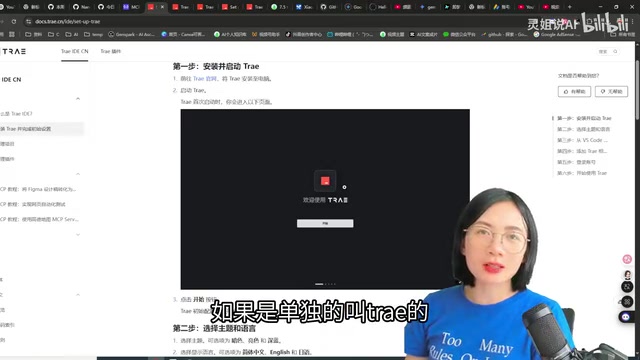
Trae comes in two versions: a CN edition and an international edition. The CN edition integrates domestic Chinese models like Doubao, DeepSeekAd, and Qianwen, while the international edition supports Claude, Gemini, and GPT series. If possible, the international edition is recommended — the models are generally more capable.
Installation and Interface Overview
Installation is straightforward: visit the Trae website, download the installer, and follow the prompts. On first launch, choose a theme, optionally import existing VS Code or Cursor settings, and log in with your phone number.
The interface follows a classic three-panel layout:
- Left panel: File explorer for managing files and folders
- Center panel: Code editor
- Right panel: AI chat window, with Builder agent mode enabled by default
The Builder on the right has built-in capabilities including file system access, terminal, web search, and preview. In most cases, you simply describe what you need in plain language and it handles the rest.
Step-by-Step: Cloning a GitHub Project
The Business Value of GitHub and the Open-Source Ecosystem
Founded in 2008 and acquired by Microsoft for $7.5 billion in 2018, GitHub now hosts over 330 million code repositories and serves more than 100 million monthly active developers. The core philosophy of the open-source movement is "standing on the shoulders of giants" — anyone can freely use, modify, and distribute open-source code. For everyday users, this means decades of accumulated engineering knowledge is available at zero cost. Tools like web scrapers, data analysis frameworks, and automation scripts — which once required dedicated development teams — can now be used directly by finding the right open-source project. Star count is an important quality indicator, generally reflecting community recognition and active maintenance.
Step 1: Find the Right Project on GitHub
A few practical tips for finding projects:
- Keyword search: Supports both Chinese and English — try terms like "爬虫", "scraper", or "data collection"
- Trending page: Browse recently popular projects, filterable by programming language and time range
- Check star count: Projects with over 1,000 stars are generally high quality and actively maintained
For this tutorial, we selected a multi-platform data collection tool that supports scraping public information from Xiaohongshu, Douyin, Kuaishou, Bilibili, Weibo, Tieba, Zhihu, and other major platforms.

Step 2: Clone the Project with One Command in Trae
Cloning is simple. Create a new folder in Trae, then tell Builder in the right-side chat window using plain language:
"Please clone this project for me: [paste the GitHub repository URL]"
Trae will automatically execute the clone command. Once complete, it proactively reads the project's README and explains what the project does, how to run it, and what parameters can be configured. You barely need to lift a finger — just watch the AI do the work.
After cloning, Trae summarizes the key information:
- Supported platforms: Xiaohongshu, Douyin, Kuaishou, Bilibili, and more
- Login methods: QR code scan, phone number, or Cookie login
- Scraping types: Keyword search, post detail pages, creator profiles
- Data export formats: CSV, JSON, database
Step 3: What to Do When You Hit an Error
Running into errors is completely normal — don't panic. The fix is straightforward: take a screenshot of the error and send it to Builder, describe the situation in plain terms, and it will provide a specific solution.
For example, if you see a "program not found" error when running a command, Builder will tell you to switch to the correct project directory first. Just treat Trae like an expert programmer who's always available to chat.
Data Scraping and AI-Powered Deep Analysis
How Web Scrapers Work and Compliance Boundaries
A web scraper is essentially an automation program that mimics browser behavior — it sends HTTP requests to retrieve web page content, then parses HTML/JSON data to extract the desired information. Modern scrapers typically need to handle anti-scraping mechanisms including IP rate limiting, CAPTCHAs, and dynamic rendering (JavaScript execution). Public content on platforms like Xiaohongshu (such as post titles, like counts, and comments) is technically scrapable, but usage must comply with the following: data should only be used for personal research and business insight analysis, and must not be used for large-scale republishing, training competing models, or violating user privacy. Each platform's robots.txt file and terms of service define the scraping boundaries — compliant use is a prerequisite.
What Data Was Collected
Using "travel" as the keyword to scrape popular Xiaohongshu posts, we ended up with two core data files:
Content file (post data): Post ID, content type (video/image), title, body description, URL, publish time, username, like count, favorite count, comment count, share count, IP location
Comments file (comment data): Comment text, number of sub-comments, comment like count
Over 300 trending posts with complete data — essentially extracting the underlying logic behind viral content in this niche.
Generating a 30,000-Word Analysis Report with Gemini
Once the raw data was in hand, the next step was handing it off to an AI for deep analysis. We used the Gemini 2.5 Pro model in Google AI Studio. Gemini 2.5 Pro features a context window of up to 1 million tokens — one of the largest among commercially available large language models. One million tokens is roughly equivalent to 750,000 English words, or about 150 average-length books. This makes it particularly well-suited for feeding all 300+ posts (including titles, body text, comments, and other fields) into the model in a single pass, without losing context mid-analysis.
Related articles
 Tutorials
ChatGPT Plus Subscription Guide: Are GPT-5.5, image-2, and Codex Worth the Upgrade?
A detailed look at ChatGPT Plus features — GPT-5.5, image-2, and Codex — with a Plus vs Pro comparison and a complete step-by-step subscription guide for users outside the US.
 Tutorials
Harness AI Engineering in Practice: Using Claude Code to Master Enterprise-Level E-Commerce Development
Deep dive into Harness AI Engineering: master enterprise e-commerce development with Claude Code using the Rules, Skills, Wiki, and Changes framework.
 Tutorials
Cursor + Codex Dual-IDE Collaboration: A Practical Methodology for Open-Source Project Customization
A complete methodology for open-source project customization based on real-world experience, detailing the Cursor+Codex dual-IDE workflow, seven-stage process, MVP validation, and AI source code reading techniques.