Trae IDE Complete Guide: Core Features and Practical Walkthrough of ByteDance's AI Coding Tool

Trae is ByteDance's AI-powered IDE built on VS Code with deep AI integration for smarter development.
Trae is an AI-powered IDE from ByteDance built on the VS Code engine. Its five core features — AI code generation, intelligent completion, real-time code analysis, conversational development, and context understanding — tackle pain points like repetitive coding and hard-to-find bugs. It shifts development from writing code manually to describing requirements and letting AI execute, competing with Cursor and Copilot through a free model and Chinese developer-focused optimizations.
What Is Trae IDE
Trae (pronounced "Tree") is an AI-powered integrated development environment (IDE) built by ByteDance. At its core, it is built on the VS Code engine, with deep AI integration layered on top to form a complete intelligent development environment.
VS Code Ecosystem Background: VS Code (Visual Studio Code) is an open-source code editor released by Microsoft in 2015. It has since become the world's most popular development tool, ranking #1 for multiple consecutive years in the Stack Overflow 2023 Developer Survey with a market share exceeding 70%. Its core architecture is based on the Electron framework and uses the Language Server Protocol (LSP) for language-agnostic IntelliSense. The extension marketplace hosts over 50,000 plugins. By building on the VS Code engine, Trae allows developers to reuse their existing plugins, keyboard shortcuts, and workflow configurations — a massive strategic advantage over building an IDE from scratch.
Compared to other AI coding tools on the market — whether international options like Cursor and Claude Code, or domestic Chinese alternatives like Alibaba's Tongyi Lingma (Coder) and Tencent's CodeBuddy — Trae positions itself as an all-in-one AI programming experience: describe your requirements in the right sidebar, watch the generated code appear in real time on the left, all within a workflow that closely mirrors VS Code, significantly lowering the migration barrier for developers.
Competitive Landscape: The AI coding tools market saw explosive growth in 2023–2024. GitHub Copilot, the early mover powered by OpenAI Codex, surpassed 1.3 million paid users. Cursor, also built on a VS Code fork, became known for its powerful codebase comprehension and quickly reached a valuation of over $1 billion. Anthropic's Claude Code focuses on a command-line interaction paradigm. In China, Alibaba's Tongyi Lingma is deeply integrated with the Alibaba Cloud ecosystem, while Tencent's CodeBuddy is connected to the WeChat Mini Program development pipeline. Trae's differentiation strategy is: offering full features for free, deeply integrating ByteDance's own AI models (such as Doubao), and optimizing for the habits and needs of Chinese developers.
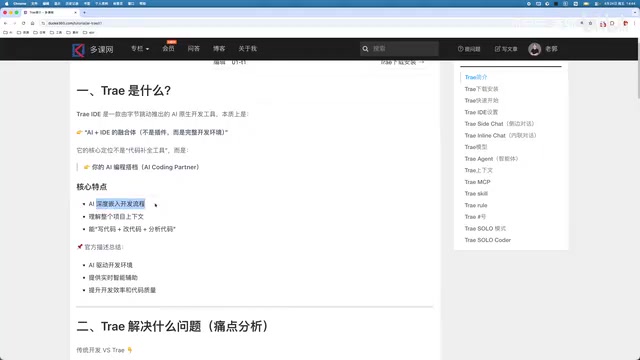
Officially, Trae is defined as: an AI-powered development environment that provides real-time intelligent assistance to improve development efficiency and code quality. Its core philosophy is to augment developers, not replace them.
What Developer Pain Points Does Trae IDE Address
In traditional development workflows, developers face numerous efficiency bottlenecks:
- Constant documentation lookups: API usage, framework configuration, and more require repeated searching
- Writing repetitive boilerplate code: Large amounts of templated code consume valuable time
- Difficulty locating bugs: Troubleshooting issues in complex projects is time-consuming and exhausting
- Frequent context switching: Jumping back and forth between editors, terminals, and browsers
- High onboarding cost for new projects: Long ramp-up time for learning new tech stacks and setting up environments
With Trae, these pain points are significantly reduced: AI automatically generates code, natural language descriptions are enough to implement features, the project is analyzed in real time to surface potential issues, and the tool understands the context of the entire codebase. The development model shifts from "writing code by hand" to "describe what you need, let AI execute."
Trae IDE's Five Core Features Explained
1. AI Code Generation
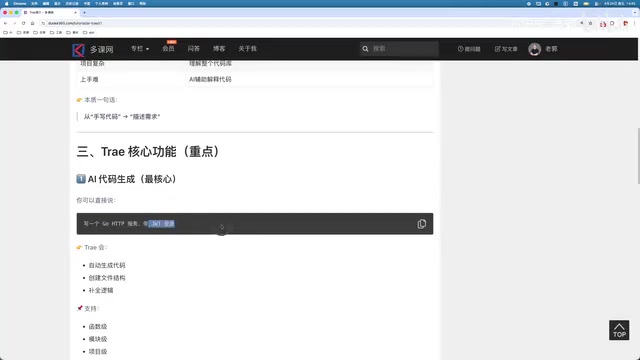
This is Trae's most fundamental capability. For example, simply tell it "write a Go HTTP service with JWT login" and it will quickly generate complete, runnable code. This natural language-to-code transformation dramatically lowers the barrier to development, making it especially well-suited for rapid prototyping and iterative feature development.
How Code Generation Works: Trae's code generation capability is built on large language models (LLMs), typically using the Transformer architecture, pretrained on tens to hundreds of billions of tokens of code sourced from public GitHub repositories, technical documentation, Stack Overflow, and more. To improve consistency between generated code and existing codebases, leading approaches incorporate RAG (Retrieval-Augmented Generation) — retrieving relevant code snippets from the project as context before generation. Additionally, the Fill-in-the-Middle (FIM) training paradigm enables models to complete code based on surrounding context, which is the technical foundation behind intelligent code completion. Tasks like JWT login also require the model to understand security best practices and avoid generating vulnerable code.
2. Intelligent Code Completion
Similar to Microsoft's GitHub Copilot, but Trae goes further in completion accuracy and contextual understanding. It not only predicts what you're about to type on the next line, but also draws on the overall project structure to offer more relevant suggestions — reducing noise from irrelevant completions.
3. Real-Time Code Analysis
Trae indexes the entire project and automatically identifies bugs, performance issues, and security risks. Think of it as ESLint + SonarQube + AI combined — but smarter than traditional static analysis tools because it understands the business semantics of code, not just syntax-level patterns.
The Evolution of Static Analysis: Traditional static analysis tools like ESLint (JavaScript linting) and SonarQube (multi-language code quality platform) rely on predefined rule sets for pattern matching. They can catch syntax errors and known security vulnerabilities, but cannot understand business logic and tend to produce high false-positive rates. AI-powered code analysis breaks through this limitation via semantic understanding — the model can interpret the business meaning behind variable names, assess the logical soundness of function call chains, and even identify cases where "the code runs but the logic is wrong."
One-Line Summary
Trae is ByteDance's AI-powered IDE built on the VS Code engine
Paragraph Summary
Trae is an AI-powered IDE from ByteDance, built on the VS Code engine with deep AI integration. Through five core capabilities — including AI code generation, intelligent completion, and real-time code analysis — it addresses common pain points like constant documentation lookups, repetitive coding, and difficult bug tracking. It shifts the development model from "writing code by hand" to "describe requirements, let AI execute," differentiating itself from competitors like Cursor and Copilot through a free offering and localization for Chinese developers.
Related articles
 Tutorials
ChatGPT Plus Subscription Guide: Are GPT-5.5, image-2, and Codex Worth the Upgrade?
A detailed look at ChatGPT Plus features — GPT-5.5, image-2, and Codex — with a Plus vs Pro comparison and a complete step-by-step subscription guide for users outside the US.
 Tutorials
Harness AI Engineering in Practice: Using Claude Code to Master Enterprise-Level E-Commerce Development
Deep dive into Harness AI Engineering: master enterprise e-commerce development with Claude Code using the Rules, Skills, Wiki, and Changes framework.
 Tutorials
Cursor + Codex Dual-IDE Collaboration: A Practical Methodology for Open-Source Project Customization
A complete methodology for open-source project customization based on real-world experience, detailing the Cursor+Codex dual-IDE workflow, seven-stage process, MVP validation, and AI source code reading techniques.