TwinMind Desktop: Meeting Transcription and Global Dictation at Your Fingertips
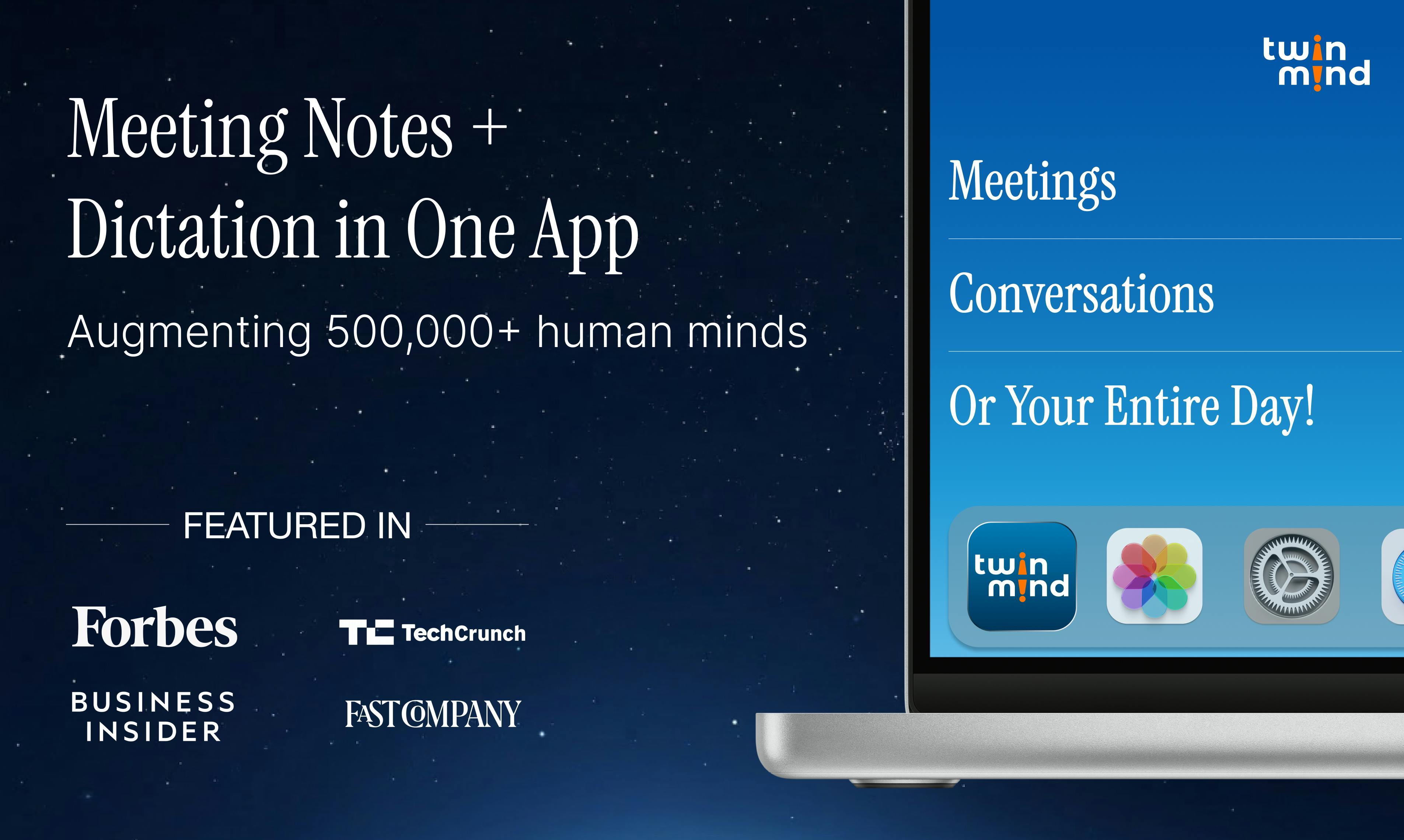
TwinMind launches Mac/Windows desktop apps, merging automatic meeting transcription and system-level dictation into always-on capabilities.
TwinMind moves from a browser extension to native Mac and Windows desktop apps, with the core change being a shift in where interaction happens: an always-on background presence automatically detects Zoom, Google Meet, and Microsoft Teams meetings and joins with one click via calendar reminders; a floating microphone persists across apps and virtual desktops, letting users hold a hotkey to dictate and paste cleaned-up text directly at the cursor. The product claims real-time transcription and summarization in over 140 languages. Its differentiation lies in combining meeting transcription and system-level dictation in one product with a shared speech pipeline and context. It debuted on Product Hunt with 94 votes and a #5 daily ranking, gaining initial attention but with a limited sample size. It suits users with frequent cross-platform meetings and high text input volume.
TwinMind is moving from a browser extension to a native desktop app, aiming to merge "meeting notes" and "voice input" into a single system-level action. It debuted on Product Hunt with 94 votes and a #5 daily ranking, with a straightforward positioning: on Mac and Windows, meetings are transcribed automatically and dictation is available anywhere.
Native Desktop: From "Opening a Tool" to "the Tool Following You"
The most fundamental change in TwinMind's desktop version is the shift in where interaction happens. In the past, the typical workflow for meeting transcription was to open a web page or app, manually start recording, and wait for processing after the meeting ended. TwinMind compresses this into an always-on background presence: it can automatically detect meetings on platforms like Zoom, Google Meet, and Microsoft Teams, and with calendar reminders, join with one click and start capturing content.
The value of this design isn't in the feature list—it's in the friction cost. The real failure point for meeting transcription tools is often not recognition accuracy, but "forgetting to turn it on." Automatic detection combined with calendar integration essentially moves the decision to start from the person to the system, which is a substantive improvement for people who have frequent meetings.
Another desktop feature is the floating microphone. It persists across applications and virtual desktops; hold down the hotkey to dictate, and on release, the cleaned-up text is pasted directly at the current cursor position. The official description emphasizes "cleaned-up text," meaning post-processing such as removing filler words, sentence segmentation, and punctuation completion is performed—this is the key dividing line between dictation features that are "usable" and those people are "willing to use."
System-level hotkeys and cross-application text injection are the key technical components of the dictation experience. After holding the hotkey to trigger recording, the system needs to capture audio without switching the foreground application, then write the recognized and post-processed text back to the input control that currently has focus. This typically relies on the operating system's global hotkey registration and accessibility interfaces (such as macOS's Accessibility API and Windows' UI Automation), rather than simple clipboard pasting. Persistent presence across virtual desktops requires the floating window to be managed independently of ordinary application windows so it isn't hidden when switching desktops. These native-layer capabilities determine whether dictation is truly "available everywhere," and they're also difficult to achieve in a browser extension form factor.
140+ Languages and Real-Time Summaries: The Trade-offs of Coverage
TwinMind claims support for real-time transcription and summarization in over 140 languages. In multilingual meeting scenarios, the significance of this number should be viewed on two levels: at the transcription level, language coverage determines whether multinational teams can use it directly; at the summary level, cross-language summarization is the real challenge, because the model needs to maintain consistency of terminology and conclusions across different languages.
Based on the product launch information, TwinMind presents "real-time transcription + real-time summarization" as parallel selling points, taking the route of delivering value during the meeting rather than writing up documents afterward. This is more practical for teams that need to align on conclusions while the meeting is in progress, but it also places higher demands on local resource usage and latency—native desktop is precisely the technical choice that addresses this.
Real-time transcription and real-time summarization are engineering tasks of two different magnitudes. Real-time transcription typically uses streaming speech recognition, where audio is chunked and fed into the model with incremental text output, with latency measured in seconds; real-time summarization requires repeatedly invoking a large language model to compress and structure the transcript as it continuously grows. If everything is recomputed each time, computational cost rises linearly—or even superlinearly—with meeting duration. A common approach is sliding-window plus incremental summarization, distilling only newly added segments and merging them with the existing summary. In multilingual scenarios, language switching and terminology consistency also need to be handled, which places higher demands on on-device compute and model scheduling—and is the practical reason the product chose native desktop rather than pure browser.
Global Dictation: An Underestimated Efficiency Lever
Compared with meeting transcription, the floating microphone's dictation feature is more easily treated as an add-on, but it may actually be the most frequently used part in daily use. Writing, replying to emails, filling out forms, dictating content into any input box—the common thread across these scenarios is "extremely low switching cost but a strong sense of interruption." If dictation requires opening a separate window and then copying and pasting, most people will give up after two tries.
TwinMind's approach is: hold the hotkey, speak, and the text lands at the cursor—the entire flow never leaves the current application. This kind of system-level integration can be implemented on both Mac and Windows, indicating the team has done considerable work at the native layer. For content creators, customer service staff, and knowledge workers who need to input large amounts of text, the practical benefit of such features often exceeds that of meeting summaries themselves.
Product Positioning and Competitive Landscape
The track TwinMind is in is already quite crowded: meeting transcription has established players like Otter and Fireflies, and system-level dictation has native voice input on each platform plus several third-party tools. TwinMind's differentiation lies in putting the two into the same product and unifying them under the "always-on desktop" form factor.
The advantage of this combination is sharing the same speech-processing pipeline and context; vocabulary and speaker information accumulated during meetings can theoretically feed back into the dictation experience. The risk is that both sides need to be good enough: meeting transcription competes on integration depth and summary quality, while dictation competes on latency and accuracy—any weakness on either side will drag down the overall evaluation. The data of 94 votes and 4 comments on Product Hunt shows it has gained initial attention, but the sample size is still insufficient to judge long-term reputation.
For users, the criteria for deciding whether it's worth trying are clear: if you have multiple cross-platform meetings every week and a high volume of daily text input, TwinMind's desktop form factor can save real switching costs; if you only have occasional meetings and modest dictation needs, built-in system features may already be sufficient.
The competitive moat in the meeting transcription track lies mainly not in speech recognition itself, but in integration depth and a closed workflow loop. Mature products like Otter and Fireflies already cover automatic meeting joining, speaker diarization, post-meeting action item extraction, and integration with calendars and CRMs. New entrants seeking to establish themselves in the same track usually need to find an angle in form-factor differentiation or scenario combination. TwinMind chose to merge meeting transcription with system-level dictation, which in theory allows sharing the speech-processing pipeline and user vocabulary context—but it also means facing two types of mature competitors simultaneously: on the meeting side, competing on integration and summary quality; on the dictation side, competing on latency and accuracy. Product Hunt vote and comment counts only reflect exposure in the early launch period and cannot yet indicate retention and paid conversion.
FAQ
Which meeting platforms does TwinMind Desktop support? Official information indicates it can automatically detect mainstream platforms such as Zoom, Google Meet, and Microsoft Teams, and join with one click via calendar reminders.
Which applications does the dictation feature support? The floating microphone persists across applications and virtual desktops; hold the hotkey to dictate at any input position and directly paste the processed text.
How many languages are supported? TwinMind officially claims real-time transcription and summarization support for over 140 languages.
One-line Summary
TwinMind launches Mac/Windows desktop versions, merging automatic meeting transcription and system-level dictation into always-on capabilities.
Paragraph Summary
TwinMind is moving from a browser extension to native desktop apps for Mac and Windows, with the core change being a shift in where interaction happens: an always-on background presence automatically detects Zoom, Google Meet, and Microsoft Teams meetings and joins with one click via calendar reminders; a floating microphone persists across applications and virtual desktops, letting users hold a hotkey to dictate and paste cleaned-up text directly at the cursor. The product claims real-time transcription and summarization in over 140 languages, taking the route of delivering value during meetings. Its differentiation lies in putting meeting transcription and system-level dictation into the same product, sharing the speech pipeline and context. It debuted on Product Hunt with 94 votes and a #5 daily ranking, gaining initial attention but with a limited sample size. It suits users with frequent cross-platform meetings and high text input volume.
Related articles

RAG Interview Essentials: Breaking Down the Full Offline Indexing and Online Retrieval Pipeline
A complete breakdown of the RAG retrieval-augmented generation workflow: offline document loading, chunking, vectorization, and indexing; online query rewriting, vector retrieval, reranking, and generation, plus core interview points and system optimization directions.

AI Large Models for Absolute Beginners: Principles and API Calling in Practice
From AI's evolution to large model training principles and core concepts like Token, Temperature, and Top-P, this article explains system prompts, Function Call, RAG, and memory with hands-on examples and four API call scenarios—ideal for beginners.

Will GitHub Die? Open Source Maintainer Burnout and the Collaboration Crisis in the AI Era
Lex Fridman podcast discussion on open source maintainer burnout and GitHub's predicament: massive pull requests overwhelm core maintainers, and AI worsens code bloat. Using math journal peer review and Poincaré conjecture verification as analogies, the article analyzes why verification in knowledge production must be deliberately slow, and how open source communities can avoid the failure mode of maintainers exiting.