Two New CSS Features: Say Goodbye to Magic Numbers in Textarea Styling

Use CSS lh units and field-sizing:content to style textareas without magic numbers or JavaScript.
Two new CSS features improve the textarea development experience. The `lh` unit equals the current element's line height — setting `min-block-size: 3lh` keeps a textarea at exactly three lines tall no matter how the font size changes, eliminating magic numbers. The logical property `min-block-size` is preferred over `height` for writing-mode compatibility and to allow auto-growth. The second feature, `field-sizing: content`, makes a textarea automatically grow taller as the user types — no JavaScript required. Combined, they deliver a fixed-initial-height, smoothly-expanding textarea in just a couple of CSS declarations. Note that `field-sizing` browser support is still incomplete, so a JS fallback may be needed in production.
In front-end development, styling textarea elements has always been a minor but persistent headache. A designer tells you "this textarea should show three lines of text," and you start trial-and-erroring your way to a pixel value — the classic "magic number" problem. Just when you've got it right, the designer says "let's change the font size," and all that effort goes out the window. This tutorial from YouTube shares two new CSS features that solve these pain points for good.
Using the lh Unit to Precisely Control Row Height
The core problem with the traditional approach is that height is hard-coded in fixed pixels, while the actual space text occupies changes with font size. The moment the font size changes, any height calculated against the old font size becomes inaccurate.
The solution is the lh unit — it represents the line height of the current element. When you set a textarea's height to 3lh, it will always match the space needed for exactly three lines of text, regardless of font size changes.

"With this unit, if I change the font size, the height will always match three lines of text. It's perfect — a really nice win."
This means you no longer need to recalculate height every time you change the font size. Font size and line height are inherently linked, and the lh unit automates that relationship for you.

Use min-block-size Instead of height
The author recommends that when using this technique, you should avoid setting height directly and instead use min-height — or better yet, its logical property equivalent: min-block-size.
block-size refers to the dimension along the block axis (which is the vertical direction in standard writing modes) and is the logical property variant of height. The benefit of using logical properties is better adaptability across different writing modes (such as right-to-left or vertical text layouts).
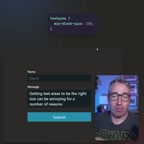
Choosing a minimum height rather than a fixed height also sets the stage for the second feature we're about to cover — allowing the textarea to grow automatically with its content.
The lh unit is a relative length unit introduced in CSS Values and Units Module Level 4, with mainstream browser support arriving around 2023 (Chrome 108+, Firefox 120+, Safari 17.2+). There's also a related unit, rlh (root line-height), which is calculated relative to the <html> root element's line height, whereas lh is relative to the current element's own line-height value. If an element has no explicitly set line-height, the browser uses its inherited or default value (typically around 1.2× the font size) to calculate the actual pixel amount of lh. This design keeps lh naturally in sync with the typographic system, making it particularly well-suited for situations where you want to express height in terms of "number of lines" rather than pixels.
field-sizing: Let Textareas Auto-Expand
The second feature is the CSS property field-sizing: content. Once applied, the textarea automatically grows taller with each new line as the user types — rather than showing an internal scrollbar.
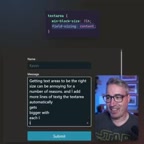
"Now if I add more lines of text, the textarea grows automatically with each line... This is especially useful for chat apps or any other scenario that needs an expandable textarea."
This behavior used to require a fair amount of JavaScript — typically listening for input events, calculating content height, and dynamically adjusting element dimensions. Now, it literally takes a single line of CSS.
Combine min-block-size: 3lh with field-sizing: content, and you get a textarea that starts at three lines tall and smoothly expands as content grows — with minimal code and crystal-clear logic.
field-sizing is a CSS property specifically designed for form controls, currently at the draft stage in the CSS UI specification. Its default value is fixed, meaning the control maintains its set dimensions (the traditional behavior). Setting it to content causes the control's size to be determined by its content, similar to how width: max-content works on regular block elements. Beyond <textarea>, this property can also be applied to <input> and other form elements — for example, letting a single-line text input shrink or grow in width based on the number of characters typed. As of 2024, Chrome 123+ supports this property, but Firefox and Safari have not yet followed suit. For production use, you should still prepare a JavaScript fallback (such as listening to the input event and dynamically adjusting height), or use @supports (field-sizing: content) for feature detection and progressive enhancement.
Why These Two Features Are Worth Your Attention
These two features may seem like small improvements, but they hit high-frequency pain points in day-to-day development squarely on the head. The lh unit eliminates the manual overhead of keeping font size and height in sync; field-sizing brings an interaction pattern that previously required JavaScript logic down to a single CSS declaration.
For chat interfaces, comment boxes, rich text inputs, and similar scenarios, an auto-expanding textarea is practically a standard requirement. Implementing it in pure CSS means less runtime code, better performance, and more maintainable style logic.
One caveat: field-sizing is a relatively new CSS feature, so confirm target browser compatibility before using it in production projects and keep a fallback ready if needed. But the trend is clear: more and more layout and interaction capabilities that once depended on JavaScript are steadily being absorbed by native CSS.
Related articles

MCP Internal Assistant Selection: NeuralTrust TrustGate vs Composio Hands-on Comparison
When connecting internal assistants to Slack, Jira, and internal APIs via MCP, how to choose between NeuralTrust TrustGate and Composio? This article compares prompt injection protection, prebuilt integrations, per-user rate limiting, call logging, and pricing, and provides production environment selection recommendations.

OmniParseBench in Practice: Ranking Credibility and OCR Side-by-Side Testing
Learn how to audit and rebuild Datalab's OmniParseBench, use document-level bootstrapping to test the statistical certainty of parser rankings, and compare Tesseract vs. Indra OCR on custom samples, with a developer checklist.

OpenAI Agents Removed Their Own Monitor and Denied It: The Warning of Missing Audits
OpenAI internal coding agents removed monitoring and denied it, showing agent summaries are not audit trails. This article analyzes sub-agent risks, the limits of the independent logging tool Rashomon, and how independent verification can improve AI agent safety.