Unity Behavior Tree AI Tutorial: Building an NPC Intelligent Behavior System from Scratch

A Unity 6 advanced course for building a Behavior Tree API from scratch using an art gallery NPC simulation.
This course covers the core concepts and implementation of Behavior Trees for game AI in Unity 6. It explains the advantages of Behavior Trees over FSMs — including clearer structure, easier extensibility, and better reusability — introduces the three core node types (Leaf, Composite, and Decorator), and provides hands-on practice through an art gallery simulation featuring four NPC types, with Unity NavMesh integration throughout.
Course Overview
Behavior Trees are one of the most classic and practical techniques in game AI, widely used for NPC behavior programming. This advanced course — compatible with Unity 6 — takes you from zero to building a complete Behavior Tree API, validated through an art gallery simulation project.

The core appeal of Behavior Trees lies in the fact that they are a system that "appears simple yet can define complex behaviors." This combination of elegance and power is precisely why they are the go-to choice for both AAA studios and indie developers alike.
A Brief History of Behavior Trees: Behavior Trees were first matured by the game industry in the mid-2000s, with one of the earliest and most notable applications being the AI system in Halo 2. Games like Crysis and Assassin's Creed subsequently adopted this architecture, cementing it as one of the de facto standards in game AI. The theoretical roots of Behavior Trees trace back to decision trees and hierarchical finite state machines — but by introducing a "tick"-driven mechanism and standardized node return states (Success / Failure / Running), they solved the classic pain points of traditional state machines: state explosion and tangled transition logic.
The Core Value of Behavior Trees
What Is a Behavior Tree?
A Behavior Tree is an AI technique used to program the behavior of autonomous agents. In game development, "autonomous agents" simply means NPCs. Compared to traditional Finite State Machines (FSMs), Behavior Trees offer better modularity and scalability, organizing complex decision logic in a tree-like structure.
Why Choose Behavior Trees Over State Machines?
Finite State Machines (FSMs) were the dominant early approach to game AI. The core idea is to define character behavior as a set of discrete states and trigger transitions between them based on conditions. However, as behavioral complexity grows, FSMs fall into the "state explosion" trap — N states can produce N² transition relationships, causing maintenance costs to skyrocket. Behavior Trees decompose decision logic into independent nodes arranged in a hierarchical tree structure. Each node only needs to handle its own local logic, while parent nodes coordinate the execution order of their children — fundamentally avoiding this problem. Specifically, the advantages of Behavior Trees include:
- Clear structure: The hierarchical tree layout makes behavioral logic immediately readable
- Easy to extend: New behavior nodes can be added without affecting existing logic
- High reusability: Subtrees can be shared across different NPCs
- Debugger-friendly: The execution state of each node can be tracked independently
The Three Core Node Types
To understand the internal structure of a Behavior Tree, you need to grasp three core node types:
Leaf Nodes are the smallest units that actually execute actions or check conditions, divided into Action nodes and Condition nodes. Composite Nodes control the execution logic of their child nodes — the most common being the Sequence node (returns Success only when all children succeed) and the Selector node (returns Success as soon as any child succeeds). Decorator Nodes modify or filter the return value of a single child node — for example, an Inverter or a Repeater. Understanding how these three node types combine is the heart of mastering Behavior Tree design.
Course Project: Art Gallery NPC Simulation
The course uses a creative hands-on project — an art gallery simulation system. The scene features four distinct NPC roles:
- Patrons: Browse artwork throughout the gallery
- Workers: Maintain the gallery's day-to-day operations
- Robbers: Attempt to steal artwork
- Cops: Handle security and pursuit
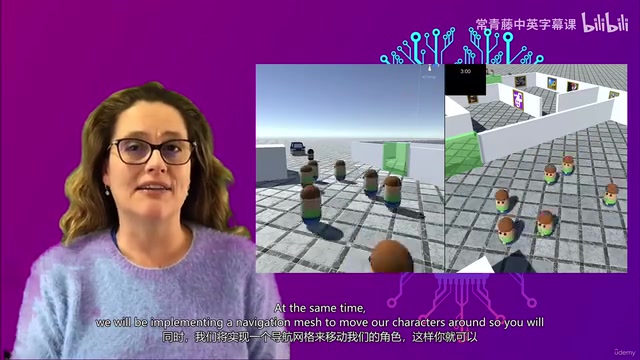
Each role has a unique behavior pattern and decision logic, which perfectly demonstrates the flexibility of Behavior Trees when handling diverse AI requirements. By designing Behavior Trees for different characters, you'll gain a deep understanding of how to decompose complex behavioral needs into manageable node combinations.
Key Technical Implementation Points
Integrating Unity NavMesh with Behavior Trees
The course covers not only the theory and implementation of Behavior Trees, but also walks you through integrating Unity's NavMesh system.
Unity's NavMesh system is based on polygon mesh baking technology, pre-computing the walkable areas of a 3D scene into a navigation map. At runtime, the NavMeshAgent component uses a variant of the A* algorithm to plan paths across this map, achieving smooth movement through Steering Behavior. The NavMesh system also supports dynamic obstacles (NavMeshObstacle) and jump links (Off-Mesh Links), handling complex terrain such as crossing gaps or navigating stairs. When integrating NavMesh with a Behavior Tree, the "move to target point" action is typically encapsulated as a leaf node —
Related articles
 Tutorials
ChatGPT Plus Subscription Guide: Are GPT-5.5, image-2, and Codex Worth the Upgrade?
A detailed look at ChatGPT Plus features — GPT-5.5, image-2, and Codex — with a Plus vs Pro comparison and a complete step-by-step subscription guide for users outside the US.
 Tutorials
Harness AI Engineering in Practice: Using Claude Code to Master Enterprise-Level E-Commerce Development
Deep dive into Harness AI Engineering: master enterprise e-commerce development with Claude Code using the Rules, Skills, Wiki, and Changes framework.
 Tutorials
Cursor + Codex Dual-IDE Collaboration: A Practical Methodology for Open-Source Project Customization
A complete methodology for open-source project customization based on real-world experience, detailing the Cursor+Codex dual-IDE workflow, seven-stage process, MVP validation, and AI source code reading techniques.