Vibe Coding Beginner's Guide: A Complete Workflow for Building Software with AI from Scratch

A complete guide to building software with AI using natural language—no coding experience required.
This guide covers Vibe Coding from start to finish: expressing requirements in natural language, breaking tasks into manageable steps, debugging with AI tools like Claude Code and Cursor, and managing versions with Git. It explains why this AI-powered development approach is accessible to non-programmers and offers practical tips for choosing tools, building MVPs, and avoiding common pitfalls.
What Is Vibe Coding?
Vibe Coding is an entirely new paradigm for software development in the AI era. The concept was first coined by Andrej Karpathy—former Tesla AI Director and OpenAI co-founder—in early 2025. He described a new state of programming on social media: instead of writing code line by line, developers converse with AI using natural language, guiding it to complete development work based on "vibes." The concept quickly sparked intense discussion in the tech community because it perfectly captured the new possibilities for human-AI collaborative development following the dramatic leap in large language model (LLM) capabilities.
Unlike traditional programming, which requires mastering syntax, frameworks, and commands, the core of Vibe Coding is expressing your intent in natural language, letting AI understand your requirements and automatically generate code.
What makes this approach revolutionary is that you don't need to learn any programming language or memorize complex API interfaces—you just need to clearly describe what functionality you want. The AI writes code and runs tests simultaneously while the developer simply confirms with "Yes" or "No." The entire process feels like having a conversation with an experienced programmer.
It's worth noting that Vibe Coding is fundamentally different from the Low-Code/No-Code platforms that became popular earlier. Low-code platforms like Bubble and OutSystems offer visual drag-and-drop with pre-built components, keeping developers constrained by preset modules and design templates. Vibe Coding, built on general-purpose large language models, can theoretically generate any type of code, offering far greater flexibility and a much higher ceiling than traditional low-code solutions. This qualitative leap is thanks to the massive advances in code comprehension and generation by models like GPT-4 and Claude 3.5—having learned from billions of lines of open-source code during training, they can now understand complex programming intent and generate high-quality code.
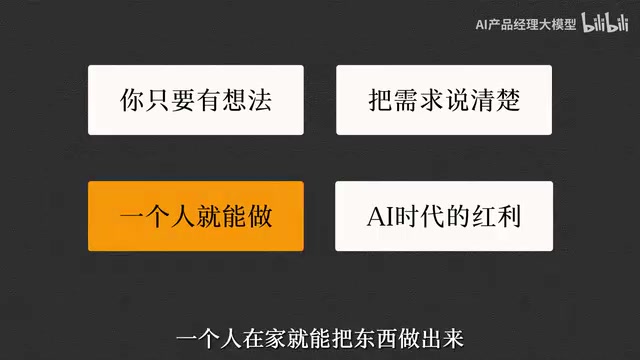
Based on the hands-on experience of content creators, Vibe Coding has lowered the barrier to software creation to an unprecedented level. Developing a tool used to mean either spending tens of thousands on outsourcing or self-studying programming for six months. Now, as long as you can articulate your requirements clearly, one person working from home can complete the entire process from concept to launch.
Why Should Ordinary People Learn Vibe Coding?
Dramatically lowering the barrier to creation is Vibe Coding's most fundamental value. With AI-assisted programming tools like Claude Code, Cursor, and GitHub Copilot, anyone can turn ideas into functional software products. This isn't just technological progress—it's a liberation of personal creativity.

From an economic perspective, this is one of the biggest dividends AI offers to everyday people. Software development is no longer the exclusive domain of programmers—product managers, designers, operations staff, and even students can quickly validate their ideas and build personalized tools to boost efficiency or solve real problems.
From a broader perspective, Vibe Coding is redefining what "tech literacy" means. In the past, tech literacy meant mastering at least one programming language. In the age of AI-assisted development, the core of tech literacy is shifting toward problem definition skills and requirements articulation skills. Being able to break down a vague idea into clear, actionable requirement descriptions is itself a high-value skill. A 2024 McKinsey report noted that by 2030, approximately 70% of businesses worldwide will use some form of AI-assisted development in daily operations, meaning "building software with AI" will become as commonplace a workplace skill as "using Excel."
The Complete Vibe Coding Workflow from Zero to One
Step 1: Define Requirements and Kick Off Development
Successful Vibe Coding starts with clear requirement articulation. Don't vaguely say "build me a website." Instead, be as specific as possible:
- What problem does this tool solve?
- What are the core features?
- How will users interact with it?
For example: "I need a to-do list management tool that can add tasks, mark completion status, and sort by priority, with a clean and user-friendly interface." The more specific your description, the closer the AI-generated code will be to your expectations.
This "requirement articulation" is essentially an application of Prompt Engineering in the programming domain. Prompt Engineering refers to optimizing the text input given to AI (the "prompt") to guide the model toward more accurate, higher-quality output. In the Vibe Coding context, every requirement description you write is a prompt. Research shows that structured requirement descriptions (including clear feature points, user scenarios, and constraints) can improve AI code generation accuracy by over 40% compared to a single vague sentence. A practical technique is to organize your requirements using a "Role-Scenario-Feature-Constraint" four-element framework: specify who the software is for, in what scenario it will be used, what core features are needed, and any special limitations (e.g., must run on mobile, data must be stored locally, etc.).
Step 2: Break Down Requirements and Execute Step by Step
Breaking large requirements into smaller tasks is a key Vibe Coding technique. AI is better at handling clear, specific small goals. Instead of saying "build a complete project management system," progress incrementally:
- First implement basic CRUD (create, read, update, delete) functionality for tasks
- Then add categorization and tagging features
- Finally optimize the interface interactions and visual experience
This incremental development approach helps AI execute instructions more reliably and makes it easier for you to verify results at each stage and correct course promptly.
Why is step-by-step execution so important? It's closely related to the technical characteristics of current large language models. Even the most advanced LLMs have context window limitations—there's an upper limit to the amount of text a model can process in a single interaction. Claude 3.5 has a context window of 200K tokens (roughly 150,000 words), while GPT-4 Turbo has 128K tokens. When you describe a complex system with dozens of features all at once, the model must handle numerous interrelated requirements within a limited context, making omissions or logical conflicts more likely. By breaking requirements into small tasks, each interaction focuses on just one specific goal, allowing the model to concentrate better and naturally produce higher-quality output. This is why experienced Vibe Coding practitioners often maintain a "task checklist" and work through items sequentially based on dependencies.
Step 3: Error Identification and Bug Fixing
Encountering errors during development is completely normal—the key is how to resolve them efficiently. Based on four months of hands-on experience, effective methods for locating bugs include:
- Screenshot the error message and send it directly to the AI for analysis
- Describe the steps taken before the error occurred to help the AI reproduce the problem scenario
- Provide the complete error log rather than copying just one line

AI tools like Claude Code and Cursor can typically identify common error types quickly (missing dependencies, syntax issues, logical conflicts, etc.) and provide targeted fixes. If the first attempt doesn't solve it, try describing the problem from a different angle—a second try often does the trick.
Here's an important debugging tip: when describing a bug to AI, the completeness of contextual information you provide often determines fix efficiency. "Error logs" are diagnostic information automatically output by a program when it encounters a runtime error, typically including the error type (e.g., TypeError, SyntaxError), the error location (filename and line number), and the call stack (the steps the program went through before reaching the error point). Many beginners only copy the last red error message, but the stack trace actually contains the root cause of the problem. Additionally, when facing "stubborn bugs" that AI repeatedly fails to fix, an effective strategy is to ask the AI to first explain the current code's execution logic rather than directly requesting a fix. By understanding the code's flow, you can often identify which step is causing the problem, then guide the AI toward a targeted fix with a more precise description.
Step 4: Version Control and Project Maintenance
The biggest fear mid-project is making changes you can't undo. Even with AI-assisted development, you should build good version control habits from the very beginning:
- Use Git to save snapshots of each stable version
- Commit current code before adding new features
- Write brief notes recording the reason and effect of each change
Git is currently the world's most widely used distributed version control system, created by Linux creator Linus Torvalds in 2005. Think of Git as a "time machine" for code: it records every modification to every file in your project, and you can revert to any historical version at any time. Git's core concepts include commit—taking a "snapshot" of the current code state with an accompanying description; branch—creating an independent development space to try new features without affecting the main codebase; and merge—incorporating the results from a branch back into the main line. In the Vibe Coding context, Git's value is especially significant because AI-generated code sometimes introduces unexpected changes or even breaks previously working functionality (known as "regression defects" in software engineering). With Git, you can confidently let AI try various approaches—if the results aren't satisfactory, a single command restores everything. Even as a complete beginner, you should learn at least these four basic commands: git init (initialize a repository), git add (stage changes), git commit (save a snapshot), and git checkout (switch versions). They can save you enormous amounts of time at critical moments.
These foundational practices help you avoid unnecessary rework and make the entire development process more controllable and traceable.
Practical Vibe Coding Tips and Lessons Learned
Start with small projects—this is the single most important piece of advice. Don't try to build a complex system right away. Start by building a simple but fully functional small tool:
- A basic calculator app
- A Markdown online editor
- A weather lookup tool
Completing one full cycle from requirements to launch will give you an intuitive understanding of the entire development pipeline. After that, tackling more complex projects will come naturally.
How to choose an AI coding tool? Claude Code, Cursor, and GitHub Copilot each have different strengths. Claude Code excels at conversational requirement refinement and complex logic reasoning, Cursor offers high integration and is great for rapid prototyping, and Copilot stands out in code completion. Choose based on your project type and personal preferences—there's no one-size-fits-all best option.
More specifically, these three tools differ significantly in technical architecture and use cases. Claude Code is a command-line AI programming tool from Anthropic that can directly access your entire project codebase, providing cross-file code generation and refactoring suggestions through deep understanding of project structure—particularly suited for complex projects requiring extensive context comprehension. Cursor is an AI-native code editor deeply rebuilt on VS Code, with built-in multi-model support (switchable between Claude, GPT-4, etc.) and a "Composer" feature that allows natural language-driven modifications across multiple files simultaneously. Its strength lies in a WYSIWYG development experience, making it ideal for frontend projects and rapid prototyping. GitHub Copilot is a code completion tool jointly developed by GitHub and OpenAI that runs as a VS Code plugin. Its core capability is real-time line-level or function-level code completion based on current code context—more of an "intelligent autocomplete" than a conversational development assistant, best suited for developers with some programming background looking to boost coding efficiency. For Vibe Coding beginners, I recommend starting with Cursor because of its user-friendly visual interface; once you've gained some experience, try Claude Code to experience its more powerful holistic code comprehension capabilities.
Get it working first, then optimize—don't aim for perfection from the start. Vibe Coding's greatest advantage is rapid idea validation. Build a minimum viable version (MVP) that runs, then iterate based on real usage feedback. This agile mindset is far more practical than trying to achieve perfect functionality from day one.
MVP (Minimum Viable Product) is a concept from Eric Ries's 2011 book The Lean Startup. The core idea is: build a product version with just the essential features using minimal cost and time, put it in front of real users to get feedback, then iterate rapidly based on that feedback. This philosophy is a perfect match for Vibe Coding—in traditional software development, building an MVP might take a small team several weeks, while with AI-assisted development, one person might finish it in a few hours. This ultra-fast "build-validate-iterate" cycle lets you explore different product directions at extremely low trial-and-error costs. In practice, keep your MVP's feature scope to 3-5 core functions, ensuring each is usable but not necessarily polished. After launch, focus on whether users are actually using your core features rather than obsessing over UI details or edge cases—those are things to refine in subsequent iterations.
Conclusion
Vibe Coding isn't about replacing professional programmers—it's about enabling more people to participate in software creation. For those without a technical background, this is a rare opportunity: your ideas are no longer limited by technical ability. As long as you can clearly articulate your requirements, AI can help turn them into reality.
From requirement articulation and task decomposition to error handling and version control, this complete Vibe Coding workflow represents hard-won practical experience. Once you've mastered this methodology, the next step is to open Claude Code or Cursor and start building your very first AI-assisted development project.
It's worth emphasizing that Vibe Coding is still in the early stages of rapid evolution. As large language model capabilities continue to improve, multimodal understanding matures (such as describing requirements through screenshots or voice), and AI Agent technology advances—where future AI can not only write code but autonomously deploy, test, and fix it—the boundaries of what Vibe Coding can achieve will keep expanding. Learning this methodology now isn't just about solving today's efficiency challenges; it's about building core competitive advantages for the coming era of AI-native development.
Related articles

Cursor AI in Practice: Weighing Efficiency Gains Against Costs in an AI IDE
An in-depth look at Cursor AI IDE's interface layout, four modes (Agent/Plan/Debug/Ask), model selection, and Git context integration, with hands-on demos weighing subscription costs against going direct to Claude.

Free Landing Page Design Rules Library: A Practical Guide for Claude Code and Cursor
A free landing page design skill for Claude Code and Cursor: MIT licensed, nearly 9,000 stars, asks about offer/audience/action before planning 12 sections with hard font and spacing constraints.

Cursor Keeps Writing Wrong Code? The Problem May Be Context, Not Prompts
Cursor keeps writing wrong code? The problem may be context, not prompts. Learn how to supply relevant files, full error messages, and expected results, plus a plan-first, small-step, test-driven workflow to reduce AI coding errors—while remembering code review remains the developer's job.