Vibe Coding Hands-On Tutorial: Three Steps from Idea to Product Launch with Zero Code

Vibe Coding: drive AI with natural language to write code, enabling anyone to build products.
Vibe Coding is a new development paradigm introduced by Andrej Karpathy that uses natural language to drive AI for code generation, minimizing the barrier to product development. The workflow has three steps: use Gemini to structure requirements into a PRD, use Figma Make to generate UI designs, and use Cursor to produce running code. Entrepreneurs, professionals, freelancers, and creators benefit most. In the AI era, core competitive advantage has shifted from programming ability to ideas and logic.
What Is Vibe Coding? A Silent Revolution in Development Paradigms
Vibe Coding isn't a new programming language—it's an entirely new product mindset and development paradigm. The core idea is simple: use natural language to drive AI, and let AI write code for you, lowering the barrier to creating products to an unprecedented level.
This concept was first introduced by Andrej Karpathy—former Tesla AI Director and OpenAI co-founder—in February 2025. He described a new state of programming on social media: fully immersed in the "vibe," relying on AI's code completion and generation capabilities, barely writing any code by hand. The concept quickly sparked widespread discussion in the tech community because it precisely captured the tipping point where AI-assisted development evolved from "tool" to "primary driver."
In the past, wanting to build an app was like planning an expedition to Antarctica—you had to learn to build a ship, learn navigation, and learn survival skills. Code was a towering wall in front of ordinary people, making it nearly impossible for non-technical individuals to independently build a product. Now, writing code is AI's job—what you truly need is creativity and imagination.
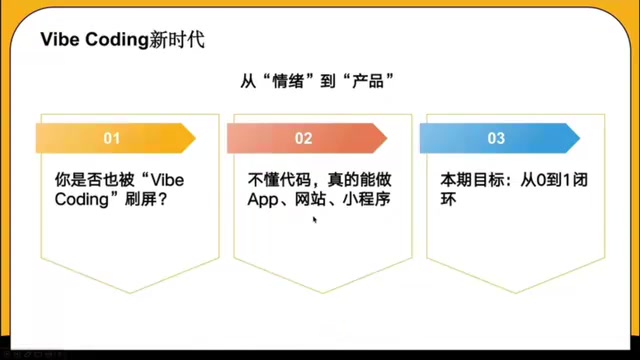
Here's a real example: a designer abroad used Vibe Coding to develop a minimalist AI tool called "Screenshot to Code" in just one afternoon. His requirements were specific—the color scheme should feel as premium as Apple apps, and scrolling should be smooth. This product now generates thousands of dollars in monthly revenue. From an idea to a profitable product, there's no longer a long learning and development cycle in between.
Traditional Development vs. Vibe Coding: A Fundamental Paradigm Shift
Pain Points of Traditional Development
In the past, building an application required mastering multiple programming languages: HTML, CSS, and JavaScript for the frontend; Python, Java, Go, etc. for the backend—completely different tech stacks. The frontend stack handles the interface that users directly see and interact with, with the core trio being HTML (defining page structure), CSS (controlling visual styles), and JavaScript (implementing interaction logic), plus modern frameworks like React, Vue, and Angular built on top. The backend stack handles server-side business logic, data storage, and API interfaces, using languages like Python, Java, Go, and Node.js, plus complex areas like database management, server deployment, and API design. A complete application often requires additional skills like DevOps (operations automation) and cloud service configuration—which is why the learning curve for traditional full-stack development is so steep. The entire process involves lengthy development and iteration cycles, making it a nearly impossible task for non-technical people.
The New Logic of Vibe Coding
Now the logic has completely changed: use natural language to drive AI, and AI understands your intent and logic. You communicate with AI through conversation, directing it to complete the entire process of design, development, and testing. Development becomes efficient and intuitive—you don't need to write a single line of code yourself.
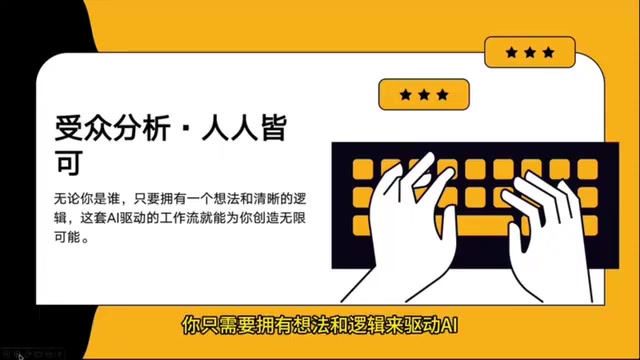
In the Vibe Coding workflow, your role undergoes a fundamental transformation—you're no longer a programmer buried in code, but the creative director and project lead of the entire product. Your core task is to come up with great ideas and guide AI with clear logic to bring them to life.
Four Super Beneficiaries: Who Benefits Most from Vibe Coding?
While anyone can try Vibe Coding, the following four groups stand to gain the most:
1. Entrepreneurs Validating Ideas
Previously, entrepreneurs needed to find technical co-founders and invest heavily in development to validate an idea. Now with Vibe Coding, you can independently build an MVP (Minimum Viable Product) in extremely short timeframes, quickly validate market demand, and dramatically reduce the cost of experimentation. MVP is a core concept in lean startup methodology, systematically articulated by Eric Ries in The Lean Startup. The core idea is to use minimal resources to build a product version containing only essential features, then release it to the market to validate business hypotheses. Traditional MVP development typically takes weeks to months, while Vibe Coding compresses this cycle to hours or days, dramatically accelerating the "Build-Measure-Learn" feedback loop.
2. Professionals Seeking Efficiency
Within companies, you can use Vibe Coding to quickly build automated management systems, data dashboards, and other internal tools, significantly improving team efficiency and becoming an irreplaceable cross-functional talent.
3. Freelancers Monetizing Skills
Treat Vibe Coding as a service capability—provide AI solutions for businesses, help them develop applications and optimize processes, and earn service fees. This is an entirely new monetization path.
4. Creators with Ideas
Even without any technical background, as long as you have unique product ideas, you can turn them into reality with AI tools.
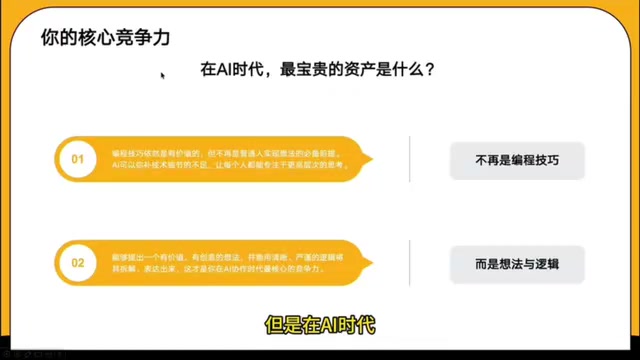
In the AI era, the most valuable asset is no longer programming ability, but ideas and logic. This is a fundamental cognitive shift.
The Core Vibe Coding Workflow: Three Steps from Idea to Product
The entire Vibe Coding workflow can be broken down into three key stages, each supported by a corresponding AI tool chain.
Step 1: Idea → Product Document (Using Gemini to Structure Requirements)
First, you need to transform the vague idea in your head into an executable product document. For this step, Google's Gemini is recommended.
The approach is to have a deep conversation with Gemini, telling it:
- What your core features are
- Who your target user group is
- What problem you're trying to solve
Gemini acts as a top-tier project manager and product manager, deeply breaking down your requirements and analyzing your product's core value. Once the direction is confirmed, Gemini can also generate a complete PRD (Product Requirements Document), including feature lists, priority rankings, and project roadmaps, making the entire project crystal clear.
A PRD is a critical document in product development that defines in detail what the product should do, who it's for, and how success is measured. A complete PRD typically includes a product overview, user personas, feature requirements list, priority matrix, user stories, non-functional requirements (such as performance and security), and project milestones. In traditional workflows, writing PRDs is a core responsibility of product managers, often requiring days or even weeks of research and discussion. With large language models like Gemini, this process can be completed in hours, producing documents that are clearly structured and logically complete.
Step 2: Product Document → Design Mockup (Using Figma Make to Generate UI)
With a product document in hand, the next step is generating design mockups. Pass Gemini's output along with your design preferences to Figma Make.
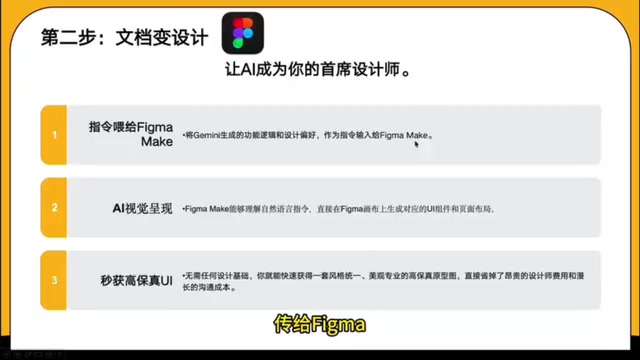
Figma Make is an AI-native design feature launched by Figma in 2025, representing a major shift in UI/UX design tools from manual operation to AI-driven workflows. Traditional UI design requires designers to master layout principles, color theory, component design systems, and other professional knowledge, building interfaces pixel by pixel manually in Figma. Figma Make uses large language models to understand natural language descriptions and automatically generates UI components, page layouts, and interactive prototypes that comply with modern design standards. It can understand natural language instructions and directly generate corresponding UI components and layouts on the Figma canvas, producing beautiful interfaces. You don't need any design background to get a set of consistent, professional, high-fidelity prototypes, reducing the design cycle from days to minutes.
Step 3: Design Mockup → Running Code (Using Cursor to Generate Code)
The final step is turning design mockups into actual running code. Use Figma MCP to read design file information, then use AI coding tools like Cursor to generate frontend and backend code.
Cursor is an AI-native code editor deeply rebuilt on VS Code, with built-in deep integration with large language models, supporting code generation, refactoring, debugging, and full-workflow AI assistance. MCP (Model Context Protocol) is an open standard protocol released by Anthropic in late 2024, designed to provide AI models with a unified interface for interacting with external tools and data sources. Through Figma MCP, Cursor can directly read layer structures, style parameters, and component relationships from Figma design files, precisely converting visual designs into frontend code—achieving seamless handoff from design to development.
Throughout the entire process, your role remains that of a commander—you don't need to write any code, just confirm and fine-tune at key decision points. Development work is done by AI; you're responsible for direction and quality control.
Start Now: Don't Wait Until You're "Ready"
Many people think learning development takes six months or longer, but in the AI era, going from zero to one only takes one project of practice. If you can send a WeChat message, if you've ever complained about a product's pain point, then you already have the fundamental skills for Vibe Coding.
Here are some practical tips:
- Start with small projects: Don't try to build a complex platform right away—start with a small tool that solves your own pain point
- Practice talking to AI: The core skill of Vibe Coding is expressing requirements clearly—practice describing the features you want in structured language
- Iterate fast, build first then optimize: Don't pursue perfection on the first try—get something working first, then leverage AI's speed advantage to improve quickly
- Stay current with tool updates: Tools like Gemini, Figma Make, and Cursor are all evolving rapidly—keeping up with new features helps you stay ahead
Vibe Coding is redefining the answer to "who can build products." Technical barriers are being rapidly dismantled by AI, and what remains as core competitive advantages are your ideas, your logic, and your insight into user needs. Start now—turn your idea into your first product.
Related articles
 Tutorials
ChatGPT Plus Subscription Guide: Are GPT-5.5, image-2, and Codex Worth the Upgrade?
A detailed look at ChatGPT Plus features — GPT-5.5, image-2, and Codex — with a Plus vs Pro comparison and a complete step-by-step subscription guide for users outside the US.
 Tutorials
Harness AI Engineering in Practice: Using Claude Code to Master Enterprise-Level E-Commerce Development
Deep dive into Harness AI Engineering: master enterprise e-commerce development with Claude Code using the Rules, Skills, Wiki, and Changes framework.
 Tutorials
Cursor + Codex Dual-IDE Collaboration: A Practical Methodology for Open-Source Project Customization
A complete methodology for open-source project customization based on real-world experience, detailing the Cursor+Codex dual-IDE workflow, seven-stage process, MVP validation, and AI source code reading techniques.